
Amniotic
A multi-output ambient sound mixer for Home Assistant.
Amniotic lets you use a single device to create on-the-fly, custom ambient audio mixes - e.g. mixing Waterfall sounds with Birdsong on one media player entity, while playing Fireplace sounds from a second audio device - to suit your tastes and environment.
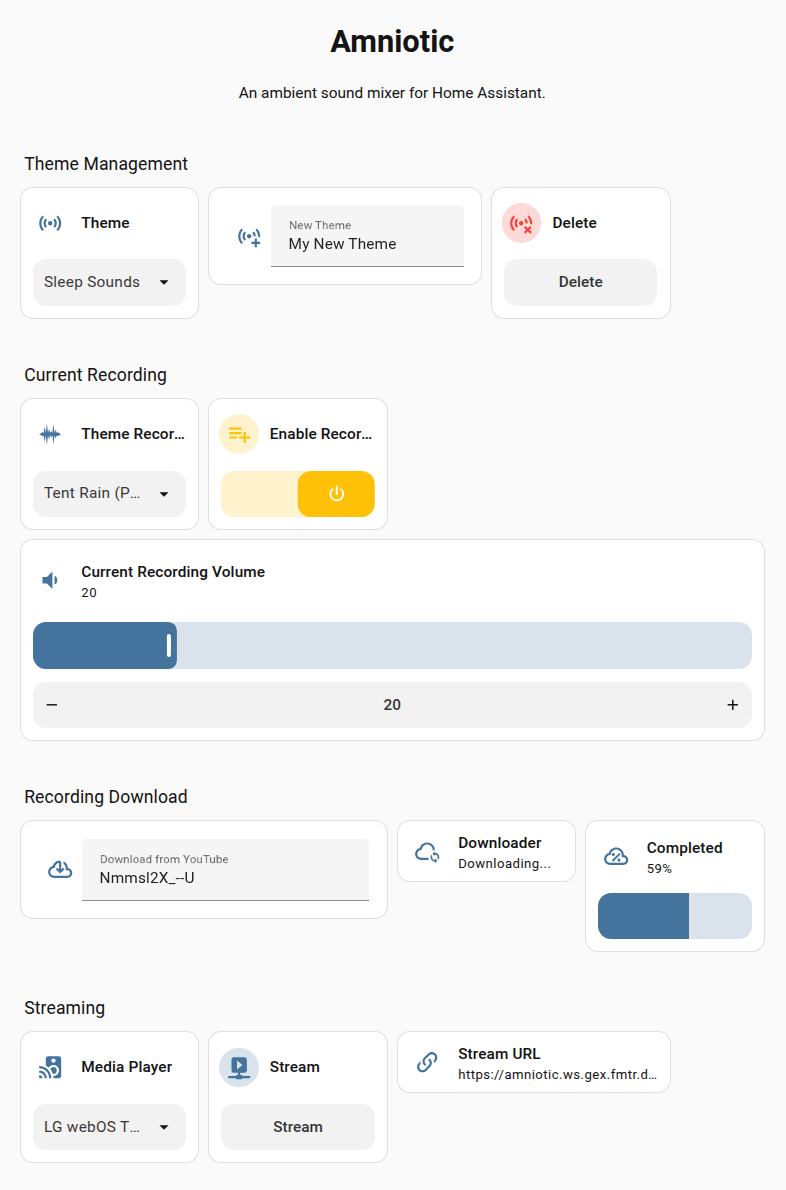
The library integrates with Home Assistant via MQTT as a new device, allowing you to create and control ambient mixes from the Home Assistant interface.
Why Would I Want Such a Thing?
I won't explain the general reasons for introducing non-musical sounds into one's environment, but if you find sound masking helps you concentrate in noisy environments, if you're (as I am) slightly misophonic, if you use white noise machines to induce sleep or relaxation, or if you just think sound is an important factor in setting a pleasant ambience, then you might find Amniotic useful.
Can't I do This with Spotify, Volumio, HifiBerry etc.?
Since those systems are intended for music, they aren't designed for playing or mixing multiple streams simultaneously with a single device, even if set up in multi-room configurations. Also, the streaming services often won't allow a single account to play multiple streams, even if multiple devices are used.
Anyway, those limitations motivated this library.
There are two ways to install and run Amniotic:
- On the Home Assistant machine itself, as an add-on.
- Install manually, on a separate machine.
Home Assistant Addon
To add as an Addon, click here:

Documentation
1 maintainer

Metadata
1 maintainer
Release files for amniotic 1.10.1
For a detailed explanation of source distributions (sdists) and built distributions (wheels), please see the package formats documentation.
Source distribution (sdist)
| File | Size | Uploaded | |
|---|---|---|---|
| amniotic-1.10.1.tar.gz | 36.9 kB | Details |
Built distribution (wheel)
| File | Interpreter | ABI | Platform | Reset |
|---|---|---|---|---|
| amniotic-1.10.1-py3-none-any.whl | Python 3 | none | any | Details |
Total release size: 80.9 kB
Release files / amniotic-1.10.1.tar.gz
| Download URL | amniotic-1.10.1.tar.gz |
|---|---|
| Size | 36.9 kB |
| Tags | Source |
|
SHA-256 checksum How to use checksums |
eb206da641d2ef4961b9287ec9cd5946b11d8798252967805b89cc97673b6af2
|
|
BLAKE2b-256 checksum How to use checksums |
7f454792e27582adf0a375df89f63525725b8b77aca774e6620684ed22fe1bfc
|
| Upload date | |
|
Uploaded using Trusted Publishing? What is trusted publishing? |
No |
| Uploaded via |
twine/6.2.0 CPython/3.14.6
|
Release files / amniotic-1.10.1-py3-none-any.whl
| Download URL | amniotic-1.10.1-py3-none-any.whl |
|---|---|
| Size | 44.0 kB |
| Tags | Python 3 |
|
SHA-256 checksum How to use checksums |
ab875b15b8c0cacaf589173edfe34aa5ac28410056ce38252895a545cc763545
|
|
BLAKE2b-256 checksum How to use checksums |
d84a603c0041c8ae43d64d2ed622e4235ae82a7b46c73fcf99b5dc2031d2e1b5
|
| Upload date | |
|
Uploaded using Trusted Publishing? What is trusted publishing? |
No |
| Uploaded via |
twine/6.2.0 CPython/3.14.6
|














