
A multi-output ambient sound mixer for Home Assistant

Project description
Amniotic
A multi-output ambient sound mixer for Home Assistant.
Amniotic lets you use a single device to create on-the-fly, custom ambient audio mixes - e.g. mixing Waterfall sounds with Birdsong on one media player entity, while playing Fireplace sounds from a second audio device - to suit your tastes and environment.
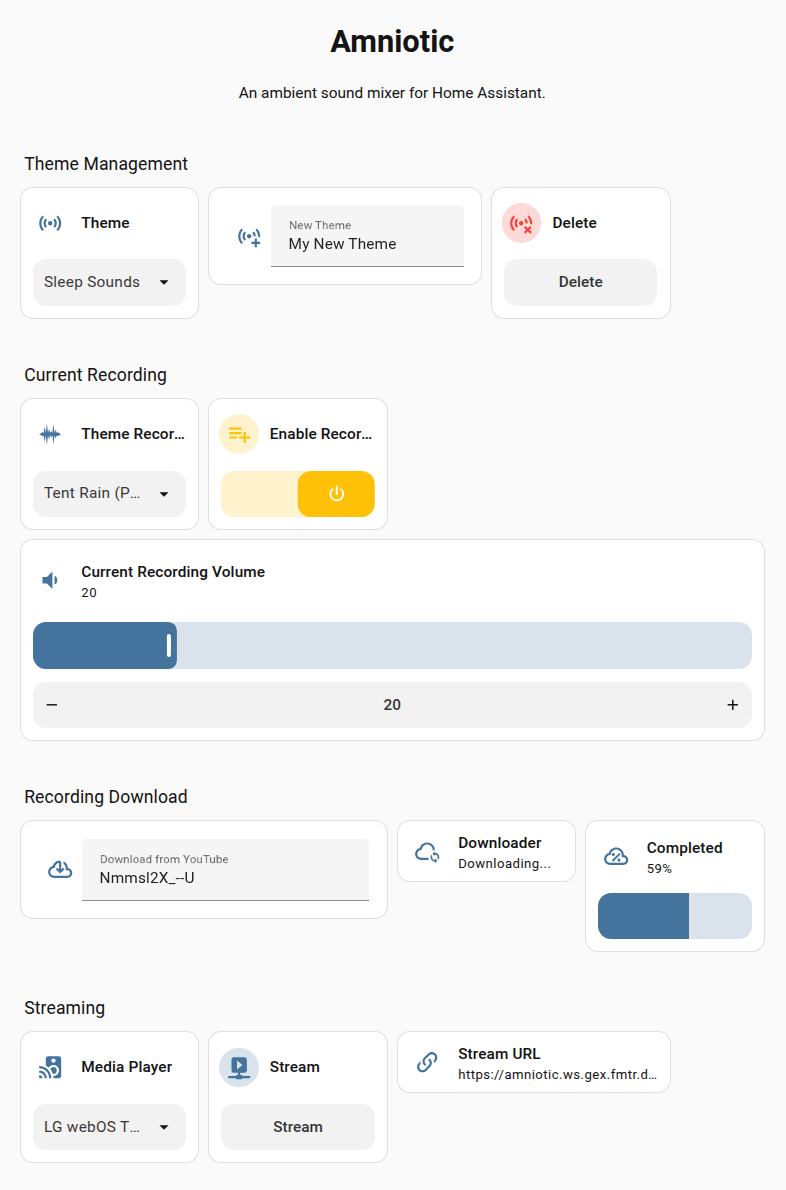
The library integrates with Home Assistant via MQTT as a new device, allowing you to create and control ambient mixes from the Home Assistant interface.
Why Would I Want Such a Thing?
I won't explain the general reasons for introducing non-musical sounds into one's environment, but if you find sound masking helps you concentrate in noisy environments, if you're (as I am) slightly misophonic, if you use white noise machines to induce sleep or relaxation, or if you just think sound is an important factor in setting a pleasant ambience, then you might find Amniotic useful.
Can't I do This with Spotify, Volumio, HifiBerry etc.?
Since those systems are intended for music, they aren't designed for playing or mixing multiple streams simultaneously with a single device, even if set up in multi-room configurations. Also, the streaming services often won't allow a single account to play multiple streams, even if multiple devices are used.
Anyway, those limitations motivated this library.
There are two ways to install and run Amniotic:
- On the Home Assistant machine itself, as an add-on.
- Install manually, on a separate machine.
Home Assistant Addon
To add as an Addon, click here:

Documentation
Release history Release notifications | RSS feed


Download files
Download the file for your platform. If you're not sure which to choose, learn more about installing packages.
Source Distribution
Built Distribution
Filter files by name, interpreter, ABI, and platform.
If you're not sure about the file name format, learn more about wheel file names.
Copy a direct link to the current filters
File details
Details for the file amniotic-1.4.3.tar.gz.
File metadata
- Download URL: amniotic-1.4.3.tar.gz
- Upload date:
- Size: 28.9 kB
- Tags: Source
- Uploaded using Trusted Publishing? No
- Uploaded via: twine/6.2.0 CPython/3.12.3
File hashes
| Algorithm | Hash digest | |
|---|---|---|
| SHA256 |
b77c1e9b9b8f4545c9b7b2b5c5be18361020abd98d10708e21b85ad22a7aad0d
|
|
| MD5 |
d57b2c7cd46539d4d8bb68bdb05f351d
|
|
| BLAKE2b-256 |
d560b47754257e714f142f09dc7ce33e5c0147f5ef526c8ae39348c2364f4a00
|
File details
Details for the file amniotic-1.4.3-py3-none-any.whl.
File metadata
- Download URL: amniotic-1.4.3-py3-none-any.whl
- Upload date:
- Size: 35.0 kB
- Tags: Python 3
- Uploaded using Trusted Publishing? No
- Uploaded via: twine/6.2.0 CPython/3.12.3
File hashes
| Algorithm | Hash digest | |
|---|---|---|
| SHA256 |
ef349bbaec9ce187b28ecad0e47cab5192d29b7afb44e4f96bee274679fcc774
|
|
| MD5 |
5aab0713167a27b8b07bffdd17823c09
|
|
| BLAKE2b-256 |
178a936b43056d7840df21a74d7b186a89ab131ffd84a6ff761bfb929da89f66
|






