
🌀 Anikoto Downloader
Download anime from
anikoto.tv/anikoto.bz/anikoto.net/anikoto.cz
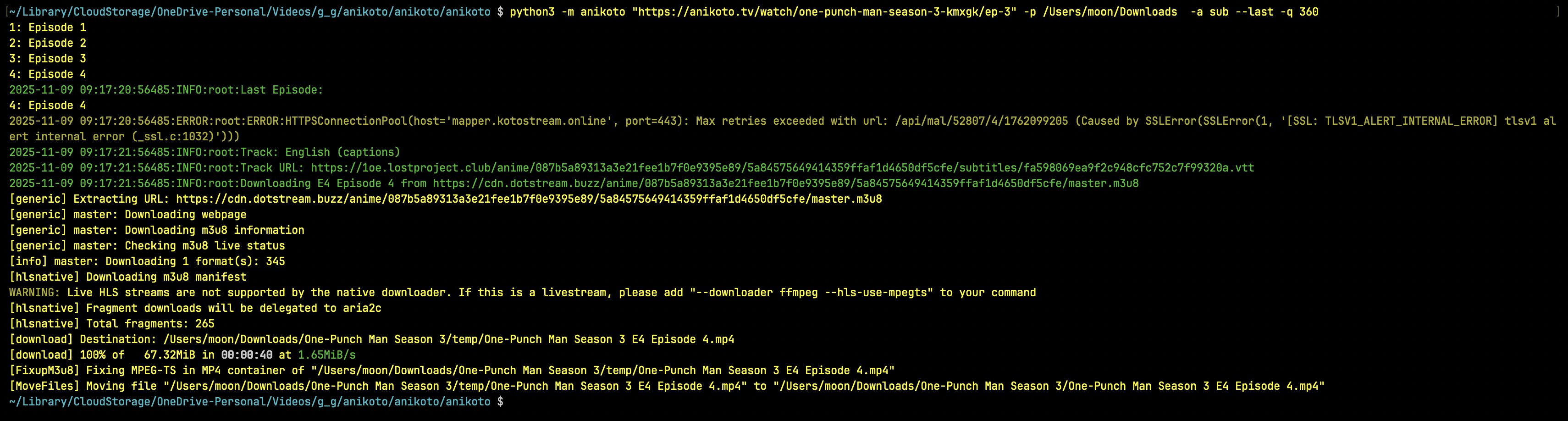
Screenshot


Installation
Install from Pypie
python3 -m pip install anikoto
Install from Github
python3 -m pip install git+https://github.com/testingbetaversion/anikoto.git
Usage/Examples
anikoto https://anikoto.tv/watch/one-piece-odmau -p /Users/Downloads -a sub --range 1129-1129
anikoto "https://anikoto.tv/watch/solo-leveling-ilh08/ep-1"
anikoto "https://anikoto.tv/watch/frieren-beyond-journey-s-end-c6fbj/ep-1" -p /Users/Downloads
anikoto "https://anikoto.tv/watch/bottom-tier-character-tomozaki-2nd-stage-0et8i" -p /Users/Downloads
Default Audio is Dub Subs for sub/dub will be downloaded by default
help
 $ anikoto --help
usage: anikoto [-h] [--version] [--debug]
                  [--quality {2160,1440,1080,720,480,360}] [--audio {sub,dub}]
                  [--downloader {yt-dlp,N_m3u8DL-RE,ffmpeg}] [--subtitles]
                  [--list] [--last] [--subtitle-lang LANG] [--path PATH]
                  [--source SOURCE] [--episode EPISODE] [--range RANGE]
                  url

Anikoto (https://anikoto.tv/) Downloader

positional arguments:
  url                   Video Url like: https://anikoto.tv/watch/solo-
                        leveling-ilh08/ep-1

options:
  -h, --help            show this help message and exit
  --version, -v         show program's version number and exit
  --debug               Enable debug mode
  --quality, -q {2160,1440,1080,720,480,360}
                        Choose a Quality
  --audio, -a {sub,dub}
                        Download Audio
  --downloader, -d {yt-dlp,N_m3u8DL-RE,ffmpeg}
                        Downloader
  --subtitles, -ss      Download Subs
  --list                List Episodes
  --last                Only Download Last Episode
  --subtitle-lang, -sl LANG
                        Subtitle language to download (matches track label,
                        e.g. English, Spanish, Arabic)
  --path, -p PATH       path to save the file
  --source, -s SOURCE   Comma-separated list of sources to download from
                        ['megaplay', 'vidstream', 'kiwi', 'vidcloud',
                        'vidplay']
  --episode, -e EPISODE
                        Comma-separated list of Episodes to download
  --range, -r RANGE     Specify episode range (e.g. 1-5) if you want to
                        download only episode 1129 use 1129-1129
❤️ Thanks
This project was made with love. If it has helped you, a ⭐ on GitHub would be greatly appreciated.
1 maintainer

Download files
Download the file for your platform. If you're not sure which to choose, learn more about installing packages.
Source Distribution
anikoto-6.0.0.tar.gz
(12.0 kB
view details)
Built Distribution
Filter files by name, interpreter, ABI, and platform.
If you're not sure about the file name format, learn more about wheel file names.
Copy a direct link to the current filters
anikoto-6.0.0-py3-none-any.whl
(11.0 kB
view details)
File details
Details for the file anikoto-6.0.0.tar.gz.
File metadata
- Download URL: anikoto-6.0.0.tar.gz
- Upload date:
- Size: 12.0 kB
- Tags: Source
- Uploaded using Trusted Publishing? No
- Uploaded via:
twine/6.2.0 CPython/3.14.6
File hashes
| Algorithm | Hash digest | |
|---|---|---|
| SHA256 |
fbb647c975543a557a1b0223b49315ba81b21dd9cdfbd906a73b6678db791678
|
|
| MD5 |
0f1debb8b59358b24e09f122e2e05bf9
|
|
| BLAKE2b-256 |
43305a7e2b8bbe655670f699eaf526452cc83b19d1130b65f9f47e4e92a8fa1b
|
File details
Details for the file anikoto-6.0.0-py3-none-any.whl.
File metadata
- Download URL: anikoto-6.0.0-py3-none-any.whl
- Upload date:
- Size: 11.0 kB
- Tags: Python 3
- Uploaded using Trusted Publishing? No
- Uploaded via:
twine/6.2.0 CPython/3.14.6
File hashes
| Algorithm | Hash digest | |
|---|---|---|
| SHA256 |
a6c7c388728cc9a5a8ea3582579300a42b11646e0a33b7e04ad2eeb69ee0c3dc
|
|
| MD5 |
6b8b2df5bf8fd150a11e6ceba69a5379
|
|
| BLAKE2b-256 |
dc64a0106d8006f3b2d82244bee114ee035868122bb517d59b29dbc966c6d527
|














