
AniWorld-Downloader is a command-line tool for downloading and streaming movies and series.
Verified details
These details have been verified by PyPIProject links
GitHub Statistics
Maintainers

Project description
AniWorld Downloader v4
AniWorld Downloader is a cross-platform tool for streaming and downloading anime from aniworld.to, as well as series from s.to. It runs on Windows, macOS, and Linux, providing a seamless experience for offline viewing or instant playback.





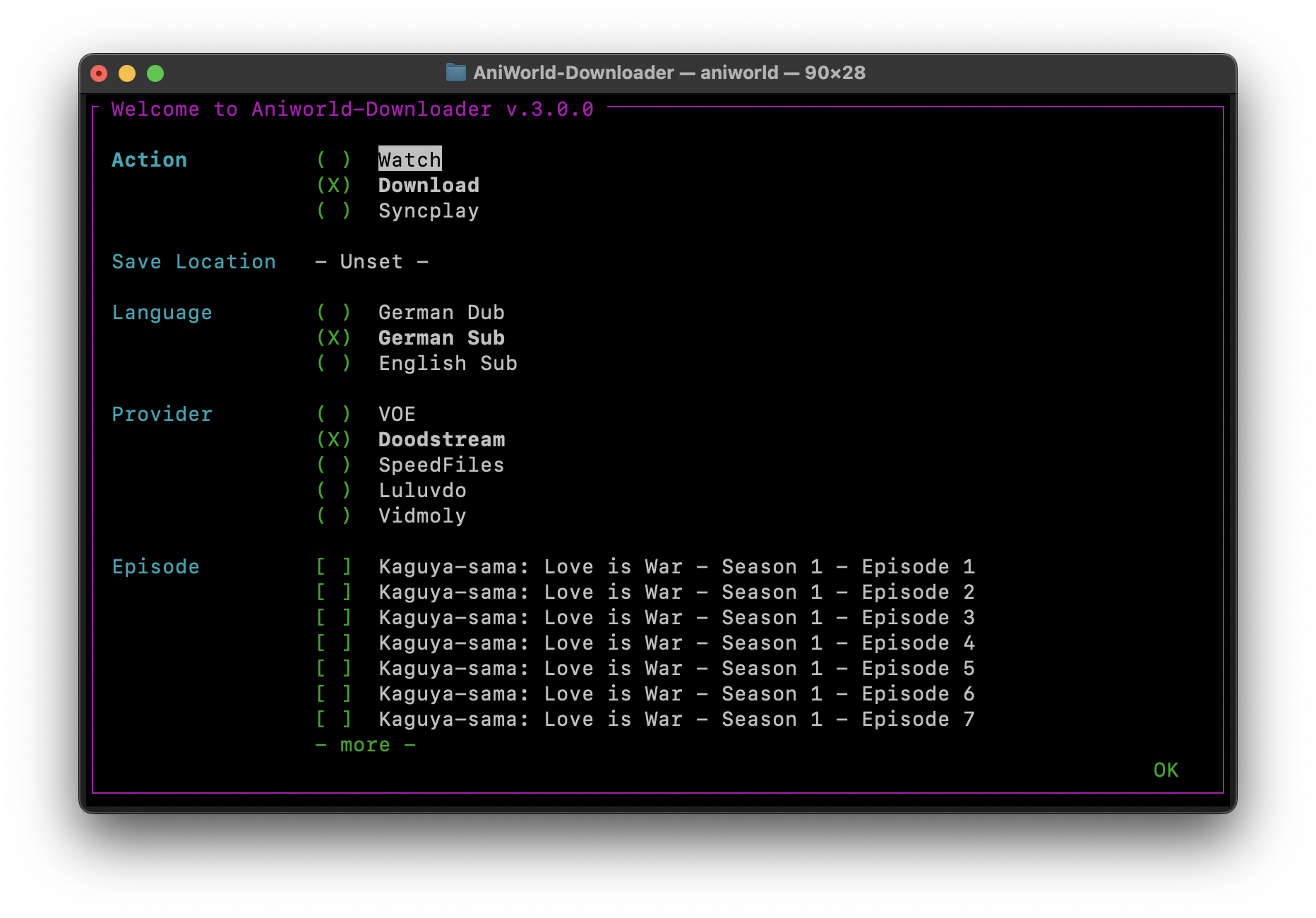
TL;DR - Quick Start
# Installation - Stable Release (v.3.9.0)
pip install aniworld==3.9.0

# Installation - Latest Development Version (v.4.0.0)
# Menu will only work on Python 3.9-3.13 due to windows-curses dependency
pip install --upgrade git+https://github.com/phoenixthrush/AniWorld-Downloader.git@models#egg=aniworld

# Usage
aniworld
Note: The above command installs the latest development version. For the old release, run
pip install -U aniworldinstead.
Still in Development from v3
- Embed webui in Nuitka build
- Split webui sso dependencies into separate extra section
- Implement argument: keep-watching
- [ ] Look at dependency manager
- README -> add sections from v3
- Nuitka -> fix build crash: use 3.12 instead... non-MSVC is not currently supported on newer
- Remove empty lines below action when running on docker run -it
Features
- Downloading – Grab full series, seasons, or individual episodes for offline viewing
- Streaming – Watch episodes immediately using mpv, IINA, or Syncplay
- Auto-Next Playback – Seamlessly move to the next episode without interruption
- Multiple Providers – Stream from various sources on aniworld.to and s.to
- Language Preferences – Switch between German Dub, English Sub, or German Sub
- Muxing – Automatically combine video and audio streams into a single file
- AniSkip Integration – Automatically skip intros and outros on aniworld for a smoother experience
- Group Watching – Sync anime and series sessions with friends via Syncplay
- Web Interface – Browse, download, and manage your anime and series queue with a modern web UI
- Docker Ready – Easily deploy using Docker or Docker Compose
Supported Providers
| Provider | Status | Last Tested |
|---|---|---|
| VOE | ✅ Working | 02/26 |
| Vidoza | ✅ Working | 02/26 |
| Filemoon | ❌ Broken | 02/26 |
| Vidmoly | ❌ Broken | 02/26 |
| Doodstream | ❌ Broken | 02/26 |
| Hanime | ⏳ Not Implemented | — |
| LoadX | ⏳ Not Implemented | — |
| Luluvdo | ⏳ Not Implemented | — |
| Streamtape | ⏳ Not Implemented | — |
Currently Prioritized: VOE, Filemoon, Vidmoly (aniworld) and VOE, Vidoza (serienstream)
Docker
docker build -t aniworld .
-
macOS/Linux (bash/zsh):
docker run -it --rm \
  -v "${PWD}/Downloads:/app/Downloads" \
  aniworld python -m aniworld
-
Windows (PowerShell):
docker run -it --rm `
  -v "${PWD}\Downloads:/app/Downloads" `
  aniworld python -m aniworld
-
Windows (CMD):
docker run -it --rm ^
  -v "%cd%\Downloads:/app/Downloads" ^
  aniworld python -m aniworld
Note: Mount the Downloads folder to
/app/Downloadsin the container to save downloaded episodes to your local machine. You can change the host path as needed.
Docker Compose (with Web UI)
docker-compose up -d --build
Documentation
For comprehensive user guides, tutorials, and additional documentation, visit the official documentation. The docs are continuously updated with new features, detailed tutorials, and troubleshooting guides.
Contributing
Contributions to AniWorld Downloader are highly appreciated! You can help enhance the project by:
- Reporting Bugs: Identify and report issues to improve functionality
- Suggesting Features: Share ideas to expand the tool's capabilities
- Submitting Pull Requests: Contribute code to fix bugs or add new features
- Improving Documentation: Help enhance user guides and technical documentation
Contributors

-
Lulu (since Sep 14, 2024)
-
Tmaster055 (since Oct 21, 2024)


Dependencies
- niquests – For making HTTP requests
- npyscreen – For building the interactive text UI (TUI)
- ffmpeg-python – Python bindings for FFmpeg (requires FFmpeg installed/available on your system)
- python-dotenv – For managing environment variables via
.env - rich – For colored terminal output (used by
aniworld --examples) - fake-useragent – For generating random user agents (may be replaced in the future)
Windows-only dependency:
- windows-curses – Enables curses support required by
npyscreenon Windows
(installed automatically on Windows; version is pinned for Python < 3.14)
All required dependencies are installed automatically when AniWorld Downloader is installed via pip.
Credits
AniWorld Downloader is built upon the work of several amazing open-source projects:
- mpv: A versatile media player used for seamless streaming
- Syncplay: Enables synchronized playback sessions with friends
- Anime4K: A cutting-edge real-time upscaler for enhancing anime video quality
- Aniskip: Provides the opening and ending skip times for the Aniskip extension
Support
If you need help with AniWorld Downloader, you can:
- Submit an issue on the GitHub Issues page
- Reach out directly via email at contact@phoenixthrush.com or on Discord at
phoenixthrushortmaster067
While email support is available, opening a GitHub issue is preferred, even for installation-related questions, as it helps others benefit from shared solutions. However, feel free to email if that's your preference.
If you find AniWorld Downloader useful, consider starring the repository on GitHub. Your support is greatly appreciated and inspires continued development.
Thank you for using AniWorld Downloader!
Legal Disclaimer
AniWorld Downloader is a client-side tool that helps you access content hosted by third-party websites. It does not host, upload, store, or distribute any media itself.
AniWorld Downloader is not intended to promote piracy or copyright infringement. You are solely responsible for how you use the software and for ensuring that your use complies with applicable laws and the terms of the websites you access.
The developer provides this project “as is” and is not responsible for third-party content, external links, or the availability, accuracy, legality, or reliability of any third-party service.
If you have concerns about specific content, please contact the relevant website owner, administrator, or hosting provider.
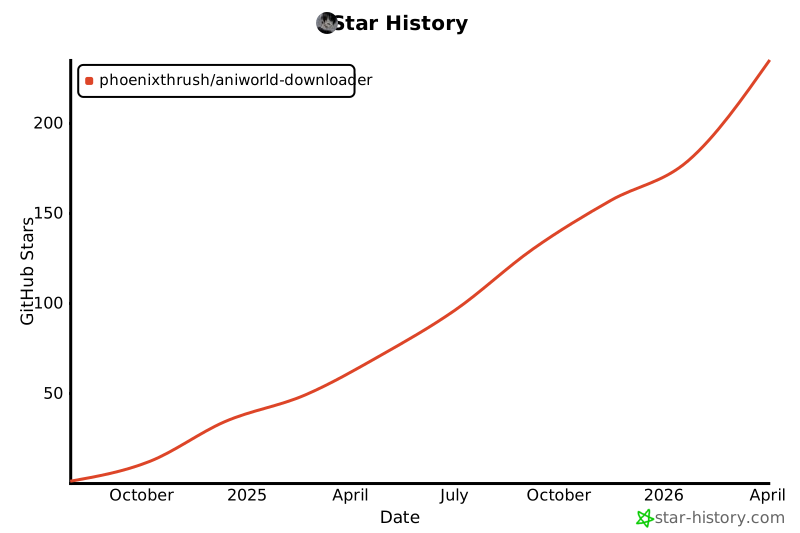
Star History
License
This project is licensed under the MIT License. For more details, see the LICENSE file.
Project details
Verified details
These details have been verified by PyPIProject links
GitHub Statistics
Maintainers
Release history Release notifications | RSS feed


Download files
Download the file for your platform. If you're not sure which to choose, learn more about installing packages.
Source Distribution
Built Distribution
Filter files by name, interpreter, ABI, and platform.
If you're not sure about the file name format, learn more about wheel file names.
Copy a direct link to the current filters
File details
Details for the file aniworld-4.0.0.tar.gz.
File metadata
- Download URL: aniworld-4.0.0.tar.gz
- Upload date:
- Size: 117.7 kB
- Tags: Source
- Uploaded using Trusted Publishing? Yes
- Uploaded via: twine/6.1.0 CPython/3.13.7
File hashes
| Algorithm | Hash digest | |
|---|---|---|
| SHA256 |
4cbc3bdbc5e6ff03b0f0dc75b78a14cd3952035909ff8cda332b744aca96fa73
|
|
| MD5 |
bd503a56cdb45b7b5e3f908371c39d7e
|
|
| BLAKE2b-256 |
c60e6b121224933fa4b7b085796a5cab4fdccf92ffe005035d73e143ef72cfe2
|
Provenance
The following attestation bundles were made for aniworld-4.0.0.tar.gz:
Publisher:
publish.yaml on phoenixthrush/AniWorld-Downloader
-
Statement:
-
Statement type:
https://in-toto.io/Statement/v1 -
Predicate type:
https://docs.pypi.org/attestations/publish/v1 -
Subject name:
aniworld-4.0.0.tar.gz -
Subject digest:
4cbc3bdbc5e6ff03b0f0dc75b78a14cd3952035909ff8cda332b744aca96fa73 - Sigstore transparency entry: 953253284
- Sigstore integration time:
-
Permalink:
phoenixthrush/AniWorld-Downloader@b96dad0ad63f897ef5a5b9ffab50926a56c9fa53 -
Branch / Tag:
refs/tags/v.4.0.0 - Owner: https://github.com/phoenixthrush
-
Access:
public
-
Token Issuer:
https://token.actions.githubusercontent.com -
Runner Environment:
github-hosted -
Publication workflow:
publish.yaml@b96dad0ad63f897ef5a5b9ffab50926a56c9fa53 -
Trigger Event:
release
-
Statement type:
File details
Details for the file aniworld-4.0.0-py3-none-any.whl.
File metadata
- Download URL: aniworld-4.0.0-py3-none-any.whl
- Upload date:
- Size: 133.1 kB
- Tags: Python 3
- Uploaded using Trusted Publishing? Yes
- Uploaded via: twine/6.1.0 CPython/3.13.7
File hashes
| Algorithm | Hash digest | |
|---|---|---|
| SHA256 |
62ab613cabbf2eb1b2811deda393fa1d0cf631dcdffd6fb24a9c77aa8701bc29
|
|
| MD5 |
69970780ef93238c1a03f152bfd62e4f
|
|
| BLAKE2b-256 |
3f29f8c2534c2348178e2e662e3424d999b67fe44e2dc57e7a085409bfa1f2f8
|
Provenance
The following attestation bundles were made for aniworld-4.0.0-py3-none-any.whl:
Publisher:
publish.yaml on phoenixthrush/AniWorld-Downloader
-
Statement:
-
Statement type:
https://in-toto.io/Statement/v1 -
Predicate type:
https://docs.pypi.org/attestations/publish/v1 -
Subject name:
aniworld-4.0.0-py3-none-any.whl -
Subject digest:
62ab613cabbf2eb1b2811deda393fa1d0cf631dcdffd6fb24a9c77aa8701bc29 - Sigstore transparency entry: 953253288
- Sigstore integration time:
-
Permalink:
phoenixthrush/AniWorld-Downloader@b96dad0ad63f897ef5a5b9ffab50926a56c9fa53 -
Branch / Tag:
refs/tags/v.4.0.0 - Owner: https://github.com/phoenixthrush
-
Access:
public
-
Token Issuer:
https://token.actions.githubusercontent.com -
Runner Environment:
github-hosted -
Publication workflow:
publish.yaml@b96dad0ad63f897ef5a5b9ffab50926a56c9fa53 -
Trigger Event:
release
-
Statement type:






