
A clear configuration sequence for ArduPilot vehicles
Verified details
These details have been verified by PyPIProject links
GitHub Statistics
Maintainers

Project description
Correctly configure ArduPilot for your vehicles on your first attempt
| Lint | Quality | Test | Security | Deploy | Maintain |
|---|---|---|---|---|---|
 |
 |
 |
 |
 |
 |
 |
 |
 |
 |
 |
 |
 |
 |
 |
 |
 |
 |
 |
 |
 |
 |
 |
 |
 |
 |
 |
 |
 |
ArduPilot Methodic Configurator is a software, developed by ArduPilot developers, that semi-automates a clear, proven and safe configuration sequence for ArduCopter drones. We are working on extending it to ArduPlane, Heli and Rover vehicles. But for those it is still very incomplete.
- clear: the semi-automated sequence is linear, executed one step at the time with no hidden complex dependencies
- proven: the software has been used by hundreds of ArduPilot developers and users. From beginners to advanced. On big and small vehicles.
- safe: the sequence reduces trial-and-error by following established best practices and reduces the amount of flights required to configure the vehicle
- Parameter management: Upload, download, and edit parameters with full documentation
- Vehicle templates: Start from empty templates or from pre-configured settings for common vehicle types
- Traceability: Documents every parameter change with reasons
Here are some YouTube video tutorials from the AMC YouTube Channel:
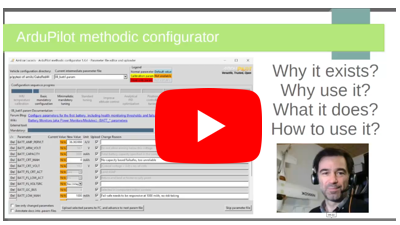
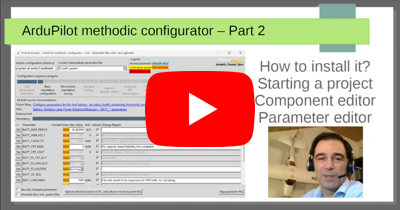
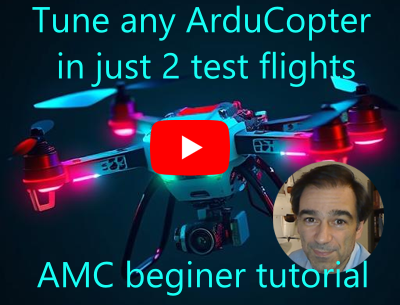
And here is a presentation explaining it:
Comparison with Ground Control Station (GCS) software, traditionally used to configure ArduPilot before AMC existed:
| Feature | Mission Planner, QGroundControl, ... etc | ArduPilot Methodic Configurator |
|---|---|---|
| full automatic configuration | No | No |
| configuration type | manual [^1] | semi-automated [^2] |
| explains what to do | No | Yes |
| explains when to do something | No | Yes, explains the path |
| explains why do something | No | Yes |
| configuration method | a different menu for each task, some tasks have no menu, so you need to dig into the 1200 parameters | each task only presents you a relevant subset of parameters |
| parameter documentation | Yes, only on the full-parameter tree view | Yes |
| displays relevant documentation | No | Yes |
| makes sure you do not forget a step | No | Yes |
| checks that parameters get correctly uploaded | No (MP), unsure (QGCS), yes (MAVProxy) | Yes |
| reuse params in other vehicles | No, unless you hand edit files | Yes, out-of-the-box |
| documents why you changed each parameter | No | Yes |
| tutorials and learning resources | No, scattered and not integrated | Yes, context-aware help integrated |
| auto. install lua scripts on the FC | No | Yes |
| auto. backup of parameters before changing them | No | Yes |
[^1]: you need to know what/when/why you are doing [^2]: it explains what you should do, when you should do it and why
It's simple graphical user interface (GUI) manages and visualizes ArduPilot parameters, parameter files and documentation.
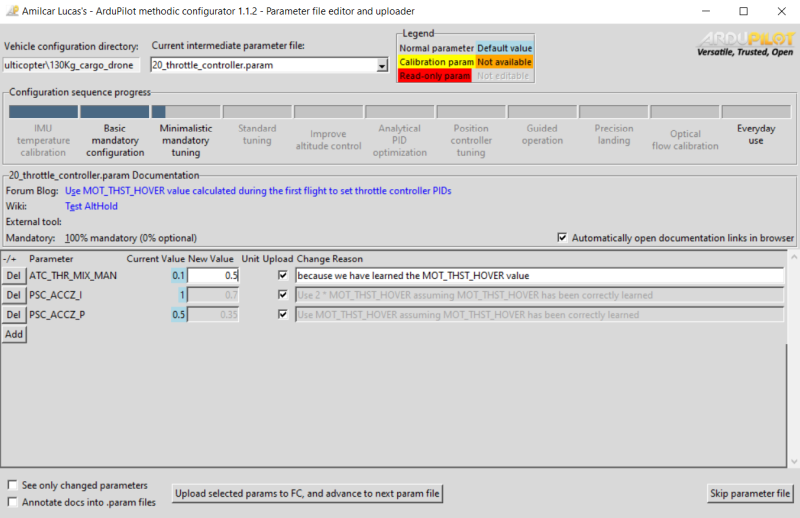
No visible menus, no hidden menus, no complicated options, what you see is what gets changed.
Table of Contents
- Quick Start
- 1. Quick overview of the entire process
- 1.1 Select the vehicle components
- 1.2 Download and install software
- 1.3 Input vehicle components and component connections into ArduPilot Methodic Configurator
- 1.4 Perform IMU temperature calibration before assembling the autopilot into the vehicle (optional)
- 1.5 Assemble all components except the propellers
- 1.6 Basic mandatory configuration
- 1.7 Assemble propellers and perform the first flight
- 1.8 Minimalistic mandatory tuning
- 1.9 Standard tuning (optional)
- 1.10 Improve altitude under windy conditions (optional)
- 1.11 System identification for analytical PID optimization (optional)
- 1.12 Position controller tuning (optional)
- 1.13 Everyday use
- Documentation and Support
- Contributing
- Internationalization
- Code of Conduct
- License
- Credits
Quick Start
What You'll Accomplish
By the end of this process, your flight controller will be fully configured with:
- ✅ All parameters optimized for your specific vehicle
- ✅ Complete documentation of every change made
- ✅ Backup files for easy restoration
- ✅ Ready-to-fly configuration
Important Tips for Success
💡 Pro Tips:
- Take your time: Read parameter descriptions - they contain valuable insights
- Test incrementally: The step-by-step approach allows testing between changes
- Keep backups: The software creates them automatically in the vehicle project directory
- Document changes: Always fill in the "Change Reason" field - future you will thank you
⚠️ Common Mistakes to Avoid:
- Rushing through steps: Each parameter has a purpose - understand before changing
- Skipping component validation: Incorrect component settings can cause crashes
- Ignoring warnings: Red backgrounds and error messages are there for your safety
- Forgetting calibrations: Some parameters require physical calibration procedures:
- IMU temperature, analog voltage and current measurement, gyro, accelerometers
1. Quick overview of the entire process
To methodically build, configure and tune ArduPilot vehicles follow this sequence of steps:
1.1 Select the vehicle components
- while choosing an Autopilot and other hardware components avoid these components
- Use ecalc for multirotor to select the propulsion system.
- follow hardware best practices
1.2 Download and install software
- Install ArduPilot Methodic Configurator on MS windows, Linux or macOS
- Install the latest Mission Planner version
- Install the latest ArduPilot firmware on your flight controller board
1.3 Input vehicle components and component connections into ArduPilot Methodic Configurator
The software needs this information to automatically pre-select configuration settings relevant to your specific vehicle
- Start the ArduPilot Methodic Configurator and select a vehicle that resembles yours and input vehicle components and component connections information into the ArduPilot Methodic Configurator component editor window
1.4 Perform IMU temperature calibration before assembling the autopilot into the vehicle (optional)
IMU temperature calibration reduces the probability of Accel inconsistent and Gyro inconsistent errors and reduces the time required to arm the vehicle. IMU temperature calibration requires lowering the temperature of the autopilot (flight controller) to circa -20°C. That is harder to do once the autopilot is assembled inside the vehicle, hence it is done now.
Follow starting the software after having created a new vehicle instructions once the calibration procedure is finished.
1.5 Assemble all components except the propellers
Assemble and connect all components. Make sure you follow best practices
1.6 Basic mandatory configuration
Again using the ArduPilot Methodic configurator software GUI perform the following steps:
- 04_board_orientation.param flight controller orientation
- 05_remote_controller.param remote controller connections and protocol
- 06_telemetry.param telemetry transceiver connections and protocol (optional)
- 07_esc.param Electronic-Speed-Controller connections and protocol
- 08_batt1.param Battery health and state of charge monitoring
- 10_gnss.param GNSS receiver connection and protocol
- 11_initial_atc.param initial attitude PID gains (vehicle size dependent)
Now use Mission Planner to do:
- 12_mp_setup_mandatory_hardware.param calibrate vehicle sensors
And continue with the ArduPilot Methodic configurator software GUI :
- 13_general_configuration.param general misc configuration
- Test if the hardware diagnostics are OK
- 14_logging.param configure Dataflash/SDCard logging (black box data)
- 15_motor.param motor order and direction tests. ESC linearization.
- 16_pid_adjustment.parm attitude PID gains (vehicle size dependent)
- 17_remote_id.param required by law in many countries
- 18_notch_filter_setup.param to remove motor noise, reduce power consumption and increase flight stability
1.7 Assemble propellers and perform the first flight
Now that all mandatory configuration steps are done you can perform the first flight
1.8 Minimalistic mandatory tuning
These are the very minimum tuning steps required for a stable flight:
- Load the
.binlog file from the first flight into Notch filter webtool - 19_notch_filter_results.param use the webtool information to configure the notch filter(s)
- 20_throttle_controller.param the altitude controller depends on the power-to-thrust ratio found in the first flight
- 21_ekf_config.param sometimes the EKF3 needs a tune to maintain altitude
- 22_quick_tune_setup.param and 23_quick_tune_results.param, you need lua scripting support to do this if not available you can tune manually.
That is it, if you are impatient and do not want an optimized vehicle you can skip to everyday use.
1.9 Standard tuning (optional)
These are the standard tuning steps required for an optimized flight:
- 24_inflight_magnetometer_fit_setup.param, use lua scripted flight path or fly manually, store the results using 25_inflight_magnetometer_fit_results.param, use the magfit webtool to calculate a file that the ardupilot methodic configurator can use
- 26_quick_tune_setup.param and 27_quick_tune_results.param Redo quick-tune now that the compass magnetic interference is fully calibrated
- 28_evaluate_the_aircraft_tune_ff_disable.param and 29_evaluate_the_aircraft_tune_ff_enable.param
- 30_autotune_roll_setup.param and 31_autotune_roll_results.param tune roll axis rate and angle PIDs
- 32_autotune_pitch_setup.param and 33_autotune_pitch_results.param tune pitch axis rate and angle PIDs
- 34_autotune_yaw_setup.param and 35_autotune_yaw_results.param tune yaw axis rate and angle PIDs
- 36_autotune_yawd_setup.param and 37_autotune_yawd_results.param tune yawd axis rate and angle PIDs
- 38_autotune_roll_pitch_retune_setup.param and 39_autotune_roll_pitch_retune_results.param re-tune roll and pitch pitch axis rate and angle PIDs
Now the standard tuning is complete you can skip to everyday use
1.10 Improve altitude under windy conditions (optional)
- 40_windspeed_estimation.param estimates the wind speed
- 41_barometer_compensation.param Uses the estimated wind speed to improve altitude stability
1.11 System identification for analytical PID optimization (optional)
- 42_system_id_roll.param, 43_system_id_pitch.param, 44_system_id_yaw.param
- 46_analytical_pid_optimization.param
1.12 Position controller tuning (optional)
1.13 Everyday use
Now that tuning and configuration are done, some logging and tests can be disabled and some more safety features enabled:
Congratulations your flight controller is now fully configured in the safest and fastest way publicly known.
Enjoy your properly configured vehicle.
Documentation and Support
Need help or support
There is also documentation on other use cases and a detailed but generic Usermanual.
Contributing
Want to help us and contribute?
Internationalization
The software is available in multiple languages.
On MS Windows the language is selected during install and that selection is stored in the desktop icon.
You can manually create multiple desktop icons, each will run the software in a different language.
On Linux and macOS the language is selectable by the --language command line argument.
See contributing page if you want to help us translate the software into your language.
Code of Conduct
To use and develop this software you must obey the ArduPilot Methodic Configurator Code of Conduct.
License
This software is cost free. This project is licensed under the GNU General Public License v3.0.
Credits
It builds upon other open-source software packages
<script async src="https://widget.gurubase.io/widget.latest.min.js" data-widget-id="uE4kxEE4LY3ZSyfNsF5bU6gIOnWGTBOL_e16KwDH-0g" data-text="Ask AI" data-margins='{"bottom": "1rem", "right": "1rem"}' data-light-mode="true" id="guru-widget-id"> </script>Project details
Verified details
These details have been verified by PyPIProject links
GitHub Statistics
Maintainers
Release history Release notifications | RSS feed


Download files
Download the file for your platform. If you're not sure which to choose, learn more about installing packages.
Source Distribution
Built Distribution
Filter files by name, interpreter, ABI, and platform.
If you're not sure about the file name format, learn more about wheel file names.
Copy a direct link to the current filters
File details
Details for the file ardupilot_methodic_configurator-2.9.4.tar.gz.
File metadata
- Download URL: ardupilot_methodic_configurator-2.9.4.tar.gz
- Upload date:
- Size: 8.9 MB
- Tags: Source
- Uploaded using Trusted Publishing? Yes
- Uploaded via: twine/6.1.0 CPython/3.13.7
File hashes
| Algorithm | Hash digest | |
|---|---|---|
| SHA256 |
ad0660dccf55b3f26f3ea18664f2d6843283061af4e771e0d5141d68cbf3a4b8
|
|
| MD5 |
ea0221447f5f5f4e6fb4aa4d42ad78ea
|
|
| BLAKE2b-256 |
0c910bed6510e2f2b0fd5199c6402dee691c0c73f0585f2ab7ddea13d47e0b3c
|
Provenance
The following attestation bundles were made for ardupilot_methodic_configurator-2.9.4.tar.gz:
Publisher:
python-publish.yml on ArduPilot/MethodicConfigurator
-
Statement:
-
Statement type:
https://in-toto.io/Statement/v1 -
Predicate type:
https://docs.pypi.org/attestations/publish/v1 -
Subject name:
ardupilot_methodic_configurator-2.9.4.tar.gz -
Subject digest:
ad0660dccf55b3f26f3ea18664f2d6843283061af4e771e0d5141d68cbf3a4b8 - Sigstore transparency entry: 804964933
- Sigstore integration time:
-
Permalink:
ArduPilot/MethodicConfigurator@bc56d3a02a9dc2c50ce75d3450b8ff2c1004b8d7 -
Branch / Tag:
refs/tags/v2.9.4 - Owner: https://github.com/ArduPilot
-
Access:
public
-
Token Issuer:
https://token.actions.githubusercontent.com -
Runner Environment:
github-hosted -
Publication workflow:
python-publish.yml@bc56d3a02a9dc2c50ce75d3450b8ff2c1004b8d7 -
Trigger Event:
push
-
Statement type:
File details
Details for the file ardupilot_methodic_configurator-2.9.4-py3-none-any.whl.
File metadata
- Download URL: ardupilot_methodic_configurator-2.9.4-py3-none-any.whl
- Upload date:
- Size: 9.0 MB
- Tags: Python 3
- Uploaded using Trusted Publishing? Yes
- Uploaded via: twine/6.1.0 CPython/3.13.7
File hashes
| Algorithm | Hash digest | |
|---|---|---|
| SHA256 |
6f8b2f2fc076a95ca73d045501fdef15ca06c01efb68c8b929f96f7bcac4fbfc
|
|
| MD5 |
e89317e079125f93d43e5f0b87f68969
|
|
| BLAKE2b-256 |
df0747ca68908aef4d826f56cda5db31db75f968119476e55ea6f569a09aa8bf
|
Provenance
The following attestation bundles were made for ardupilot_methodic_configurator-2.9.4-py3-none-any.whl:
Publisher:
python-publish.yml on ArduPilot/MethodicConfigurator
-
Statement:
-
Statement type:
https://in-toto.io/Statement/v1 -
Predicate type:
https://docs.pypi.org/attestations/publish/v1 -
Subject name:
ardupilot_methodic_configurator-2.9.4-py3-none-any.whl -
Subject digest:
6f8b2f2fc076a95ca73d045501fdef15ca06c01efb68c8b929f96f7bcac4fbfc - Sigstore transparency entry: 804964937
- Sigstore integration time:
-
Permalink:
ArduPilot/MethodicConfigurator@bc56d3a02a9dc2c50ce75d3450b8ff2c1004b8d7 -
Branch / Tag:
refs/tags/v2.9.4 - Owner: https://github.com/ArduPilot
-
Access:
public
-
Token Issuer:
https://token.actions.githubusercontent.com -
Runner Environment:
github-hosted -
Publication workflow:
python-publish.yml@bc56d3a02a9dc2c50ce75d3450b8ff2c1004b8d7 -
Trigger Event:
push
-
Statement type:






