
A Claude Code clone built with Agno agents

Project description
aru
An intelligent coding assistant for the terminal, powered by LLMs and Agno agents.
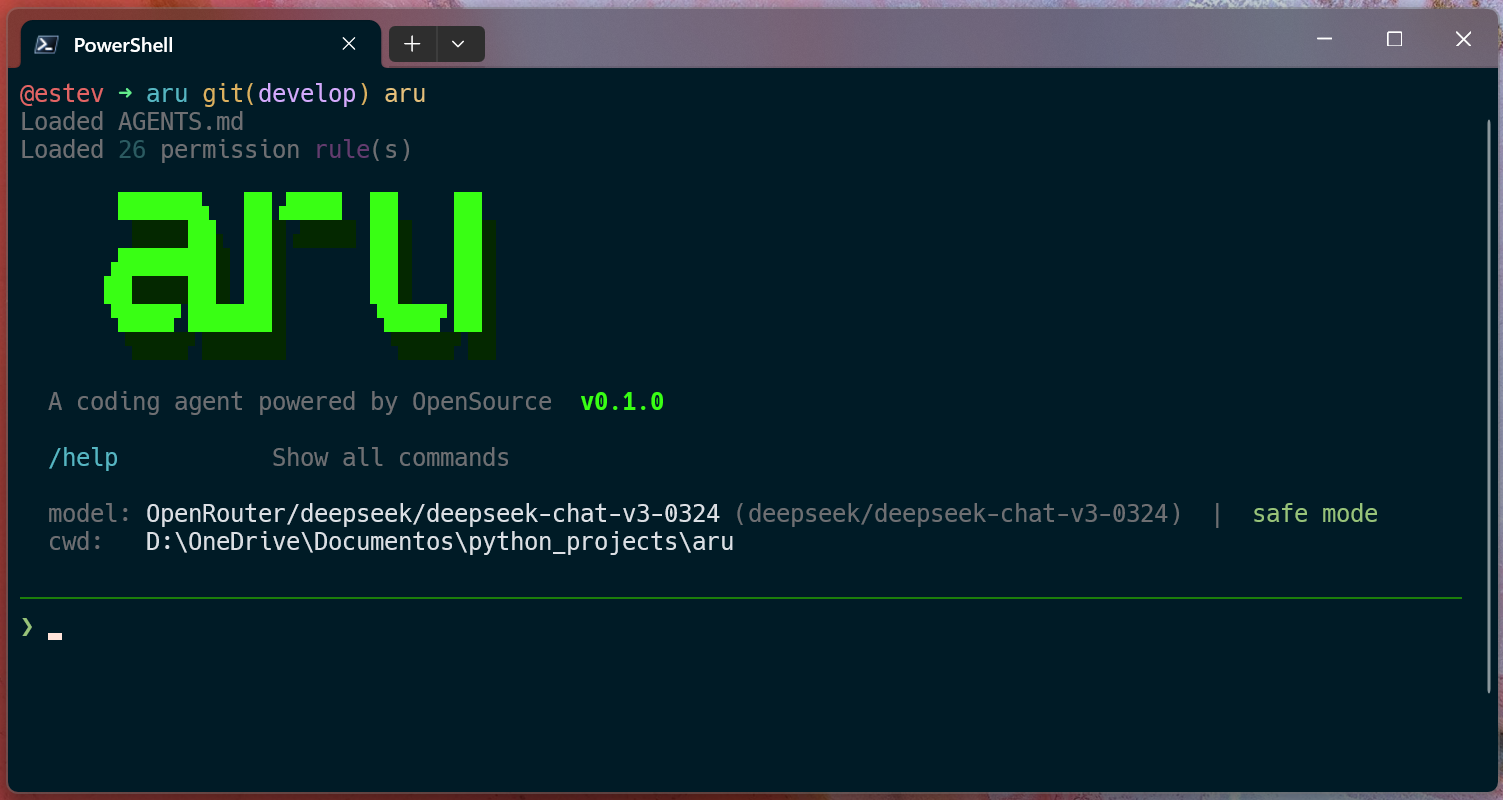
Highlights
- Multi-Agent Architecture — Specialized agents for planning, execution, and conversation
- Interactive CLI — Streaming responses, multi-line paste, session management
- 16 Integrated Tools — File operations, code search, shell, web search, task delegation
- Task Planning — Break down complex tasks into steps with automatic execution
- Multi-Provider — Anthropic, OpenAI, Ollama, Groq, OpenRouter, DeepSeek, and others via custom configuration
- Custom Commands and Skills — Extend aru via the
.agents/directory - MCP Support — Integration with Model Context Protocol servers
Quick Start
1. Install
pip install aru-code
Requirements: Python 3.13+
2. Configure the API Key
Aru uses Claude Sonnet 4.6 from Anthropic as the default model. You need an Anthropic API key to get started.
Set your API key as an environment variable or create a .env file in your project directory:
ANTHROPIC_API_KEY=sk-ant-your-key-here
Using another provider? See the Models and Providers section to configure OpenAI, Ollama, Groq, etc.
3. Run
aru
That's it — aru is available globally after install.
Usage
Commands
| Command | Description |
|---|---|
| Natural language | Just type — aru handles the rest |
/plan <task> |
Creates a detailed implementation plan |
/model [provider/model] |
Switch models and providers |
/mcp |
List available MCP servers and tools |
/commands |
List custom commands |
/skills |
List available skills |
/sessions |
List recent sessions |
/help |
Show all commands |
! <command> |
Execute shell commands |
/quit or /exit |
Exit aru |
CLI Options
aru                                    # Start new session
aru --resume <id>                      # Resume session
aru --resume last                      # Resume last session
aru --list                             # List sessions
aru --dangerously-skip-permissions     # Skip permission prompts
Examples
aru> /plan create a REST API with FastAPI to manage users

aru> refactor the authentication module to use JWT tokens

aru> ! pytest tests/ -v

aru> /model ollama/codellama
Configuration
Models and Providers
By default, aru uses Claude Sonnet 4.6 (Anthropic). You can switch to any supported provider during a session with /model:
| Provider | Command | API Key (.env) |
Extra Installation |
|---|---|---|---|
| Anthropic | /model anthropic/claude-sonnet-4-6 |
ANTHROPIC_API_KEY |
— (included) |
| Ollama | /model ollama/llama3.1 |
— (local) | pip install "aru-code[ollama]" |
| OpenAI | /model openai/gpt-4o |
OPENAI_API_KEY |
pip install "aru-code[openai]" |
| Groq | /model groq/llama-3.3-70b-versatile |
GROQ_API_KEY |
pip install "aru-code[groq]" |
| OpenRouter | /model openrouter/deepseek/deepseek-chat-v3-0324 |
OPENROUTER_API_KEY |
pip install "aru-code[openai]" |
To install all providers at once:
pip install "aru-code[all-providers]"
Ollama (local models)
To run models locally without an API key, install Ollama, start the server, and use any installed model:
ollama serve                    # Start the Ollama server
ollama pull codellama           # Download a model
aru                             # Start aru
# Inside aru:
/model ollama/codellama
Configuring the default model
You can set the default provider/model in aru.json so you don't need to switch manually every session:
{
  "models": {
    "default": "openrouter/deepseek/deepseek-chat-v3-0324",
    "minimax": "openrouter/minimax/minimax-m2.5",
    "deepseek-v3": "openrouter/deepseek/deepseek-chat-v3-0324",
    "sonnet-4-6": "anthropic/claude-sonnet-4-6",
    "opus-4-6": "anthropic/claude-opus-4-6"
  }
}
The default field sets the main model. The other fields are aliases that can be used with /model <alias>.
Custom providers
You can configure custom providers with specific token limits:
{
  "providers": {
    "deepseek": {
      "models": {
        "deepseek-chat-v3-0324": {"id": "deepseek-chat-v3-0324", "max_tokens": 16384}
      }
    },
    "openrouter": {
      "models": {
        "minimax/minimax-m2.5": {"id": "minimax/minimax-m2.5", "max_tokens": 65536}
      }
    }
  }
}
Permissions (aru.json)
The aru.json file in the project root controls which shell commands aru can execute without asking for confirmation:
{
  "permission": {
    "allow": [
      "git *",
      "npm *",
      "pytest *",
      "python *",
      "uv run pytest *"
    ]
  }
}
Each entry is a glob pattern. Any command that doesn't match a listed pattern will prompt for confirmation before executing.
aru.jsoncan also be placed at.aru/config.json.
AGENTS.md
Place an AGENTS.md file in your project root with custom instructions that will be appended to all agent system prompts.
.agents/ Directory
.agents/
├── commands/       # Custom slash commands (filename = command name)
│   └── deploy.md   # Usage: /deploy <args>
└── skills/         # Custom skills/personas
    └── review.md   # Loaded as additional agent instructions
Command files support frontmatter with description and the $INPUT template variable for arguments.
MCP Support (Model Context Protocol)
Aru can load tools from MCP servers. Configure in .aru/mcp_config.json:
{
  "mcpServers": {
    "filesystem": {
      "command": "npx",
      "args": ["-y", "@modelcontextprotocol/server-filesystem", "/allowed/path"]
    }
  }
}
Agents
| Agent | Role | Tools |
|---|---|---|
| Planner | Analyzes codebase, creates structured implementation plans | Read-only tools, search, web |
| Executor | Implements code changes based on plans or instructions | All tools including delegation |
| General | Handles conversation and simple operations | All tools including delegation |
Tools
File Operations
read_file— Reads files with line range support and binary detectionread_file_smart— Smart file reading focused on relevant snippets for the querywrite_file/write_files— Writes single or batch filesedit_file/edit_files— Find-replace edits across multiple files
Search & Discovery
glob_search— Find files by pattern (respects .gitignore)grep_search— Content search with regex and file filteringlist_directory— Directory listing with gitignore filteringrank_files— Multi-factor file relevance ranking (name, structure, recency)
Code Analysis
code_structure— Extracts classes, functions, imports via tree-sitter ASTfind_dependencies— Analyzes import relationships between files
Shell & Web
bash— Executes shell commands with permission gatesweb_search— Web search via DuckDuckGoweb_fetch— Fetches URLs and converts HTML to readable text
Advanced
delegate_task— Spawns autonomous sub-agents for parallel task execution
Architecture
aru-code/
├── aru/
│   ├── cli.py              # Interactive CLI with streaming display
│   ├── config.py           # Configuration loader (AGENTS.md, .agents/)
│   ├── providers.py        # Multi-provider LLM abstraction
│   ├── agents/
│   │   ├── planner.py      # Planning agent
│   │   └── executor.py     # Execution agent
│   └── tools/
│       ├── codebase.py     # 16 core tools
│       ├── ast_tools.py    # Tree-sitter code analysis
│       ├── ranker.py       # File relevance ranking
│       ├── mcp_client.py   # MCP client
│       └── gitignore.py    # Gitignore-aware filtering
├── aru.json                # Permissions and model configuration
├── .env                    # API keys (not committed)
├── .aru/                   # Local data (sessions)
└── pyproject.toml
Built With
- Agno — Agent framework with tool orchestration
- Anthropic Claude — Sonnet 4.6, Opus 4.6, Haiku 4.5
- tree-sitter — AST-based code analysis
- Rich — Terminal UI
- prompt-toolkit — Advanced input handling
Development
# Clone and install in editable mode with dev dependencies
git clone https://github.com/estevaofon/aru.git
cd aru
pip install -e ".[dev]"

# Run tests
pytest

# Run tests with coverage
pytest --cov=aru --cov-report=term-missing
Built with Claude and Agno
Release history Release notifications | RSS feed


Download files
Download the file for your platform. If you're not sure which to choose, learn more about installing packages.
Source Distribution
Built Distribution
Filter files by name, interpreter, ABI, and platform.
If you're not sure about the file name format, learn more about wheel file names.
Copy a direct link to the current filters
File details
Details for the file aru_code-0.2.0.tar.gz.
File metadata
- Download URL: aru_code-0.2.0.tar.gz
- Upload date:
- Size: 120.4 kB
- Tags: Source
- Uploaded using Trusted Publishing? No
- Uploaded via: uv/0.7.8
File hashes
| Algorithm | Hash digest | |
|---|---|---|
| SHA256 |
cf239835e8abebbd96a2a2a67faac62c10e12d7923154d9f8b9d6e8dc20fa6cc
|
|
| MD5 |
565f91b245a90df0f81da50b8a248da4
|
|
| BLAKE2b-256 |
f186199a8d3be8da87ced900ea4d1a6284e188fdf69b7278ee70f78c1228b104
|
File details
Details for the file aru_code-0.2.0-py3-none-any.whl.
File metadata
- Download URL: aru_code-0.2.0-py3-none-any.whl
- Upload date:
- Size: 72.8 kB
- Tags: Python 3
- Uploaded using Trusted Publishing? No
- Uploaded via: uv/0.7.8
File hashes
| Algorithm | Hash digest | |
|---|---|---|
| SHA256 |
b2879eb01bb8e2d309aa7e30cdd7638ae0c2a2386ff90093f13a9ed75d47eb2a
|
|
| MD5 |
b10ef8b87288bc4ccd847a6dbf629231
|
|
| BLAKE2b-256 |
82ebbc09dede9b92ff17e14e72c79c51abb9a1d00a5d5beee3cee15fe5b633e1
|






