
Asyncio For Robotics
| Requirements | Compatibility | Tests |
|---|---|---|
  |
  |
  |
The Asyncio For Robotics (afor) library makes asyncio usable with ROS 2, Zenoh and more, letting you write linear, testable, and non-blocking Python code.
- Native async Python: Extensive documentation, tooling and community.
- One single code base, many transport backend.
- Testable scheduling behavior, independent from the backend.
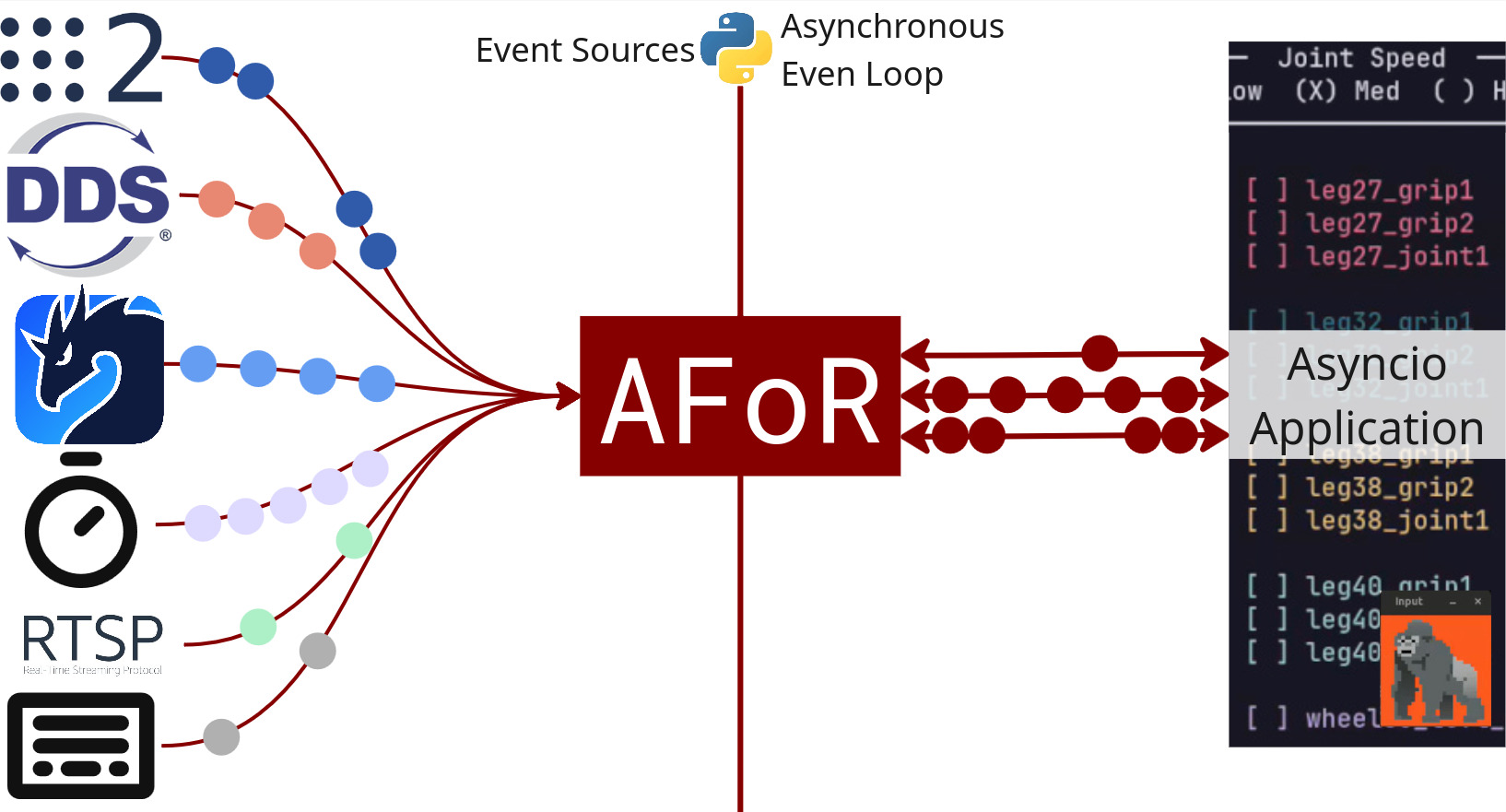
Will this make my code faster? Yes and no.. afor has 4~100 μs of latency overhead, but on end-to-end applications we observed CPU, RAM and responsiveness improvements by making proper scheduling syntax available to developpers.
Install
Barebone
Out of the box support for ROS 2 (jazzy,humble, lyrical) and Zenoh. This library is pure python (>=3.10), so it installs easily.
pip install asyncio_for_robotics
# if you use Zenoh: `pip install asyncio_for_robotics eclipse-zenoh`
Read more
- Implement your own interface: UDP and DDS examples
- Detailed ROS 2 tutorial
- Lifetime with
afor.Scopeand Backend's Sessions - Detailed examples
- Cross-Platform deployment even with ROS
- Usage for software testing

Available interfaces:
- Rate: Every tick of a clock. (native)
- TextIO:
stdoutlines of aPopenprocess (and otherTextIOfiles). (native) - ROS 2: Subscriber, Service Client, Service Server.
- ROS 2 lyrical AsyncNode: Subscriber, Service Client, Service Server.
- Zenoh: Subscriber.
Additional Projects and Interfaces
- PyZeROS: Alternative to ROS 2 rclpy, with minimal dependencies.
- gogo_keyboard: Subscribe to keyboard key presses and release.
- asyncio_gazebo: Subscribe to Gazebo transport.
Code sample
Syntax is identical between ROS 2, Zenoh, TextIO, Rate...
Wait for messages one by one
Application:
- Get the latest sensor data
- Get clock value
- Wait for trigger
- Wait for next tick of the Rate
- Wait for system to be operational
sub = afor.Sub(...)

# Get the latest message
latest = await sub.wait_for_value()

# Get a new message
new = await sub.wait_for_new()

# Get the next message received
next = await sub.wait_for_next()
Continuously listen to a data stream
Application:
- Process a whole data stream
- React to changes in sensor data
- Execute on every tick of the Rate
# Continuously process the latest messages
async for msg in sub.listen():
    status = foo(msg)
    if status == DONE:
        break

# Continuously process all incoming messages
async for msg in sub.listen_reliable():
    status = foo(msg)
    if status == DONE:
        break
Scope and Lifetimes
Application:
- Destroy subscribers automatically when leaving a block
- Keep ownership visible
- Group several
aforobjects under one lifetime
async with afor.Scope():
    sub1 = afor.ros2.Sub(String, "/chatter1")
    sub2 = afor.ros2.Sub(String, "/chatter2")

    # sub1 and sub2 are alive inside this scope/codeblock
    await sub1.wait_for_value()
    ...
# exiting the scope cleans up resources of sub1 and sub2
# here ROS 2 subscription are destroyed from the transport
See Lifetime and afor.Scope for details.
Improved Services / Queryable for ROS 2
Application:
- Client request reply from a server.
- Servers can delay their response without blocking (not possible in native ROS 2)
# Server is once again a afor subscriber, but generating responder objects
server = afor.Server(...)

# processes all requests.
# listen_reliable method is recommanded as it cannot skip requests
async for responder in server.listen_reliable():
    if responder.request == "PING!":
        reponder.response = "PONG!"
        await asyncio.sleep(...) # reply can be differed
        reponder.send()
    else:
        ... # reply is not necessary
# the client implements a async call method
client = afor.Client(...)

response = await client.call("PING!")
Process for the right amount of time
Application:
- Test if the system is responding as expected
- Run small tasks with small and local code
# Listen with a timeout
data = await afor.soft_wait_for(sub.wait_for_new(), timeout=1)
if isinstance(data, TimeoutError):
    pytest.fail(f"Failed to get new data in under 1 second")


# Process a codeblock with a timeout
async with afor.soft_timeout(1):
    sum = 0
    total = 0
    async for msg in sub.listen_reliable():
        number = process(msg)
        sum += number
        total += 1

last_second_average = sum/total
assert last_second_average == pytest.approx(expected_average)
Apply pre-processing to a data-stream
Application:
- Parse payload of different transport into a common type.
# ROS2 String type afor subscriber
inner_sub: Sub[String] = afor.ros2.Sub(String, "topic_name")
# converted into a subscriber generating python `str`
ros2str_func = lambda msg: msg.data
sub: BaseSub[str] = afor.ConverterSub(sub=inner_sub, convert_func=ros2str_func)
About Speed
The obvious question is whether this adds latency compared to native ROS 2.
In this benchmark, the answer is: a little on ROS 2, very little on Zenoh.
- On ROS 2 Jazzy with
SingleThreadedExecutorandrmw_zenoh_cpp, trip duration increases from 70 μs to 140 μs when using afor, for an added overhead of about 70 μs. - On Zenoh,
aforadds only about 7 μs over the native path. This suggests that most of the ROS 2 cost comes from cross-thread operations with therclpymachinery. - Even with this added overhead, Zenoh +
aforremains about an order of magnitude faster than ROS 2 +rclpyin this benchmark. - For many Python robotics applications, an extra few dozen microseconds is
negligible relative to the benefits of a uniform
asynciointerface. - This benchmark measures latency; it does not measure throughput. A 2x latency increase, does not imply a 2x throughput decrease.
| Backend | Interface | Latency (μs) |
|---|---|---|
| No-backend | afor |
4 |
| Zenoh | native | 3 |
| Zenoh | afor |
10 |
| ROS Single Thrd | native | 70 |
| ROS Single Thrd | afor |
136 |
| ROS Multi Thrd | native | 125 |
| ROS Multi Thrd | afor |
217 |
ros_loop Method |
afor |
280 |
Benchmark code is available at https://github.com/2lian/afor_benchmarks. The benchmark uses two pub/sub pairs that continuously echo messages on localhost, with a single participant and a local Zenoh router.
1 maintainer

Metadata
1 maintainer
Release files for asyncio-for-robotics 1.5.1
For a detailed explanation of source distributions (sdists) and built distributions (wheels), please see the package formats documentation.
Source distribution (sdist)
| File | Size | Uploaded | Provenance | Actions |
|---|---|---|---|---|
| asyncio_for_robotics-1.5.1.tar.gz | 48.0 kB | Without provenance | Details for asyncio_for_robotics-1.5.1.tar.gz |
Built distribution (wheel)
| File | Interpreter | ABI | Platform | Actions Reset |
|---|---|---|---|---|
| asyncio_for_robotics-1.5.1-py3-none-any.whl | Python 3 | none | any | Details for asyncio_for_robotics-1.5.1-py3-none-any.whl |
Total release size: 101.0 kB
Release files / asyncio_for_robotics-1.5.1.tar.gz
| Download URL | asyncio_for_robotics-1.5.1.tar.gz |
|---|---|
| Size | 48.0 kB |
| Tags | Source |
|
SHA-256 checksum How to use checksums |
7f642c3cfa6df039b7b102975e692915f8a75babcd18a216b99042eaf0dde490
|
|
BLAKE2b-256 checksum How to use checksums |
221815639c378f6b53b52178c5528fc91bba187ca9c5ec232db8091474c9b52b
|
| Upload date | |
|
Uploaded using Trusted Publishing? What is trusted publishing? |
No |
| Uploaded via |
uv/0.8.22
|
Release files / asyncio_for_robotics-1.5.1-py3-none-any.whl
| Download URL | asyncio_for_robotics-1.5.1-py3-none-any.whl |
|---|---|
| Size | 53.1 kB |
| Tags | Python 3 |
|
SHA-256 checksum How to use checksums |
6c22d8b27f542ae91f153b2e70e1f1c1955e45303b69b532a0714cec91809ba6
|
|
BLAKE2b-256 checksum How to use checksums |
b88bc520657baa0de8b5198349b19271ce8878ddce8d76b91b9fcbb246041a55
|
| Upload date | |
|
Uploaded using Trusted Publishing? What is trusted publishing? |
No |
| Uploaded via |
uv/0.8.22
|
Security for asyncio-for-robotics 1.5.1
Provenance
Provenance describes where a file came from. On PyPI, provenance is shared via attestations, which provide a verifiable record of the build or publishing details. View details, limitations and caveats.
No provenance found
None of the files in this release were uploaded with provenance metadata.
A note on package security
PyPI is a repository for distributing packages, not a service for auditing them. While third-party security researchers and our staff do their best to detect and remove malicious packages, PyPI cannot guarantee the quality, security or suitability of any given package.
To learn more about protecting yourself from malicious actors, visit our package security documentation.














