
Self-hostable, AI-native knowledge base engine — an external brain you share with your AI.

Project description
Atlas Mind





It's your mind, not someone else's.
Notion, and every hosted notes app, ask you to pour your thinking into their structure, on their servers, in their format. You rent the space; they hold the keys. Atlas Mind inverts that: your knowledge is plain files in your own git repository, served by an engine you can read line by line and throw away without losing a single note. Your AI comes to your library through an open protocol; it never pulls your brain into its own.
Own the data. Own the engine. Own the mind.
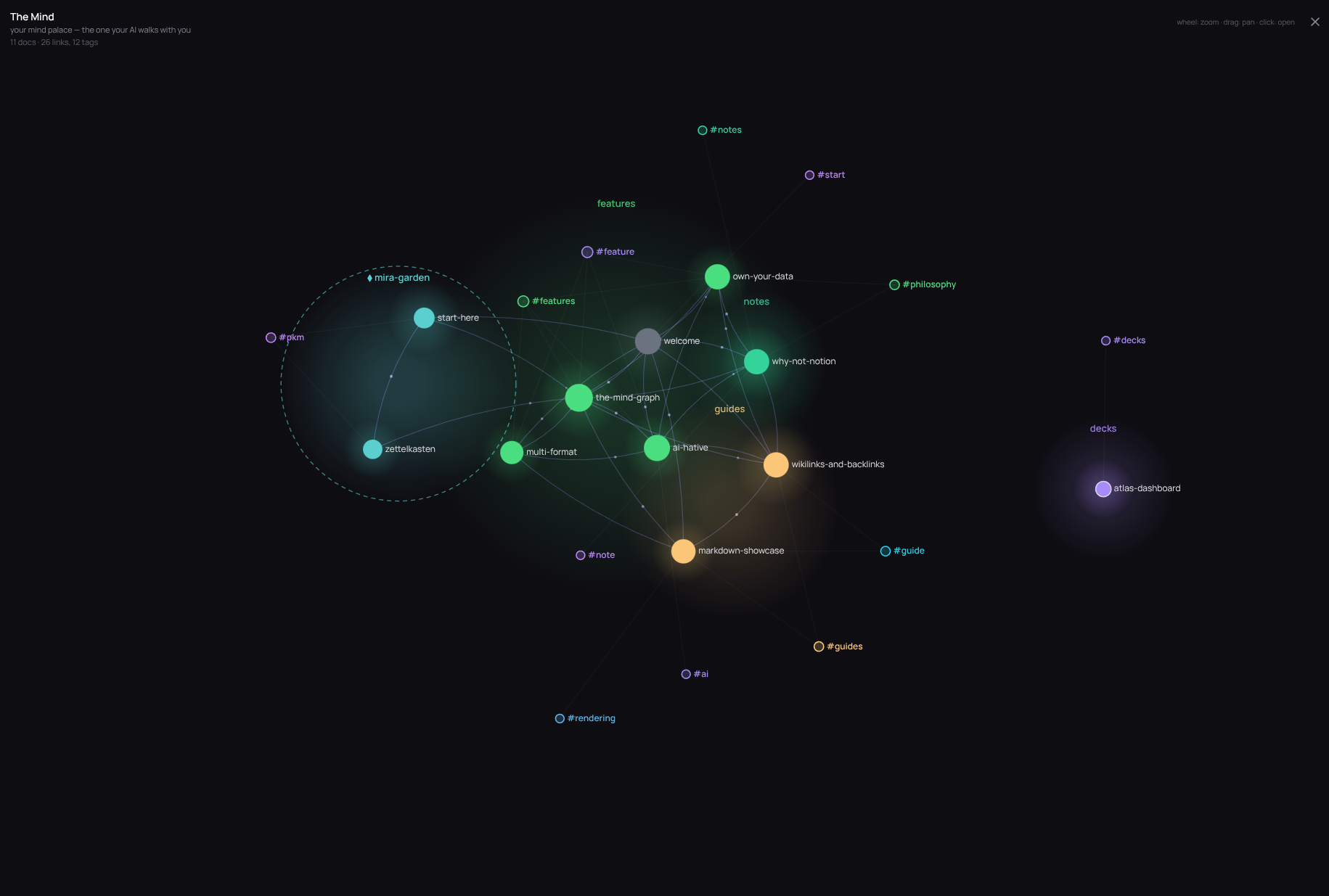
🔗 Try the live demo → (offline build, some features missing) · What is Atlas Mind?
Atlas Mind is a self-hostable wiki / knowledge base engine, and an external brain you share with your AI. It serves a single-page viewer from a folder of documents (a mind), keeping the engine (the code) cleanly decoupled from your content (your notes, in their own git repository). Built on three ideas:
- Multi-format, not just Markdown. Markdown is first-class (rendered, linked, searched). Standalone HTML decks and dashboards, PDFs, and Word
.docxare previewed inline, converted to readable HTML in your browser, nothing uploaded anywhere. - AI-native. It exposes an MCP endpoint (nineteen tools to read, write, map and rewind your mind), and
atlas initscaffolds the conventions (AGENTS.md,agents/,ai-sessions/) so an assistant knows how to use your mind. - Lightweight & self-contained. A single Python HTTP server on the standard library: no database, accounts and share links live as plain JSON on disk, frontend libraries and fonts are vendored. A running instance makes no third-party network calls: your mind never leaves your disk, and nothing you write trains anyone's model.
It is not a multi-tenant SaaS, a real-time collaborative editor, or a plugin marketplace. One focused mind per instance, fully yours.
Install
Installing puts a self-contained atlas command on your PATH (the viewer assets ship inside the package, no separate download).
# Easy way: uv or pipx (isolated env, no virtualenv to manage)
uv tool install atlas-mind        # or: pipx install atlas-mind
atlas serve ~/my-mind

# Run once without installing, straight from PyPI
uvx atlas-mind serve ~/my-mind    # or: pipx run atlas-mind serve ~/my-mind

# With pip (a virtualenv is recommended)
pip install atlas-mind
Requires Python >= 3.11 and a git repository for your content. Full options, source install and python3 src/cli.py usage in docs/install.md.
Quick start
atlas init ~/my-mind     # scaffold a mind: atlas.toml, example docs, AGENTS.md, git init
atlas serve ~/my-mind    # build once if needed, then serve on http://127.0.0.1:8765
init is never destructive (it refuses a non-empty directory without --force and keeps any file already present). serve listens on 127.0.0.1:8765 with authentication off by default. To produce the static viewer without serving: atlas build ~/my-mind [--offline].
See all CLI commands → (user, token, share, deploy).
Use it with your AI (MCP)
Atlas Mind is designed to be the external memory your assistant reads and writes. Mint a token and point your AI at it:
atlas token create ~/my-mind --label claude
# → prints the MCP URL: https://<your-atlas>/mcp/<token>
The MCP endpoint exposes nineteen tools in four groups:
- read:
search_docs,read_doc,list_tree,recent_docs - write:
create_doc,edit_doc,move_doc(fixes incoming[[backlinks]]),delete_doc(soft-delete to.trash/) - graph:
get_links,get_backlinks,list_by_tag,get_mind_topology - time-travel (your mind is a git repo):
doc_history,doc_at,doc_diff,search_history,changelog,doc_blame,doc_revert
atlas init scaffolds AGENTS.md + content/agents/ + content/ai-sessions/ so the assistant knows your conventions. There is also a REST API v1 (Bearer tokens, create-only writes) with a published OpenAPI 3.1 spec. More in docs/ai.md.
Features
- Reading: GitHub-flavoured Markdown (TOC, syntax highlighting, reading time, tag bar), inline preview of standalone HTML decks/dashboards, PDF, and
.docx(converted in-browser, read-only). Download any file as its original. - Navigation: collapsible tree, full-text search (server-side online, fuzzy MiniSearch offline),
[[wikilinks]]+ backlinks + "same subject", folder/frontmatter tags, mind-wide task rollup, command palette (Ctrl-K), pinned and recent docs. - The Mind: a force-directed mind palace where every document and tag is a navigable node, colour-grouped by folder, recent nodes glowing, orphans dimmed.
- Editing: create / edit / rename / move / delete from the viewer (moving rewrites the wikilinks pointing at a doc), document templates, interactive task checkboxes, a categorised todos widget.
- History: every document git-versioned, with a revision list, clean diffs, view/restore of past versions (restore is a new commit), renames and moves followed.
- Annotations: notes anchored to a text selection, re-anchored on later visits, with one-click copy-all-notes as Markdown.
- Sharing: per-document access in cloud mode (private / shared with people or groups / common to the team), plus HMAC-signed public share links with optional expiry.
- Offline & PWA: a self-contained
index-offline.htmlthat works fromfile://, an installable PWA via service worker, live reload over SSE. - i18n: French and English, a single carefully-built dark theme, re-skinnable via a CSS extension.
Deep dives: features · Hive Mind / Atlas nodes · collaboration.
Self-hosting
- Cloud mode: accounts and login (admin / member roles), per-document access control, cookie sessions, optional TOTP 2FA with recovery codes, per-account lockout and per-IP login rate limiting, full CSRF defence. The honest details are in the security model.
- Deployment:
atlas deploy ~/my-mind --target compose|systemd|fly;fly --wizarddeploys end-to-end. See docs/deployment.md. - Configuration: a small
atlas.toml(brand prefix, port, auth, content paths). Full key reference →. - Updating: engine and content update independently, and upgrading the engine never touches your notes. How to update →.
Documentation
Install · CLI · Features · MCP & AI · Hive Mind · Collaboration · Configuration · Deployment · Updating · Building from source · Extensions · Security model
Licence
AGPL v3, see LICENSE. The "Atlas" + "Mind" branding in the viewer and login page is a fixed part of the project. Details in docs/licence.md.
Release history Release notifications | RSS feed


Download files
Download the file for your platform. If you're not sure which to choose, learn more about installing packages.
Source Distribution
Built Distribution
Filter files by name, interpreter, ABI, and platform.
If you're not sure about the file name format, learn more about wheel file names.
Copy a direct link to the current filters
File details
Details for the file atlas_mind-0.6.3.tar.gz.
File metadata
- Download URL: atlas_mind-0.6.3.tar.gz
- Upload date:
- Size: 1.2 MB
- Tags: Source
- Uploaded using Trusted Publishing? No
- Uploaded via: twine/6.2.0 CPython/3.14.6
File hashes
| Algorithm | Hash digest | |
|---|---|---|
| SHA256 |
65bbc05db2c6c18bcb7a4eee5bfc4b75a1fc2fb97ba81e52d461618b4a46a349
|
|
| MD5 |
301c412f54410a64d278e9005d88b68d
|
|
| BLAKE2b-256 |
12bbe015a67e953ab840c7e6628a131385d1894a1f0776778b93851e73012c4b
|
File details
Details for the file atlas_mind-0.6.3-py3-none-any.whl.
File metadata
- Download URL: atlas_mind-0.6.3-py3-none-any.whl
- Upload date:
- Size: 1.1 MB
- Tags: Python 3
- Uploaded using Trusted Publishing? No
- Uploaded via: twine/6.2.0 CPython/3.14.6
File hashes
| Algorithm | Hash digest | |
|---|---|---|
| SHA256 |
9d4ed5843b172081294c1fa1488a9756ac310ac1634176777f2736a1302219e2
|
|
| MD5 |
901cadc30d01d4b0a7410cb4d7846a42
|
|
| BLAKE2b-256 |
70193aae73e89ff2d53526496b1cf4e31af2300b0379ea5c2f22f1eb986b76cf
|






