
AtlasAI-CLI 🤖
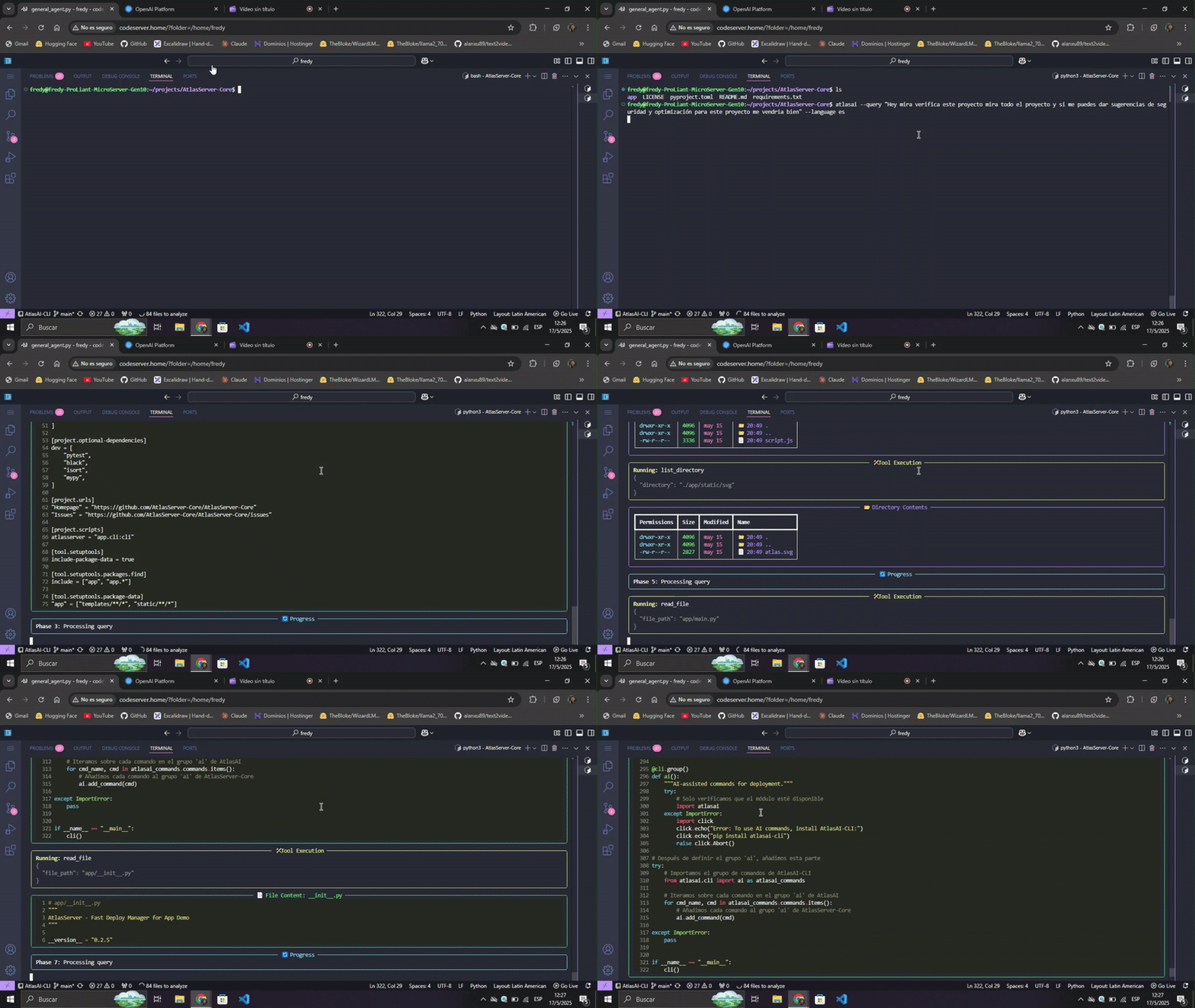
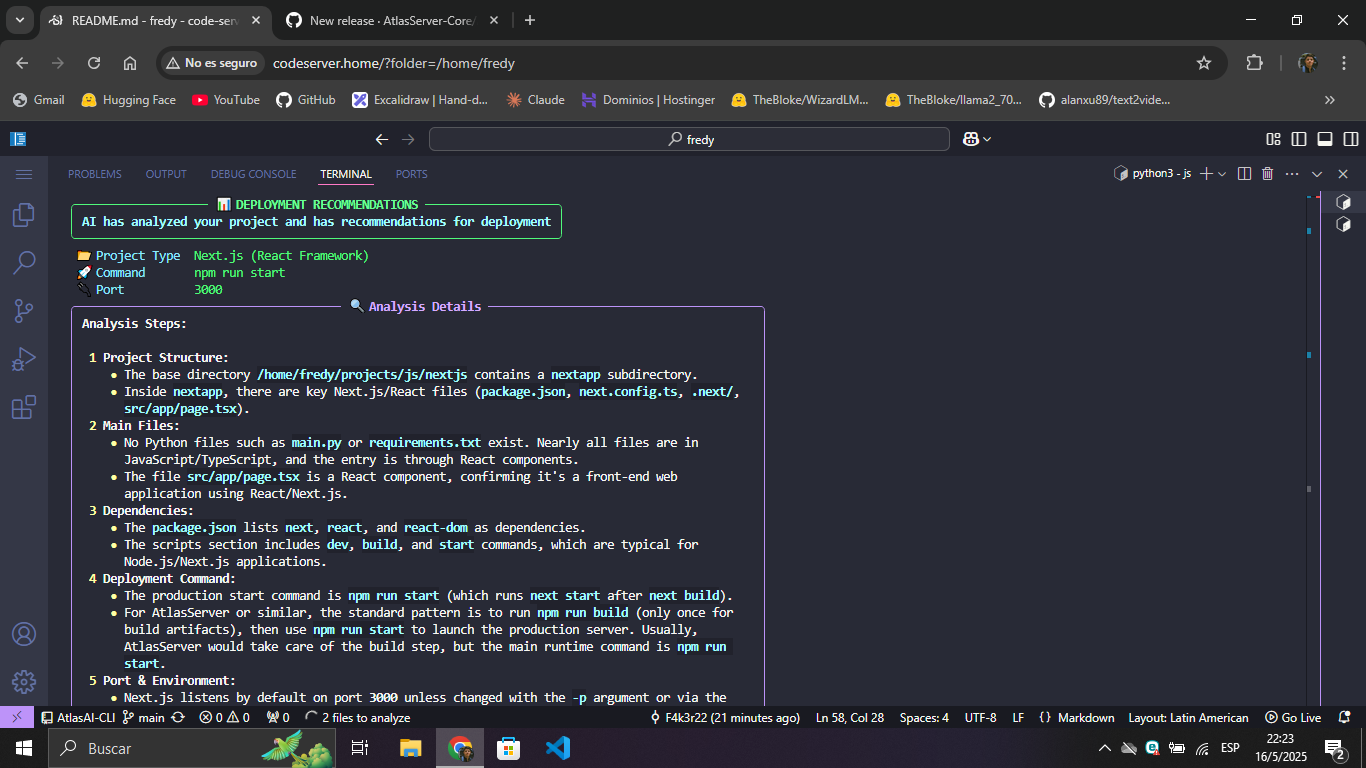
AtlasAI-CLI is an AI-powered command line tool that analyzes projects and recommends optimal deployment configurations. It works as an independent complement for AtlasServer-Core or as a standalone tool.
Why a separate package?
AtlasAI-CLI was born as part of AtlasServer-Core v0.2.5, but is now distributed as an independent package to:
- Reduce dependencies: AtlasServer-Core stays lighter
- Better performance: Faster installation when AI functions aren't needed
- Flexibility: Usable with or without AtlasServer-Core
- Maintainability: Cleaner and more modular codebase
- Customization: Freedom to choose between local Ollama or cloud-based OpenAI
Main features
🔍 Intelligent Project Analysis
- Framework detection: Automatically identifies Flask, FastAPI, Django and others
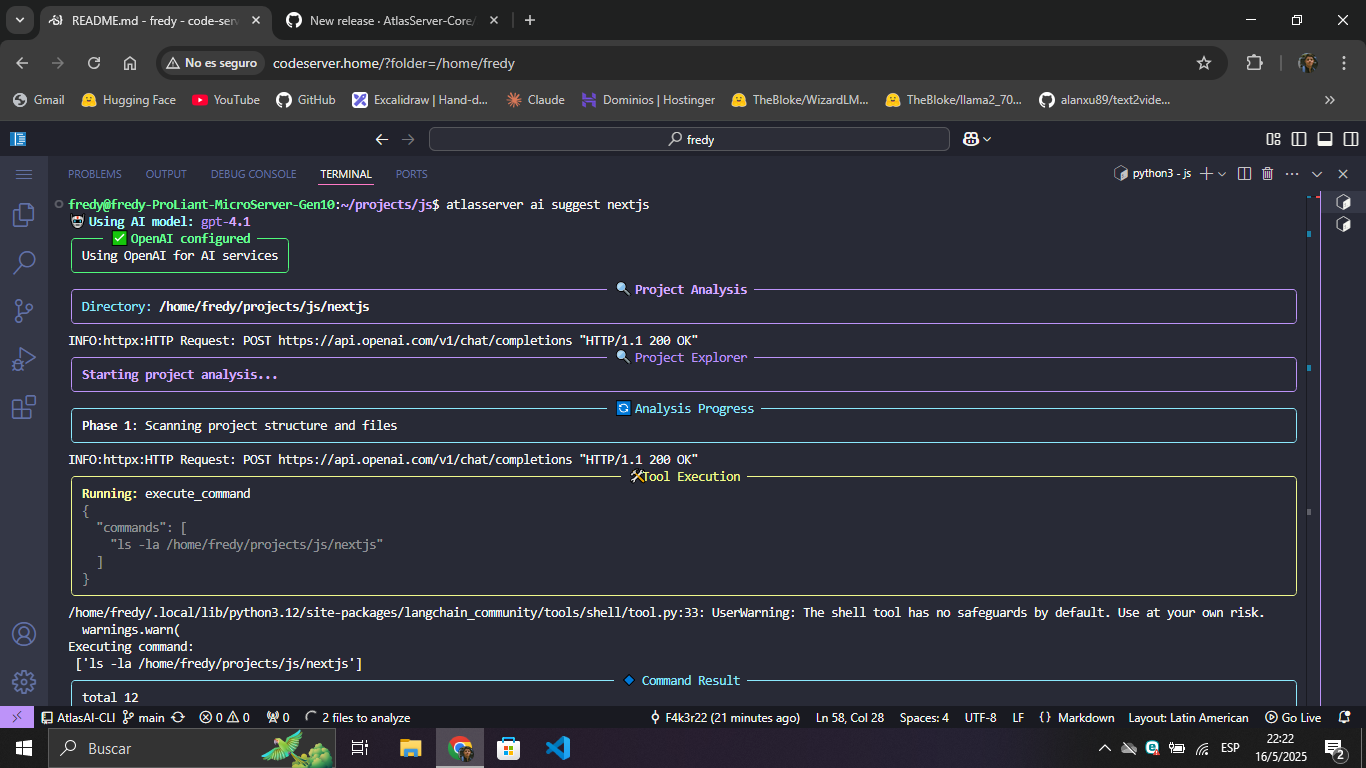
- Interactive exploration: Analyzes the structure and key files of the project
- Contextual recommendations: Suggests specific commands, ports and environment variables
🌐 Multiple AI providers
- Ollama: Local models for privacy and offline operation
- OpenAI: Cloud models for advanced analysis
🌍 Multilingual support
- Explanations in English or Spanish according to preference
💻 Rich terminal interface
- Enhanced visualization with Rich
- Real-time responses through streaming
- Panels, tables and Markdown format for better readability
Installation
As a standalone tool:
pip install atlasai-cli
With AtlasServer-Core:
pip install atlasserver atlasai-cli
Requirements:
- Python 3.8 or higher
- Ollama (to use local models)
Usage
Configuration:
# Setup with Ollama (local)
atlasai ai setup --provider ollama --model llama3:8b

# Setup with OpenAI (cloud)
atlasai ai setup --provider openai --model gpt-4.1 --api-key YOUR_API_KEY
Project analysis:
# Basic analysis
atlasai ai suggest ~/path/to/my-project

# With language preference
atlasai ai suggest ~/path/to/my-project --language es

# With debug mode
atlasai ai suggest ~/path/to/my-project --debug
Integration with AtlasServer-Core:
If you have AtlasServer-Core installed, you can use the same commands with the atlasserver prefix:
atlasserver ai setup --provider ollama --model llama3:8b
atlasserver ai suggest ~/path/to/my-project
Demo
AtlasAI-CLI in Action
Compatibility
AtlasAI-CLI works best with:
- Post-Llama 3 models for Ollama
- GPT-4o or higher for OpenAI
Contributions
Contributions are welcome! If you find bugs or have ideas for improvements, please open an issue or submit a pull request.
License
AtlasAI-CLI is distributed under the Apache 2.0 license.
⚡💻 Your intelligent, easy-to-use terminal
From developers to developers.
1 maintainer

Metadata
1 maintainer
Release files for atlasai-cli 0.2.8
For a detailed explanation of source distributions (sdists) and built distributions (wheels), please see the package formats documentation.
Source distribution (sdist)
| File | Size | Uploaded | |
|---|---|---|---|
| atlasai_cli-0.2.8.tar.gz | 32.2 kB | Details |
Built distribution (wheel)
| File | Interpreter | ABI | Platform | Reset |
|---|---|---|---|---|
| atlasai_cli-0.2.8-py3-none-any.whl | Python 3 | none | any | Details |
Total release size: 65.8 kB
Release files / atlasai_cli-0.2.8.tar.gz
| Download URL | atlasai_cli-0.2.8.tar.gz |
|---|---|
| Size | 32.2 kB |
| Tags | Source |
|
SHA-256 checksum How to use checksums |
a835fbaf7e78f0ed0246942bbf743edd7fc9f00718db9e3396453f54cac2feea
|
|
BLAKE2b-256 checksum How to use checksums |
667e86f2c261de52374905023ce918599b32aed4d747d81fb58655f06b344433
|
| Upload date | |
|
Uploaded using Trusted Publishing? What is trusted publishing? |
No |
| Uploaded via |
twine/6.1.0 CPython/3.12.3
|
Release files / atlasai_cli-0.2.8-py3-none-any.whl
| Download URL | atlasai_cli-0.2.8-py3-none-any.whl |
|---|---|
| Size | 33.6 kB |
| Tags | Python 3 |
|
SHA-256 checksum How to use checksums |
a5e4ea4d820bdf01181fe94ab8f34551b71bfb0a55d196c3ffde540b8b1ee43b
|
|
BLAKE2b-256 checksum How to use checksums |
cbeeee8016ebf0acd2b73c09c0e49c939f41f6d90e63579e48e9a4f6dbb74e5c
|
| Upload date | |
|
Uploaded using Trusted Publishing? What is trusted publishing? |
No |
| Uploaded via |
twine/6.1.0 CPython/3.12.3
|














