
AI-powered CLI for AtlasServer deployments: suggest, optimize & debug commands

Project description
AtlasAI-CLI 🤖
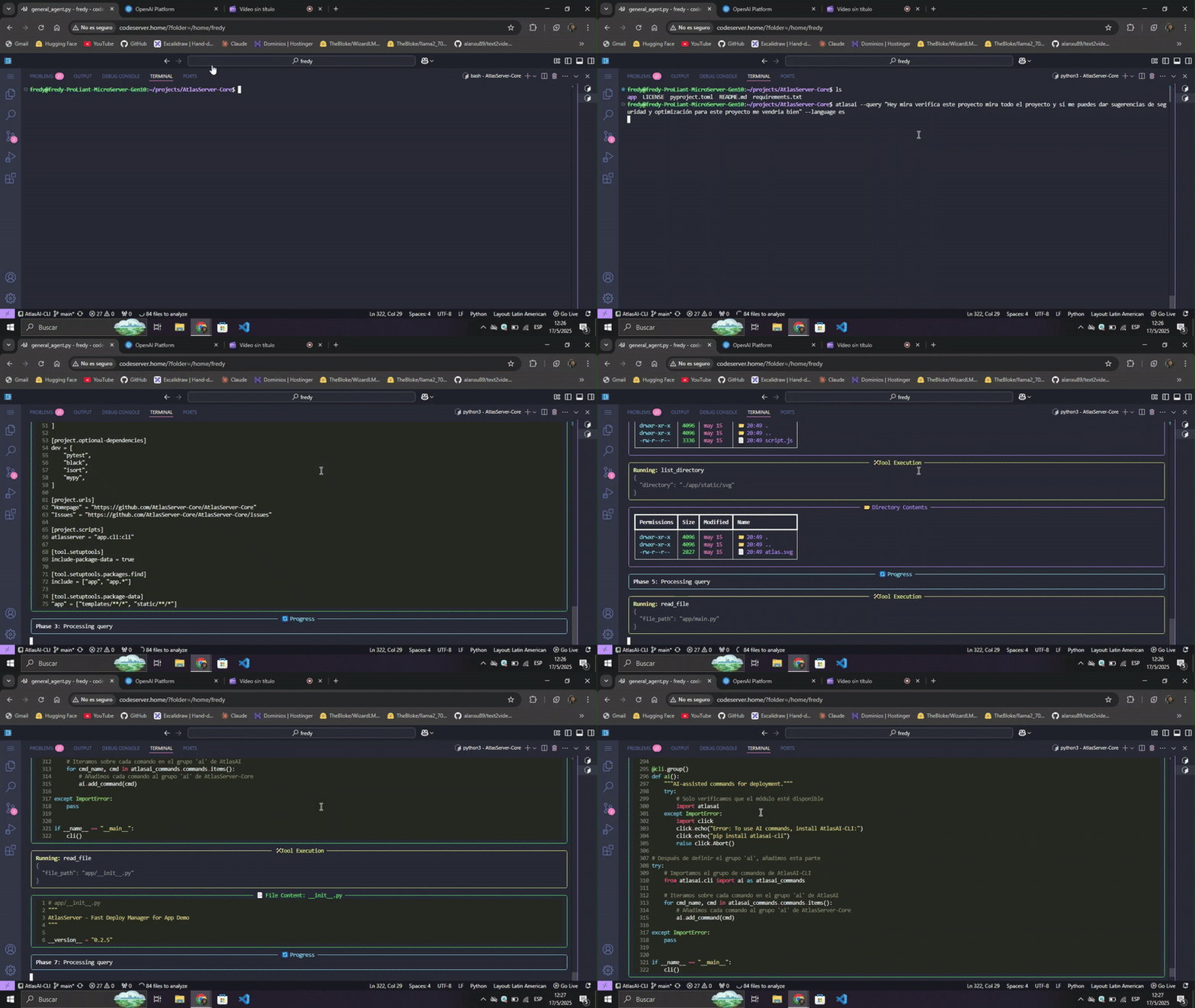
AtlasAI-CLI is an AI-powered command line tool that analyzes projects and recommends optimal deployment configurations. It works as an independent complement for AtlasServer-Core or as a standalone tool.
Why a separate package?
AtlasAI-CLI was born as part of AtlasServer-Core v0.2.5, but is now distributed as an independent package to:
- Reduce dependencies: AtlasServer-Core stays lighter
- Better performance: Faster installation when AI functions aren't needed
- Flexibility: Usable with or without AtlasServer-Core
- Maintainability: Cleaner and more modular codebase
- Customization: Freedom to choose between local Ollama or cloud-based OpenAI
Main features
🔍 Intelligent Project Analysis
- Framework detection: Automatically identifies Flask, FastAPI, Django and others
- Interactive exploration: Analyzes the structure and key files of the project
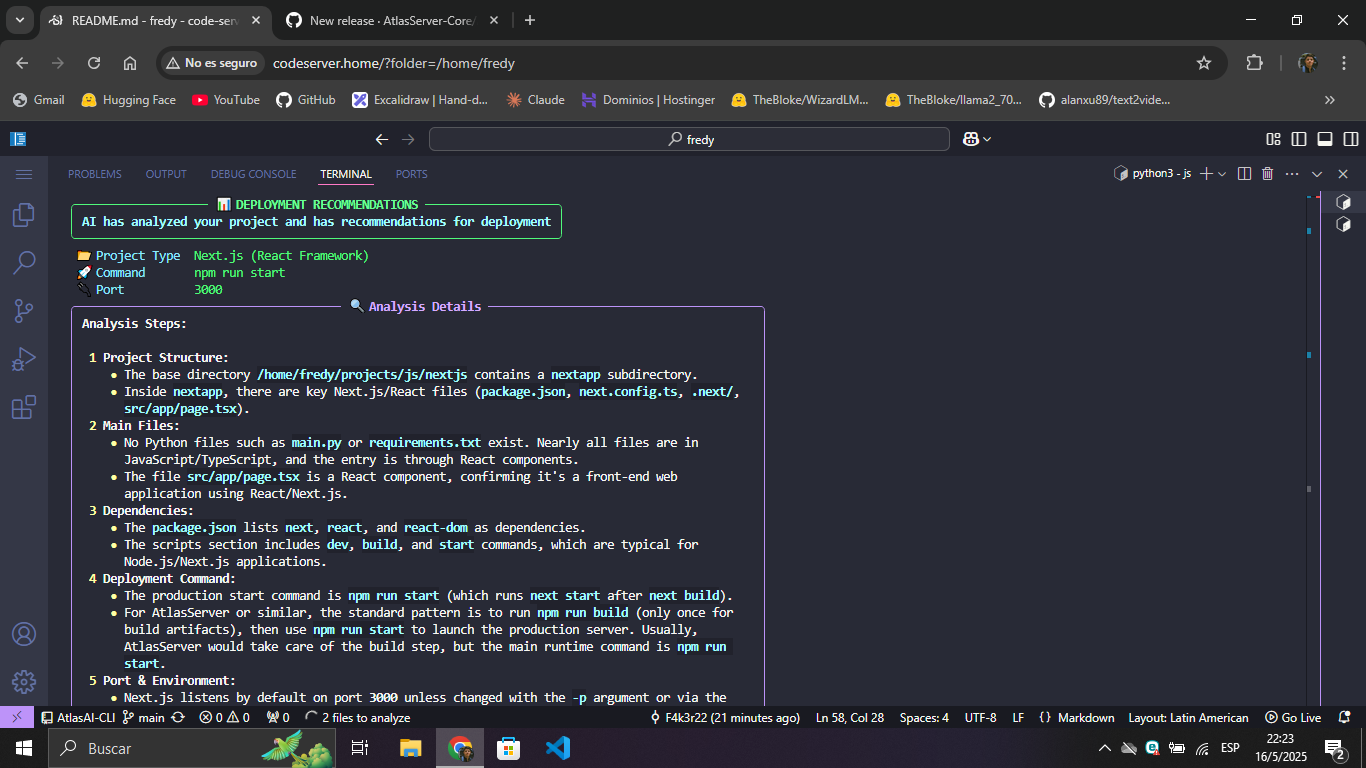
- Contextual recommendations: Suggests specific commands, ports and environment variables
🌐 Multiple AI providers
- Ollama: Local models for privacy and offline operation
- OpenAI: Cloud models for advanced analysis
🌍 Multilingual support
- Explanations in English or Spanish according to preference
💻 Rich terminal interface
- Enhanced visualization with Rich
- Real-time responses through streaming
- Panels, tables and Markdown format for better readability
Installation
As a standalone tool:
pip install atlasai-cli
With AtlasServer-Core:
pip install atlasserver atlasai-cli
Requirements:
- Python 3.8 or higher
- Ollama (to use local models)
Usage
Configuration:
# Setup with Ollama (local)
atlasai ai setup --provider ollama --model llama3:8b

# Setup with OpenAI (cloud)
atlasai ai setup --provider openai --model gpt-4.1 --api-key YOUR_API_KEY
Project analysis:
# Basic analysis
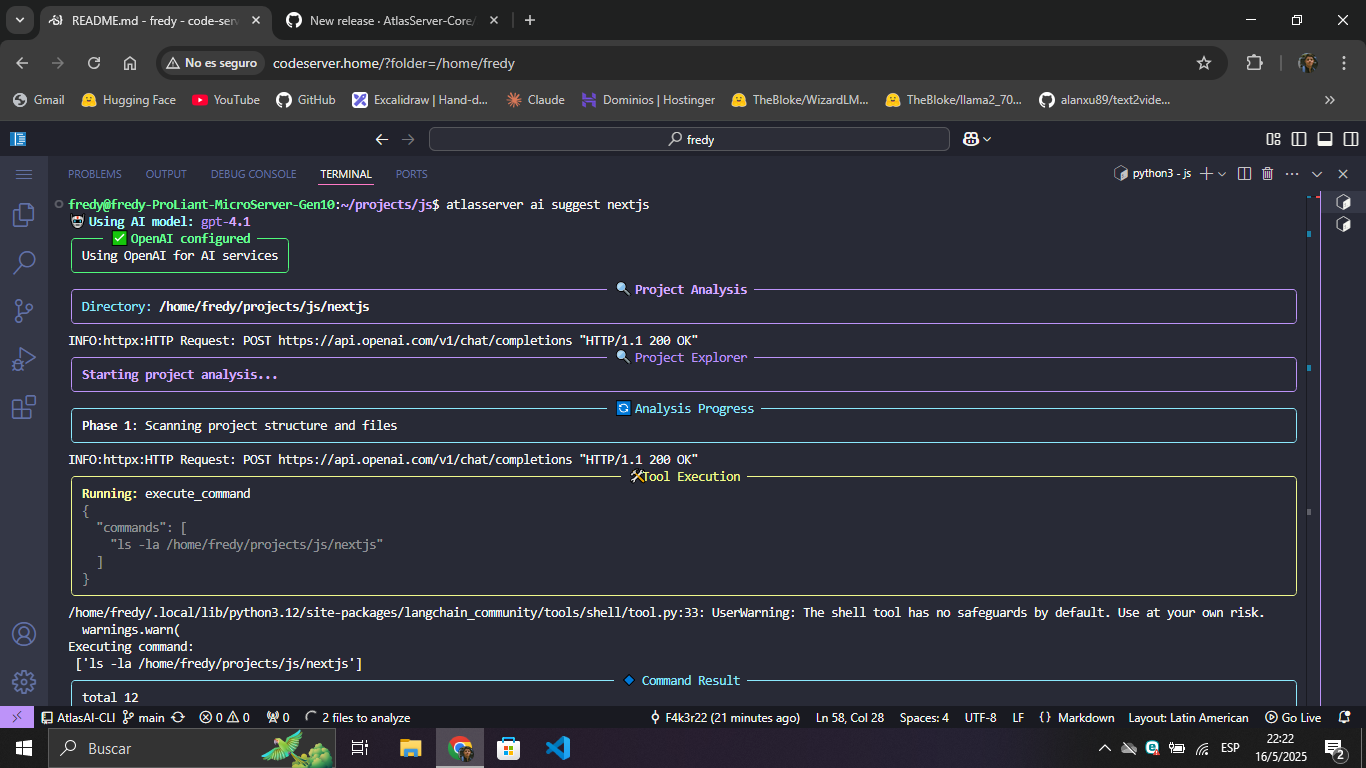
atlasai ai suggest ~/path/to/my-project

# With language preference
atlasai ai suggest ~/path/to/my-project --language es

# With debug mode
atlasai ai suggest ~/path/to/my-project --debug
Integration with AtlasServer-Core:
If you have AtlasServer-Core installed, you can use the same commands with the atlasserver prefix:
atlasserver ai setup --provider ollama --model llama3:8b
atlasserver ai suggest ~/path/to/my-project
Demo
AtlasAI-CLI in Action
Compatibility
AtlasAI-CLI works best with:
- Post-Llama 3 models for Ollama
- GPT-4o or higher for OpenAI
Contributions
Contributions are welcome! If you find bugs or have ideas for improvements, please open an issue or submit a pull request.
License
AtlasAI-CLI is distributed under the Apache 2.0 license.
⚡💻 Your intelligent, easy-to-use terminal
From developers to developers.
Release history Release notifications | RSS feed


Download files
Download the file for your platform. If you're not sure which to choose, learn more about installing packages.
Source Distribution
Built Distribution
Filter files by name, interpreter, ABI, and platform.
If you're not sure about the file name format, learn more about wheel file names.
Copy a direct link to the current filters
File details
Details for the file atlasai_cli-0.2.8.tar.gz.
File metadata
- Download URL: atlasai_cli-0.2.8.tar.gz
- Upload date:
- Size: 32.2 kB
- Tags: Source
- Uploaded using Trusted Publishing? No
- Uploaded via: twine/6.1.0 CPython/3.12.3
File hashes
| Algorithm | Hash digest | |
|---|---|---|
| SHA256 |
a835fbaf7e78f0ed0246942bbf743edd7fc9f00718db9e3396453f54cac2feea
|
|
| MD5 |
94f2ccef2c055469241633f13f6fc55a
|
|
| BLAKE2b-256 |
667e86f2c261de52374905023ce918599b32aed4d747d81fb58655f06b344433
|
File details
Details for the file atlasai_cli-0.2.8-py3-none-any.whl.
File metadata
- Download URL: atlasai_cli-0.2.8-py3-none-any.whl
- Upload date:
- Size: 33.6 kB
- Tags: Python 3
- Uploaded using Trusted Publishing? No
- Uploaded via: twine/6.1.0 CPython/3.12.3
File hashes
| Algorithm | Hash digest | |
|---|---|---|
| SHA256 |
a5e4ea4d820bdf01181fe94ab8f34551b71bfb0a55d196c3ffde540b8b1ee43b
|
|
| MD5 |
5063234feb8dfc16ee5f0e34376f4ce2
|
|
| BLAKE2b-256 |
cbeeee8016ebf0acd2b73c09c0e49c939f41f6d90e63579e48e9a4f6dbb74e5c
|






