
Tools for processing audio signals
Verified details
These details have been verified by PyPIProject links
GitHub Statistics
Maintainers

Project description
Audio Toolset



Python library and command line interface for processing audio signals.
audio_toolset provides an intuitive and flexible way to process audio files in Python. Each Channel object handles a single mono audio file, allowing you to apply filters, EQ, dynamic processing, gain adjustments, noise reduction, and more.
[!TIP] Stereo files can be handled by first splitting them into mono channels using
split_to_monoand then recombining them withjoin_to_stereo. see example below
Installation
pip install audio-toolset
Examples
Quickstart
from audio_toolset.channel import Channel

track = Channel("my_audio.wav")

track.lowpass(cutoff_frequency=12000)  # Remove harsh highs
track.highpass(cutoff_frequency=80)  # Remove low-end rumble
track.normalize(target_db=-1)  # Normalize

track.write("my_audio_processed.wav")
Command line interface
All methods in Channel are exposed as subcommands in the audio-toolset CLI and can be chained in any order.
this command will produce an identical result to the python script above
audio-toolset --source my_audio.wav \
  lowpass --cutoff-frequency 12000 \
  highpass --cutoff-frequency 80 \
  normalize --target-db -1 \
  write --output-path my_audio_processed.wav
Process multiple files
This is very handy when you need to apply the same processing to multiple files, for example a directory with sound effects.
import pathlib

from audio_toolset.channel import Channel

input_dir = pathlib.Path("input_audio")
output_dir = pathlib.Path("cleaned_audio")
output_dir.mkdir(exist_ok=True)

for wav_file in input_dir.glob("*.wav"):
    track = Channel(wav_file)

    track.lowpass(cutoff_frequency=12000)  # Remove harsh highs
    track.highpass(cutoff_frequency=80)  # Remove low-end rumble
    track.normalize(target_db=-1)  # Normalize

    track.write(output_dir / wav_file.name)
Working with stereo files
from audio_toolset.audio_data import AudioData, join_to_stereo
from audio_toolset.channel import Channel

# Load stereo audio file
stereo_data = AudioData.read_from_file("my_audio.wav")

# Split stereo into left and right channels
left_data, right_data = stereo_data.split_to_mono()
left_channel = Channel(left_data)
right_channel = Channel(right_data)

# Process each channel
for track in [left_channel, right_channel]:
    track.lowpass(cutoff_frequency=12000)  # Remove harsh highs
    track.highpass(cutoff_frequency=80)  # Remove low-end rumble
    track.normalize(target_db=-1)  # Normalize

# Combine channels back to stereo and save
join_to_stereo(left_channel.audio_data, right_channel.audio_data).write_to_file(
    "my_audio_processed.wav"
)
Features
- High level
Channelobject for simple user interface - Load audio from a file or
AudioData - Gain processing
gain,normalize,fade
- Filters
lowpass,highpass,eq_bandnoise_reduction(spectral gating)
- Dynamics
compressor,limiter,soft_clipping
- Plotting tools (see examples)
plot_signal- generate signal time and frequency plot- Dynamic plots -
compressor,limitercan generate attenuation plots - Bode plots -
lowpass,highpass,eq_bandcan generate filter bode plots
Plotting
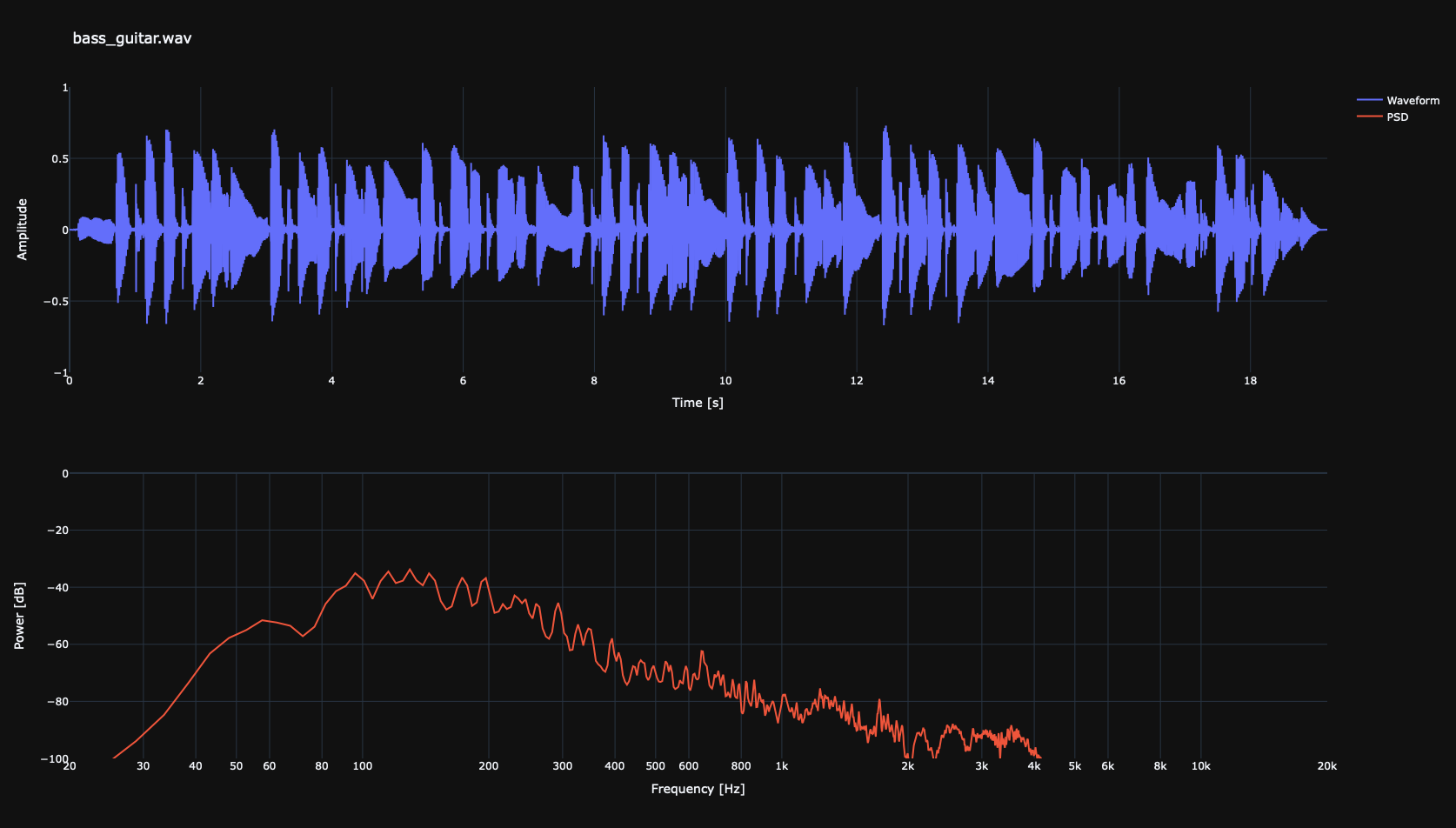
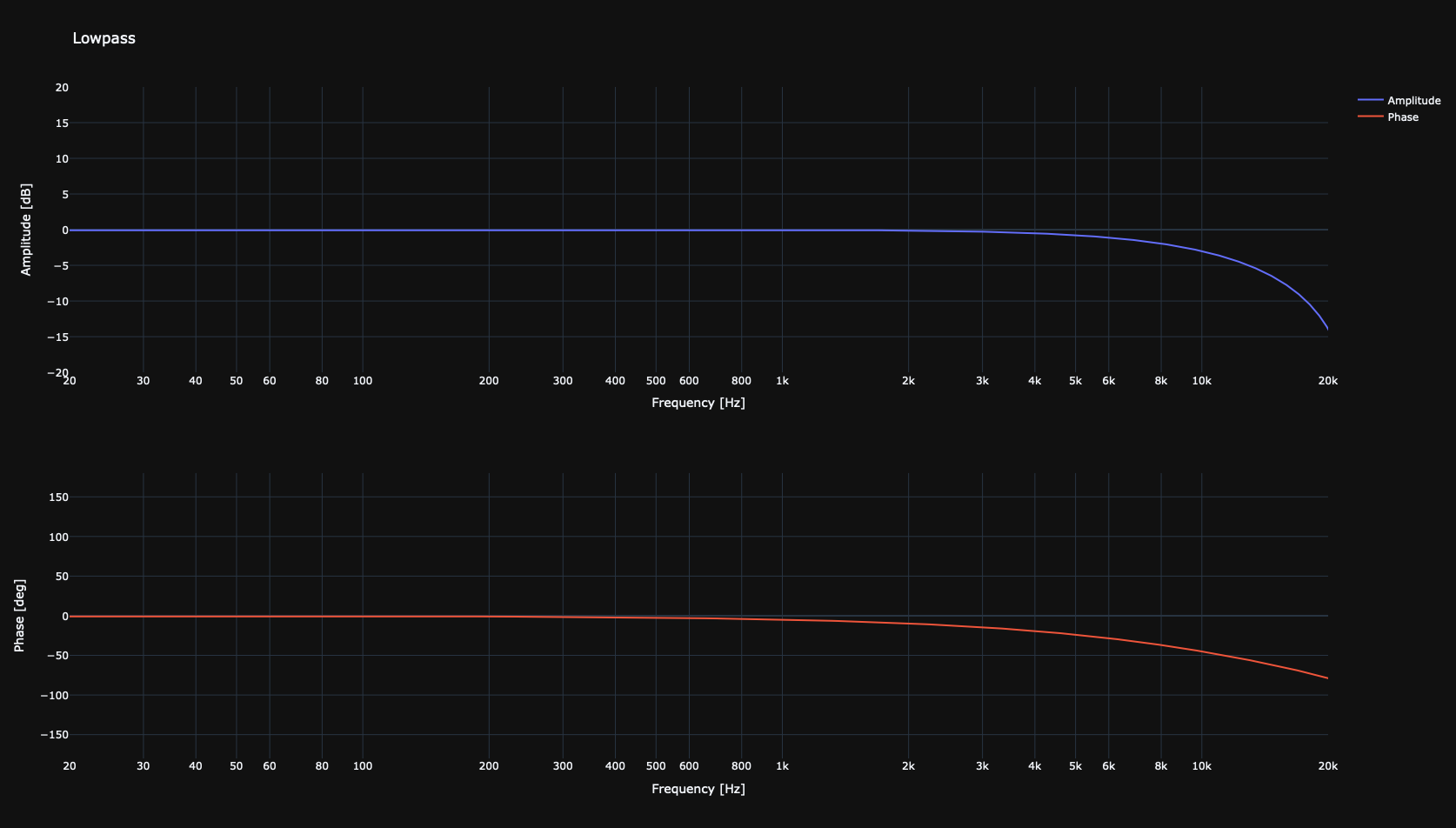
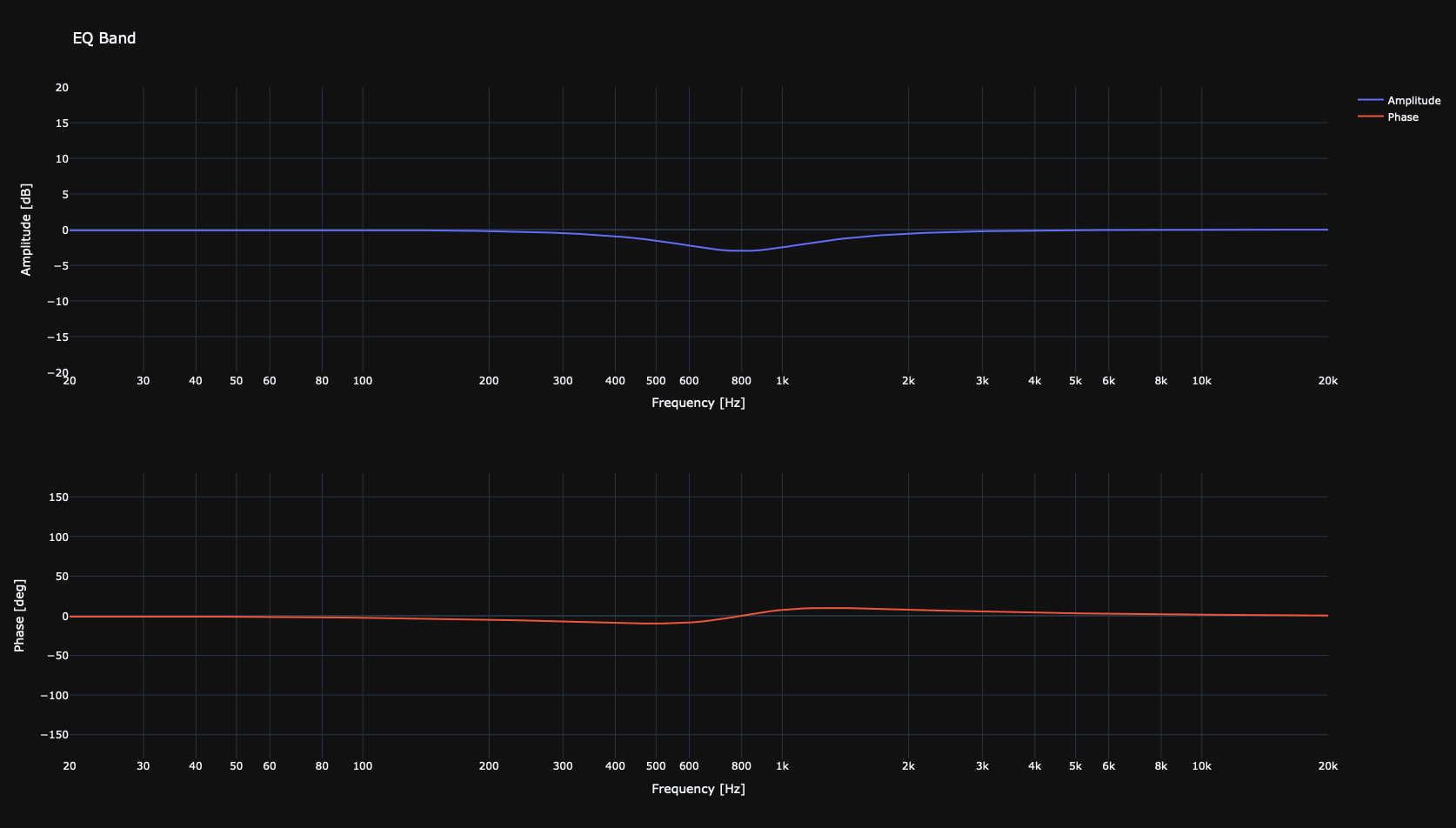
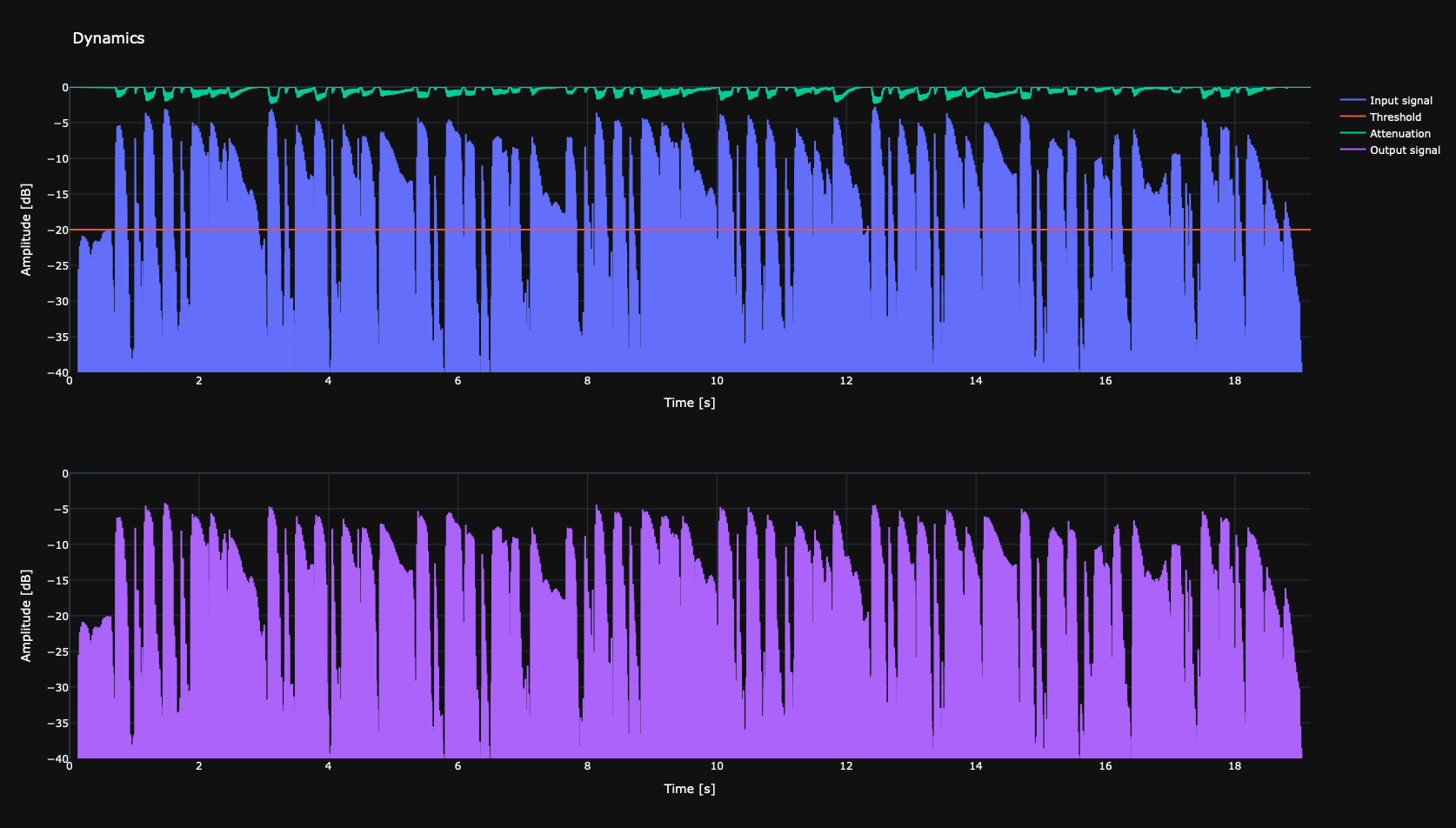
audio_toolset provides multiple plotting tools to visualize signals, filters, and dynamics. All plots are generated interactively using Plotly and can be saved as images from the interactive viewer.
Signal Plots
Use plot_signal() to visualize the time-domain and frequency-domain representation of an audio channel.
2. Filter (Bode) Plots
Filter plots show the frequency response (Bode plot) of filters applied using eq_band(plot_filter_bode=True), highpass(plot_filter_bode=True), or lowpass(plot_filter_bode=True).
3. Dynamics Plots
Dynamics plots visualize the response of compressors and limiters applied to a channel. Generated by compressor(plot_compressor_response=True) or limiter(plot_limiter_response=True)
Project details
Verified details
These details have been verified by PyPIProject links
GitHub Statistics
Maintainers


Download files
Download the file for your platform. If you're not sure which to choose, learn more about installing packages.
Source Distribution
Built Distribution
Filter files by name, interpreter, ABI, and platform.
If you're not sure about the file name format, learn more about wheel file names.
Copy a direct link to the current filters
File details
Details for the file audio_toolset-0.2.1.tar.gz.
File metadata
- Download URL: audio_toolset-0.2.1.tar.gz
- Upload date:
- Size: 41.3 kB
- Tags: Source
- Uploaded using Trusted Publishing? Yes
- Uploaded via: uv/0.8.15
File hashes
| Algorithm | Hash digest | |
|---|---|---|
| SHA256 |
3e9272b15b5e9d2dbda0fcd5c5f7baa04028aca95557290354128aece4d9f75b
|
|
| MD5 |
44d8982d287735db0b531f52cd194f62
|
|
| BLAKE2b-256 |
428a4ee277bbf0304bcf1a9c7edfad02fe16451b88d04c92cd3f1a6d86c867b8
|
File details
Details for the file audio_toolset-0.2.1-py3-none-any.whl.
File metadata
- Download URL: audio_toolset-0.2.1-py3-none-any.whl
- Upload date:
- Size: 19.3 kB
- Tags: Python 3
- Uploaded using Trusted Publishing? Yes
- Uploaded via: uv/0.8.15
File hashes
| Algorithm | Hash digest | |
|---|---|---|
| SHA256 |
a5151226cf33bb0ded8f31db1269fe0759a701f31f4fe5d56bc760e8b27a6c12
|
|
| MD5 |
12df7650a2d28a5e54f8713598dd74c7
|
|
| BLAKE2b-256 |
101d970ad1a0c11b0a41b28d84fe118ff7c4048f1cf922faa9c3415b8a3cc161
|






