
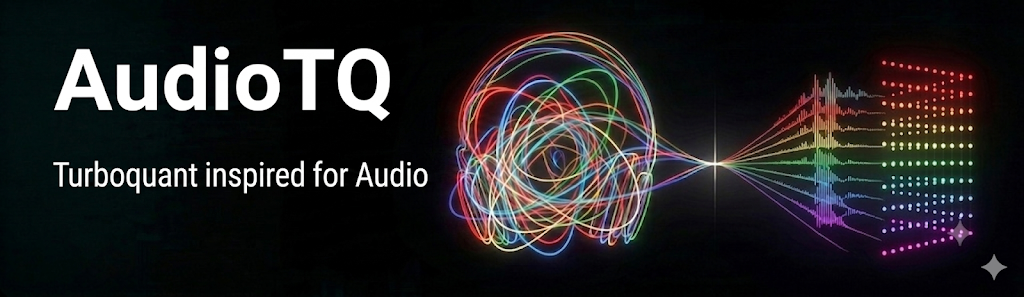



A minimal, high-performance lossy audio compression engine built in Python and NumPy.
TQA adapts the mathematical principles of TurboQuant (originally designed for data-oblivious weight quantization of LLMs on GPU clusters) into a localized, cache-aligned CPU audio codec. By mapping high-dimensional audio amplitudes into zero-centered symmetrical Gaussian distributions via Hadamard rotations, it achieves a ~3.9x memory reduction while preserving transient fidelity.
Features
- Data-Oblivious Energy Flattening: Spreads transient spike energy uniformly across audio blocks using Fast Walsh-Hadamard Transform (FWHT) rotations.
- Optimal Centroid Clustering: Employs an iterative Lloyd-Max solver to converge on the Mean-Squared-Error (MSE) optimal 6-bit codebook.
- 1-Bit QJL Residual Layer: Uses a Quantized Joint Least-Squares error sign layer to track quantization rounding errors and suppress distortion.
- Zero-Dependency: Built purely on standard Python, NumPy, and SciPy.
Installation
Install the package directly from PyPI:
pip install audiotq
Quick Start (Python Library Usage)
You can easily integrate audiotq into your own Python audio processing pipelines:
import numpy as np
from audiotq import TurboAudioEngine

# 1. Initialize the codec engine
engine = TurboAudioEngine(block_size=512)

# 2. Prepare your floating-point audio signal (normalized between -1.0 and 1.0)
raw_signal = np.random.normal(0, 0.2, 8000).astype(np.float32)

# 3. Compress the signal
compressed_blocks, meta_scales = engine.compress_signal(raw_signal)

# 4. Decompress back to audio amplitudes
reconstructed_signal = engine.decompress_signal(compressed_blocks, meta_scales)
Command Line Interface (CLI)
The package installs global command-line entry points:
1. Compress and Decompress Audio
Process any standard .wav audio track end-to-end:
tqa-cli run -i input.wav -o output_reconstructed.wav
2. Compare Reconstructed Audio
Extract mathematical fidelity metrics (MSE, SQNR, correlation, and envelope preservation) between raw and processed signals:
tqa-cli compare -f1 input.wav -f2 output_reconstructed.wav
3. Run Synthetic Simulations
Generate custom synthetic signals (e.g., sine waves, square waves, noise, transients) with custom parameters:
tqa-sim --type square --frequency 440 --duration 2.0 --spikes 5
Performance Benchmarks
Below is the telemetry report captured using a standard high-sample dataset (44.1 kHz):
| Metric | Performance Profile |
|---|---|
| Original Dataset Size | 2.52 MB (15.0 seconds) |
| Compressed On-Disk Footprint | 0.65 MB |
| Compression Ratio | ~3.91x smaller footprint (74.4% reduction) |
| Fidelity (SQNR) | 30.24 dB |
| Compression Throughput | ~1.32 MB/s |
| Decompression Throughput | ~1.35 MB/s |
Known Limitations & Failure Modes
1. WHT Basis Alignment (Extreme Sparsity Failure)
- Failure Scenario: If an input block perfectly aligns with one of the Walsh-Hadamard basis vectors (e.g.
signal = rotator.hadamardSigns), the rotated vector becomes a single extreme Kronecker delta spike. - Result: Because the Lloyd-Max codebook is optimized for normal distributions, it clips this extreme spike to the outermost centroid boundary ($\pm 2.41$ standard deviations). This clipping noise destroys reconstruction quality, dropping the SQNR to ~1.31 dB. (Proven in
tests/test_failures.py::test_failure_hadamard_basis_alignment).
2. Silent Block Edge Case
- Edge Case: Silent blocks have a standard deviation of
0.0. Dividing by this value during block standardization would lead toNaNorInferrors. - Resolution: The engine implements a safety threshold guard (
std_dev > 1e-6). Silent blocks bypass normalization and are reconstructed as perfect silence. (Proven intests/test_failures.py::test_boundary_silent_signal).
License
This project is licensed under the GNU General Public License v3.0. See the LICENSE file for details.
1 maintainer

Metadata
1 maintainer
Release files for audiotq 0.1.1
For a detailed explanation of source distributions (sdists) and built distributions (wheels), please see the package formats documentation.
Source distribution (sdist)
| File | Size | Uploaded | |
|---|---|---|---|
| audiotq-0.1.1.tar.gz | 494.8 kB | Details |
Built distribution (wheel)
| File | Interpreter | ABI | Platform | Reset |
|---|---|---|---|---|
| audiotq-0.1.1-py3-none-any.whl | Python 3 | none | any | Details |
Total release size: 518.0 kB
Release files / audiotq-0.1.1.tar.gz
| Download URL | audiotq-0.1.1.tar.gz |
|---|---|
| Size | 494.8 kB |
| Tags | Source |
|
SHA-256 checksum How to use checksums |
c15713ecd1b4cd2cec9b1cb637d88fc938608b989c06cd13440305cada51b2be
|
|
BLAKE2b-256 checksum How to use checksums |
1b410d5e4f5336c95dad7887e087466a1ca1e93b8ac26cc9316f3e11bd850e11
|
| Upload date | |
|
Uploaded using Trusted Publishing? What is trusted publishing? |
No |
| Uploaded via |
uv/0.11.3 {"installer":{"name":"uv","version":"0.11.3","subcommand":["publish"]},"python":null,"implementation":{"name":null,"version":null},"distro":{"name":"macOS","version":null,"id":null,"libc":null},"system":{"name":null,"release":null},"cpu":null,"openssl_version":null,"setuptools_version":null,"rustc_version":null,"ci":null}
|
Release files / audiotq-0.1.1-py3-none-any.whl
| Download URL | audiotq-0.1.1-py3-none-any.whl |
|---|---|
| Size | 23.2 kB |
| Tags | Python 3 |
|
SHA-256 checksum How to use checksums |
e8b3b773d4df799a47d570089fde755a726b11cf45d5077d0fa1850a0f891702
|
|
BLAKE2b-256 checksum How to use checksums |
2bef48829dc656b461564f3ba6d1f1d51a39f40f7f3cc1e165d4cd933d3d9986
|
| Upload date | |
|
Uploaded using Trusted Publishing? What is trusted publishing? |
No |
| Uploaded via |
uv/0.11.3 {"installer":{"name":"uv","version":"0.11.3","subcommand":["publish"]},"python":null,"implementation":{"name":null,"version":null},"distro":{"name":"macOS","version":null,"id":null,"libc":null},"system":{"name":null,"release":null},"cpu":null,"openssl_version":null,"setuptools_version":null,"rustc_version":null,"ci":null}
|














