
A keyboard-driven terminal UI for managing TOTP/HOTP one-time passwords
Verified details
These details have been verified by PyPIProject links
GitLab Statistics
Maintainers

Project description
authenticator-tui



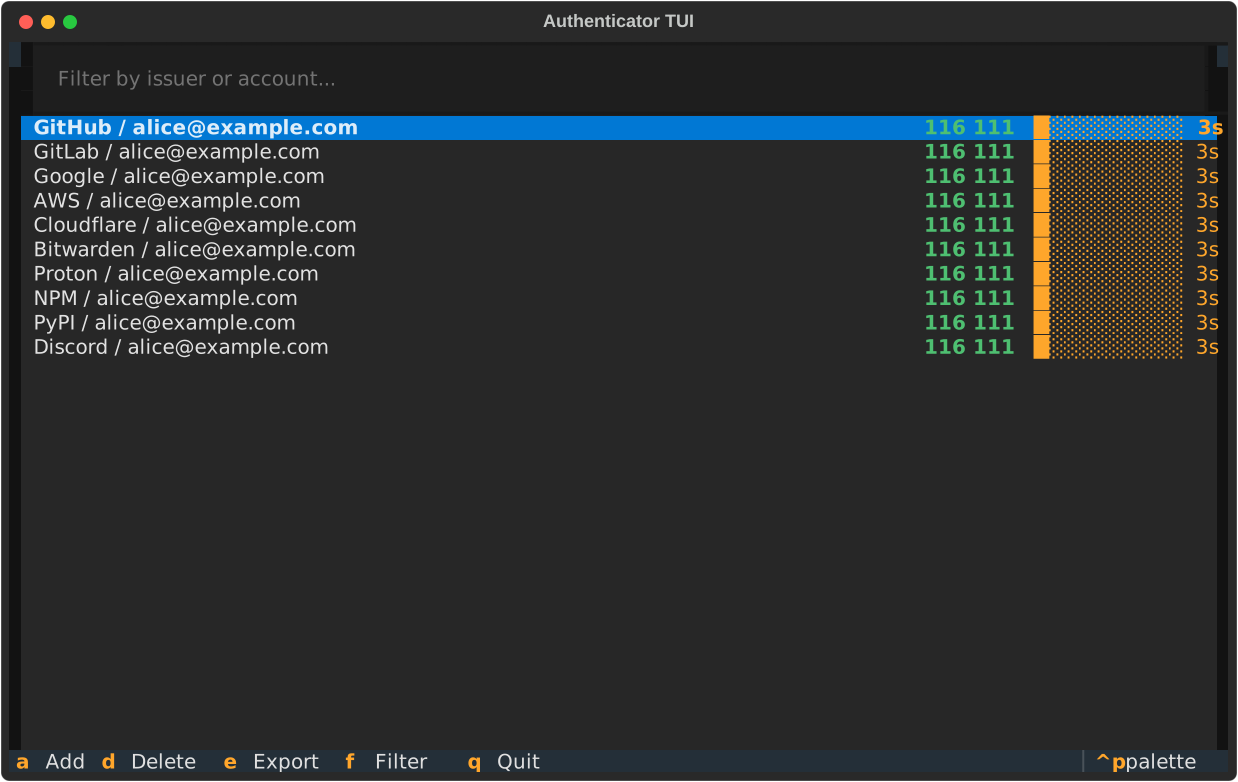
A terminal UI for managing TOTP/HOTP one-time passwords stored as otpauth:// URLs.
Features
- Live codes — TOTP codes refresh every second with a countdown progress bar
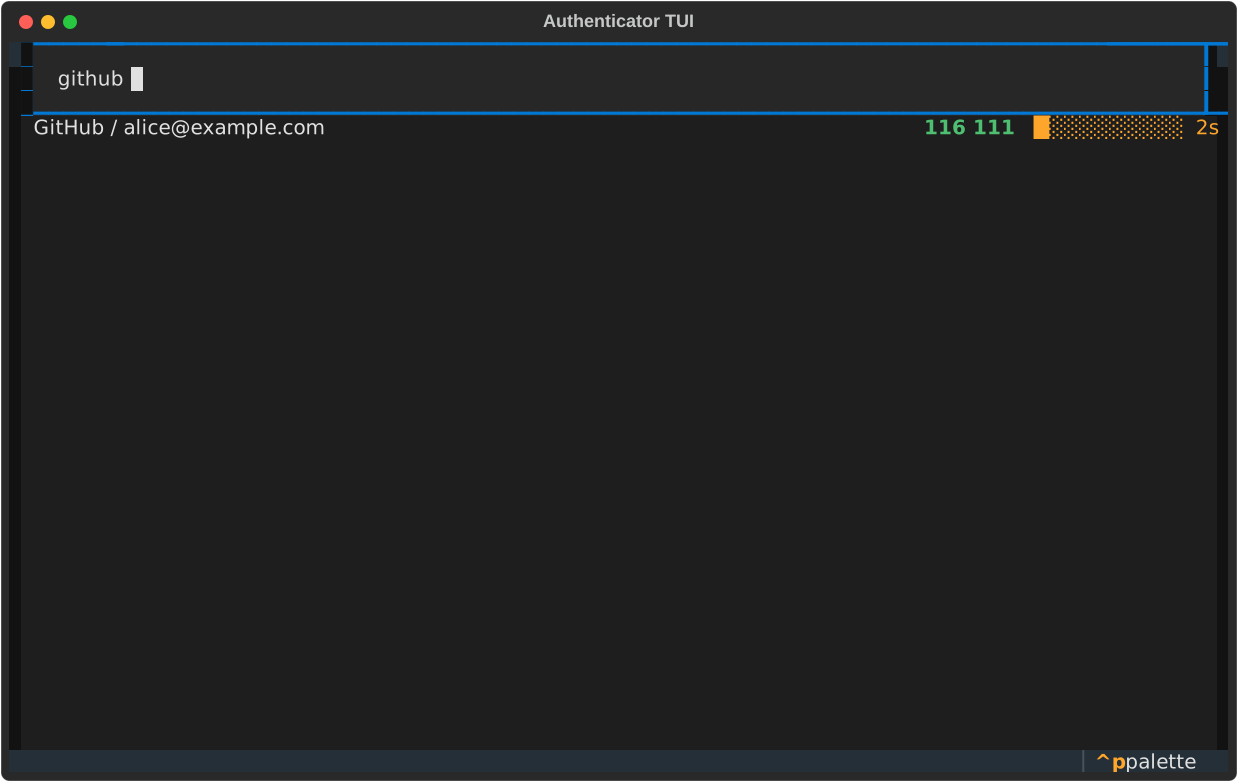
- Filter — press
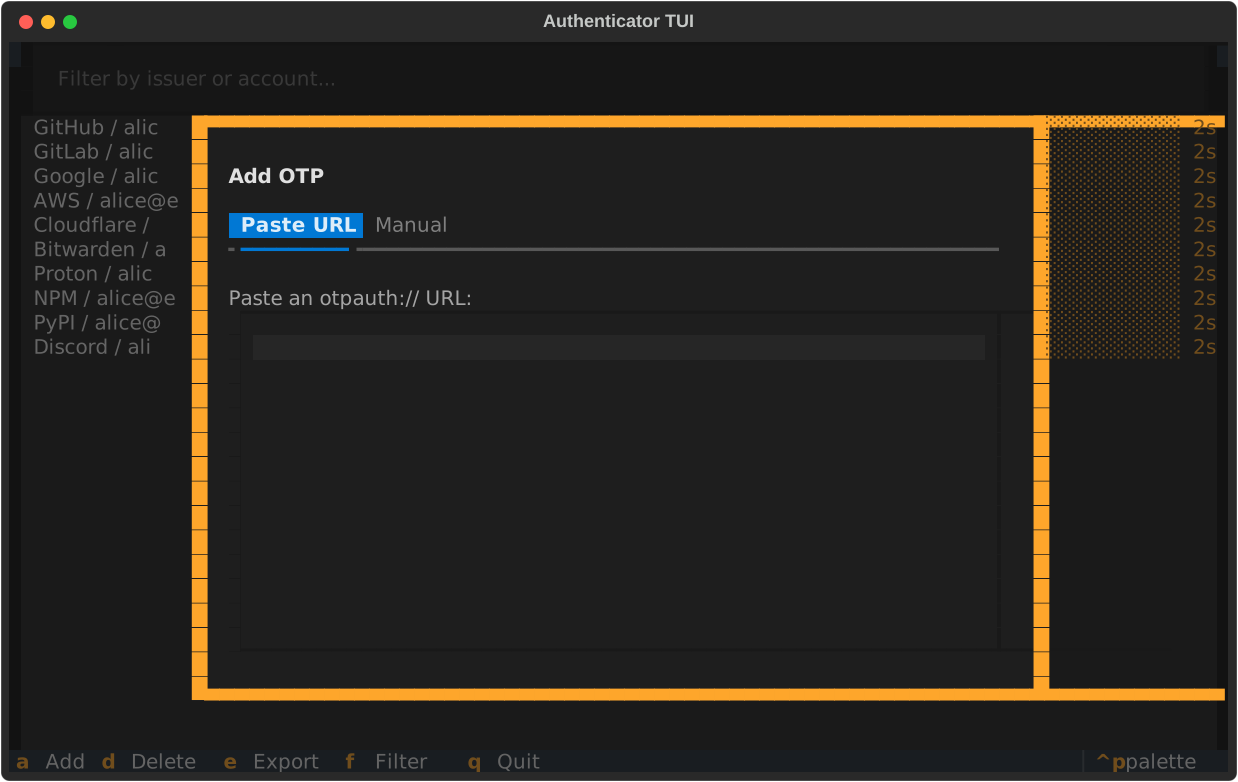
fand type to narrow the list by issuer or account - Add — paste an
otpauth://URL or fill in fields manually - Delete — remove an entry with auto-save
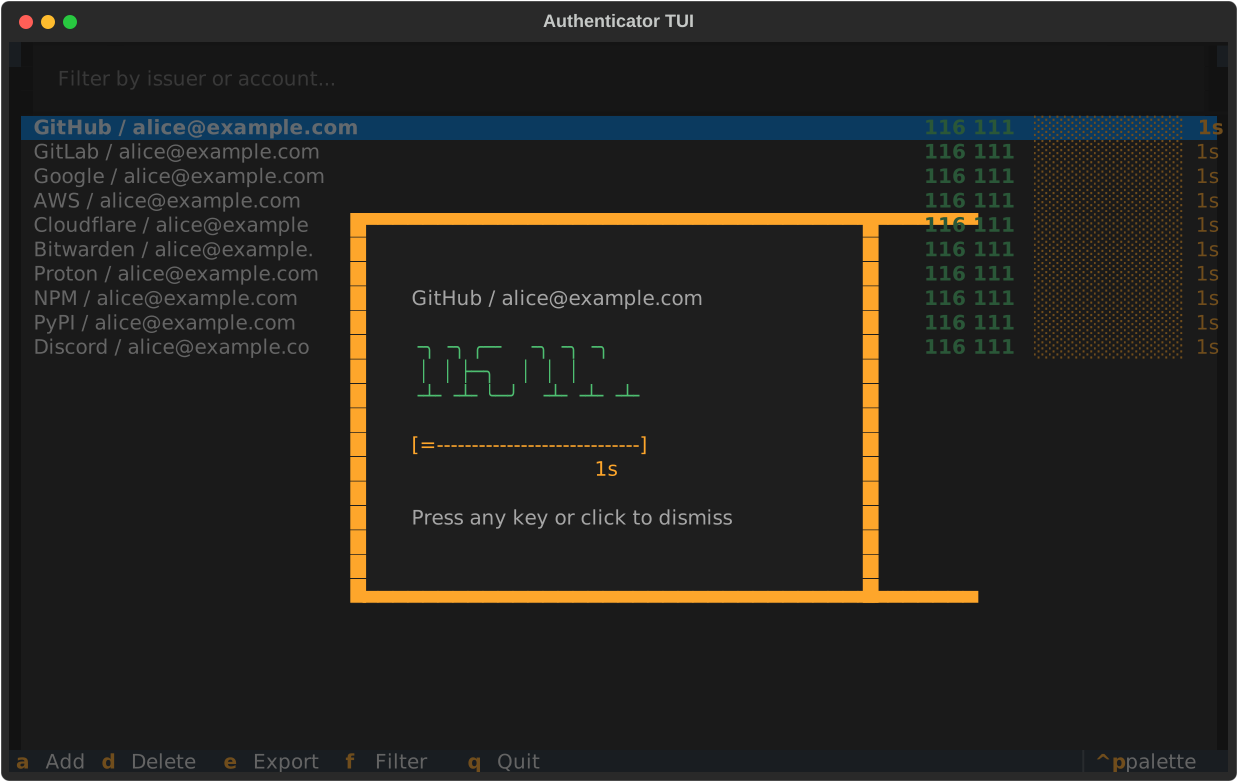
- Big code view — press Enter on any entry to display the code in large digits
- Clipboard — click any entry to copy the code
- Export — write all entries to a file as
otpauth://URLs
Install
Install as a global CLI tool from PyPI:
uv tool install authenticator-tui
Or with pip:
pip install --user authenticator-tui
Or run directly without installing:
uvx authenticator-tui otp.txt
To install the latest development version from source instead:
uv tool install git+https://gitlab.com/riphixel/authenticator-tui
Usage
authenticator-tui [path/to/otp.txt]
If no file is given (or the path doesn't exist) a file picker appears on startup. The file is auto-saved on every add or delete.
Keybindings
| Key | Action |
|---|---|
f |
Focus filter input |
↓ in filter |
Jump to first list entry |
↑ on first entry |
Jump back to filter |
a |
Add OTP (modal) |
d |
Delete selected OTP |
e |
Export to file (modal) |
| Enter | Show code in big digits |
| Click | Copy code to clipboard |
| Escape | Clear filter / close modal |
q |
Quit |
Screenshots
Filter
Add OTP
Big code view
File format
One otpauth:// URL per line. Blank lines and lines starting with # are ignored.
otpauth://totp/GitHub:alice@example.com?secret=JBSWY3DPEHPK3PXP&issuer=GitHub
otpauth://totp/PayPal:alice@example.com?secret=JBSWY3DPEHPK3PXP&issuer=PayPal
Development
uv sync
uv run authenticator-tui otp.txt

# tests
uv run pytest

# lint
uvx ruff check .
uvx ruff format --check .
Project details
Verified details
These details have been verified by PyPIProject links
GitLab Statistics
Maintainers
Release history Release notifications | RSS feed


Download files
Download the file for your platform. If you're not sure which to choose, learn more about installing packages.
Source Distribution
Built Distribution
Filter files by name, interpreter, ABI, and platform.
If you're not sure about the file name format, learn more about wheel file names.
Copy a direct link to the current filters
File details
Details for the file authenticator_tui-1.0.1.tar.gz.
File metadata
- Download URL: authenticator_tui-1.0.1.tar.gz
- Upload date:
- Size: 74.3 kB
- Tags: Source
- Uploaded using Trusted Publishing? Yes
- Uploaded via: twine/6.2.0 CPython/3.13.14
File hashes
| Algorithm | Hash digest | |
|---|---|---|
| SHA256 |
9172ac265dbbcb343c439411e87c06d84e665e79f3b01bfb65723443574bec0d
|
|
| MD5 |
5e149c03f49bc2939e75150db5c521ec
|
|
| BLAKE2b-256 |
aef5952cc2b2226bdf1b6551286104b828644c1fe6431f0761adf0590fe39539
|
File details
Details for the file authenticator_tui-1.0.1-py3-none-any.whl.
File metadata
- Download URL: authenticator_tui-1.0.1-py3-none-any.whl
- Upload date:
- Size: 12.3 kB
- Tags: Python 3
- Uploaded using Trusted Publishing? Yes
- Uploaded via: twine/6.2.0 CPython/3.13.14
File hashes
| Algorithm | Hash digest | |
|---|---|---|
| SHA256 |
8db92fcd061767ddf22c90d6512a4dae144a49070b349417c0774006da54eeb0
|
|
| MD5 |
c2860000677169e76e8754c13aac804c
|
|
| BLAKE2b-256 |
294cc66d91bea5335100c0c873d3137061cb203ec1f27f0bfae9a872143a5a06
|






