
auto portforward
Overview
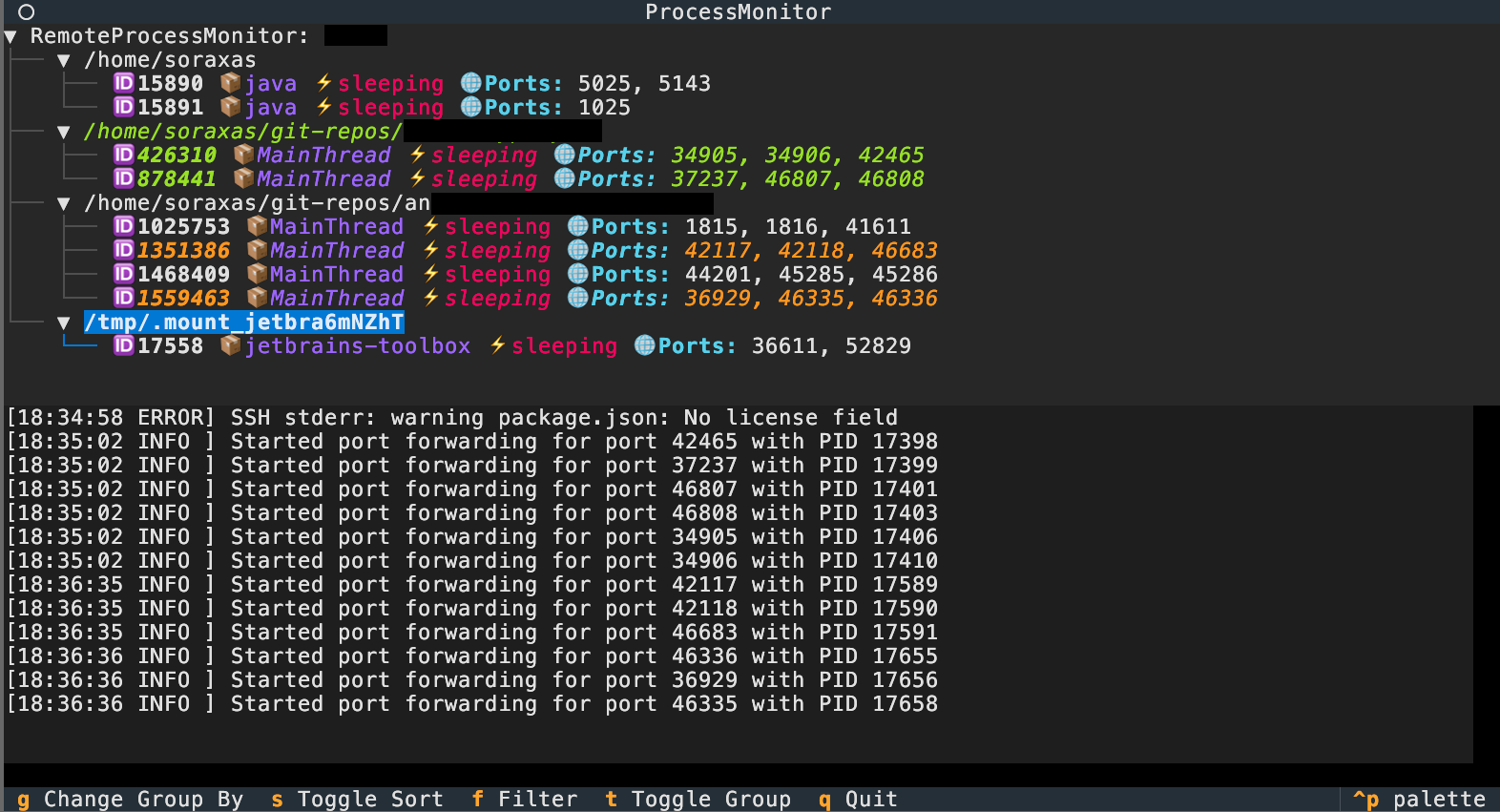
auto-portforward is a Python-based TUI application for monitoring processes and managing port forwarding on local or remote (SSH) machines. It provides a real-time, interactive process tree and can automatically set up SSH reverse port forwarding for processes listening on specific ports.
Features
- TUI interface
- Monitor processes and their listening ports on local or remote (SSH)
- Automatic SSH reverse port forwarding for selected ports
- Works with or without psutil (falls back to lsof/ps)
- Handles sudo password for privileged commands
- Clean resource management (no zombie processes, robust cleanup)
Installation
pipx install auto-portforward
Usage
Run the TUI application with:
auto-portforward [options] [ssh_host]
CLI Options
-l,--local: Use the local process monitor--mock: Use a mock process monitor (for testing)[ssh_host]: SSH host to connect to
Examples:
- Monitor local machine:
python -m auto_portforward.cli --local
- Monitor a remote host via SSH:
python -m auto_portforward.cli myuser@myhost
Sudo Password Handling
Some features (like listing all listening ports) may require sudo privileges.
- Environment variable:
export AP_SUDO_PASSWORD=yourpassword
auto-portforward my@host
1 maintainer

Metadata
1 maintainer
Release files for auto-portforward 0.2.1
For a detailed explanation of source distributions (sdists) and built distributions (wheels), please see the package formats documentation.
Source distribution (sdist)
| File | Size | Uploaded | |
|---|---|---|---|
| auto_portforward-0.2.1.tar.gz | 270.8 kB | Details |
Built distribution (wheel)
| File | Interpreter | ABI | Platform | Reset |
|---|---|---|---|---|
| auto_portforward-0.2.1-py3-none-any.whl | Python 3 | none | any | Details |
Total release size: 540.0 kB
Release files / auto_portforward-0.2.1.tar.gz
| Download URL | auto_portforward-0.2.1.tar.gz |
|---|---|
| Size | 270.8 kB |
| Tags | Source |
|
SHA-256 checksum How to use checksums |
b7854202a00a981541366f297a03227ee633e589a1d5af7617cf6ca2358244d6
|
|
BLAKE2b-256 checksum How to use checksums |
768e5a1bc3a4414f4e07ffc3939beeb8ed5ef3e65b52ce05aa65c5e214245f6a
|
| Upload date | |
|
Uploaded using Trusted Publishing? What is trusted publishing? |
No |
| Uploaded via |
twine/6.1.0 CPython/3.13.3
|
Release files / auto_portforward-0.2.1-py3-none-any.whl
| Download URL | auto_portforward-0.2.1-py3-none-any.whl |
|---|---|
| Size | 269.2 kB |
| Tags | Python 3 |
|
SHA-256 checksum How to use checksums |
722f8063dc1be5689fa9258e019b4b37a16b9dfc49dd5819c075369eb2c67811
|
|
BLAKE2b-256 checksum How to use checksums |
90b350a014f16912d01713670206fa2d710716a1c53af04a83840d1a3d35b9b6
|
| Upload date | |
|
Uploaded using Trusted Publishing? What is trusted publishing? |
No |
| Uploaded via |
twine/6.1.0 CPython/3.13.3
|














