
title: AutoML Lite emoji: 🤖 colorFrom: blue colorTo: purple sdk: gradio sdk_version: 4.0.0 app_file: app.py pinned: false license: mit tags:
- automl
- machine-learning
- deep-learning
- neural-architecture-search
- time-series
- classification
- regression
- feature-engineering
- interpretability
- experiment-tracking
- production
- hardware-aware
- multi-objective
AutoML Lite 🤖
Automated Machine Learning Made Simple
A lightweight, production-ready automated machine learning library that simplifies the entire ML pipeline from data preprocessing to model deployment.
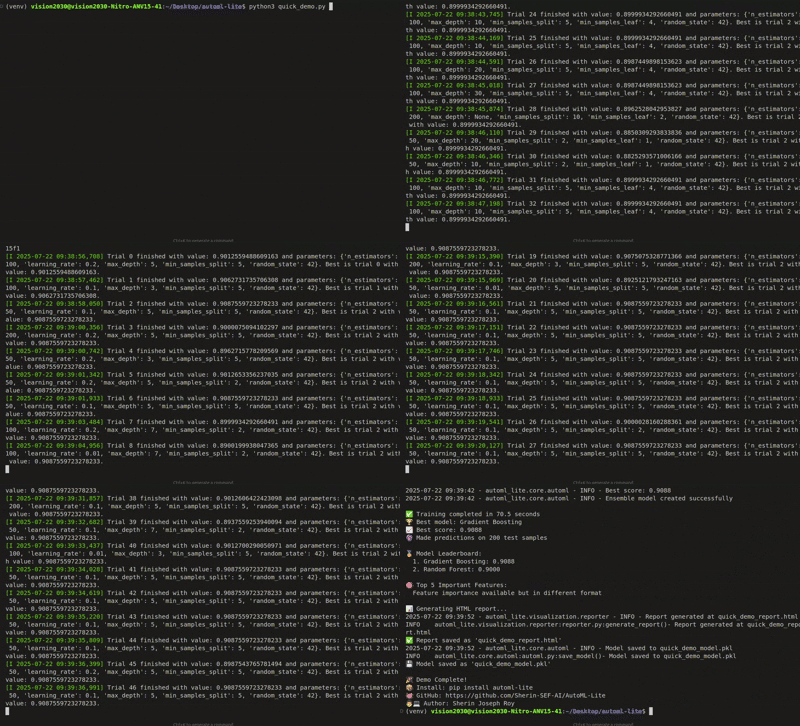
🎬 Demo
AutoML Lite in Action
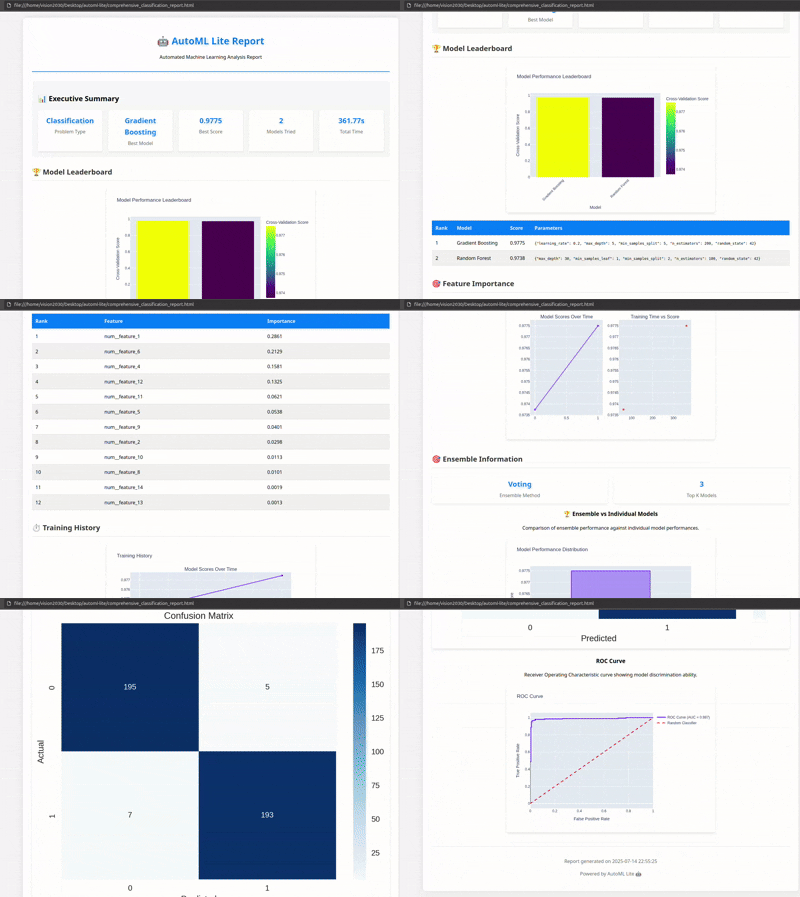
Generated HTML Reports
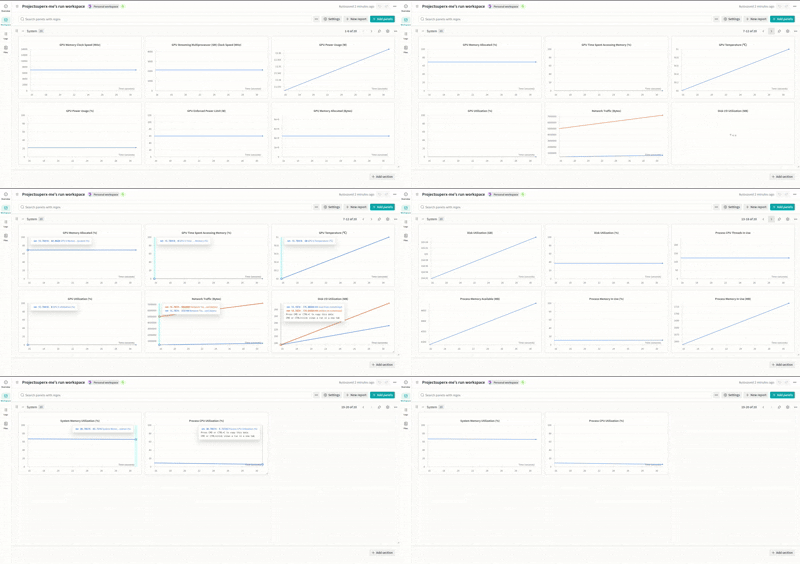
Weights & Biases Integration
🚀 Quick Start
Installation
pip install automl-lite
5-Line ML Pipeline
from automl_lite import AutoMLite
import pandas as pd

# Load your data
data = pd.read_csv('your_data.csv')

# Initialize AutoML (zero configuration!)
automl = AutoMLite(time_budget=300)

# Train and get the best model
best_model = automl.fit(data, target_column='target')

# Make predictions
predictions = automl.predict(new_data)
✨ Key Features
🧠 Intelligent Automation
- Auto Feature Engineering: 11.6x feature expansion (20→232 features)
- Smart Model Selection: Tests 15+ algorithms automatically
- Hyperparameter Optimization: Uses Optuna for efficient tuning
- Ensemble Methods: Automatic voting classifiers
- Neural Architecture Search (NAS): Automatically discover optimal neural network architectures
🏭 Production-Ready
- Deep Learning: TensorFlow and PyTorch integration
- Neural Architecture Search: Automated architecture discovery with hardware-aware optimization
- Time Series: ARIMA, Prophet, LSTM forecasting
- Advanced Interpretability: SHAP, LIME, permutation importance
- Experiment Tracking: MLflow, W&B, TensorBoard
- Interactive Dashboards: Real-time monitoring
📊 Comprehensive Reporting
- Interactive HTML Reports: Beautiful visualizations
- Model Performance Analysis: Confusion matrices, ROC curves
- Feature Importance: Detailed analysis and correlations
- Training History: Complete logs and metrics
- NAS Visualizations: Architecture diagrams and Pareto front exploration
🎯 Supported Problem Types
- ✅ Classification (Binary & Multi-class)
- ✅ Regression
- ✅ Time Series Forecasting
- ✅ Deep Learning Tasks
🧠 Neural Architecture Search (NAS)
AutoML Lite includes state-of-the-art Neural Architecture Search capabilities to automatically discover optimal neural network architectures for your specific problem.
Key NAS Features
-
Multiple Search Strategies
- Evolutionary algorithms (genetic search)
- Reinforcement learning (REINFORCE)
- Gradient-based (DARTS)
-
Hardware-Aware Optimization
- Mobile deployment constraints
- Edge device optimization
- Latency and memory profiling
- Model size optimization
-
Multi-Objective Optimization
- Balance accuracy, latency, and model size
- Pareto front exploration
- Custom objective weights
- Hard constraint satisfaction
-
Transfer Learning
- Architecture repository
- Similarity-based retrieval
- Architecture adaptation
- Knowledge accumulation
Quick NAS Example
from automl_lite import AutoMLite
from automl_lite.nas import NASConfig

# Configure NAS
config = NASConfig(
    search_strategy='evolutionary',
    time_budget=1800,  # 30 minutes
    enable_hardware_aware=True,
    target_hardware='mobile',
    max_latency_ms=100
)

# Run NAS
automl = AutoMLite(
    enable_deep_learning=True,
    enable_nas=True,
    nas_config=config
)

automl.fit(X_train, y_train)

# Explore results
print(f"Best accuracy: {automl.nas_result.best_accuracy:.3f}")
print(f"Architectures evaluated: {automl.nas_result.total_architectures_evaluated}")

# Get Pareto front for multi-objective optimization
for arch in automl.nas_result.pareto_front:
    print(f"Accuracy: {arch.metadata['accuracy']:.3f}, "
          f"Latency: {arch.metadata['latency']:.1f}ms, "
          f"Size: {arch.metadata['model_size']:.1f}MB")
NAS Use Cases
- Mobile Apps: Find architectures that run efficiently on smartphones
- Edge Devices: Optimize for IoT and embedded systems
- Production Systems: Balance accuracy with inference speed
- Research: Discover novel architectures for specific domains
🔥 Performance Metrics
Production Demo Results
- Training Time: 391.92 seconds for complete pipeline
- Best Model: Random Forest (80.00% accuracy)
- Feature Engineering: 20 → 232 features (11.6x expansion)
- Feature Selection: 132/166 features intelligently selected
- Hyperparameter Optimization: 50 trials with Optuna
🛠️ Advanced Usage
Custom Configuration
config = {
    'time_budget': 600,
    'max_models': 20,
    'cv_folds': 5,
    'feature_engineering': True,
    'ensemble_method': 'voting',
    'interpretability': True
}

automl = AutoMLite(**config)
Time Series Forecasting
automl = AutoMLite(problem_type='time_series')
model = automl.fit(data, target_column='sales', date_column='date')
forecast = automl.predict_future(periods=30)
Deep Learning
automl = AutoMLite(
    enable_deep_learning=True,
    deep_learning_framework='tensorflow'
)
model = automl.fit(data, target_column='target')
Neural Architecture Search (NAS)
from automl_lite.nas import NASConfig

# Basic NAS
automl = AutoMLite(
    enable_deep_learning=True,
    enable_nas=True,
    nas_time_budget=1800  # 30 minutes
)
model = automl.fit(data, target_column='target')

# Hardware-aware NAS for mobile deployment
config = NASConfig(
    search_strategy='evolutionary',
    enable_hardware_aware=True,
    target_hardware='mobile',
    max_latency_ms=100,
    max_memory_mb=50
)
automl = AutoMLite(enable_nas=True, nas_config=config)
model = automl.fit(data, target_column='target')

# Access NAS results
print(f"Best architecture accuracy: {automl.nas_result.best_accuracy:.3f}")
print(f"Pareto front size: {len(automl.nas_result.pareto_front)}")
📈 CLI Interface
# Basic usage
automl-lite train data.csv --target target_column

# With custom config
automl-lite train data.csv --target target_column --config config.yaml

# Generate report
automl-lite report --model model.pkl --output report.html
🎨 Interactive Dashboard
from automl_lite.ui import launch_dashboard
launch_dashboard(automl)
🔍 Model Interpretability
# Get SHAP values
shap_values = automl.explain_model(X_test)

# Feature importance
importance = automl.get_feature_importance()

# Partial dependence plots
automl.plot_partial_dependence('feature_name')
🎯 Use Cases
Perfect For:
- 🏢 Data Scientists - Rapid prototyping
- 🚀 ML Engineers - Production development
- 📊 Analysts - Quick insights
- 🎓 Students - Learning ML concepts
- 🏭 Startups - Fast MVP development
Industries:
- Finance: Credit scoring, fraud detection
- Healthcare: Disease prediction, monitoring
- E-commerce: Segmentation, forecasting
- Marketing: Campaign optimization
- Manufacturing: Predictive maintenance
🔧 Configuration Templates
- Basic: Quick experiments
- Production: Production deployment
- Research: Extensive search
- Customer Churn: Churn prediction
- Fraud Detection: Fraud detection
- House Price: Real estate prediction
📦 Installation Options
From PyPI (Recommended)
pip install automl-lite
With Neural Architecture Search (NAS)
pip install automl-lite[nas]
This installs additional dependencies for NAS:
networkx- Architecture graph operationspygraphviz- Architecture visualizationpymoo- Multi-objective optimization
From Source
git clone https://github.com/Sherin-SEF-AI/AutoML-Lite.git
cd AutoML-Lite
pip install -e .

# With NAS support
pip install -e ".[nas]"
🤝 Contributing
We welcome contributions! Here's how you can help:
- Fork the repository
- Create a feature branch
- Make your changes
- Add tests
- Submit a pull request
📚 Documentation & Resources
- 📖 Full Documentation: GitHub Wiki
- 🎯 API Reference: API Docs
- 🧠 NAS Documentation:
- 📝 Examples: Example Notebooks
- 🚀 Quick Start: Installation Guide
💬 Join the Community
- 🌟 Star the Repository: GitHub
- 🐛 Report Issues: Issue Tracker
- 💡 Feature Requests: Discussions
- 📧 Contact: connect@sherinjosephroy.link
- 🌐 Website: sherinjosephroy.link
- 💼 LinkedIn: linkedin.com/in/sherin-roy-deepmost
🏆 Why Choose AutoML Lite?
| Feature | AutoML Lite | Other Libraries |
|---|---|---|
| Setup Time | 30 seconds | 30+ minutes |
| Configuration | Zero required | Complex configs |
| Production Ready | ✅ Built-in | ❌ Manual setup |
| Deep Learning | ✅ Integrated | ❌ Separate setup |
| Neural Architecture Search | ✅ Built-in | ❌ Not available |
| Hardware-Aware NAS | ✅ Mobile/Edge support | ❌ Not available |
| Time Series | ✅ Native support | ❌ Limited |
| Interpretability | ✅ Advanced | ❌ Basic |
| Experiment Tracking | ✅ Multi-platform | ❌ Limited |
| Interactive Reports | ✅ Beautiful HTML | ❌ Basic plots |
🎯 Ready to Transform Your ML Workflow?
Stop spending hours on boilerplate code. Start building amazing ML models in minutes!
pip install automl-lite
Try it now and see the difference! 🚀
Built with ❤️ by the AutoML Lite community
Tags: #python #machinelearning #automl #datascience #ml #ai #automation #productivity #opensource #deeplearning #timeseries #interpretability #experimenttracking #production #deployment #nas #neuralarchitecturesearch #hardwareaware #multiobjective #transferlearning
1 maintainer

Metadata
1 maintainer
Release files for automl-lite 0.2.1
For a detailed explanation of source distributions (sdists) and built distributions (wheels), please see the package formats documentation.
Source distribution (sdist)
| File | Size | Uploaded | |
|---|---|---|---|
| automl_lite-0.2.1.tar.gz | 196.8 kB | Details |
Built distribution (wheel)
| File | Interpreter | ABI | Platform | Reset |
|---|---|---|---|---|
| automl_lite-0.2.1-py3-none-any.whl | Python 3 | none | any | Details |
Total release size: 372.1 kB
Release files / automl_lite-0.2.1.tar.gz
| Download URL | automl_lite-0.2.1.tar.gz |
|---|---|
| Size | 196.8 kB |
| Tags | Source |
|
SHA-256 checksum How to use checksums |
b6e789316b5ce413dea3a46cad24ad75009ea912e4a4916aec9eca56e45e2fda
|
|
BLAKE2b-256 checksum How to use checksums |
fa094e76d83fcbb37bee094970e984a37b747221d66c5a2338538f0e17003ffd
|
| Upload date | |
|
Uploaded using Trusted Publishing? What is trusted publishing? |
No |
| Uploaded via |
twine/6.1.0 CPython/3.12.3
|
Release files / automl_lite-0.2.1-py3-none-any.whl
| Download URL | automl_lite-0.2.1-py3-none-any.whl |
|---|---|
| Size | 175.3 kB |
| Tags | Python 3 |
|
SHA-256 checksum How to use checksums |
f1e0949c6a9e1b70b29567d0a846edeaf4ce0a18e401c2d1735e96a23ae925af
|
|
BLAKE2b-256 checksum How to use checksums |
64f63f8c3326f1f42615121649a4b46ef9e9d25df4508938145164d226f59c60
|
| Upload date | |
|
Uploaded using Trusted Publishing? What is trusted publishing? |
No |
| Uploaded via |
twine/6.1.0 CPython/3.12.3
|














