
A simplified automated machine learning package with Neural Architecture Search for non-experts

Project description
title: AutoML Lite emoji: 🤖 colorFrom: blue colorTo: purple sdk: gradio sdk_version: 4.0.0 app_file: app.py pinned: false license: mit tags:
- automl
- machine-learning
- deep-learning
- neural-architecture-search
- time-series
- classification
- regression
- feature-engineering
- interpretability
- experiment-tracking
- production
- hardware-aware
- multi-objective
AutoML Lite 🤖
Automated Machine Learning Made Simple
A lightweight, production-ready automated machine learning library that simplifies the entire ML pipeline from data preprocessing to model deployment.
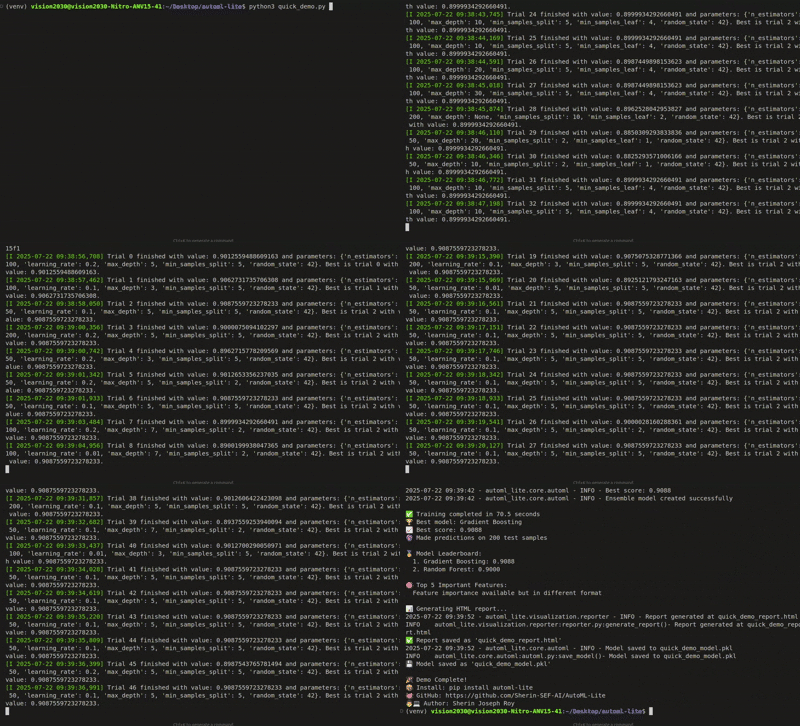
🎬 Demo
AutoML Lite in Action
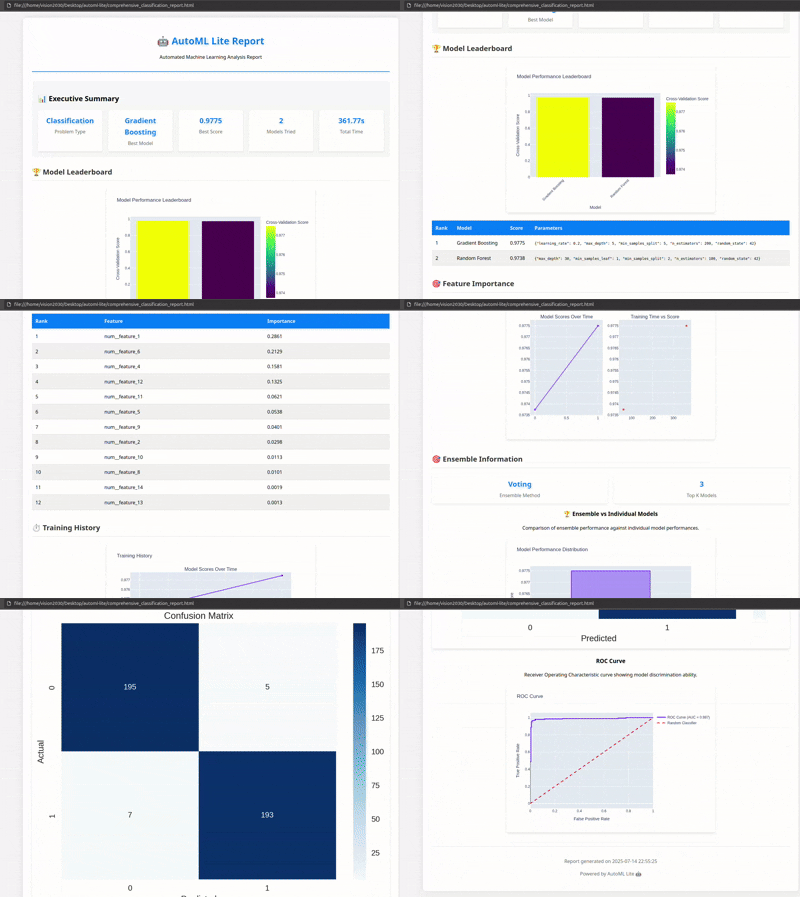
Generated HTML Reports
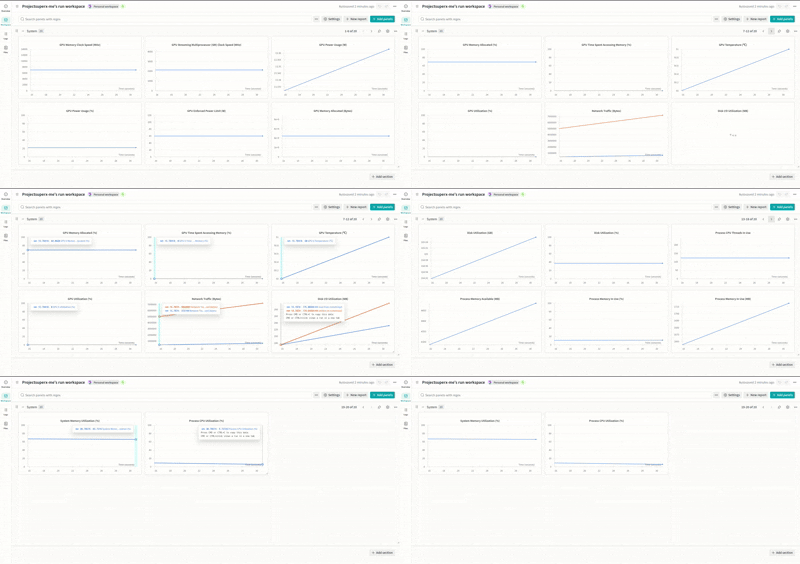
Weights & Biases Integration
🚀 Quick Start
Installation
pip install automl-lite
5-Line ML Pipeline
from automl_lite import AutoMLite
import pandas as pd

# Load your data
data = pd.read_csv('your_data.csv')

# Initialize AutoML (zero configuration!)
automl = AutoMLite(time_budget=300)

# Train and get the best model
best_model = automl.fit(data, target_column='target')

# Make predictions
predictions = automl.predict(new_data)
✨ Key Features
🧠 Intelligent Automation
- Auto Feature Engineering: 11.6x feature expansion (20→232 features)
- Smart Model Selection: Tests 15+ algorithms automatically
- Hyperparameter Optimization: Uses Optuna for efficient tuning
- Ensemble Methods: Automatic voting classifiers
- Neural Architecture Search (NAS): Automatically discover optimal neural network architectures
🏭 Production-Ready
- Deep Learning: TensorFlow and PyTorch integration
- Neural Architecture Search: Automated architecture discovery with hardware-aware optimization
- Time Series: ARIMA, Prophet, LSTM forecasting
- Advanced Interpretability: SHAP, LIME, permutation importance
- Experiment Tracking: MLflow, W&B, TensorBoard
- Interactive Dashboards: Real-time monitoring
📊 Comprehensive Reporting
- Interactive HTML Reports: Beautiful visualizations
- Model Performance Analysis: Confusion matrices, ROC curves
- Feature Importance: Detailed analysis and correlations
- Training History: Complete logs and metrics
- NAS Visualizations: Architecture diagrams and Pareto front exploration
🎯 Supported Problem Types
- ✅ Classification (Binary & Multi-class)
- ✅ Regression
- ✅ Time Series Forecasting
- ✅ Deep Learning Tasks
🧠 Neural Architecture Search (NAS)
AutoML Lite includes state-of-the-art Neural Architecture Search capabilities to automatically discover optimal neural network architectures for your specific problem.
Key NAS Features
-
Multiple Search Strategies
- Evolutionary algorithms (genetic search)
- Reinforcement learning (REINFORCE)
- Gradient-based (DARTS)
-
Hardware-Aware Optimization
- Mobile deployment constraints
- Edge device optimization
- Latency and memory profiling
- Model size optimization
-
Multi-Objective Optimization
- Balance accuracy, latency, and model size
- Pareto front exploration
- Custom objective weights
- Hard constraint satisfaction
-
Transfer Learning
- Architecture repository
- Similarity-based retrieval
- Architecture adaptation
- Knowledge accumulation
Quick NAS Example
from automl_lite import AutoMLite
from automl_lite.nas import NASConfig

# Configure NAS
config = NASConfig(
    search_strategy='evolutionary',
    time_budget=1800,  # 30 minutes
    enable_hardware_aware=True,
    target_hardware='mobile',
    max_latency_ms=100
)

# Run NAS
automl = AutoMLite(
    enable_deep_learning=True,
    enable_nas=True,
    nas_config=config
)

automl.fit(X_train, y_train)

# Explore results
print(f"Best accuracy: {automl.nas_result.best_accuracy:.3f}")
print(f"Architectures evaluated: {automl.nas_result.total_architectures_evaluated}")

# Get Pareto front for multi-objective optimization
for arch in automl.nas_result.pareto_front:
    print(f"Accuracy: {arch.metadata['accuracy']:.3f}, "
          f"Latency: {arch.metadata['latency']:.1f}ms, "
          f"Size: {arch.metadata['model_size']:.1f}MB")
NAS Use Cases
- Mobile Apps: Find architectures that run efficiently on smartphones
- Edge Devices: Optimize for IoT and embedded systems
- Production Systems: Balance accuracy with inference speed
- Research: Discover novel architectures for specific domains
🔥 Performance Metrics
Production Demo Results
- Training Time: 391.92 seconds for complete pipeline
- Best Model: Random Forest (80.00% accuracy)
- Feature Engineering: 20 → 232 features (11.6x expansion)
- Feature Selection: 132/166 features intelligently selected
- Hyperparameter Optimization: 50 trials with Optuna
🛠️ Advanced Usage
Custom Configuration
config = {
    'time_budget': 600,
    'max_models': 20,
    'cv_folds': 5,
    'feature_engineering': True,
    'ensemble_method': 'voting',
    'interpretability': True
}

automl = AutoMLite(**config)
Time Series Forecasting
automl = AutoMLite(problem_type='time_series')
model = automl.fit(data, target_column='sales', date_column='date')
forecast = automl.predict_future(periods=30)
Deep Learning
automl = AutoMLite(
    enable_deep_learning=True,
    deep_learning_framework='tensorflow'
)
model = automl.fit(data, target_column='target')
Neural Architecture Search (NAS)
from automl_lite.nas import NASConfig

# Basic NAS
automl = AutoMLite(
    enable_deep_learning=True,
    enable_nas=True,
    nas_time_budget=1800  # 30 minutes
)
model = automl.fit(data, target_column='target')

# Hardware-aware NAS for mobile deployment
config = NASConfig(
    search_strategy='evolutionary',
    enable_hardware_aware=True,
    target_hardware='mobile',
    max_latency_ms=100,
    max_memory_mb=50
)
automl = AutoMLite(enable_nas=True, nas_config=config)
model = automl.fit(data, target_column='target')

# Access NAS results
print(f"Best architecture accuracy: {automl.nas_result.best_accuracy:.3f}")
print(f"Pareto front size: {len(automl.nas_result.pareto_front)}")
📈 CLI Interface
# Basic usage
automl-lite train data.csv --target target_column

# With custom config
automl-lite train data.csv --target target_column --config config.yaml

# Generate report
automl-lite report --model model.pkl --output report.html
🎨 Interactive Dashboard
from automl_lite.ui import launch_dashboard
launch_dashboard(automl)
🔍 Model Interpretability
# Get SHAP values
shap_values = automl.explain_model(X_test)

# Feature importance
importance = automl.get_feature_importance()

# Partial dependence plots
automl.plot_partial_dependence('feature_name')
🎯 Use Cases
Perfect For:
- 🏢 Data Scientists - Rapid prototyping
- 🚀 ML Engineers - Production development
- 📊 Analysts - Quick insights
- 🎓 Students - Learning ML concepts
- 🏭 Startups - Fast MVP development
Industries:
- Finance: Credit scoring, fraud detection
- Healthcare: Disease prediction, monitoring
- E-commerce: Segmentation, forecasting
- Marketing: Campaign optimization
- Manufacturing: Predictive maintenance
🔧 Configuration Templates
- Basic: Quick experiments
- Production: Production deployment
- Research: Extensive search
- Customer Churn: Churn prediction
- Fraud Detection: Fraud detection
- House Price: Real estate prediction
📦 Installation Options
From PyPI (Recommended)
pip install automl-lite
With Neural Architecture Search (NAS)
pip install automl-lite[nas]
This installs additional dependencies for NAS:
networkx- Architecture graph operationspygraphviz- Architecture visualizationpymoo- Multi-objective optimization
From Source
git clone https://github.com/Sherin-SEF-AI/AutoML-Lite.git
cd AutoML-Lite
pip install -e .

# With NAS support
pip install -e ".[nas]"
🤝 Contributing
We welcome contributions! Here's how you can help:
- Fork the repository
- Create a feature branch
- Make your changes
- Add tests
- Submit a pull request
📚 Documentation & Resources
- 📖 Full Documentation: GitHub Wiki
- 🎯 API Reference: API Docs
- 🧠 NAS Documentation:
- 📝 Examples: Example Notebooks
- 🚀 Quick Start: Installation Guide
💬 Join the Community
- 🌟 Star the Repository: GitHub
- 🐛 Report Issues: Issue Tracker
- 💡 Feature Requests: Discussions
- 📧 Contact: sherin@deepmost.ai
- 🌐 Website: sherinjosephroy.link
- 💼 LinkedIn: linkedin.com/in/sherin-roy-deepmost
🏆 Why Choose AutoML Lite?
| Feature | AutoML Lite | Other Libraries |
|---|---|---|
| Setup Time | 30 seconds | 30+ minutes |
| Configuration | Zero required | Complex configs |
| Production Ready | ✅ Built-in | ❌ Manual setup |
| Deep Learning | ✅ Integrated | ❌ Separate setup |
| Neural Architecture Search | ✅ Built-in | ❌ Not available |
| Hardware-Aware NAS | ✅ Mobile/Edge support | ❌ Not available |
| Time Series | ✅ Native support | ❌ Limited |
| Interpretability | ✅ Advanced | ❌ Basic |
| Experiment Tracking | ✅ Multi-platform | ❌ Limited |
| Interactive Reports | ✅ Beautiful HTML | ❌ Basic plots |
🎯 Ready to Transform Your ML Workflow?
Stop spending hours on boilerplate code. Start building amazing ML models in minutes!
pip install automl-lite
Try it now and see the difference! 🚀
Built with ❤️ by the AutoML Lite community
Tags: #python #machinelearning #automl #datascience #ml #ai #automation #productivity #opensource #deeplearning #timeseries #interpretability #experimenttracking #production #deployment #nas #neuralarchitecturesearch #hardwareaware #multiobjective #transferlearning


Download files
Download the file for your platform. If you're not sure which to choose, learn more about installing packages.
Source Distribution
Built Distribution
Filter files by name, interpreter, ABI, and platform.
If you're not sure about the file name format, learn more about wheel file names.
Copy a direct link to the current filters
File details
Details for the file automl_lite-0.2.0.tar.gz.
File metadata
- Download URL: automl_lite-0.2.0.tar.gz
- Upload date:
- Size: 196.8 kB
- Tags: Source
- Uploaded using Trusted Publishing? No
- Uploaded via: twine/6.1.0 CPython/3.12.3
File hashes
| Algorithm | Hash digest | |
|---|---|---|
| SHA256 |
7f518d6f1093cbaf14f00075a1e88f4e959a988ce441c24d670f63caa0eb5070
|
|
| MD5 |
5986d8f95de7d1cb5dfa7c7e1636ceec
|
|
| BLAKE2b-256 |
3cdc0f439cff7c683a58fbfbadffee5ed6965b55f178633801a7541484c0fd91
|
File details
Details for the file automl_lite-0.2.0-py3-none-any.whl.
File metadata
- Download URL: automl_lite-0.2.0-py3-none-any.whl
- Upload date:
- Size: 175.3 kB
- Tags: Python 3
- Uploaded using Trusted Publishing? No
- Uploaded via: twine/6.1.0 CPython/3.12.3
File hashes
| Algorithm | Hash digest | |
|---|---|---|
| SHA256 |
27a5b916ce6c36e028f613af3260d63d14b832a4978cc65a236fb5497525153b
|
|
| MD5 |
84500d82365913eb561c614b3e698be9
|
|
| BLAKE2b-256 |
00f0ce8d38df3f83dd9af1390b15a143554abcc8b5ed3287d248d272125a72a4
|






