
Auto slice the highlight shorts based on the density of danmaku.

Project description

Features
- Detect the dense period of danmaku based on the sliding window algorithm.
- Slice the video based on the density of danmaku.
- Support GPU accelerated calculation.(Automatically choose whether to use GPU acceleration)
- Support custom quantity slicing videos.
- Support custom slice duration.
- Add detailed log information.
- Support cli usage and api usage.
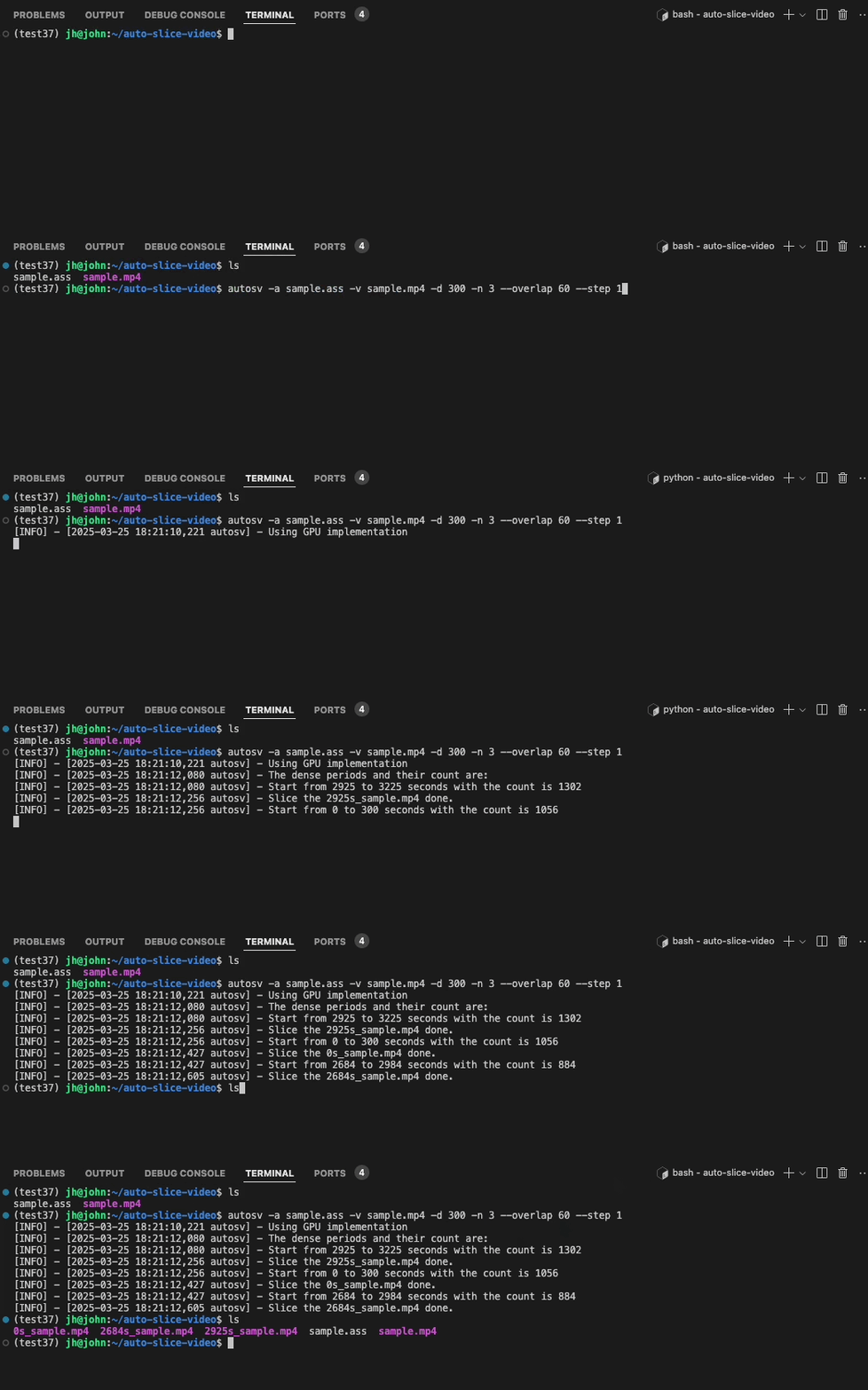
Demo
Installation
To use this tool, you need to install ffmpeg first.
- Windows:
choco install ffmpeg(via Chocolatey) or other methods. - macOS:
brew install ffmpeg(via Homebrew). - Linux:
sudo apt install ffmpeg(Debian/Ubuntu).
More OS please refer to the official website.
pip install autosv
Usage
cli usage
# eg. The default parameters are shown in autosv -h
autosv -a sample.ass -v sample.mp4
autosv -a sample.ass -v sample.mp4 -d 300 -n 3 --overlap 60 --step 1
autosv -h
# optional arguments:
#   -h, --help            show this help message and exit
#   -V, --version         Print version information
#   -a ASS, --ass ASS     The input ass file of the danmaku
#   -v VIDEO, --video VIDEO
#                         The input video file
#   -d DURATION, --duration DURATION
#                         The duration(seconds) of the sliced highlight video, default is 60
#   -n TOP_N, --top_n TOP_N
#                         The number of the top dense periods to return, default is 1
#   --overlap OVERLAP     The overlapped(seconds) between the sliced highlight videos, default is 30
#   --step STEP           The step(seconds) of the sliding window, default is 1
api usage
from autosv import slice_video_by_danmaku
# The default parameters are the same as the cli usage
slice_video_by_danmaku(ass_path, video_path, duration=300, top_n=3, max_overlap=60, step=1)
common issues
Why I cannot use the gpu acceleration?
The autosv will detect whether the cuda is available on the machine via nvcc -V, if your machine has nvidia gpu, please make sure your driver is installed and the cuda is available. Meanwhile, make sure you have installed the numba and numpy with the right version.
Release history Release notifications | RSS feed


Download files
Download the file for your platform. If you're not sure which to choose, learn more about installing packages.
Source Distribution
Built Distribution
Filter files by name, interpreter, ABI, and platform.
If you're not sure about the file name format, learn more about wheel file names.
Copy a direct link to the current filters
File details
Details for the file autosv-0.0.1.tar.gz.
File metadata
- Download URL: autosv-0.0.1.tar.gz
- Upload date:
- Size: 363.9 kB
- Tags: Source
- Uploaded using Trusted Publishing? No
- Uploaded via: twine/6.0.1 CPython/3.10.16
File hashes
| Algorithm | Hash digest | |
|---|---|---|
| SHA256 |
727b21927b44935ee923e8db73957398a85702c7a930d658301a220b2cd8fd11
|
|
| MD5 |
e30a72f8159d6af8df5678cfe11c1531
|
|
| BLAKE2b-256 |
caca4e89dd6cd5a973a4bdd48098dc66fdf733a7fdf53e6c24ca444b2da4b196
|
File details
Details for the file autosv-0.0.1-py3-none-any.whl.
File metadata
- Download URL: autosv-0.0.1-py3-none-any.whl
- Upload date:
- Size: 10.6 kB
- Tags: Python 3
- Uploaded using Trusted Publishing? No
- Uploaded via: twine/6.0.1 CPython/3.10.16
File hashes
| Algorithm | Hash digest | |
|---|---|---|
| SHA256 |
40712ead5a662c2065b19ecddb6c06ac22c675bf9b785ed7ac1ec8b7613c8ce0
|
|
| MD5 |
621008f50848b38de9d4f2ff36c63ecb
|
|
| BLAKE2b-256 |
18f50e75df6a9a21d52529fc8c09bd4dae32e98d545092e438a023a41d7232b8
|






