
Autotuning Methodology Software Package








This repository contains the software package accompanying the paper "A Methodology for Comparing Auto-Tuning Optimization Algorithms".
It makes the guidelines in the methodology easy to apply: simply specify the .json file, run autotuning_visualize [path_to_json] and wait for the results!
Limitations & Future Work
Currently, the stable releases of this software package are compatible with Kernel Tuner and KTT, as in the paper. We plan to soon extend this to support more frameworks.
Installation
The package can be installed with pip install autotuning_methodology.
Alternatively, it can be installed by cloning this repository and running pip install . in the root of the cloned project.
Like most Python packages, installing in a virtual environment or with pipx is recommended. Python >= 3.10 is supported.
Notable features
- Official software by the authors of the methodology-defining paper.
- Supports BAT benchmark suite, KTT, and Kernel Tuner.
- Split executer and visualizer to allow running the algorithms on a cluster and visualize locally.
- Caching built-in to avoid duplicate executions.
- Planned support for T1 input and T4 output files.
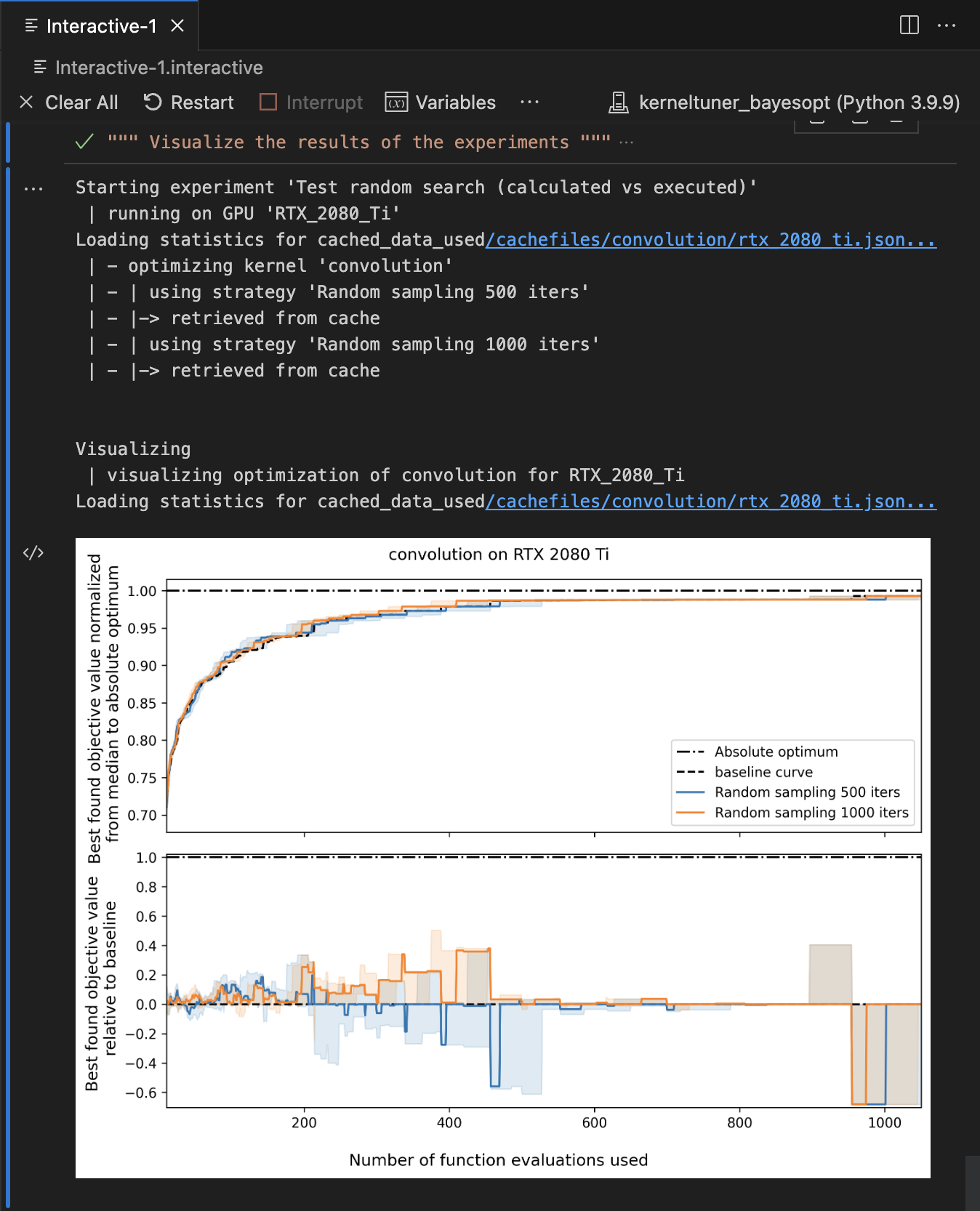
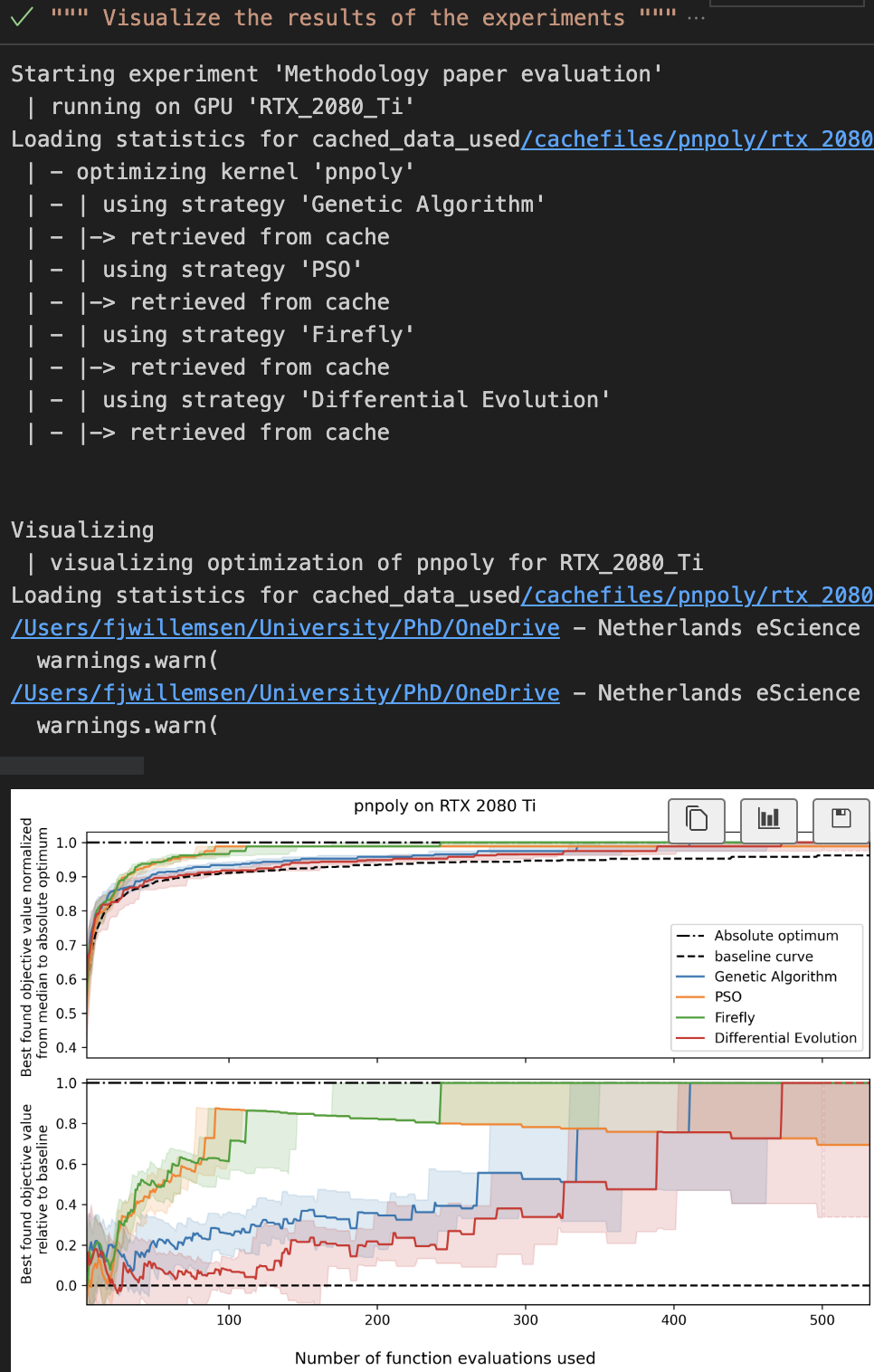
- Notebook / interactive window mode; if enabled, plots are shown in the notebook / window instead of written to a folder.
Usage
Entry points
There are two entry points defined: autotuning_experiment and autotuning_visualize. Both take one argument: the path to an experiment file (see below).
Input files
To get started, all you need is an experiments file. This is a json file that describes the details of your comparison: which algorithms to use, which programs to tune on which devices, the graphs to output and so on.
You can find the API and an example experiments.json in the documentation.
File references
As we are dealing with input and output files, file references matter.
When calling the entrypoints, we are already providing the path to an experiments file.
File references in experiments files are relative to the location of the experiment file itself.
File references in tuning scripts are relative to the location of the tuning script itself. Tuning scripts need to have the global literals file_path_results and file_path_metadata for this package to know where to get the results.
Plots outputted by this package are placed in a folder called generated_plots relative to the current working directory.
Pipeline
The below schematics show the pipeline implemented by this tool as described in the paper.


Contributing
Setup
If you're looking to contribute to this package: welcome!
Start out by installing with pip install -e .[dev] (this installs the package in editable mode alongside the development dependencies).
During development, unit and integration tests can be ran with pytest.
Black is used as a formatter, and Ruff is used as a linter to check the formatting, import sorting et cetera.
When using Visual Studio Code, use the settings.json found in .vscode to automatically have the correct linting, formatting and sorting during development.
In addition, install the extensions recommended by us by searching for @recommended:workspace in the extensions tab for a better development experience.
Documentation
The documentation can be found here.
Locally, the documentation can be build with make clean html from the docs folder, but the package must have been installed in editable mode with pip install -e ..
Upon pushing to main or publishing a version, this documentation will be built and published to the GitHub Pages.
The Docstring format used is Google. Type hints are to be included in the function signature and therefor omitted from the docstring. In Visual Studio Code, the autoDocstring extension can be used to automatically infer docstrings. When referrring to functions and parameters in the docstring outside of their definition, use double backquotes to be compatible with both MarkDown and ReStructuredText, e.g.: "skip_draws_check: skips checking that each value in draws is in the dist.".
Tests
Before contributing a pull request, please run nox and ensure it has no errors. This will test against all Python versions explicitely supported by this package, and will check whether the correct formatting has been applied.
Upon submitting a pull request or pushing to main, these same checks will be ran remotely via GitHub Actions.
Publishing
For publising the package to PyPI (the Python Package Index), we use Flit and the to-pypi-using-flit GitHub Action to automate this.
Semantic version numbering is used as follows: MAJOR.Minor.patch.
MAJOR version for incompatible API changes.
Minor version for functionality in a backward compatible manner.
patch version for backward compatible bug fixes.
In addition, PEP 440 is adhered to, specifically for pre-release versioning.
1 maintainer

Metadata
1 maintainer
Release files for autotuning_methodology 1.1.0
For a detailed explanation of source distributions (sdists) and built distributions (wheels), please see the package formats documentation.
Source distribution (sdist)
| File | Size | Uploaded | |
|---|---|---|---|
| autotuning_methodology-1.1.0.tar.gz | 4.5 MB | Details |
Built distribution (wheel)
| File | Interpreter | ABI | Platform | Reset |
|---|---|---|---|---|
| autotuning_methodology-1.1.0-py3-none-any.whl | Python 3 | none | any | Details |
Total release size: 4.5 MB
Release files / autotuning_methodology-1.1.0.tar.gz
| Download URL | autotuning_methodology-1.1.0.tar.gz |
|---|---|
| Size | 4.5 MB |
| Tags | Source |
|
SHA-256 checksum How to use checksums |
e3fffd803d6f323942fed6cb3b5744fea51b5e6f1490ec82031cfee7dee08e52
|
|
BLAKE2b-256 checksum How to use checksums |
2aef2a4c21b62ad51baf51cc0fdaef6ffb850aacce209ffa07b483b3117eab56
|
| Upload date | |
|
Uploaded using Trusted Publishing? What is trusted publishing? |
No |
| Uploaded via |
python-requests/2.32.5
|
Release files / autotuning_methodology-1.1.0-py3-none-any.whl
| Download URL | autotuning_methodology-1.1.0-py3-none-any.whl |
|---|---|
| Size | 76.0 kB |
| Tags | Python 3 |
|
SHA-256 checksum How to use checksums |
dc96903d74c5f6e3e80ce318873694427f54dc660a25163f6e847f091e5b92f8
|
|
BLAKE2b-256 checksum How to use checksums |
eb4fdffebdaf29c5ec48de095165ff57196799835e2f1491799e5e09889f4aab
|
| Upload date | |
|
Uploaded using Trusted Publishing? What is trusted publishing? |
No |
| Uploaded via |
python-requests/2.32.5
|














