
awstui
A read-only terminal UI for browsing AWS resources, built with Textual and boto3.
Features
- Browse AWS resources in a tree-based navigation pane
- View tags for selected resources
- View tag summary for collections of resources
- View resource details in a Summary or Raw JSON tab
- Switch regions on the fly
- Filter hotkey
- Copy URI hotkey (for S3 buckets and objects, ECR images)
- Copy ARN hotkey
- Size hotkey — calculate the total size of an S3 bucket, folder, or object on demand (recursive, with a live-updating total)
Screenshots
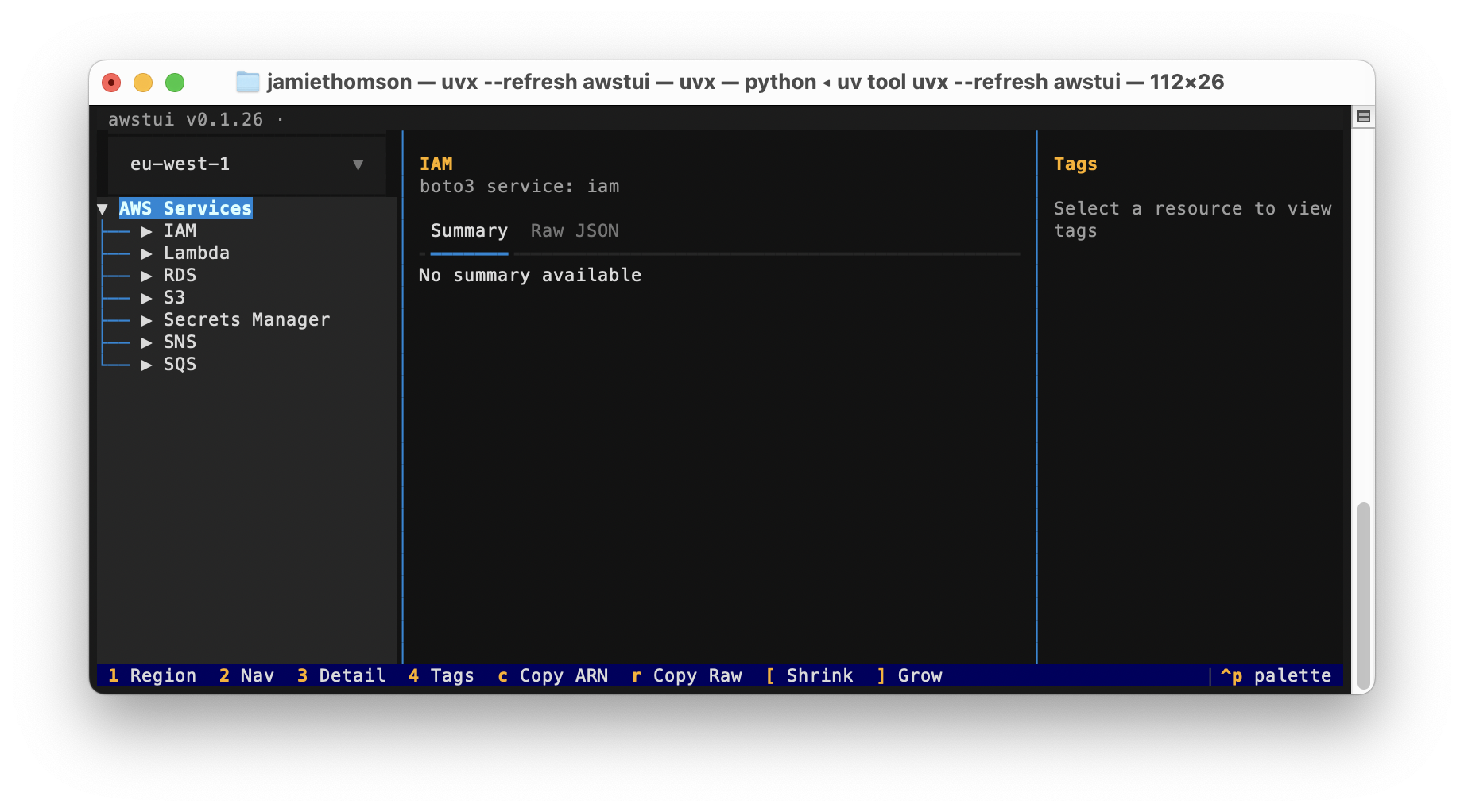
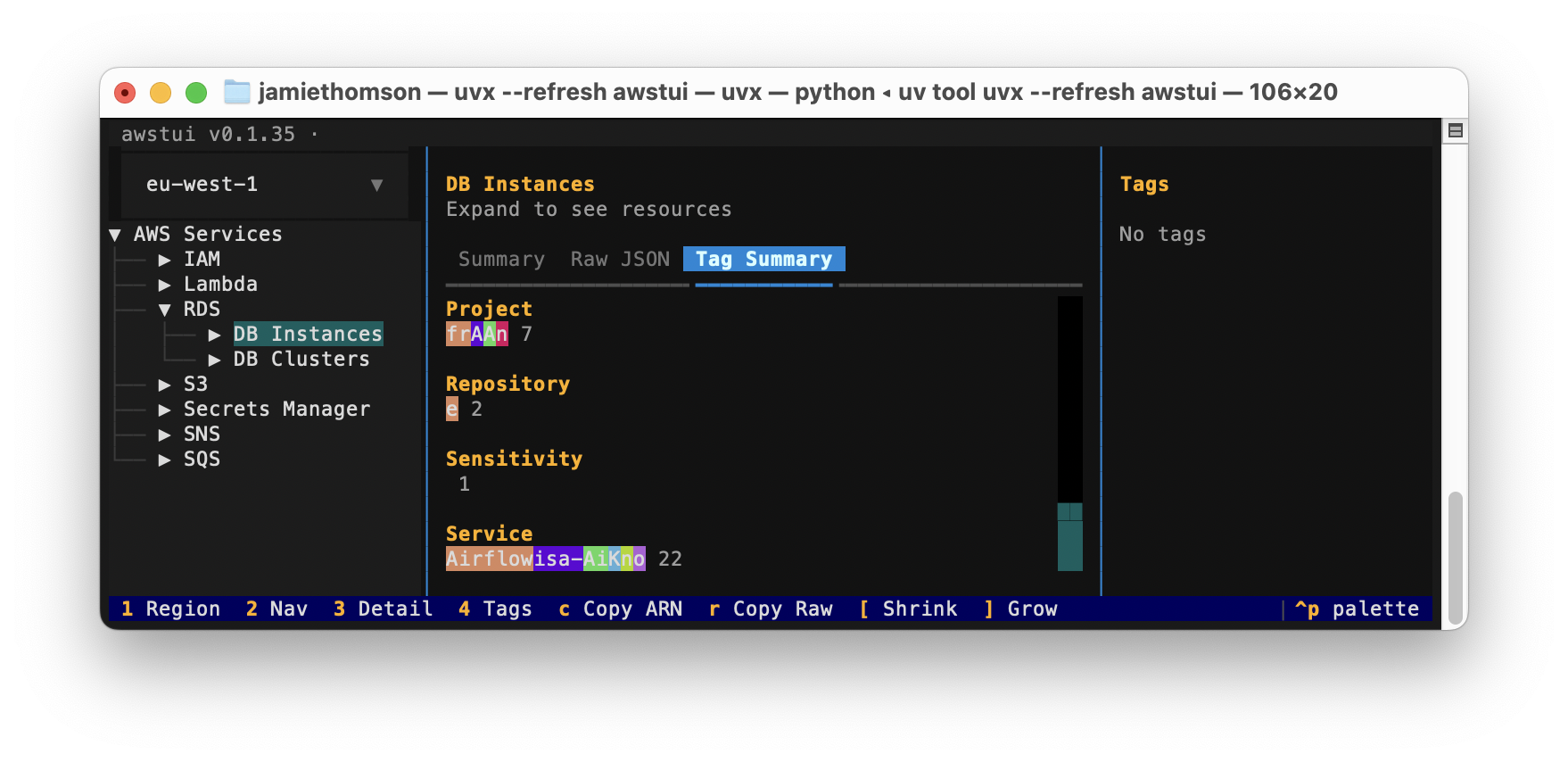
Supported Services
S3, Lambda, RDS, IAM, SQS, SNS, Secrets Manager, ECR, Glue
Installation
Requires Python 3.12+ and uv.
uv sync
Usage
uv run awstui
uv run awstui --profile my-profile              # use a specific AWS profile
uv run awstui --service s3 --service lambda     # only show these services
Uses your existing AWS credentials (environment variables, ~/.aws/credentials, SSO — whatever boto3 resolves). Pass --profile/-p to override the profile explicitly. Pass --service/-s one or more times to restrict which services appear in the navigation tree; omit it to show all services.
Hotkeys
| Key | Action |
|---|---|
1 |
Focus the region selector |
2 |
Focus the navigation tree |
3 |
Focus the detail pane |
a |
Copy the ARN of the selected resource to the clipboard |
u |
Copy the URI of the selected resource (S3 bucket/object, ECR image) |
r |
Copy the Raw JSON of the selected resource to the clipboard |
s |
Toggle size calculation for the highlighted S3 bucket/folder/object. The recursive total — and, for buckets/folders, the number of objects comprising it — is shown in the node label (e.g. my-folder/ (1.2 GB, 3,402 objects)); expanding a sized node sizes its children too. Counts current object versions only — noncurrent versions are excluded, so on versioned buckets the total can be smaller than the actual stored footprint. Not available on individual version nodes. |
f |
Filter children of the highlighted node by substring (empty input clears) |
w |
Toggle word wrap in the Content tab (CSVs default to no-wrap, others to wrap) |
Running Tests
uv run pytest tests/ -v
1 maintainer

Metadata
1 maintainer
Release files for awstui 0.24.121
For a detailed explanation of source distributions (sdists) and built distributions (wheels), please see the package formats documentation.
Source distribution (sdist)
| File | Size | Uploaded | Provenance | |
|---|---|---|---|---|
| awstui-0.24.121.tar.gz | 1.2 MB | With provenance | Details |
Built distribution (wheel)
| File | Interpreter | ABI | Platform | Reset |
|---|---|---|---|---|
| awstui-0.24.121-py3-none-any.whl | Python 3 | none | any | Details |
Total release size: 1.2 MB
Release files / awstui-0.24.121.tar.gz
| Download URL | awstui-0.24.121.tar.gz |
|---|---|
| Size | 1.2 MB |
| Tags | Source |
|
SHA-256 checksum How to use checksums |
2b950baabe254e3f283ba6a61dd389571f5914234fc71c05bcc7c410bacfc330
|
|
BLAKE2b-256 checksum How to use checksums |
c64dd28ca2122262453ae913ceb5f2b8328d9150aa7201585fab152652338e1f
|
| Upload date | |
|
Uploaded using Trusted Publishing? What is trusted publishing? |
Yes |
| Uploaded via |
twine/6.1.0 CPython/3.13.12
|
Provenance
Provenance describes where a file came from. On PyPI, provenance is shared via attestations, which provide a verifiable record of the build or publishing details. View details, limitations and caveats.


PyPI Publish Attestation
PyPI verified that this artifact, at this checksum, originated from the publisher listed below.
Signed by GitHub Actions, verified by PyPI on Jun 8, 2026.
Transparency logRelease files / awstui-0.24.121-py3-none-any.whl
| Download URL | awstui-0.24.121-py3-none-any.whl |
|---|---|
| Size | 50.4 kB |
| Tags | Python 3 |
|
SHA-256 checksum How to use checksums |
743e564574c96bd46bf6dd14fee19294c093a525e5701c5b89f45d4ad1789bb1
|
|
BLAKE2b-256 checksum How to use checksums |
a718a1f045068c48a587d35d0590546188b40827b4171f04c0ff0d302f156d6c
|
| Upload date | |
|
Uploaded using Trusted Publishing? What is trusted publishing? |
Yes |
| Uploaded via |
twine/6.1.0 CPython/3.13.12
|
Provenance
Provenance describes where a file came from. On PyPI, provenance is shared via attestations, which provide a verifiable record of the build or publishing details. View details, limitations and caveats.
PyPI Publish Attestation
PyPI verified that this artifact, at this checksum, originated from the publisher listed below.
Signed by GitHub Actions, verified by PyPI on Jun 8, 2026.
Transparency logSecurity for awstui 0.24.121
Provenance
Provenance describes where a file came from. On PyPI, provenance is shared via attestations, which provide a verifiable record of the build or publishing details. View details, limitations and caveats.
Full provenance
All 2 files in this release have been uploaded with provenance metadata.
Attestation for awstui-0.24.121.tar.gz
PyPI Publish Attestation
PyPI verified that this artifact, at this checksum, originated from the publisher listed below.
Signed by GitHub Actions, verified by PyPI on Jun 8, 2026.
Transparency logA note on package security
PyPI is a repository for distributing packages, not a service for auditing them. While third-party security researchers and our staff do their best to detect and remove malicious packages, PyPI cannot guarantee the quality, security or suitability of any given package.














