

az-diagram-autogen
Azure architecture diagram engine for AI coding agent skills
Generate interactive HTML/PNG diagrams of Azure architectures from JSON.
Built for Agent Skills — works with GitHub Copilot, Claude Code, and compatible AI coding agents.
Also usable standalone via CLI or Python API.





Use in Your Skill • Screenshots • Features • CLI • Python API
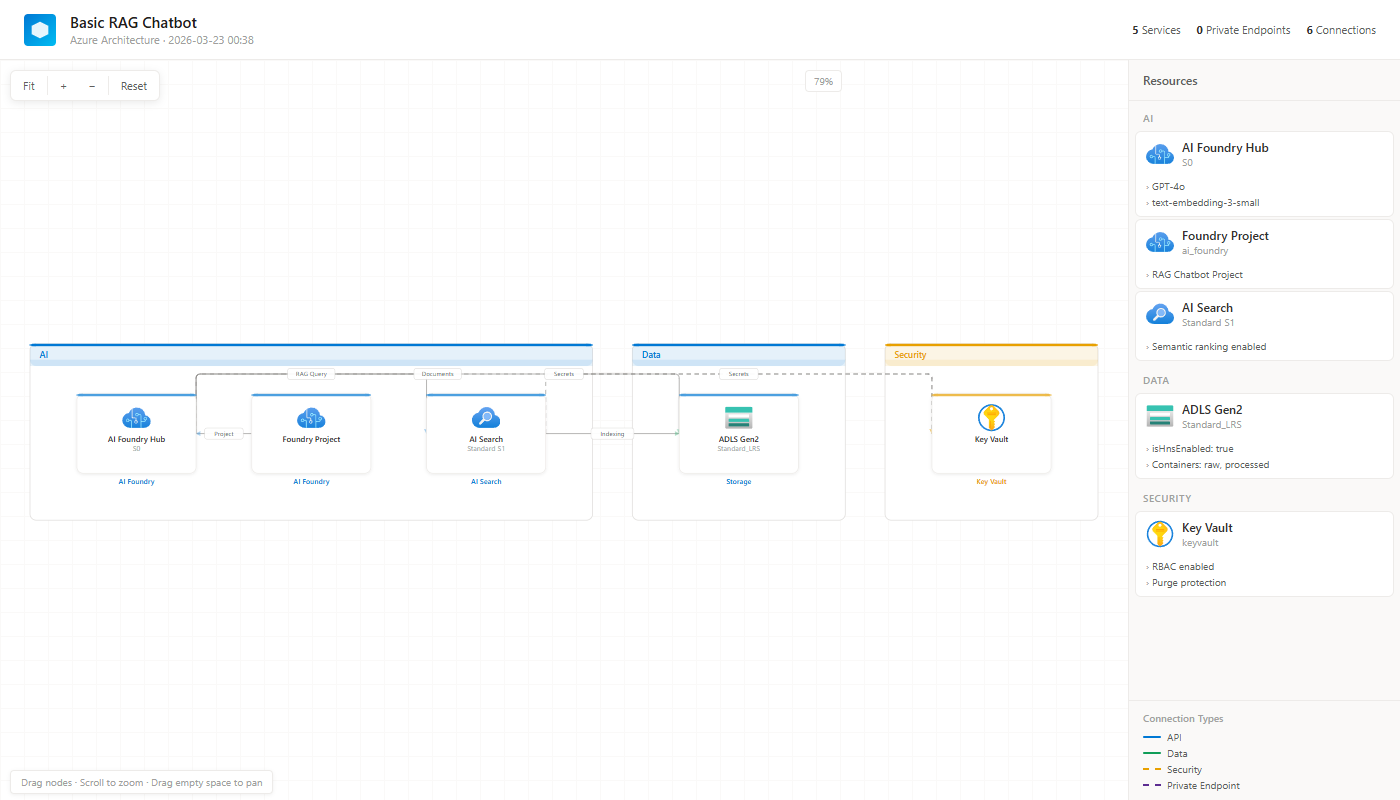
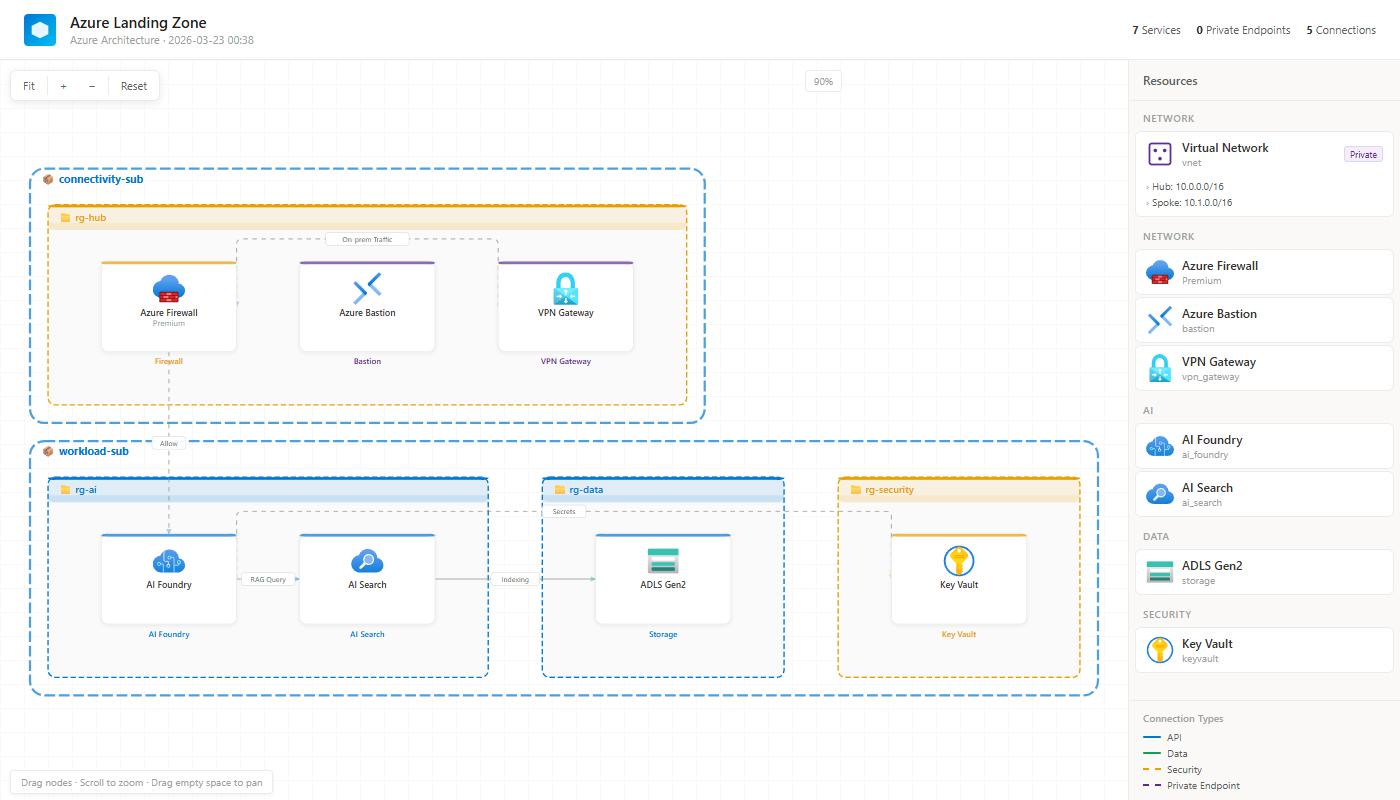
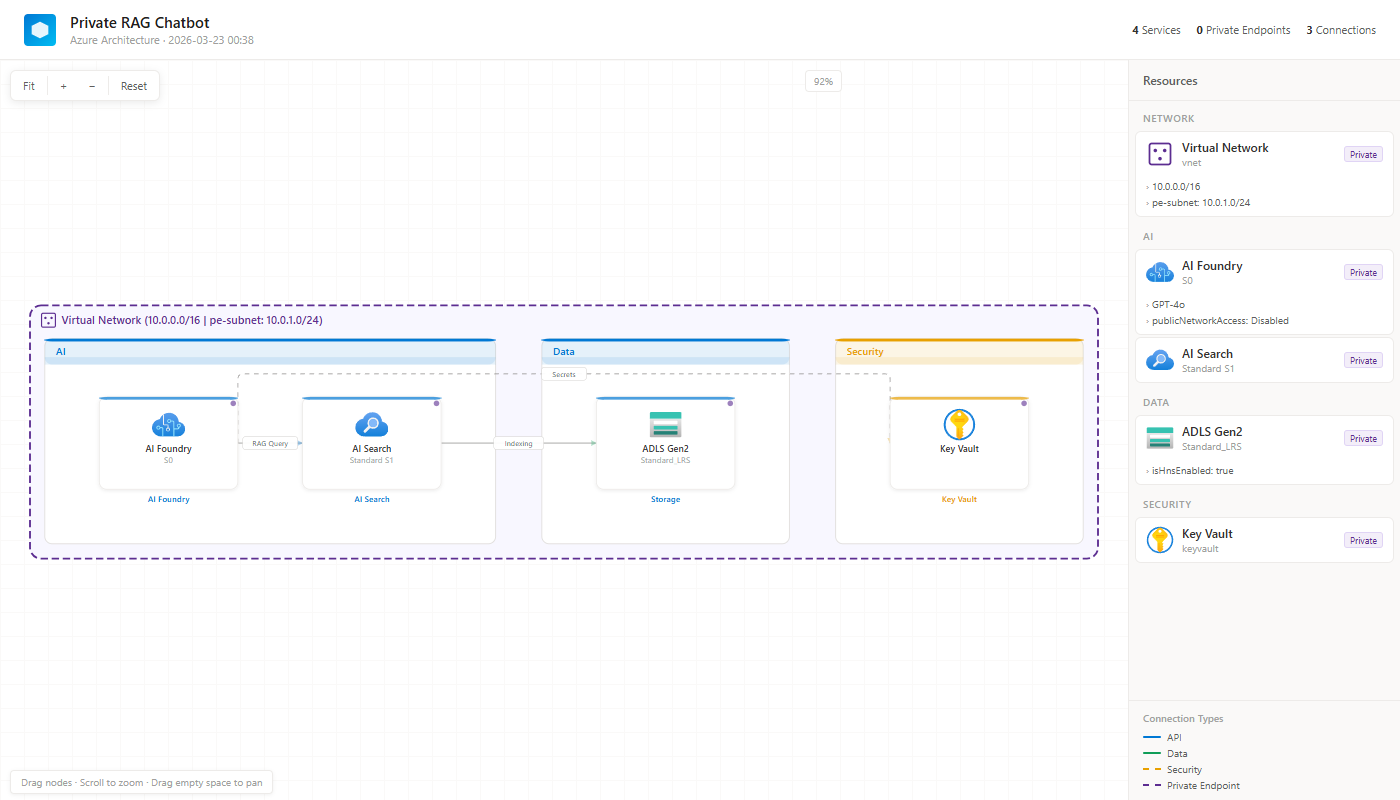
🎨 What It Looks Like
Basic RAG Chatbot
Multi-Subscription Landing Zone
Private RAG with VNet & PE
🔧 Use in Your Skill
This package is built for AI coding agent skills — GitHub Copilot, Claude Code, and any Agent Skills-compatible tool.
📋 Copy the block below into your SKILL.md:
Required: Include this in your skill's
SKILL.md. The agent will read--referenceto learn the full JSON schema and service type list.
## Diagram Generation

Use the `az-diagram-autogen` package to generate architecture diagrams.

### Install
```
pip install az-diagram-autogen
```

### Read Reference
```
az-diagram-autogen --reference
```
This prints the full service type list, JSON schema, and usage.
**Read this reference before generating diagrams. Follow the exact type values and JSON format.**

### Generate
```
az-diagram-autogen \
  --services '<services JSON or file path>' \
  --connections '<connections JSON or file path>' \
  --title '<diagram title>' \
  --output '<output file path>' \
  -f '<format: html|png|both>' \
  --vnet-info '<VNet CIDR (optional)>' \
  --hierarchy '<subscription/RG hierarchy JSON (optional)>'
```

### Or via Python API
```python
from az_diagram_autogen import generate_diagram
html = generate_diagram(services=[...], connections=[...], title="Title")
with open("output.html", "w", encoding="utf-8") as f:
    f.write(html)
```
The bundled
REFERENCE.mdcontains the complete service type list (72 types), JSON schema, connection types, and hierarchy format. The agent reads it via--referenceso you don't need to list types in your SKILL.md.
⚡ Features
| Feature | Description |
|---|---|
| 636 Azure Icons | Official Microsoft Azure icons, Base64-encoded — works offline |
| Interactive | Drag-and-drop nodes, pan & zoom, click for details |
| Text Size Controls | A+/A− toolbar buttons to scale labels at runtime (0.5×–2.5×) |
| Persistent Selection | Selected node stays highlighted while dragging or panning |
| Orthogonal Routing | Axis-aligned edges with overlap/crossing minimization and section-aware detours |
| Private Endpoints | Visualize PE connections with dedicated group |
| VNet Boundaries | Purple dashed boundaries with CIDR labels |
| Multi-Sub/RG | Nested subscription → resource group hierarchy |
| Auto-Layout | Smart category-based or RG-based grouping |
| Sidebar | Resource details panel with SKU, tags, connection legend |
| Self-Contained | Single HTML file — share via email, Slack, Teams |
| Dual Interface | CLI tool + Python API |
| Zero Dependencies | Pure Python, no external packages required |
| Cross-Platform | Windows, macOS, Linux, WSL — anywhere Python runs |
🆕 What's New in 0.1.5
- Edge routing overhaul — zero overlaps and drastically fewer crossings on dense diagrams via bottom-lane / U-shape marshalling, section-aware descent, and a final orthogonalization pass that eliminates stray diagonals.
- Outside-VNet routing — edges whose endpoints sit outside the VNet no longer cut through the VNet interior.
- Bigger, more legible boxes — service boxes are 20 % larger and the default text scale is now 1.4×, with extra breathing room between icon and service name.
- Interactive text size — new A+ / A− toolbar buttons adjust label size on the fly (0.5×–2.5×). The standalone Reset button has been merged into Fit.
- Selection no longer drops — dragging a node or panning the canvas keeps the current selection highlighted.
- Darker section outlines for better contrast against the canvas.
No breaking API changes — generate_diagram(...) signature and JSON schema are unchanged.
🖥️ CLI Reference
az-diagram-autogen [OPTIONS]
| Option | Short | Default | Description |
|---|---|---|---|
--services |
-s |
(required) | Services JSON — inline string or file path |
--connections |
-c |
(required) | Connections JSON — inline string or file path |
--title |
-t |
"Azure Architecture" |
Diagram title |
--output |
-o |
"azure-architecture.html" |
Output file path |
--format |
-f |
html |
Output format: html, png, or both (html+png) |
--vnet-info |
"" |
VNet CIDR label for boundary | |
--hierarchy |
"" |
Subscription/RG hierarchy JSON | |
--reference |
Print skill integration reference |
Output formats:
# HTML only (default) — interactive, self-contained
az-diagram-autogen -s svc.json -c conn.json -o arch.html

# PNG only — static image (requires puppeteer: npm i puppeteer)
az-diagram-autogen -s svc.json -c conn.json -o arch -f png

# Both HTML + PNG
az-diagram-autogen -s svc.json -c conn.json -o arch -f both
📦 Python API
from az_diagram_autogen import generate_diagram

html = generate_diagram(
    services=[
        {"id": "foundry", "name": "AI Foundry", "type": "ai_foundry", "sku": "S0"},
        {"id": "search", "name": "AI Search", "type": "ai_search", "sku": "S1"},
    ],
    connections=[
        {"from": "foundry", "to": "search", "label": "RAG Query", "type": "api"},
    ],
    title="My Architecture",
    vnet_info="10.0.0.0/16 | pe-subnet: 10.0.1.0/24",
    hierarchy=[{"subscription": "prod-sub", "resourceGroups": ["rg-ai", "rg-data"]}],
)

with open("output.html", "w") as f:
    f.write(html)
Search Azure Icons
from az_diagram_autogen import search_icons

for key, name, category in search_icons("storage"):
    print(f"  {key}: {name} ({category})")
# storage_accounts: Storage Accounts (Storage)
# storage_accounts_classic: Storage Accounts (Classic) (Storage)
# ...
🤝 Contributing
Contributions welcome! Feel free to open issues or submit PRs.
git clone https://github.com/whoniiii/az-diagram-autogen.git
cd az-diagram-autogen
pip install -e .
pytest tests/ -v
📄 License
MIT © Jeonghoon Lee
1 maintainer

Metadata
1 maintainer
Release files for az-diagram-autogen 0.1.5
For a detailed explanation of source distributions (sdists) and built distributions (wheels), please see the package formats documentation.
Source distribution (sdist)
| File | Size | Uploaded | |
|---|---|---|---|
| az_diagram_autogen-0.1.5.tar.gz | 707.6 kB | Details |
Built distribution (wheel)
| File | Interpreter | ABI | Platform | Reset |
|---|---|---|---|---|
| az_diagram_autogen-0.1.5-py3-none-any.whl | Python 3 | none | any | Details |
Total release size: 1.4 MB
Release files / az_diagram_autogen-0.1.5.tar.gz
| Download URL | az_diagram_autogen-0.1.5.tar.gz |
|---|---|
| Size | 707.6 kB |
| Tags | Source |
|
SHA-256 checksum How to use checksums |
2e3bcaf670db419c719d04fae980c365f2a10831085678b59487c908500102dc
|
|
BLAKE2b-256 checksum How to use checksums |
7e9cc4385c26c25d87028434a52c7184776289dd9e4af77731704f937173f571
|
| Upload date | |
|
Uploaded using Trusted Publishing? What is trusted publishing? |
No |
| Uploaded via |
twine/6.2.0 CPython/3.14.0
|
Release files / az_diagram_autogen-0.1.5-py3-none-any.whl
| Download URL | az_diagram_autogen-0.1.5-py3-none-any.whl |
|---|---|
| Size | 702.4 kB |
| Tags | Python 3 |
|
SHA-256 checksum How to use checksums |
e422297ffb2ce7fedba6ef89811eb1d43106fde93a0e2ffdfab53612473d3f4c
|
|
BLAKE2b-256 checksum How to use checksums |
04a2293cb2e7d5c32e095d162404b6e92dbd0f7bcaf5b10b4e91688ba54c6ee2
|
| Upload date | |
|
Uploaded using Trusted Publishing? What is trusted publishing? |
No |
| Uploaded via |
twine/6.2.0 CPython/3.14.0
|














