
Interactive Azure architecture diagram generator with 634 official Azure icons

Project description

az-diagram-autogen
Azure architecture diagram engine for AI coding agent skills
Generate interactive HTML/PNG diagrams of Azure architectures from JSON.
Built for Agent Skills — works with GitHub Copilot, Claude Code, and compatible AI coding agents.
Also usable standalone via CLI or Python API.





Use in Your Skill • Screenshots • Features • CLI • Python API
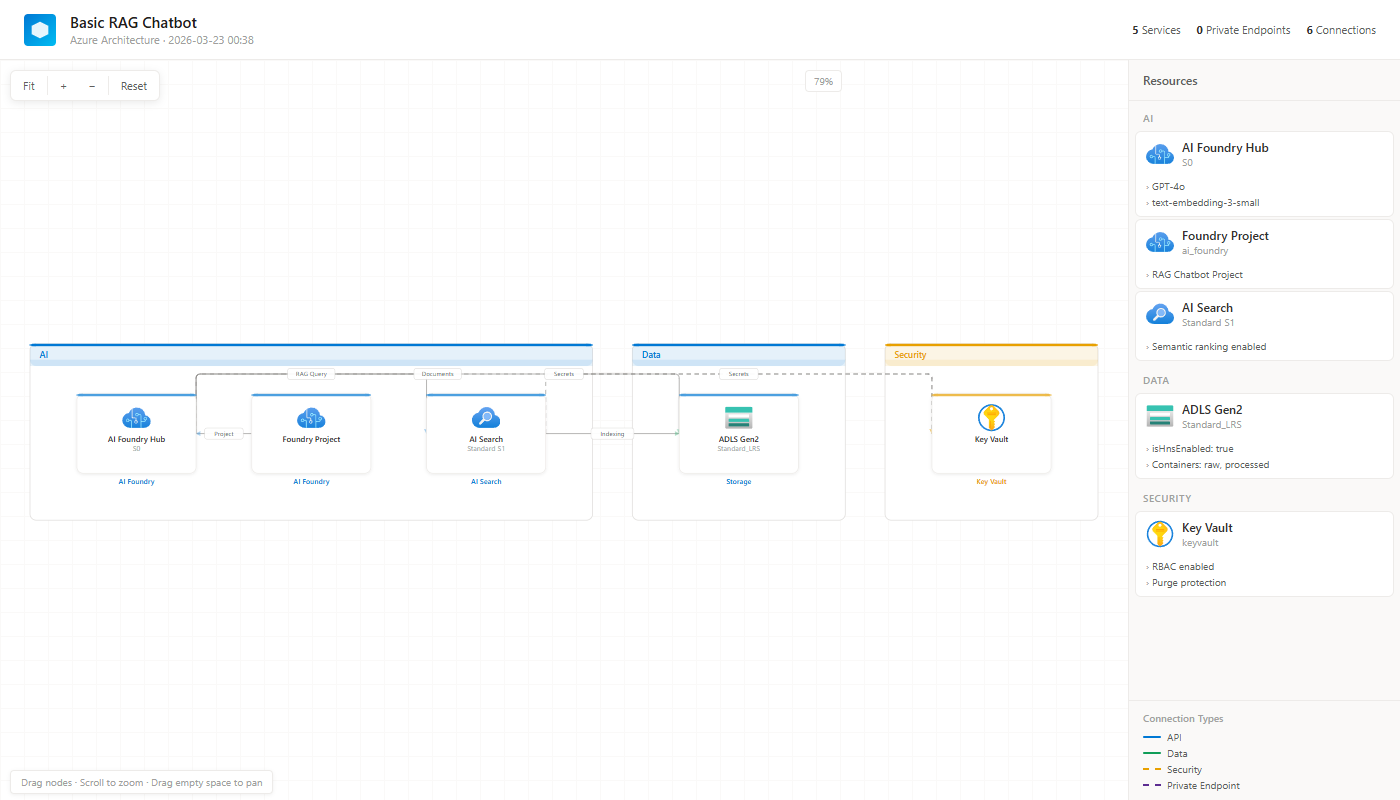
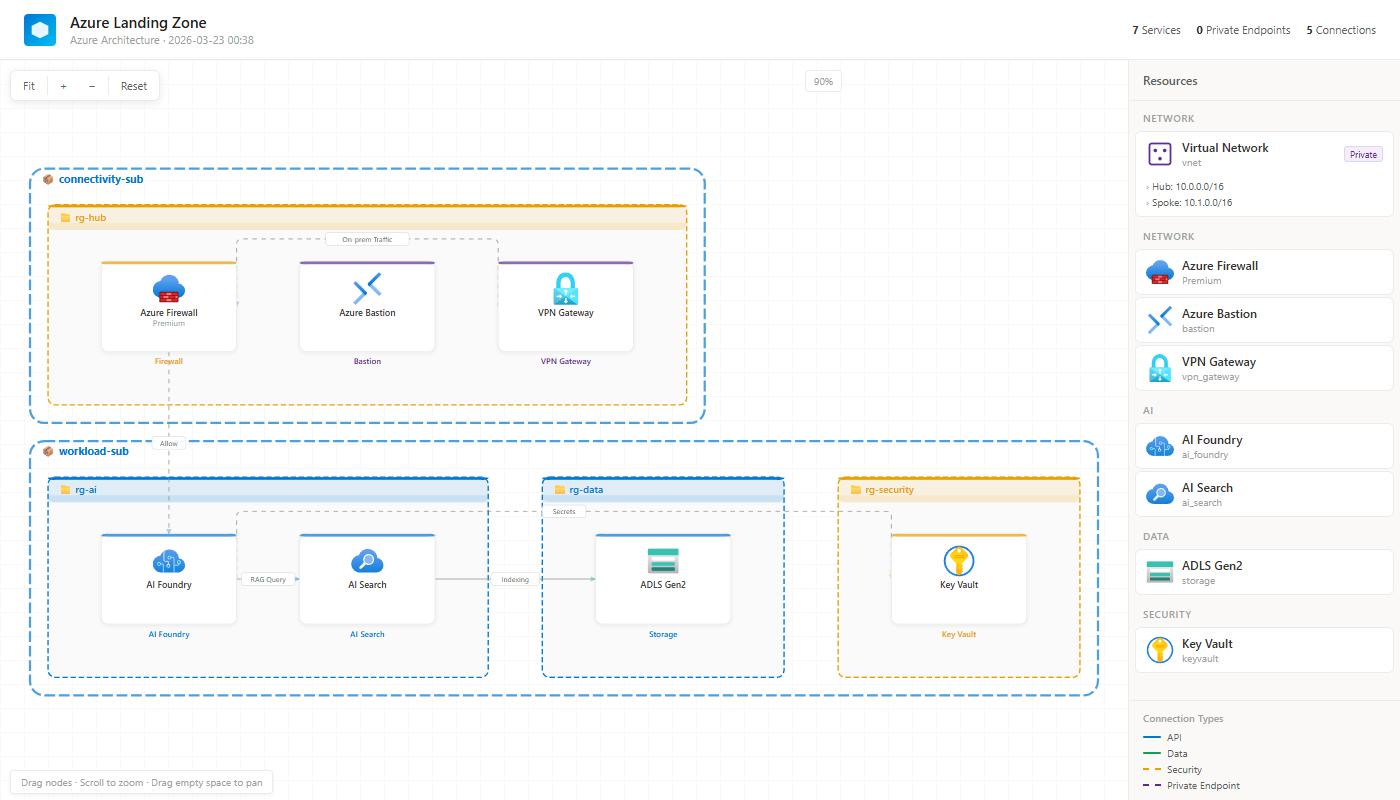
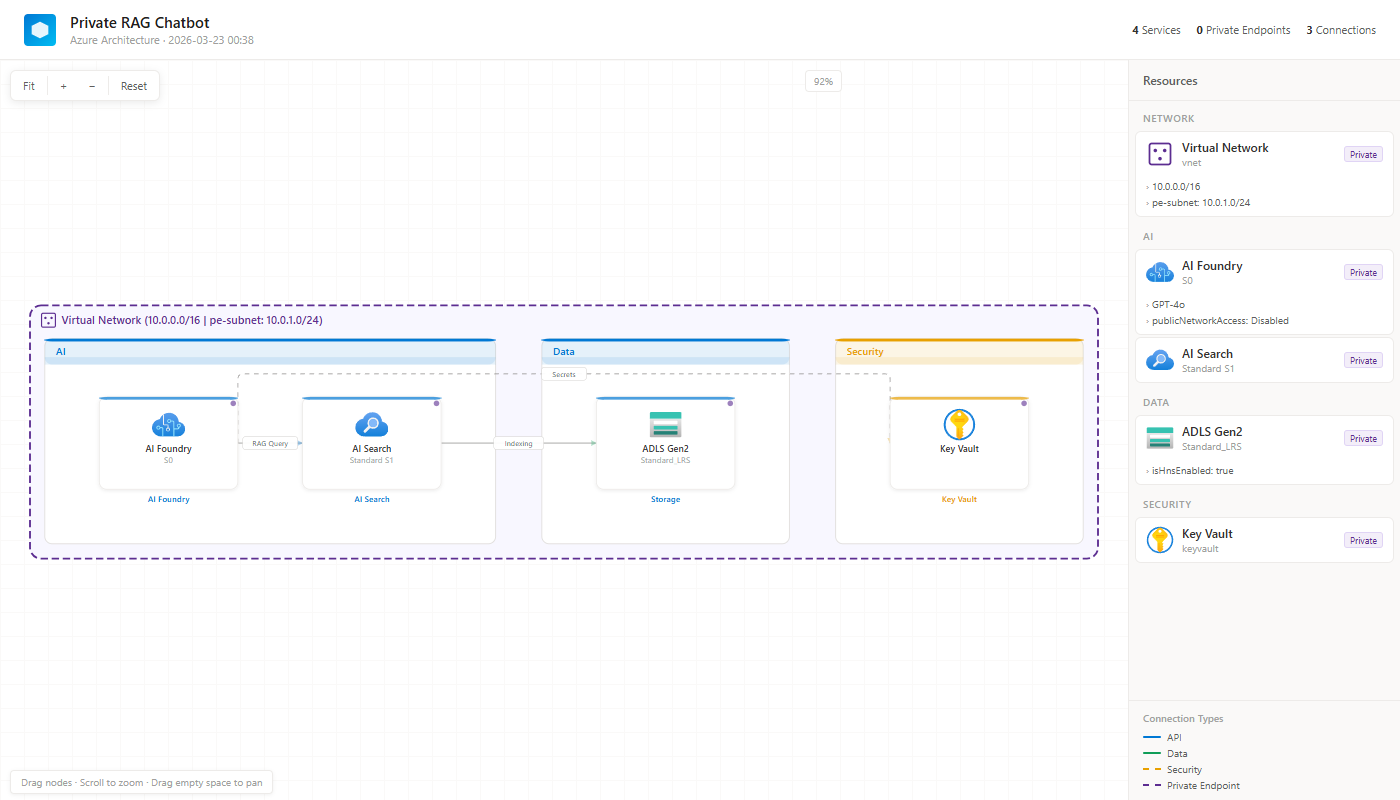
🎨 What It Looks Like
Basic RAG Chatbot
Multi-Subscription Landing Zone
Private RAG with VNet & PE
🔧 Use in Your Skill
This package is built for AI coding agent skills — GitHub Copilot, Claude Code, and any Agent Skills-compatible tool.
📋 Copy the block below into your SKILL.md:
Required: Include this in your skill's
SKILL.md. The agent will read--referenceto learn the full JSON schema and service type list.
## Diagram Generation

Use the `az-diagram-autogen` package to generate architecture diagrams.

### Install
```
pip install az-diagram-autogen
```

### Read Reference
```
az-diagram-autogen --reference
```
This prints the full service type list, JSON schema, and usage.
**Read this reference before generating diagrams. Follow the exact type values and JSON format.**

### Generate
```
az-diagram-autogen \
  --services '<services JSON or file path>' \
  --connections '<connections JSON or file path>' \
  --title '<diagram title>' \
  --output '<output file path>' \
  -f '<format: html|png|both>' \
  --vnet-info '<VNet CIDR (optional)>' \
  --hierarchy '<subscription/RG hierarchy JSON (optional)>'
```

### Or via Python API
```python
from az_diagram_autogen import generate_diagram
html = generate_diagram(services=[...], connections=[...], title="Title")
with open("output.html", "w", encoding="utf-8") as f:
    f.write(html)
```
The bundled
REFERENCE.mdcontains the complete service type list (30+), JSON schema, connection types, and hierarchy format. The agent reads it via--referenceso you don't need to list types in your SKILL.md.
⚡ Features
| Feature | Description |
|---|---|
| 605 Azure Icons | Official Microsoft Azure icons, Base64-encoded — works offline |
| Interactive | Drag-and-drop nodes, pan & zoom, click for details |
| Private Endpoints | Visualize PE connections with dedicated group |
| VNet Boundaries | Purple dashed boundaries with CIDR labels |
| Multi-Sub/RG | Nested subscription → resource group hierarchy |
| Auto-Layout | Smart category-based or RG-based grouping |
| Sidebar | Resource details panel with SKU, tags, connection legend |
| Self-Contained | Single HTML file — share via email, Slack, Teams |
| Dual Interface | CLI tool + Python API |
| Zero Dependencies | Pure Python, no external packages required |
| Cross-Platform | Windows, macOS, Linux, WSL — anywhere Python runs |
🖥️ CLI Reference
az-diagram-autogen [OPTIONS]
| Option | Short | Default | Description |
|---|---|---|---|
--services |
-s |
(required) | Services JSON — inline string or file path |
--connections |
-c |
(required) | Connections JSON — inline string or file path |
--title |
-t |
"Azure Architecture" |
Diagram title |
--output |
-o |
"azure-architecture.html" |
Output file path |
--format |
-f |
html |
Output format: html, png, or both (html+png) |
--vnet-info |
"" |
VNet CIDR label for boundary | |
--hierarchy |
"" |
Subscription/RG hierarchy JSON | |
--reference |
Print skill integration reference |
Output formats:
# HTML only (default) — interactive, self-contained
az-diagram-autogen -s svc.json -c conn.json -o arch.html

# PNG only — static image (requires puppeteer: npm i puppeteer)
az-diagram-autogen -s svc.json -c conn.json -o arch -f png

# Both HTML + PNG
az-diagram-autogen -s svc.json -c conn.json -o arch -f both
📦 Python API
from az_diagram_autogen import generate_diagram

html = generate_diagram(
    services=[
        {"id": "foundry", "name": "AI Foundry", "type": "ai_foundry", "sku": "S0"},
        {"id": "search", "name": "AI Search", "type": "ai_search", "sku": "S1"},
    ],
    connections=[
        {"from": "foundry", "to": "search", "label": "RAG Query", "type": "api"},
    ],
    title="My Architecture",
    vnet_info="10.0.0.0/16 | pe-subnet: 10.0.1.0/24",
    hierarchy=[{"subscription": "prod-sub", "resourceGroups": ["rg-ai", "rg-data"]}],
)

with open("output.html", "w") as f:
    f.write(html)
Search Azure Icons
from az_diagram_autogen import search_icons

for key, name, category in search_icons("storage"):
    print(f"  {key}: {name} ({category})")
# storage_accounts: Storage Accounts (Storage)
# storage_accounts_classic: Storage Accounts (Classic) (Storage)
# ...
🤝 Contributing
Contributions welcome! Feel free to open issues or submit PRs.
git clone https://github.com/whoniiii/az-diagram-autogen.git
cd az-diagram-autogen
pip install -e .
python -m unittest discover -s tests
📄 License
MIT © Jeonghoon Lee


Download files
Download the file for your platform. If you're not sure which to choose, learn more about installing packages.
Source Distribution
Built Distribution
Filter files by name, interpreter, ABI, and platform.
If you're not sure about the file name format, learn more about wheel file names.
Copy a direct link to the current filters
File details
Details for the file az_diagram_autogen-0.1.3.tar.gz.
File metadata
- Download URL: az_diagram_autogen-0.1.3.tar.gz
- Upload date:
- Size: 682.9 kB
- Tags: Source
- Uploaded using Trusted Publishing? No
- Uploaded via: twine/6.2.0 CPython/3.14.0
File hashes
| Algorithm | Hash digest | |
|---|---|---|
| SHA256 |
42df61b01760bc06753338593f7bfe53721661aa4322e4ff2a3133f858bc05f1
|
|
| MD5 |
97dc734490a6e9d686e6ca867e648bfc
|
|
| BLAKE2b-256 |
d8b0f018862f30bb973ade203d2a0b72d1af5b98f50bc9550518ee4bbf167a0b
|
File details
Details for the file az_diagram_autogen-0.1.3-py3-none-any.whl.
File metadata
- Download URL: az_diagram_autogen-0.1.3-py3-none-any.whl
- Upload date:
- Size: 688.1 kB
- Tags: Python 3
- Uploaded using Trusted Publishing? No
- Uploaded via: twine/6.2.0 CPython/3.14.0
File hashes
| Algorithm | Hash digest | |
|---|---|---|
| SHA256 |
ac1f148b2c47376127c2182afc4f0e896fe7ad3e68f50c433ac913b91249466c
|
|
| MD5 |
7868c5b0d7f120342cd1be5c711d03e8
|
|
| BLAKE2b-256 |
e2c9edaec4b8de6c937349a14c8b6f131e4e3a0c3942a4d88d15ac3349591eaa
|






