
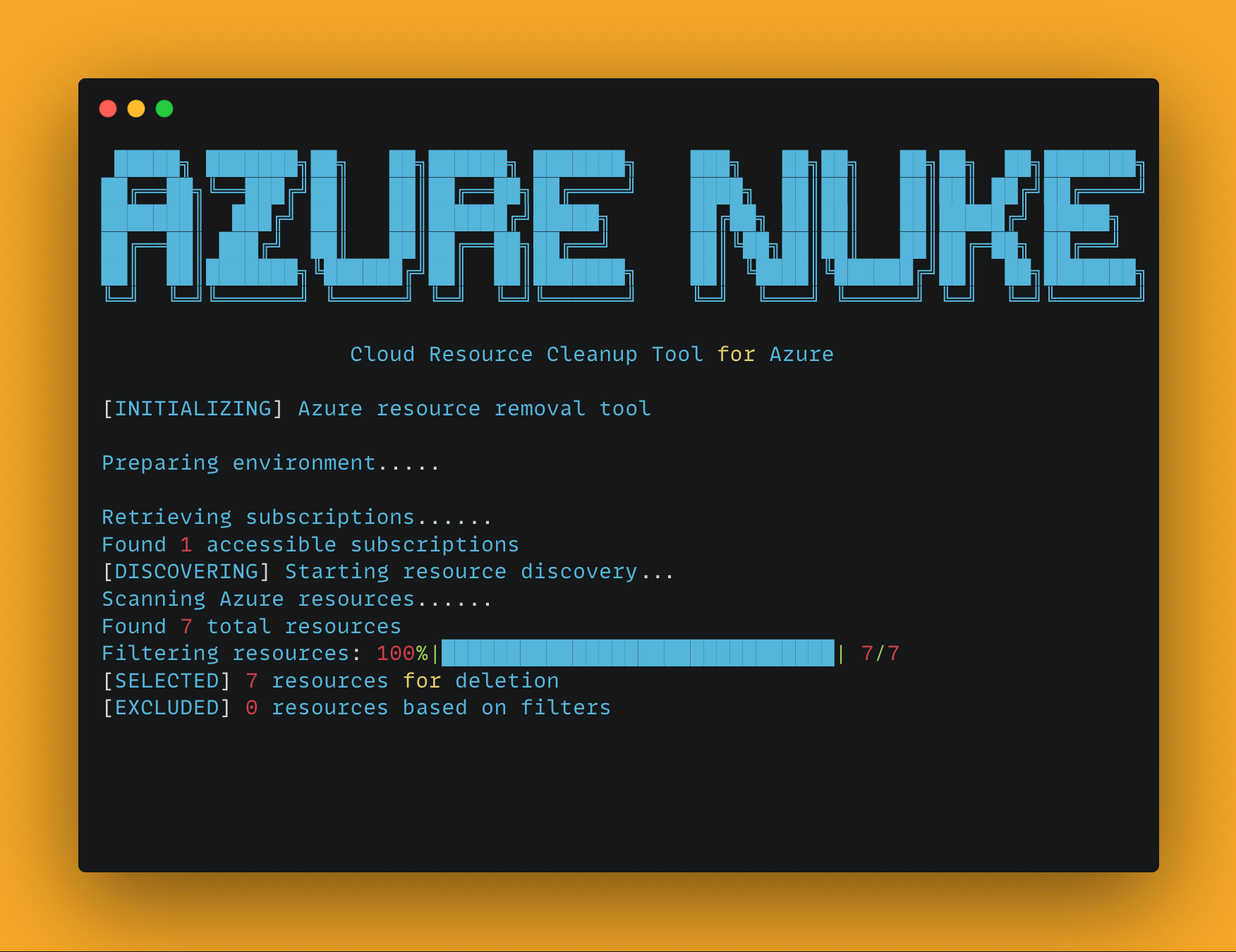
Azure Nuke




A powerful CLI tool for scanning and cleaning up Azure resources.
Features
- Comprehensive scanning of Azure resources across subscriptions
- Safe deletion with confirmation prompts and dry-run mode
- Flexible filtering by resource type, region, and more
- Exclusion system to protect critical infrastructure
- Beautiful ASCII art banners for a better command-line experience
- Color-coded output for easy identification of actions and results
Installation
Homebrew (Recommended for macOS/Linux)
# Add the tap
brew tap sojay/tap

# Install Azure Nuke
brew install aznuke
Binary Download
Download pre-built binaries for your platform from GitHub Releases.
Supported Platforms:
- Linux (AMD64, ARM64)
- macOS (AMD64, ARM64)
- Windows (AMD64)
# Linux/macOS - make executable and move to PATH
chmod +x aznuke-*
sudo mv aznuke-* /usr/local/bin/aznuke
Python Package
# Install from PyPI
pip install aznuke

# Or clone the repository and install in development mode
git clone https://github.com/sojay/azure-nuke.git
cd azure-nuke
pip install -e .
Usage
Azure Nuke provides two main commands:
Scan Command
The scan command identifies Azure resources according to specified criteria:
# Run a full scan
aznuke scan

# Scan a specific subscription and region
aznuke scan --profile production --region westus2

# Scan only Storage and VM resources
aznuke scan --checks storage,virtualmachines

# Export results as JSON
aznuke scan --output json > azure_report.json

# Show only high severity issues
aznuke scan --severity high

# Verbose output for debugging
aznuke scan -v
Delete Command
The delete command removes Azure resources:
# Delete resources (with confirmation)
aznuke delete

# Delete specific resource types without confirmation
aznuke delete --checks storage,virtualmachines --yes

# Perform a dry run to see what would be deleted
aznuke delete --dry-run
Options
Global Options
--profile: Azure subscription profile name--region: Azure region to target--checks: Comma-separated list of resource types--config: Path to exclusions configuration file-v, --verbose: Enable verbose output
Scan-specific Options
--output: Output format (text or json)--severity: Filter by severity level (low, medium, high)
Delete-specific Options
--dry-run: Preview resources that would be deleted without actually deleting--protected-subscriptions: List of subscription IDs that should not be modified--yes, -y: Skip confirmation prompt
Configuration
Exclusions can be configured in config/exclusions.yaml to prevent certain resources from being included in scans or deletions. You can specify your own configuration file using the --config option.
Exclusion Configuration Format
# Exclude specific resource types
resource_types:
  - Microsoft.KeyVault/vaults  # Exclude all Key Vaults
  - Microsoft.Storage/storageAccounts  # Exclude all Storage Accounts

# Exclude resources with names matching these patterns
name_patterns:
  - "^prod-.*$"  # Exclude resources with names starting with "prod-"
  - ".*-do-not-delete$"  # Exclude with names ending with "-do-not-delete"

# Exclude specific resource IDs
resource_ids:
  - "/subscriptions/00000000-0000-0000-0000-000000000000/resourceGroups/important-rg/providers/Microsoft.Storage/storageAccounts/criticalaccount"

# Exclude resources with specified tags
tags:
  Environment: "Production"
  DoNotDelete: "true"
Examples
# Scan all resources in the development subscription
aznuke scan --profile development

# Output scan results as JSON
aznuke scan --output json > scan_results.json

# Delete all storage accounts in westus2 region
aznuke delete --checks microsoft.storage/storageaccounts --region westus2

# Dry run to see what would be deleted
aznuke delete --checks microsoft.compute/virtualmachines --dry-run

# Delete resources with force, skipping confirmation
aznuke delete --yes

# Use a custom exclusions config file
aznuke scan --config my-exclusions.yaml
License
MIT
1 maintainer

Metadata
1 maintainer
Release files for aznuke 0.2.0
For a detailed explanation of source distributions (sdists) and built distributions (wheels), please see the package formats documentation.
Source distribution (sdist)
| File | Size | Uploaded | Provenance | |
|---|---|---|---|---|
| aznuke-0.2.0.tar.gz | 56.3 kB | Without provenance | Details |
Built distribution (wheel)
| File | Interpreter | ABI | Platform | Reset |
|---|---|---|---|---|
| aznuke-0.2.0-py3-none-any.whl | Python 3 | none | any | Details |
Total release size: 86.8 kB
Release files / aznuke-0.2.0.tar.gz
| Download URL | aznuke-0.2.0.tar.gz |
|---|---|
| Size | 56.3 kB |
| Tags | Source |
|
SHA-256 checksum How to use checksums |
26960ab879334d0eb4a073e635a4de285b87437db4cac76e0d981a064fbb6eb0
|
|
BLAKE2b-256 checksum How to use checksums |
1b260bd3fdcebc8c84b8d50b0bd7cba67c762f30246008590cb1532a634834bb
|
| Upload date | |
|
Uploaded using Trusted Publishing? What is trusted publishing? |
No |
| Uploaded via |
twine/6.1.0 CPython/3.13.12
|
Release files / aznuke-0.2.0-py3-none-any.whl
| Download URL | aznuke-0.2.0-py3-none-any.whl |
|---|---|
| Size | 30.5 kB |
| Tags | Python 3 |
|
SHA-256 checksum How to use checksums |
c538c8ab5bcb9d60aab445ad3803169777cc7339156965816cb1d00269641320
|
|
BLAKE2b-256 checksum How to use checksums |
4e45b8e3f8599ccfc95d895e8a3bd206cd82effebee095a67e66d27c2c5c62c3
|
| Upload date | |
|
Uploaded using Trusted Publishing? What is trusted publishing? |
No |
| Uploaded via |
twine/6.1.0 CPython/3.13.12
|
Security for aznuke 0.2.0
Provenance
Provenance describes where a file came from. On PyPI, provenance is shared via attestations, which provide a verifiable record of the build or publishing details. View details, limitations and caveats.
No provenance found
None of the files in this release were uploaded with provenance metadata.
A note on package security
PyPI is a repository for distributing packages, not a service for auditing them. While third-party security researchers and our staff do their best to detect and remove malicious packages, PyPI cannot guarantee the quality, security or suitability of any given package.














