
A tool for easy benchmarking.

Project description
BenchFlow



BenchFlow is an Open-source Benchmark Hub and Eval Infra for AI production and benchmark developers.
Overview

Within the dashed box, you will find the interfaces (BaseAgent, BenchClient) provided by BenchFlow. For benchmark users, you are required to extend and implement the BaseAgent interface to interact with the benchmark. The call_api method supplies a step_input which provides the input for each step of a task (a task may have one or more steps).
Quick Start For Benchmark Users
-
Install BenchFlow
git clone https://github.com/benchflow-ai/benchflow.git
cd benchflow
pip install -e .
-
Browse Benchmarks
Find benchmarks tailored to your needs on our Benchmark Hub.
-
Implement Your Agent
Extend the BaseAgent interface:
def call_api(self, task_step_inputs: Dict[str, Any]) -> str:
    pass
Optional: You can include a
requirements.txtfile to install additional dependencies, such asopenaiandrequests. -
Test Your Agent
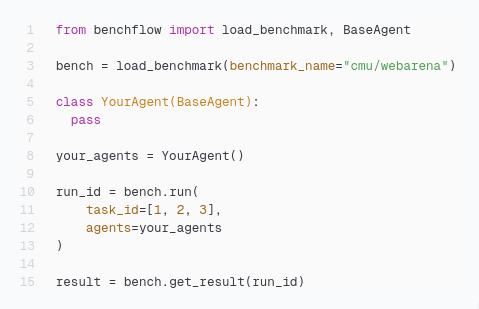
Here is a quick example to run your agent:
import os
from benchflow import load_benchmark
from benchflow.agents.webarena_openai import WebarenaAgent

# The benchmark name follows the schema: org_name/benchmark_name.
# You can obtain the benchmark name from the Benchmark Hub.
bench = load_benchmark(benchmark_name="benchflow/webarena", bf_token=os.getenv("BF_TOKEN"))

your_agents = WebarenaAgent()

run_ids = bench.run(
    task_ids=[0],
    agents=your_agents,
    api={"provider": "openai", "model": "gpt-4o-mini", "OPENAI_API_KEY": os.getenv("OPENAI_API_KEY")},
    requirements_txt="webarena_requirements.txt",
    args={}
)

results = bench.get_results(run_ids)
Quick Start for Benchmark Developers
-
Install BenchFlow
Install BenchFlow via pip:
pip install benchflow
-
Embed
BenchClientinto Your Benchmark Evaluation ScriptsRefer to this example for how MMLU-Pro integrates
BenchClient. -
Containerize Your Benchmark and Upload the Image to Dockerhub
Ensure your benchmark can run in a single container without any additional steps. Below is an example Dockerfile for MMLU-Pro:
FROM python:3.11-slim

COPY . /app
WORKDIR /app
COPY scripts/entrypoint.sh /app/entrypoint.sh

RUN chmod +x /app/entrypoint.sh
RUN pip install -r requirements.txt

ENTRYPOINT ["/app/entrypoint.sh"]
-
Extend
BaseBenchto Run Your BenchmarksSee this example for how MMLU-Pro extends
BaseBench -
Upload Your Benchmark into BenchFlow
Go to the Benchmark Hub and click on
+new benchmarksto upload your benchmark Git repository. Make sure you place thebenchflow_interface.pyfile at the root of your project.
License
This project is licensed under the MIT License.
Release history Release notifications | RSS feed


Download files
Download the file for your platform. If you're not sure which to choose, learn more about installing packages.
Source Distribution
Built Distribution
Filter files by name, interpreter, ABI, and platform.
If you're not sure about the file name format, learn more about wheel file names.
Copy a direct link to the current filters
File details
Details for the file benchflow-0.1.12.tar.gz.
File metadata
- Download URL: benchflow-0.1.12.tar.gz
- Upload date:
- Size: 324.3 kB
- Tags: Source
- Uploaded using Trusted Publishing? No
- Uploaded via: uv/0.6.3
File hashes
| Algorithm | Hash digest | |
|---|---|---|
| SHA256 |
4232e152b4f3316d787dd79368bc5d01bc09bf052dd181ccca193c5feaba5f40
|
|
| MD5 |
900d3374714a6ccdef2f843a1d249959
|
|
| BLAKE2b-256 |
794ce60ebf937d7a30b3fd08cf0fb814aa66f84c7701684aaef8e4c81fe30076
|
File details
Details for the file benchflow-0.1.12-py3-none-any.whl.
File metadata
- Download URL: benchflow-0.1.12-py3-none-any.whl
- Upload date:
- Size: 41.4 kB
- Tags: Python 3
- Uploaded using Trusted Publishing? No
- Uploaded via: uv/0.6.3
File hashes
| Algorithm | Hash digest | |
|---|---|---|
| SHA256 |
925fc292c13e291f9b68563d804c58e7245543ff9feec5eda1857934d5b07e0c
|
|
| MD5 |
436907713489733d43eeb5edec920432
|
|
| BLAKE2b-256 |
4b54b6792530e27b3a1a32927e9a2a65714baa217ab277ff7dc07e26692f2a57
|






