
BitCraft



AI-powered monitoring and analysis of Bitcoin transaction traffic, in your terminal.
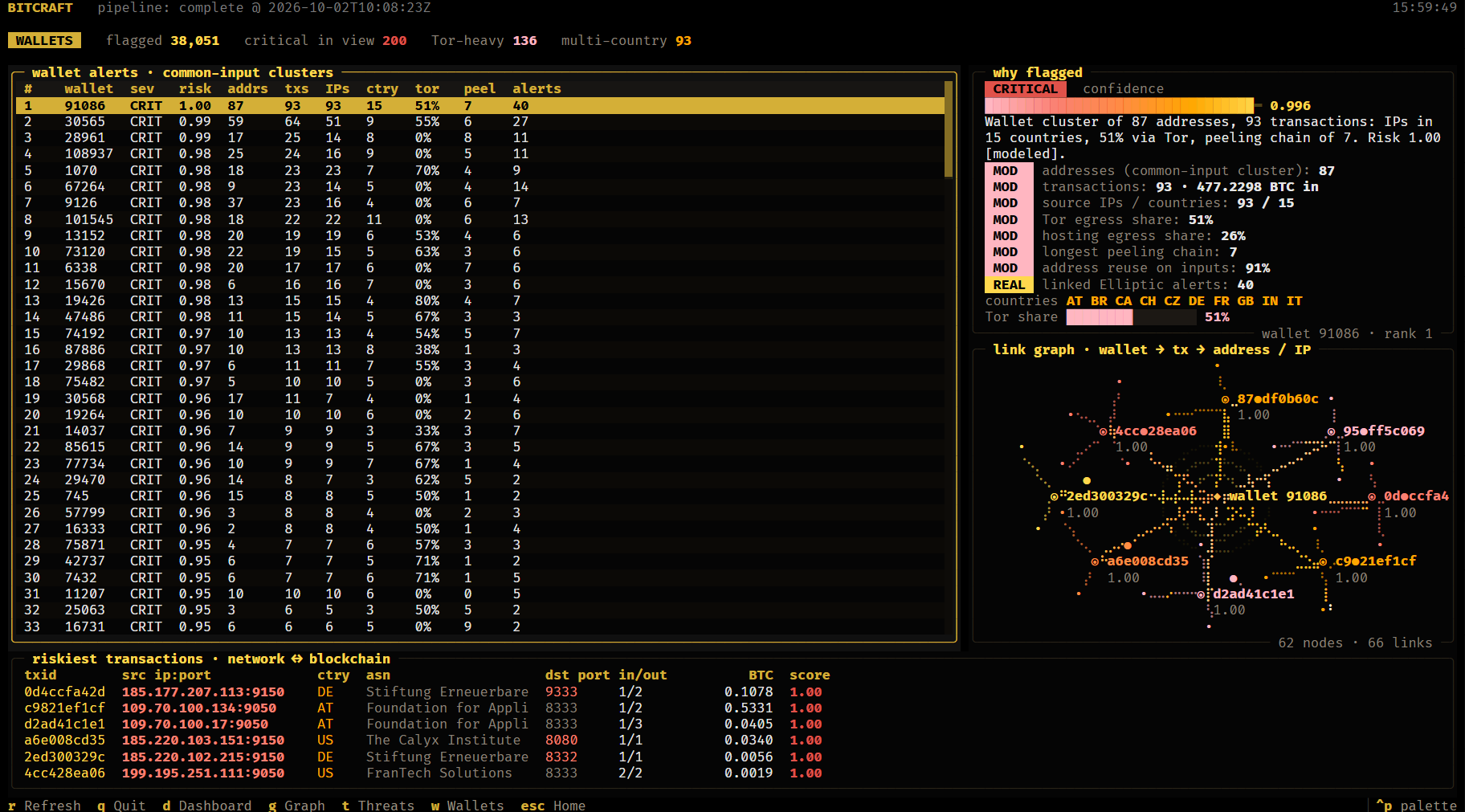
BitCraft correlates blockchain transactions (wallets, txids, amounts) with network metadata (IPs, ports, timing, GeoIP country and ASN), clusters wallets, scores every transaction with machine learning, and presents ranked, explainable investigative leads in a terminal dashboard. It runs fully offline on Linux, Windows and macOS.
Built for Smart India Hackathon 2026, problem statement SIH26146 (NTRO, Blockchain & Cybersecurity).
Installation
BitCraft needs Python 3.10 or newer.
| Method | Command | What you get |
|---|---|---|
| pipx (recommended) | pipx install bitcraft |
The bitcraft command in its own isolated environment |
| pip | pip install bitcraft |
The bitcraft command |
| From source | git clone https://github.com/RohanOnKeys/bitcraft && cd bitcraft && pip install -e . |
The TUI plus the ML pipeline and API code |
| Docker (Linux) | docker compose up --build |
Full stack: pipeline, PostgreSQL, Redis and the API |
| Air-gapped Linux | python packages/offline_bundle.py |
A bundle with every wheel, image and dataset, installed with bash install.sh on a machine with no network |
The pip and pipx packages contain the terminal interface. It connects to a BitCraft API at http://localhost:8000 and falls back to built-in demo data when none is running. The ML pipeline and API run from a source checkout or Docker (see Running the full system).
A Chocolatey package (choco install bitcraft) is prepared in packages/chocolatey and not yet published to the community repository.
Quick start
bitcraft demo          # opens BitCraft in a new, large terminal window with demo data
bitcraft               # same, using the API when it is running
bitcraft here          # run inside the current terminal
bitcraft status        # API health, data counts and pipeline status
bitcraft --help        # every command and option
Press Enter on the home screen, then use d dashboard, t threats, g graph explorer, w wallets, Enter on an alert for its detail, Esc to go back and q to quit. A terminal of 160 x 46 characters or larger shows every panel; Windows Terminal, a modern Linux terminal or iTerm2 look best.
Features
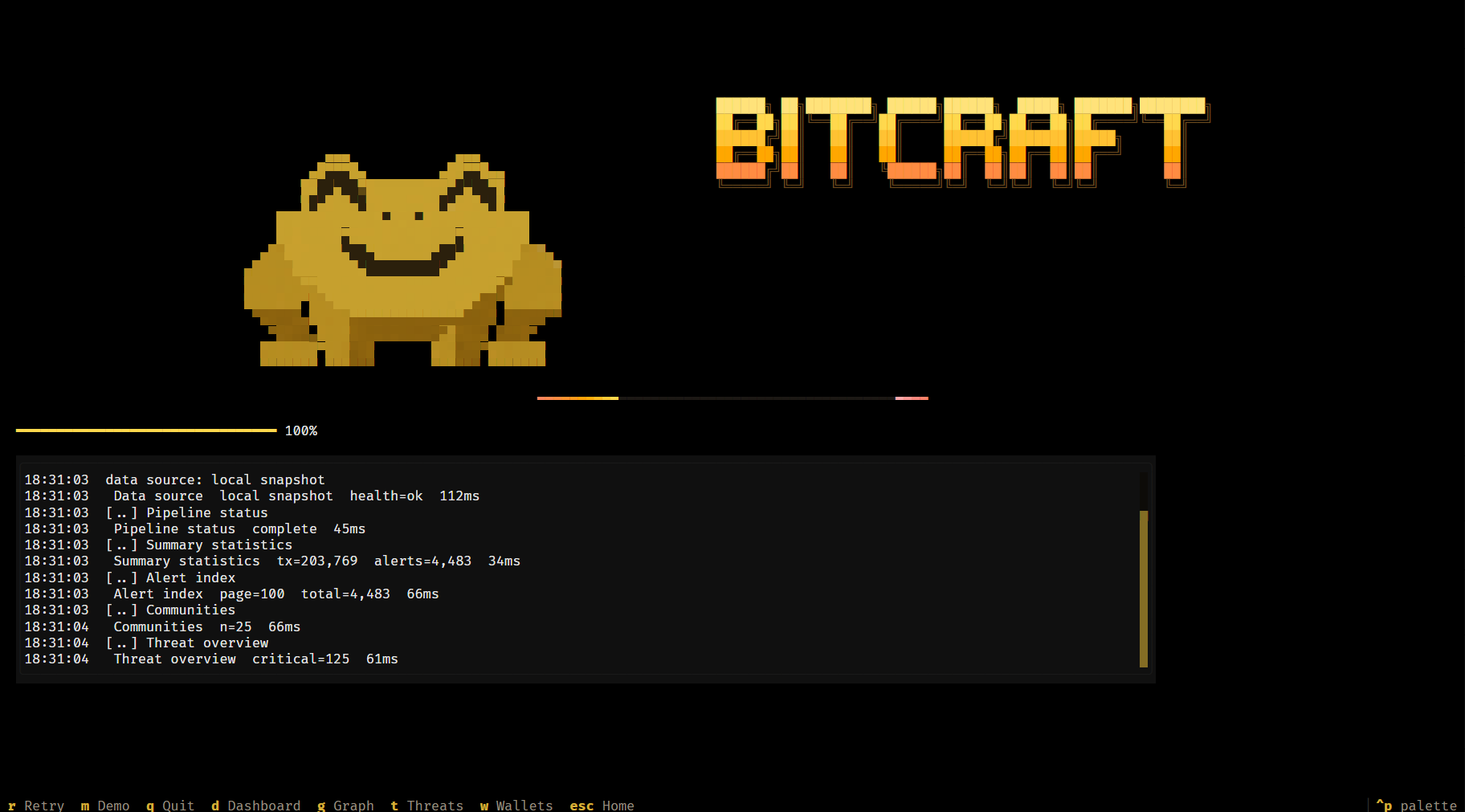
- Bulk ingestion of transaction and network metadata from CSV, JSON, JSON Lines and XML, with per-row validation
- Offline GeoIP enrichment (country, ASN, organisation) from the open DB-IP Lite databases
- Entity graph linking IP addresses, wallet addresses and transactions
- Wallet clustering with the common-input-ownership heuristic, and Louvain transaction communities
- Machine learning detection: a supervised risk model, a metadata model and an Isolation Forest, fused into one score
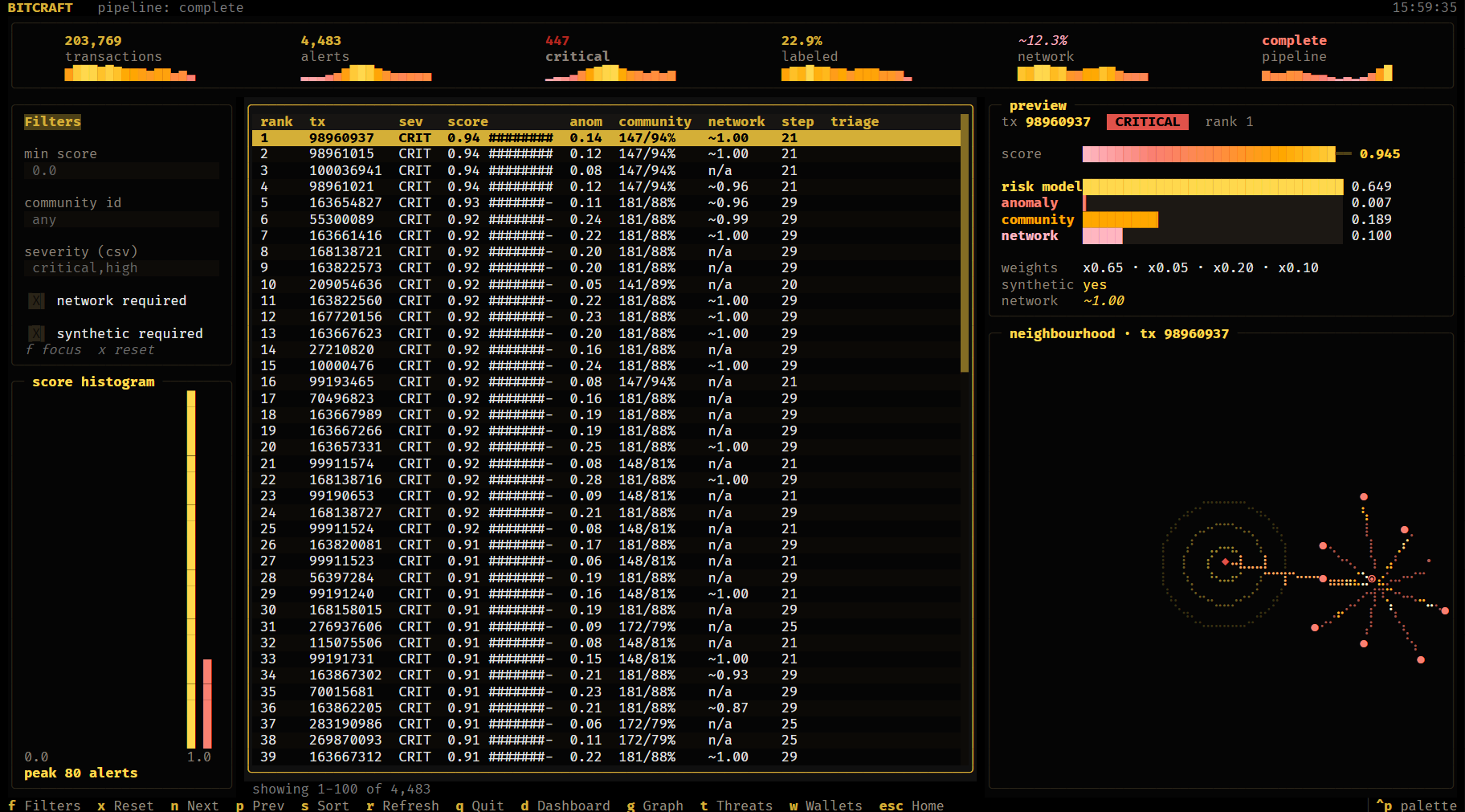
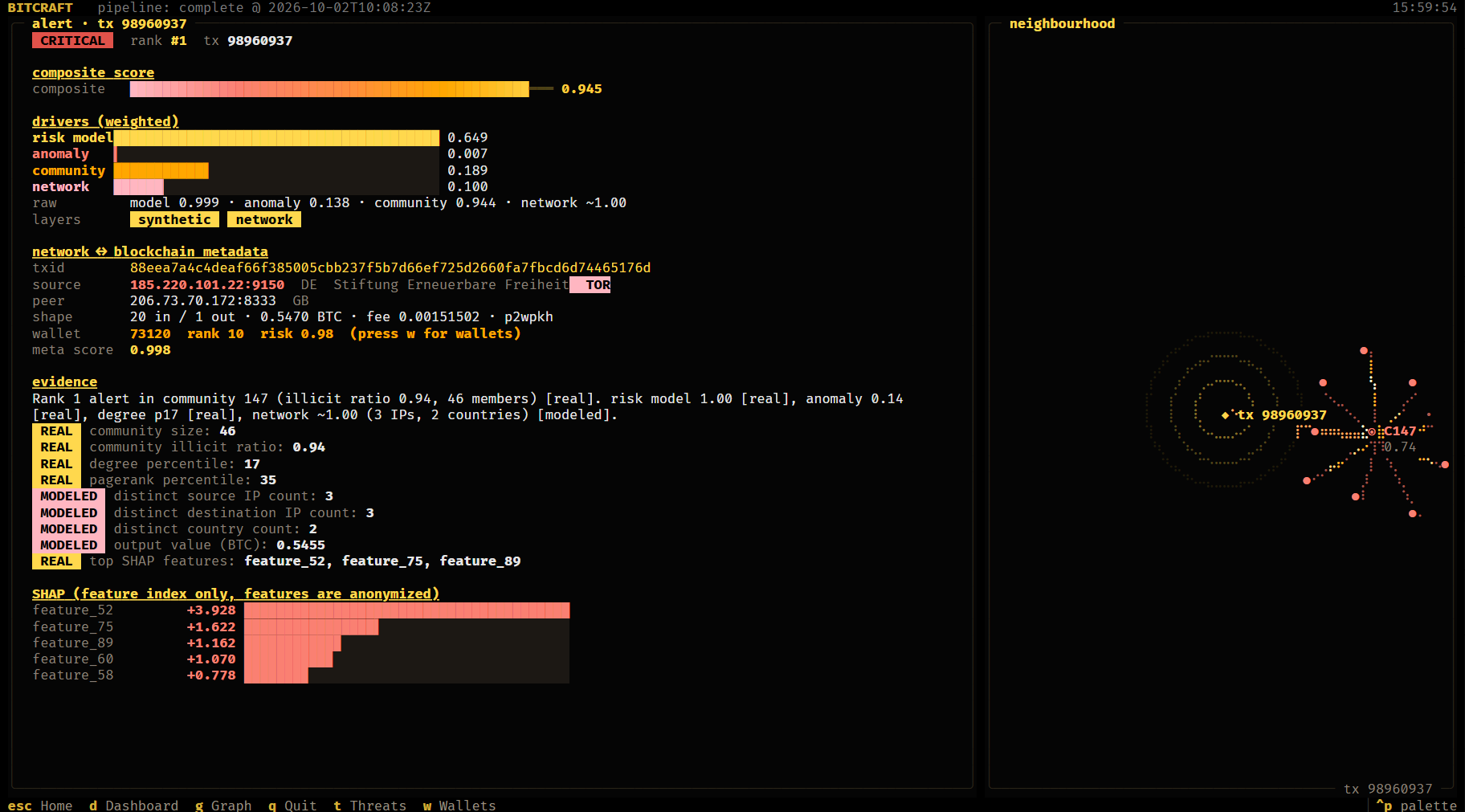
- Ranked, explainable alerts for transactions and wallets, each with a confidence score, SHAP reasons and evidence tagged real or modeled
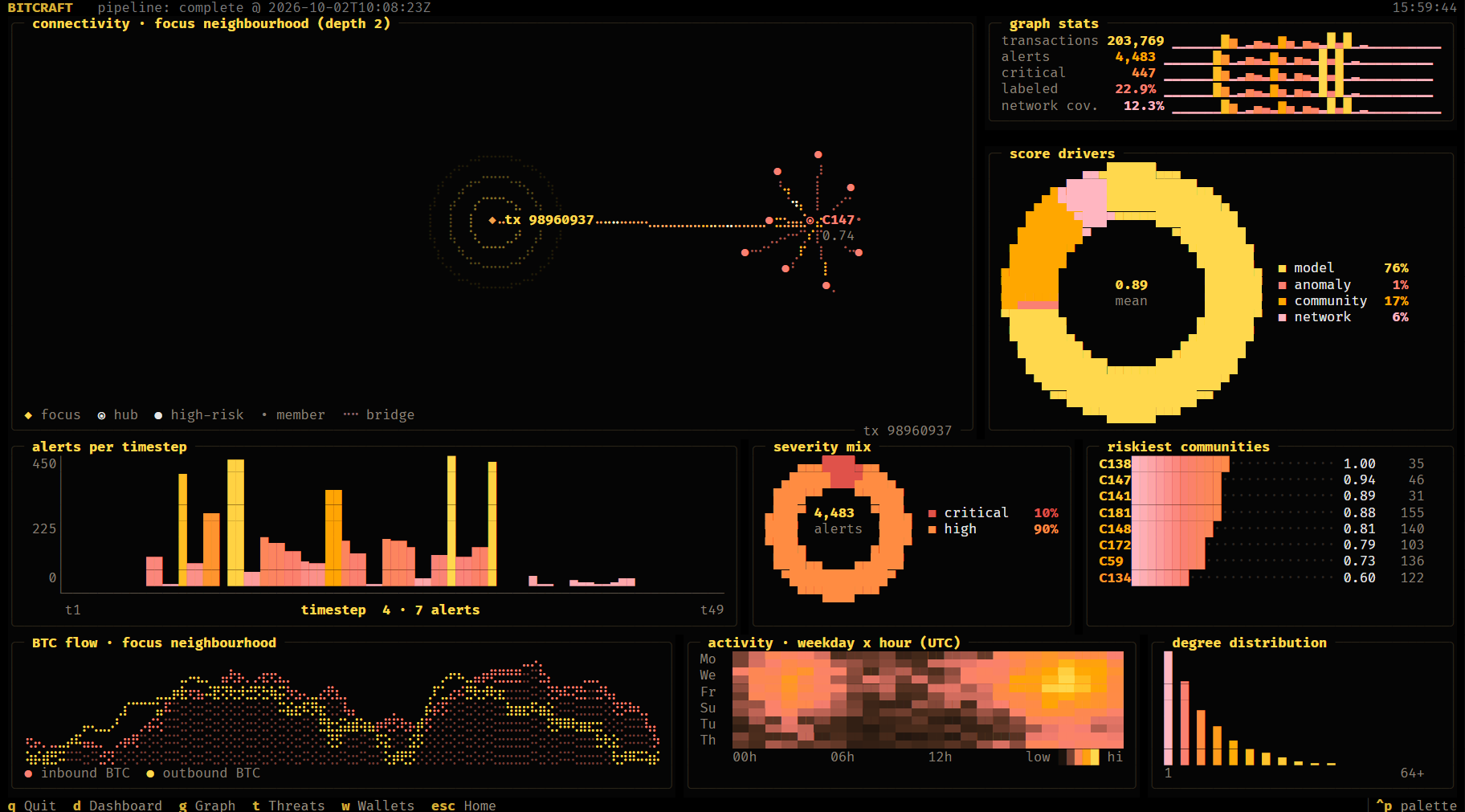
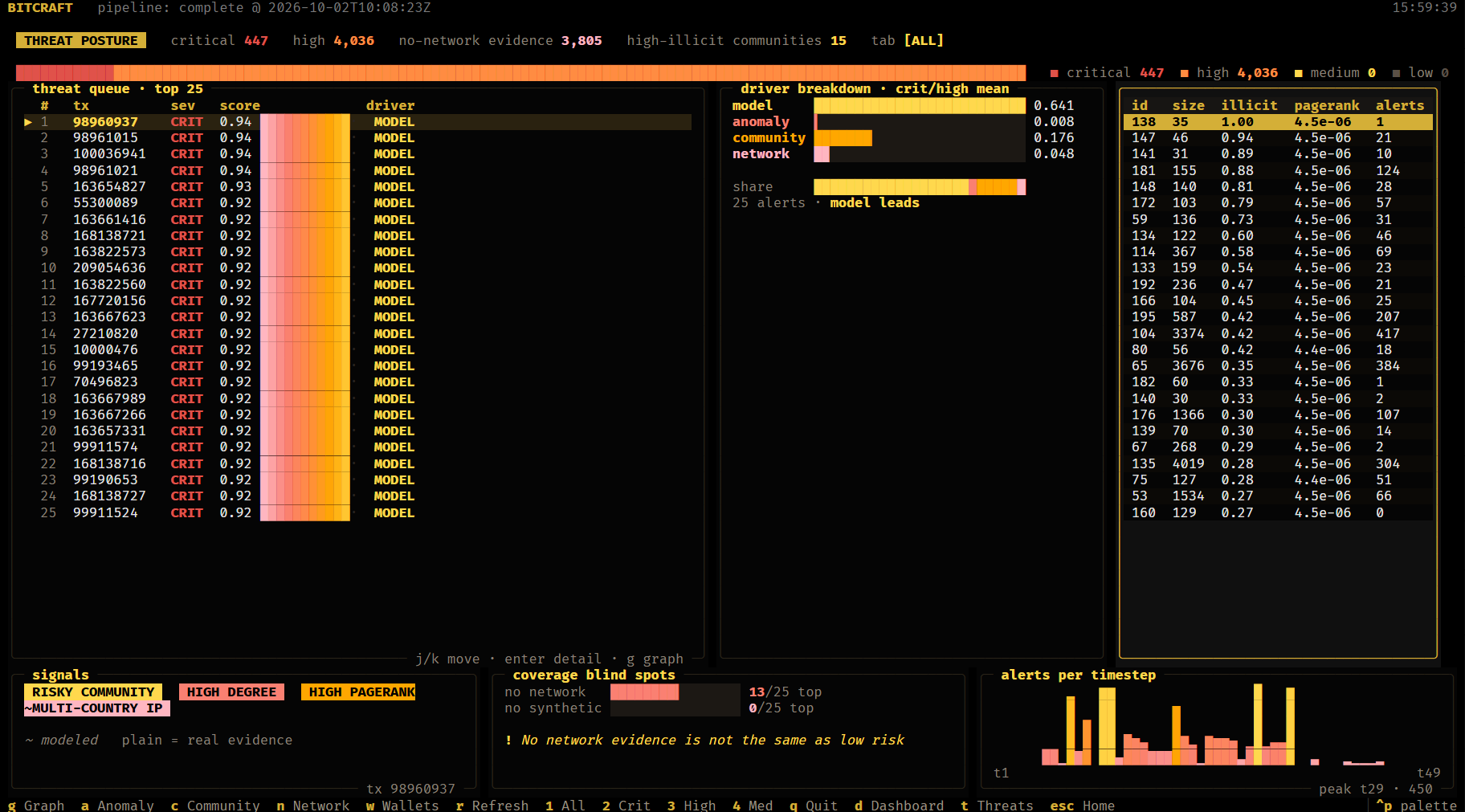
- Terminal dashboard with link analysis, threat overview, wallet investigation and alert detail
- Fully offline at runtime; Linux verified end to end with Docker
How it works
- Ingest CSV, JSON or XML metadata and reject malformed rows with a reason.
- Enrich every source and destination IP with GeoIP country and ASN, and flag Tor-exit and hosting networks.
- Build the graph: addresses, transactions and IPs, plus the 203,769-node transaction graph and its communities.
- Cluster wallets: addresses spent together in one transaction belong to the same owner.
- Score: a gradient-boosted risk model, a metadata model on the correlated network and blockchain features, community illicit ratios and an Isolation Forest are fused into a composite score.
- Explain: SHAP reasons and plain-language evidence for every alert, each item tagged real or modeled.
- Serve and show: results load into SQLite or PostgreSQL behind a read-only FastAPI service that the TUI reads.
No ML code runs at request time; the pipeline writes its results once and the API only reads them.
Dataset
The problem statement calls for a synthetic dataset modeled on real Bitcoin P2P and transaction fields. BitCraft generates it (python -m ml.metadata_generator) on top of a labeled, Elliptic-derived base dataset, with every minimum field:
| Field | Example |
|---|---|
timestamp |
2025-01-01T00:00:51Z |
src_ip, dst_ip |
185.220.101.22, 81.7.151.252 |
src_port, dst_port |
9150, 8333 |
txid |
64 hex characters |
input_addresses[], output_addresses[] |
Bitcoin addresses with valid checksums |
input_amounts[], output_amounts[] |
BTC, one per address |
fee, script_type |
0.00025, p2wpkh |
geo_country, asn |
Added offline from DB-IP Lite: DE, AS60729 |
Counts, amounts, fees, timestamps and labels come from the base dataset. Wallets, addresses, routable IPs and ports are synthesised, with laundering typologies planted (with noise) on illicit activity: address reuse, peeling chains, CoinJoin-style mixing, Tor and hosting egress, multi-country IP hopping and round payouts. The 50,000 records ship as CSV, JSON and XML, with GeoIP-enriched versions from python -m ml.ingest FILE --enrich --out FILE.
Results
Held-out timesteps 35 to 49, never seen in training (16,670 labeled transactions, 6.5% illicit):
| Score | AUC | Avg precision | Precision@100 | Precision@500 |
|---|---|---|---|---|
| Isolation Forest alone | 0.197 | 0.037 | 0.00 | 0.00 |
| Risk model alone | 0.940 | 0.803 | 1.00 | 1.00 |
| Composite (shipped ranking) | 0.899 | 0.812 | 1.00 | 0.994 |
On the metadata layer the model reaches AUC 0.969, wallet clustering purity is 0.999, and 98% of the top 100 wallet alerts are illicit owners. That layer is synthetic, so those numbers measure recovery of the planted typologies rather than real-world accuracy. The model card explains the model choice and the leakage guards.
Running the full system
From a source checkout, with the dataset CSVs in datasets/:
pip install -r requirements.txt -r backend/requirements.txt
pip install -e .
python -m ml.geoip download            # one time: DB-IP Lite country and ASN databases
python -m ml.metadata_generator        # challenge-format metadata (CSV, JSON, XML)
python -m ml.pipeline                  # about 5 minutes; writes ml/artifacts/
cd backend && python -m app.loader     # loads the results into backend/bitcraft.db
bitcraft                               # starts the API and opens the TUI
With no DATABASE_URL, the API uses a local SQLite file and Redis is optional. docker compose up --build runs the same pipeline on PostgreSQL and Redis and serves the API on port 8000. Interactive API docs are at http://localhost:8000/docs.
API: /alerts, /alerts/{tx_id}, /graph/{tx_id}?depth=, /communities, /communities/{id}, /entities, /entities/{id}, /entities/{id}/graph, /addresses/{address}, /ips/{ip}, /metadata/{tx_id}, /stats/summary, /threats/overview, /pipeline/status, /pipeline/metrics.
Explainable alerts
Every alert shows its composite score, the weighted drivers behind it, the correlated network and blockchain metadata (txid, source and peer IP:port, GeoIP country and ASN, Tor flag, inputs and outputs, wallet), evidence tagged real or modeled, and SHAP reasons. Missing network evidence is shown as n/a, never as low risk.
Documentation
| Document | Contents |
|---|---|
| User manual | Install, data, pipeline, API, TUI, offline deployment, troubleshooting |
| Technical writeup | Approach, model choice, explainability and results |
| Model card | Models, evaluation protocol, metrics and limitations |
| Dataset provenance | What is real, what is synthetic, GeoIP attribution |
| Submission checklist | Each requirement of SIH26146 and where it is met |
Project structure
bitcraft/     terminal interface and the `bitcraft` command (the pip package)
ml/           ingestion, GeoIP, entity graph, models, scoring, explainability, pipeline
backend/      FastAPI service and the artifact loader
packages/     PyPI and Chocolatey packaging, air-gapped bundle builder
docs/         manual, writeup, model card, provenance, screenshots
tests/        ML, backend and TUI tests
datasets/     local data (not in git)
Tech stack
| Layer | Technology |
|---|---|
| Data and features | pandas, PyArrow, NetworkX, python-louvain |
| Machine learning | scikit-learn (HistGradientBoosting, Isolation Forest), SHAP |
| GeoIP | DB-IP Lite (MMDB) via maxminddb |
| API and storage | FastAPI, SQLAlchemy, SQLite or PostgreSQL, Redis |
| Terminal interface | Textual, Rich |
| Packaging | PyPI, Chocolatey, Docker Compose |
License
BitCraft is open source under the Apache License 2.0. Copyright 2026 The BitCraft Authors: Rohan Pattanayak, Jagadish Pattnaik, Shreya Mishra, Shreya Mohanty, Ashutosh Badapada and Rosalin Nayak. See NOTICE.
IP geolocation by DB-IP, licensed CC BY 4.0. The Elliptic-derived dataset is distributed separately and is not covered by this license.
1 maintainer

Metadata
1 maintainer
Release files for bitcraft 0.1.1
For a detailed explanation of source distributions (sdists) and built distributions (wheels), please see the package formats documentation.
Source distribution (sdist)
| File | Size | Uploaded | |
|---|---|---|---|
| bitcraft-0.1.1.tar.gz | 87.5 kB | Details |
Built distribution (wheel)
| File | Interpreter | ABI | Platform | Reset |
|---|---|---|---|---|
| bitcraft-0.1.1-py3-none-any.whl | Python 3 | none | any | Details |
Total release size: 188.0 kB
Release files / bitcraft-0.1.1.tar.gz
| Download URL | bitcraft-0.1.1.tar.gz |
|---|---|
| Size | 87.5 kB |
| Tags | Source |
|
SHA-256 checksum How to use checksums |
1daaf258cb23bbac43a1f18492d0f34ea9067f671d5666374c89f54a8ab2ceb2
|
|
BLAKE2b-256 checksum How to use checksums |
d5a2a6c11fc873854885bb2c9deb71ec9cf088970dc259a9153bb216b3e42a4c
|
| Upload date | |
|
Uploaded using Trusted Publishing? What is trusted publishing? |
No |
| Uploaded via |
twine/7.0.0 CPython/3.13.5
|
Release files / bitcraft-0.1.1-py3-none-any.whl
| Download URL | bitcraft-0.1.1-py3-none-any.whl |
|---|---|
| Size | 100.5 kB |
| Tags | Python 3 |
|
SHA-256 checksum How to use checksums |
9de356276ec4d4944e72beb9acb527782d2ac33f51d8ddf4fae43702116ee067
|
|
BLAKE2b-256 checksum How to use checksums |
eb10f6911ee0629dd2f0d1b4e15cf9c6846c476914ea264d3c206e14c432c678
|
| Upload date | |
|
Uploaded using Trusted Publishing? What is trusted publishing? |
No |
| Uploaded via |
twine/7.0.0 CPython/3.13.5
|














