
🌀 bluer-options
🌀 bluer_options implements an options argument for Bash.
installation
pip install bluer_options
if using outside the bluer-ai ecosystem, add this line to ~/.bash_profile or ~/.bashrc,
source $(python3 -m bluer_options locate)/.bash/bluer_options.sh
for more refer to 🔻 giza.
usage
let the function receive one or more options arguments (example below) then parse them with bluer_ai_option, bluer_ai_option_int, and bluer_ai_option_choice.
function func() {
    local options=$1

    local var=$(bluer_ai_option "$options" var default)
    local key=$(bluer_ai_option_int "$options" key 0)
    local choice=$(bluer_ai_option_choice "$options" value_1,value_2,value_3 default)

    :
}
this enables the user to call func as,
func var=12,~key,value_1
all options have defaults and order doesn't matter.
example 1
here is an example use of an options in the vancouver-watching 🌈 ingest command:
> @help vanwatch ingest
vanwatch \
	ingest \
	[area=<area>,count=<-1>,~download,dryrun,~upload] \
	[-|<object-name>] \
	[process,count=<-1>,~download,dryrun,gif,model=<model-id>,publish,~upload] \
	[--detect_objects 0] \
	[--overwrite 1] \
	[--verbose 1]
this command takes in an options, an object, and args. an options is a string representation of a dictionary, such as,
area=<vancouver>,~batch,count=<-1>,dryrun,gif,model=<model-id>,~process,publish,~upload
which is equivalent, in json notation, to,
{
    "area": "vancouver",
    "batch": false,
    "count": -1,
    "dryrun": true,
    "gif": true,
    "model": "<model-id>",
    "process": false,
    "publish": true,
    "upload": false,
}
example 2
from reddit
How can I automate these tree commands I frequently need to type out? I would like to run:
git add .
git commit -m "Initial "commit"
git push
I got bored of typing them out each time. Can I make an alias or something like "gc" (for git commit). The commit message is always the same "Initial commit".
first, install bluer-options. this will also install blueness.
pip install bluer_options
then, copy example1.sh to your machine and add this line to the end of your bash_profile,
source <path/to/example1.sh>
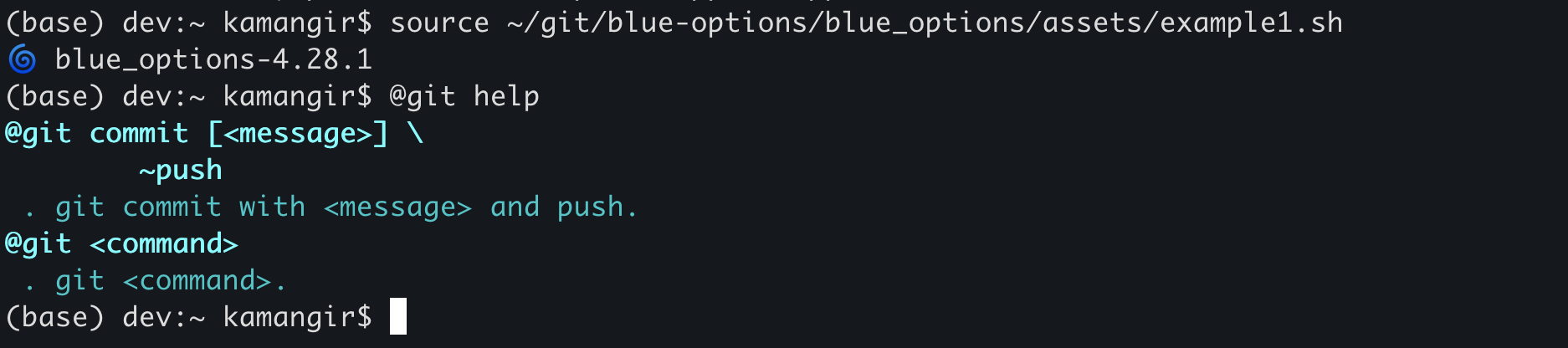
now, you have access to the @git super command. here is how it works.
@git helpshows usage instructions (see below).@git commitruns the three commands. you can customize the message by running@git commit <message>. you can also avoid the push by running@git commit <message> ~push.- for any
<task>other thancommit,@git <task> <args>runsgit <task> <args>.
 > @git help
 @git commit [<message>] \
	~push
 . git commit with <message> and push.
@git <command>
 . git <command>.
🌀
blue-optionsfor the Global South.




built by 🌀 blueness-3.122.1.
1 maintainer

Metadata
1 maintainer
Release files for bluer-options 5.345.1
For a detailed explanation of source distributions (sdists) and built distributions (wheels), please see the package formats documentation.
Source distribution (sdist)
| File | Size | Uploaded | |
|---|---|---|---|
| bluer_options-5.345.1.tar.gz | 34.8 kB | Details |
Built distribution (wheel)
| File | Interpreter | ABI | Platform | Reset |
|---|---|---|---|---|
| bluer_options-5.345.1-py3-none-any.whl | Python 3 | none | any | Details |
Total release size: 87.0 kB
Release files / bluer_options-5.345.1.tar.gz
| Download URL | bluer_options-5.345.1.tar.gz |
|---|---|
| Size | 34.8 kB |
| Tags | Source |
|
SHA-256 checksum How to use checksums |
c4f4e84b48e6b41f44a98547f7ea6d97b152182078c0e376faf83a5a45979781
|
|
BLAKE2b-256 checksum How to use checksums |
e2a29164b66a657cdfe3e17963e48eb0b27f0cfa43d740b8277591a290971ecd
|
| Upload date | |
|
Uploaded using Trusted Publishing? What is trusted publishing? |
No |
| Uploaded via |
twine/6.1.0 CPython/3.12.9
|
Release files / bluer_options-5.345.1-py3-none-any.whl
| Download URL | bluer_options-5.345.1-py3-none-any.whl |
|---|---|
| Size | 52.2 kB |
| Tags | Python 3 |
|
SHA-256 checksum How to use checksums |
9ca62f69a07da0a637a25fe6911c6ed57ea4186f2e33db551dccd720cf751d60
|
|
BLAKE2b-256 checksum How to use checksums |
d133c51d274f0643015ff28a572e4214b8e1350eaa9737ddba741757078535fe
|
| Upload date | |
|
Uploaded using Trusted Publishing? What is trusted publishing? |
No |
| Uploaded via |
twine/6.1.0 CPython/3.12.9
|














