
blueye.sdk





Read Latest Documentation - Browse GitHub Code Repository
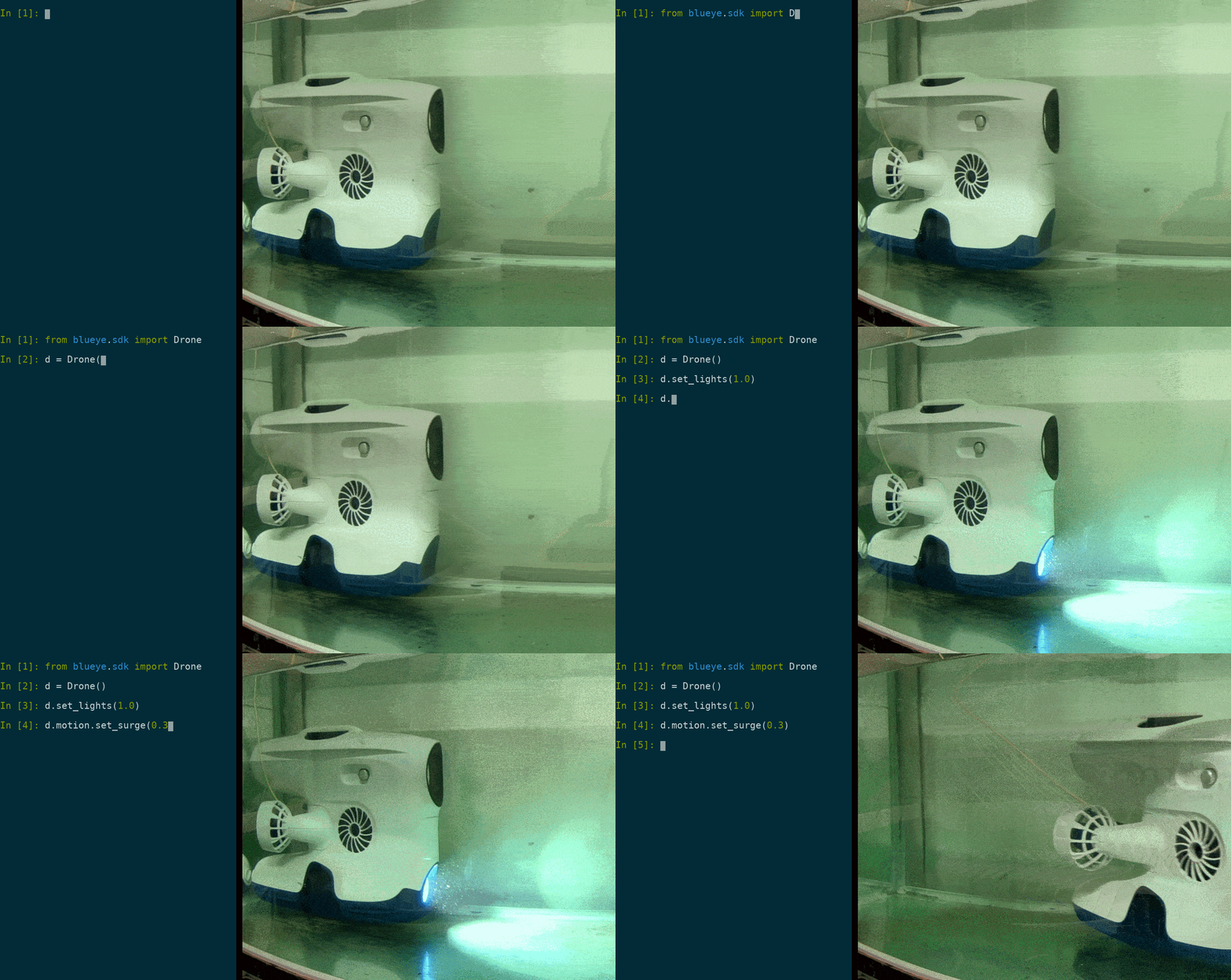
A Python package for controlling Blueye underwater drones from a computer. It drives the drone and its auto modes, reads telemetry, records video and takes pictures, runs missions, controls guest port tools such as grippers and lights, and downloads dive logs. It also installs a blueye command for common tasks from the terminal.
Installation
The SDK needs Python 3.10 or newer.
pip install blueye.sdk
Two extras add optional dependencies:
pip install "blueye.sdk[examples]"for the example scripts.pip install "blueye.sdk[cli]"for the CLI commands that bundle computer vision models and convert dive logs to MCAP.
uv works too, with uv pip install blueye.sdk. The Quick Start Guide walks through setting up a virtual environment on Windows, macOS and Linux.
A first script
With your computer on the surface unit's Wi-Fi, this connects as an observer, so the pilot keeps control, and prints the depth and battery level:
from blueye.sdk import Drone

with Drone(connect_as_observer=True) as drone:
    print("Depth in metres:", drone.get_depth())
    print("Battery level, 0 to 1:", drone.battery.get_state_of_charge())
Supported drones
The SDK works with every Blueye model: the Pioneer, Pro, X1, X3, X3 Ultra and X7.
| Model | Camera | Camera tilt | Guest ports | CV models |
|---|---|---|---|---|
| Pioneer | Up to 1080p | None | None | No |
| Pro | Up to 1080p | ±30° | None | No |
| X1 | Up to 1080p | ±30° | 1 | No |
| X3 | Up to 1080p | ±30° | 3 | No |
| X3 Ultra | 4K | ±30° | 3 | Yes |
| X7 | 4K | ±90° | 6 | Yes |
Blueye drone models has the full table and the differences that matter to a script, and blueyerobotics.com has more about the drones.
Documentation
The documentation covers connecting, movement, video, logs, configuration, telemetry, peripherals and missions, with a full API reference.
The surface unit's Wi-Fi usually has no internet access, so a copy of the documentation for the installed version ships with the package. Open it with:
import blueye.sdk

blueye.sdk.open_local_documentation()
Run blueye --help for the CLI. Report bugs and ask questions on GitHub Issues.
1 maintainer

Metadata
1 maintainer
Release files for blueye.sdk 2.9.0
For a detailed explanation of source distributions (sdists) and built distributions (wheels), please see the package formats documentation.
Source distribution (sdist)
| File | Size | Uploaded | Provenance | Actions |
|---|---|---|---|---|
| blueye_sdk-2.9.0.tar.gz | 12.7 MB | Without provenance | Details for blueye_sdk-2.9.0.tar.gz |
Built distribution (wheel)
| File | Interpreter | ABI | Platform | Actions Reset |
|---|---|---|---|---|
| blueye_sdk-2.9.0-py3-none-any.whl | Python 3 | none | any | Details for blueye_sdk-2.9.0-py3-none-any.whl |
Total release size: 25.4 MB
Release files / blueye_sdk-2.9.0.tar.gz
| Download URL | blueye_sdk-2.9.0.tar.gz |
|---|---|
| Size | 12.7 MB |
| Tags | Source |
|
SHA-256 checksum How to use checksums |
fe970eaa55527e3de11d7ab083ff5c3b949aec8a3447d81acf1fb20d22cf5864
|
|
BLAKE2b-256 checksum How to use checksums |
08aef694cad489d45c2c951c6f2b29649228059befd59a90c3737d0e43d6a4ac
|
| Upload date | |
|
Uploaded using Trusted Publishing? What is trusted publishing? |
No |
| Uploaded via |
uv/0.7.11
|
Release files / blueye_sdk-2.9.0-py3-none-any.whl
| Download URL | blueye_sdk-2.9.0-py3-none-any.whl |
|---|---|
| Size | 12.8 MB |
| Tags | Python 3 |
|
SHA-256 checksum How to use checksums |
10148def52701d1e350aa91f1b07b31dd62d0da2c54e7392f51def30615b7308
|
|
BLAKE2b-256 checksum How to use checksums |
b1949e7582ae7d8b5ab217f9ad1e445359c734c22835bfd4ba6c524c2b562d40
|
| Upload date | |
|
Uploaded using Trusted Publishing? What is trusted publishing? |
No |
| Uploaded via |
uv/0.7.11
|
Security for blueye.sdk 2.9.0
Provenance
Provenance describes where a file came from. On PyPI, provenance is shared via attestations, which provide a verifiable record of the build or publishing details. View details, limitations and caveats.
No provenance found
None of the files in this release were uploaded with provenance metadata.
A note on package security
PyPI is a repository for distributing packages, not a service for auditing them. While third-party security researchers and our staff do their best to detect and remove malicious packages, PyPI cannot guarantee the quality, security or suitability of any given package.
To learn more about protecting yourself from malicious actors, visit our package security documentation.














