
Boidswarm (zombiebubble-boids)
An advanced, high-performance Entity Component System (ECS) flocking simulation.
While traditional "Boids" algorithms simulate flocking using 3 basic rules (separation, alignment, cohesion), boidswarm introduces an advanced Graph-Laplacian Leader Election system. This allows your flock to intelligently pass messages, nominate leaders, and gracefully recover when leaders get stuck or destroyed.
Installation
pip install boidswarm
Features (No Advanced Math Required!)
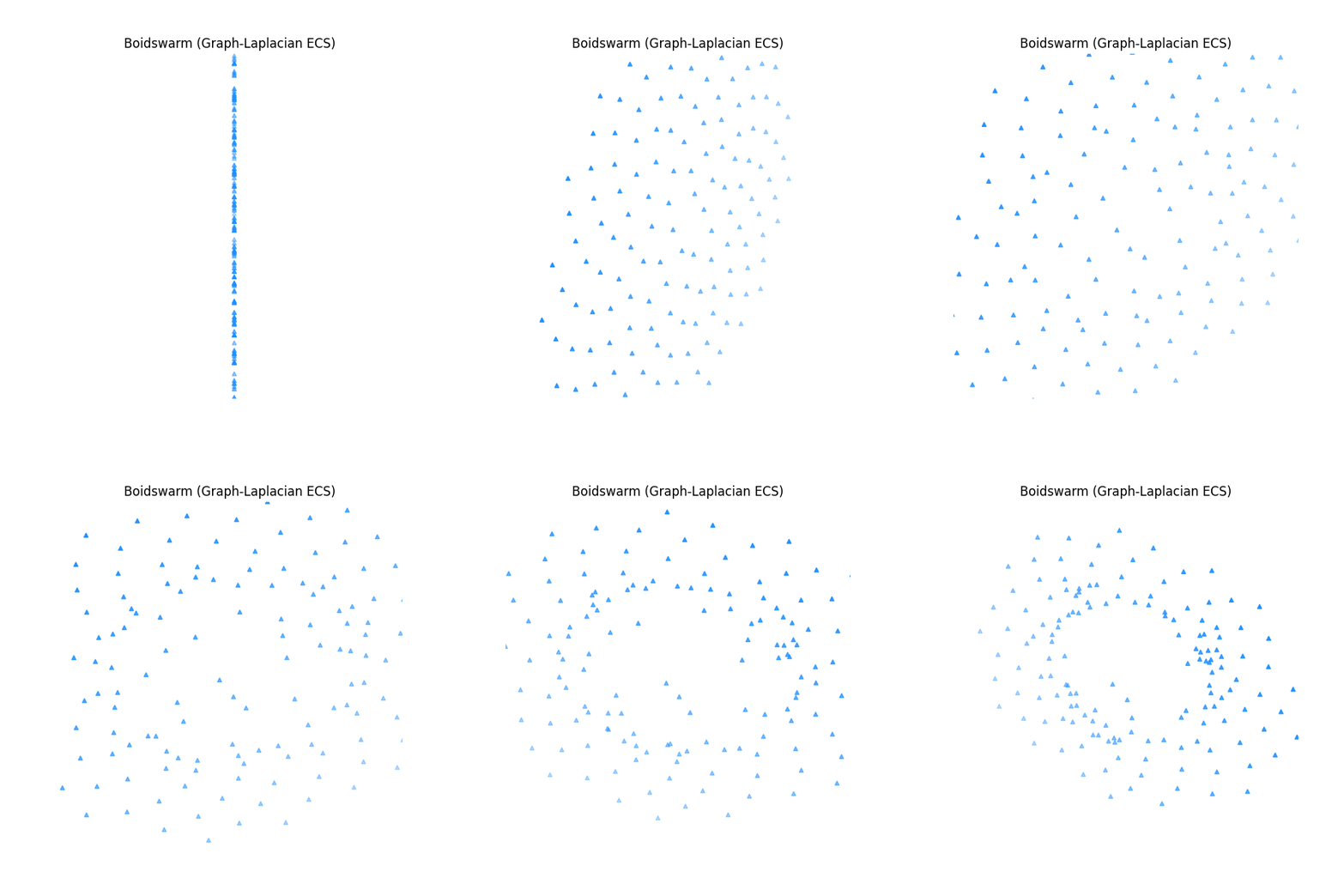
If you've never used Boids before, think of them as AI agents that group together like flocks of birds or schools of fish. This library makes managing them incredibly robust:
1. The "Ripple Effect" (Signal Propagation)
In basic flocking, a boid only reacts to its immediate neighbors. If a boid at the front spots the player or a target, the back of the flock won't know and might break formation.
- How it works: Information (like a "pursuit signal") diffuses through the flock like heat spreading through metal.
- How to use it: You control this with the
alphaparameter.alpha = 0.1to0.3: Highly recommended. The signal spreads fluidly and realistically.alpha = 0.0: No spreading (traditional, dumb boids).alpha = 1.0: Instant hive-mind transmission.
2. Auto-Healing Leader Election
Navigating complex environments usually causes flocks to get stuck in corners.
- How it works: Beneath the hood, the system dynamically classifies every boid into 7 roles (e.g., Follower, Sub-Leader, Leader, Prime).
- How to use it: It works automatically! If your current leader drops out of the simulation (becomes a "Phantom Dead") or its speed drops too low (becomes "Phantom Stuck"), the system immediately promotes a Sub-Leader to take its place. The flock never permanently breaks down.
3. Customizable Flock Personalities (Gram Matrix)
You can tune the underlying scoring engine to fit the specific needs of your game or simulation without rewriting any core logic:
- Resilience-First: Best for massive, chaotic, or combat-heavy flocks. It guarantees the flock stays together even if multiple leaders are lost simultaneously.
- Expressiveness-First: Best for small, tight-knit flocks where you want highly nuanced, synchronized, and agile movements.
Command Line Usage
After installation, the zombiebubble command is available with three subcommands:
zombiebubble COMMAND [options]

Commands:
  run     Run a headless boids simulation
  check   Statically analyse a Python file for risky Swarm() call sites
  info    Show library version and build information
zombiebubble run — headless simulation
zombiebubble run [--boids N] [--steps S] [--dt DT] [--print-every K] [--no-intro]
| Option | Default | Description |
|---|---|---|
--boids N |
20 | Number of boids to simulate |
--steps S |
200 | Total simulation steps |
--dt DT |
0.016 | Time delta per step (seconds) |
--print-every K |
40 | Print a metrics row every K steps |
--no-intro |
— | Skip the Boids explanation text |
Examples:
# Quick default run (20 boids, 200 steps)
zombiebubble run

# Large flock, long run, silent intro
zombiebubble run --boids 200 --steps 1000 --no-intro

# Slow-motion with fine-grained output
zombiebubble run --boids 30 --dt 0.008 --print-every 10
Understanding the output columns:
| Column | Meaning |
|---|---|
step / time |
Simulation frame and elapsed simulated time |
spread |
Average distance from the flock centroid (metres). Shrinking = cohesion working |
avg speed |
Mean boid speed (m/s) |
status |
Human-readable flock state |
After the run, the tool prints the initial vs. final spread and confirms whether the Cohesion rule pulled the flock together.
Note: If you pass a very small
--boidsvalue, the tool will print a warning to stderr explaining which internal thresholds are at risk. These warnings do not stop the simulation.
zombiebubble check — static analysis (gcc-style)
Analyses a Python source file for Swarm(N) call sites where N falls below
the kernel thresholds required for reliable leader election and full flock
expressiveness. Useful in CI pipelines.
zombiebubble check FILE [--error]
| Option | Description |
|---|---|
FILE |
Python source file to analyse |
--error |
Treat warnings as errors (exit code 2 instead of 1) |
Exit codes:
| Code | Meaning |
|---|---|
| 0 | No issues found |
| 1 | One or more warnings emitted |
| 2 | Warnings emitted and --error was passed |
Example output:
$ zombiebubble check my_game.py
error[BW001]: 2 boids < 3 (min-distance d): error-correction structure collapsed
  --> my_game.py:12:13
    |
 12 |     swarm = Swarm(2)
    |             ~~~~~~~~
    |
    = help: the kernel corrects t=⌊(d−1)/2⌋=1 simultaneous leader loss but needs ≥ d=3 boids to form the correction graph; add at least 1 more

my_game.py: 1 error(s)
Understanding Diagnostics (The Bird Analogy)
The simulation relies on advanced group dynamics. If your flock is too small, the system emits rustc-style diagnostics to let you know why the flock might behave poorly. You don't need a math degree to fix them — just think of them as real birds!
| Code | Level | What it means in plain English |
|---|---|---|
BW001 |
Error | The Lonely Birds (N < 3): A flock of 1 or 2 birds isn't really a flock. If one gets lost or stuck, the other is completely alone. You need at least 3 birds so that if one drops out, the remaining two can still navigate together. |
BW002 |
Warn | The Understaffed Committee (N < 5): To make complex, agile turns, the flock divides decision-making into 5 independent "thoughts" (degrees of freedom). With fewer than 5 birds, they simply don't have enough brainpower to perform fancy, nuanced maneuvers. |
BW003 |
Warn | Missing the Alpha (N < 7): A healthy flock organizes itself into a 7-tier social hierarchy. With fewer than 7 birds, the absolute top rank (the "prime-leader") remains empty. The flock will fly, but without a strong central guide. |
BW004 |
Note | The Missing Partner (Exactly 6 birds): This is a mathematical quirk! With exactly 6 birds, an Alpha is elected, but the 7th rank (the "lone scout" or isolated counterbalance) is empty. The leader feels unsupported. Adding just 1 more bird (to exactly 7) fixes their social dynamic entirely. |
BW005 |
Note | The Awkward Tie (Exactly 4 birds): 4 birds hit an invisible resonance boundary in how the algorithm calculates distances. They get slightly confused about who is leading whom. Adding 1 bird steps off this awkward boundary. |
| (note) | Note | The Safest Journey (N ≥ 9): If you want an ultra-resilient flock that can survive 2 leaders getting lost simultaneously without any hesitation, aim for at least 9 birds. |
Use in CI (GitHub Actions example):
- name: Check boid counts
  run: zombiebubble check src/my_sim.py --error
zombiebubble info — build info
zombiebubble info
Prints the installed package version, Python version, and OS/architecture.
License
Licensed under GPL-3.0-only.
1 maintainer

Metadata
1 maintainer
Release files for boidswarm 0.1.8
For a detailed explanation of source distributions (sdists) and built distributions (wheels), please see the package formats documentation.
Source distribution (sdist)
| File | Size | Uploaded | |
|---|---|---|---|
| boidswarm-0.1.8.tar.gz | 293.9 kB | Details |
Built distribution (wheel)
| File | Interpreter | ABI | Platform | Reset |
|---|---|---|---|---|
| boidswarm-0.1.8-py3-none-any.whl | Python 3 | none | any | Details |
Total release size: 588.6 kB
Release files / boidswarm-0.1.8.tar.gz
| Download URL | boidswarm-0.1.8.tar.gz |
|---|---|
| Size | 293.9 kB |
| Tags | Source |
|
SHA-256 checksum How to use checksums |
a178c378b1667b8ad3cee8e25afaf9af3986e8df3c960ce74044e64249a5dcb8
|
|
BLAKE2b-256 checksum How to use checksums |
09746d8834c92b68ccff474ef40bcdea33983251cc497835bc98b9558eebc54e
|
| Upload date | |
|
Uploaded using Trusted Publishing? What is trusted publishing? |
No |
| Uploaded via |
twine/6.2.0 CPython/3.13.5
|
Release files / boidswarm-0.1.8-py3-none-any.whl
| Download URL | boidswarm-0.1.8-py3-none-any.whl |
|---|---|
| Size | 294.7 kB |
| Tags | Python 3 |
|
SHA-256 checksum How to use checksums |
fa3c6db3196ef4084613fdd6149cdaa485396a977d1b295c74c13c36117c0e5f
|
|
BLAKE2b-256 checksum How to use checksums |
3d28815c72950a79b827faf5545905d4f2ee22a3a5b6f4ef0c367d7694c7f64e
|
| Upload date | |
|
Uploaded using Trusted Publishing? What is trusted publishing? |
No |
| Uploaded via |
twine/6.2.0 CPython/3.13.5
|














