
brainbow
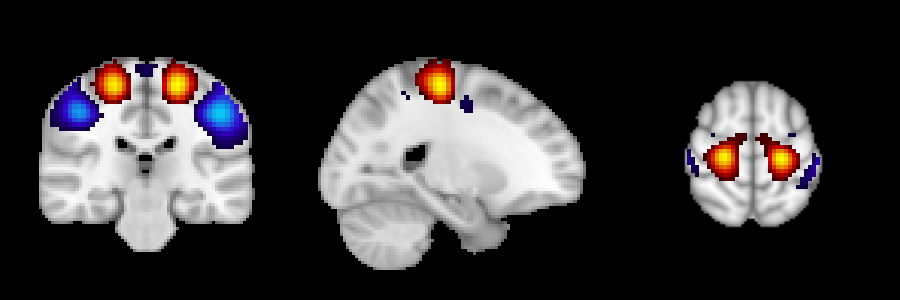
Script for visualizing ICA/ROI brain parcellation
Requirements
pip install brainbow
Examples
brainbow -n {your_brain_map}.nii
Quick guide
- provide a path to nifti map (
-n/--niftiflag) and anatomical underlay (-a/--anatflag, optional) - control the output with
--sign,--thr, and--no-normflags - to plot only certain components use
-c/--componentflag - to set cut coordinates manually use
--cutflag - see below for more info
Options for brainbow
-
-n/--nifti- path to the nifti file with 4D ICA map to convert to images (last dimension is components), or
- path to the nifti file with 3D ROI map to convert to images (int values from 0 to
n_regions); - required
-
-a/--anat- path to the anatomical image to use as an underlay
- if none is provided, the MNI 152 template is used as an underlay
-
-o/--output- name of the output file(s)
- default -
brainbow-output.png/svg - You can specify the exact extension (
pngorsvg). If none is provided, files with both extensions will be created
-
--rich- if
--richis passed, in addition to the basic output a config file and a csv file containing cut coordinates is generated
- if
-
-s/--sign- choices:
pos, neg, both - used for leaving only positive (
pos), only negative (neg), or all values (both) in the components - ALSO controls the colormap
- choices:
-
--thr- threshold value for component significance
- if component is significant,
thris used to mask values:-thr < value < thr - if all abs values in the component are below
thr, component won't be visualized - default -
0.2
-
--no-norm- use to disable data normalization
- normalization includes:
- centering around median,
- divsion by the max abs value, and
- divsion by the sign (
1 or -1) of this max abs value
-
--extend- if passed, in addition to overlay+underlay picture each component
will also have a row with separate overlay/underlay - helpful for QC
- if passed, in addition to overlay+underlay picture each component
-
--dpi- dpi for png output
- default -
150
-
--annotate- choices:
none, minimal, full - show components indices (
minimal), components indices and cut coordinates (full), or nothing (none) on the output figure - default -
minimal
- choices:
-
-c/--components- allows to provide a list of components to plot (e.g., '42 4 2')
- enumeration starts with 1
-
--cut- allows to set the cut coordinates manually
- default behavior is to use the coordinates of the max abs value of each component
- needs to be either:
- a path to scv file (like the one created by
--richflag), or - a comma separated list of 3 cooridnates, which will be used for all components.
- a path to scv file (like the one created by
- coordinates order should be RAS+
- be careful when using with
--componentsflag: brainbow assumes that the components order in the csv file correspond to the order of the provided components
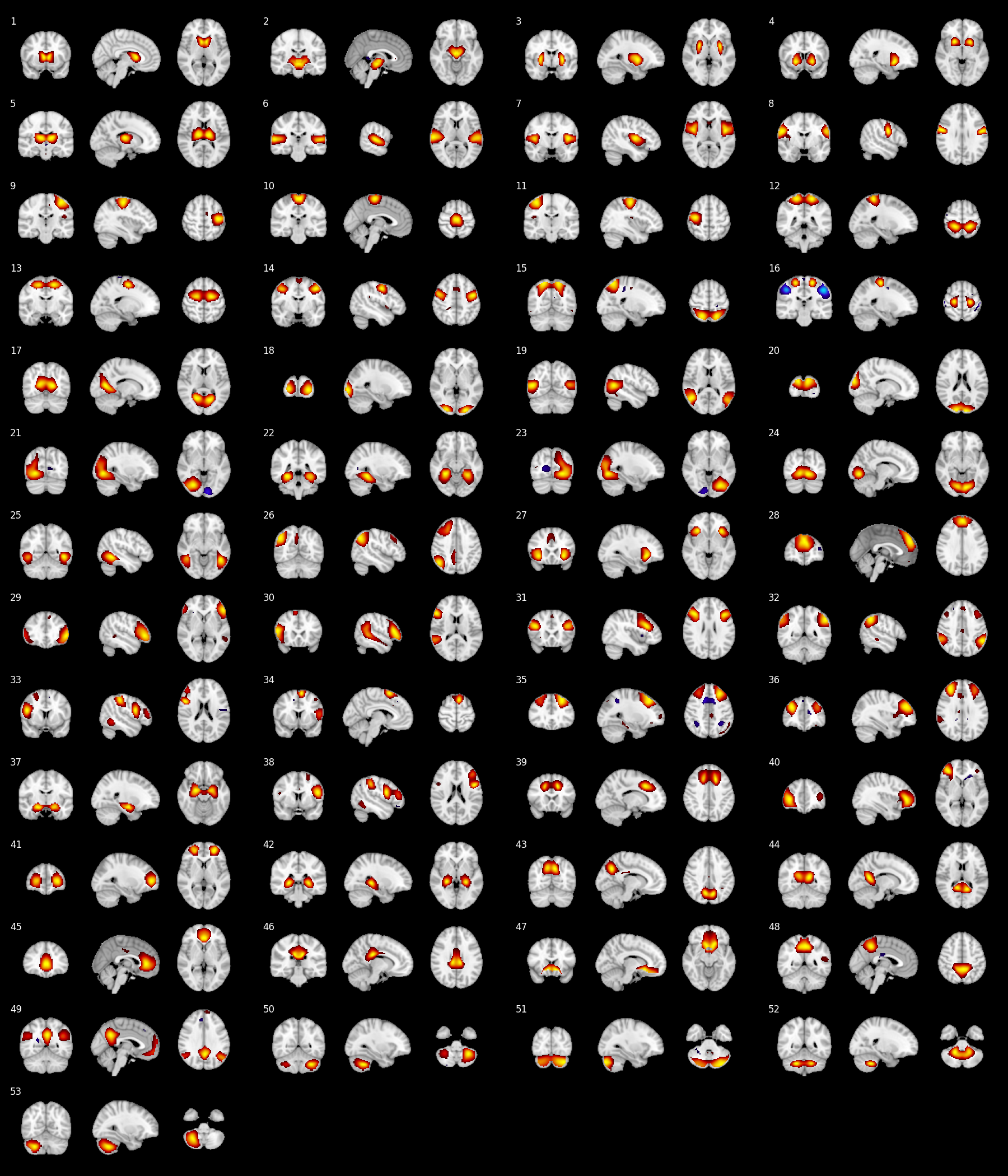
Output example
1 maintainer

Metadata
1 maintainer
Release files for brainbow 0.1.12
For a detailed explanation of source distributions (sdists) and built distributions (wheels), please see the package formats documentation.
Source distribution (sdist)
| File | Size | Uploaded | Provenance | |
|---|---|---|---|---|
| brainbow-0.1.12.tar.gz | 429.4 kB | Without provenance | Details |
Built distribution (wheel)
| File | Interpreter | ABI | Platform | Reset |
|---|---|---|---|---|
| brainbow-0.1.12-py3-none-any.whl | Python 3 | none | any | Details |
Total release size: 864.6 kB
Release files / brainbow-0.1.12.tar.gz
| Download URL | brainbow-0.1.12.tar.gz |
|---|---|
| Size | 429.4 kB |
| Tags | Source |
|
SHA-256 checksum How to use checksums |
db2d3ae1a3d77ff9b8c07dae0422e4bb2ea79ec3995a5439288a23f514848e97
|
|
BLAKE2b-256 checksum How to use checksums |
0646fae236546f37ec6dba36280cf3658dde9e8bc2d3f8420008a3a658a7b1b9
|
| Upload date | |
|
Uploaded using Trusted Publishing? What is trusted publishing? |
No |
| Uploaded via |
twine/6.2.0 CPython/3.12.11
|
Release files / brainbow-0.1.12-py3-none-any.whl
| Download URL | brainbow-0.1.12-py3-none-any.whl |
|---|---|
| Size | 435.3 kB |
| Tags | Python 3 |
|
SHA-256 checksum How to use checksums |
53afc2dbd3a7c8aea88cfc4f1b3c932fac0f4d27a5df3cf09681fb25912d3f14
|
|
BLAKE2b-256 checksum How to use checksums |
fc5693da2c90dde2c93a51e093fdbecebd4f18595feef04ba24488f422298267
|
| Upload date | |
|
Uploaded using Trusted Publishing? What is trusted publishing? |
No |
| Uploaded via |
twine/6.2.0 CPython/3.12.11
|
Security for brainbow 0.1.12
Provenance
Provenance describes where a file came from. On PyPI, provenance is shared via attestations, which provide a verifiable record of the build or publishing details. View details, limitations and caveats.
No provenance found
None of the files in this release were uploaded with provenance metadata.
A note on package security
PyPI is a repository for distributing packages, not a service for auditing them. While third-party security researchers and our staff do their best to detect and remove malicious packages, PyPI cannot guarantee the quality, security or suitability of any given package.
To learn more about protecting yourself from malicious actors, visit our package security documentation.














