
PyBuenColors


A pythonic port of the BuenColors R package for convenient scientific color palettes and matplotlib styles.
Color palettes are a direct port from the R package, with many based on the wesanderson R package.
Installation
pip install buencolors
Quick Start
Using the Pretty Plot Style
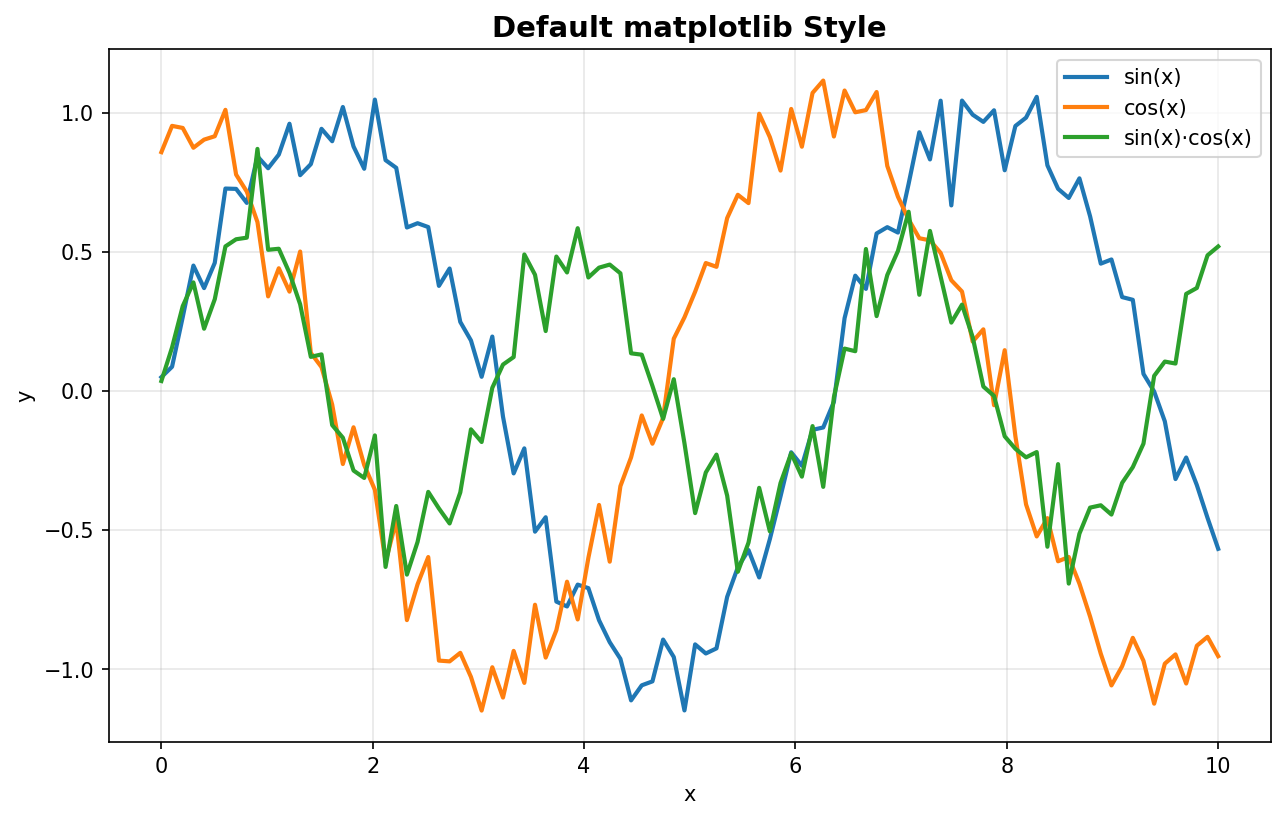
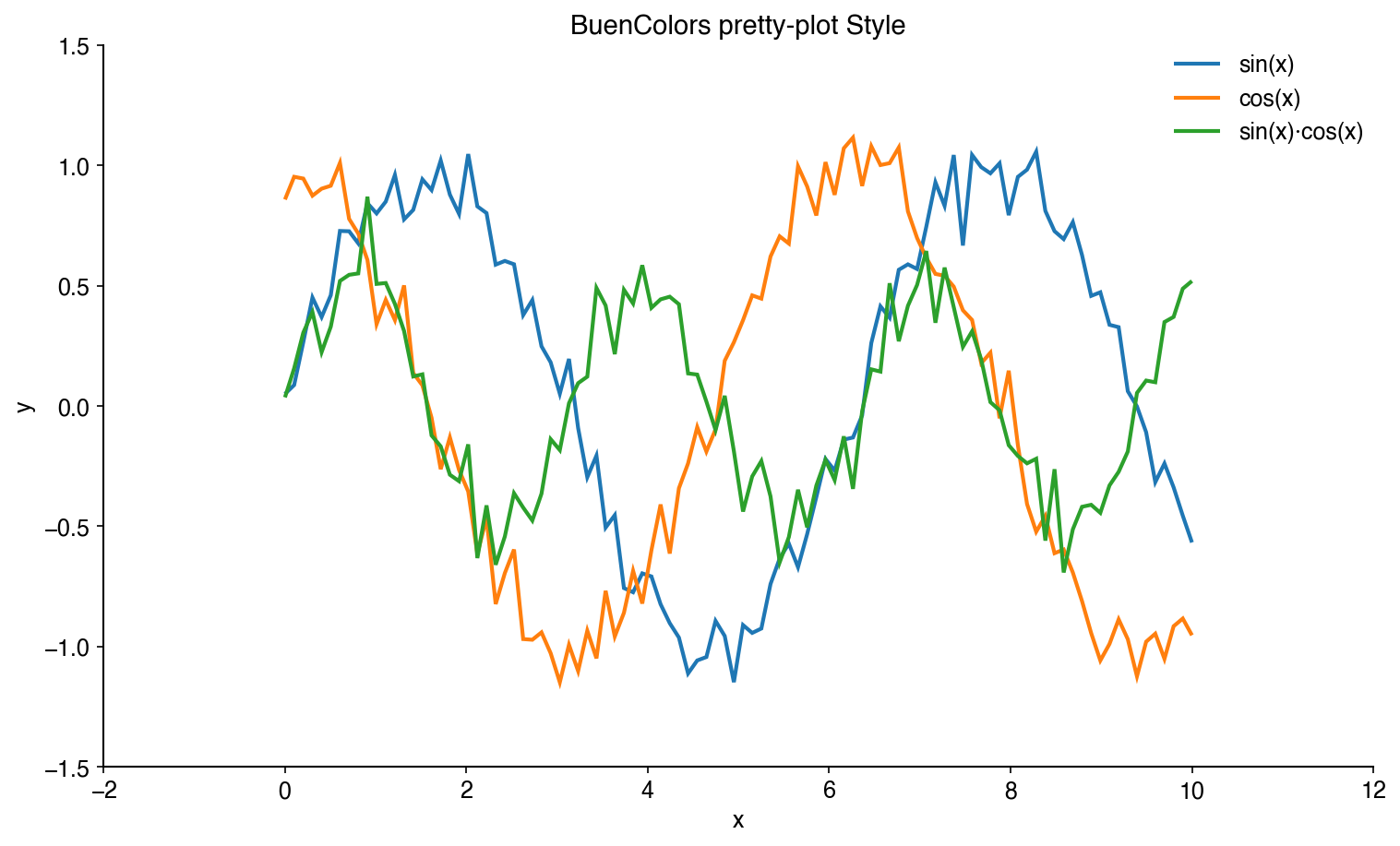
The easiest way to improve your matplotlib plots is to use the included pretty-plot style:
import matplotlib.pyplot as plt
import numpy as np

# Apply the pretty-plot style
plt.style.use('pretty-plot')

# Create a beautiful plot
x = np.linspace(0, 10, 100)
plt.plot(x, np.sin(x), label='sin(x)')
plt.plot(x, np.cos(x), label='cos(x)')
plt.xlabel('x')
plt.ylabel('y')
plt.legend()
plt.show()
Before (default):
After (pretty-plot):
Using Color Palettes
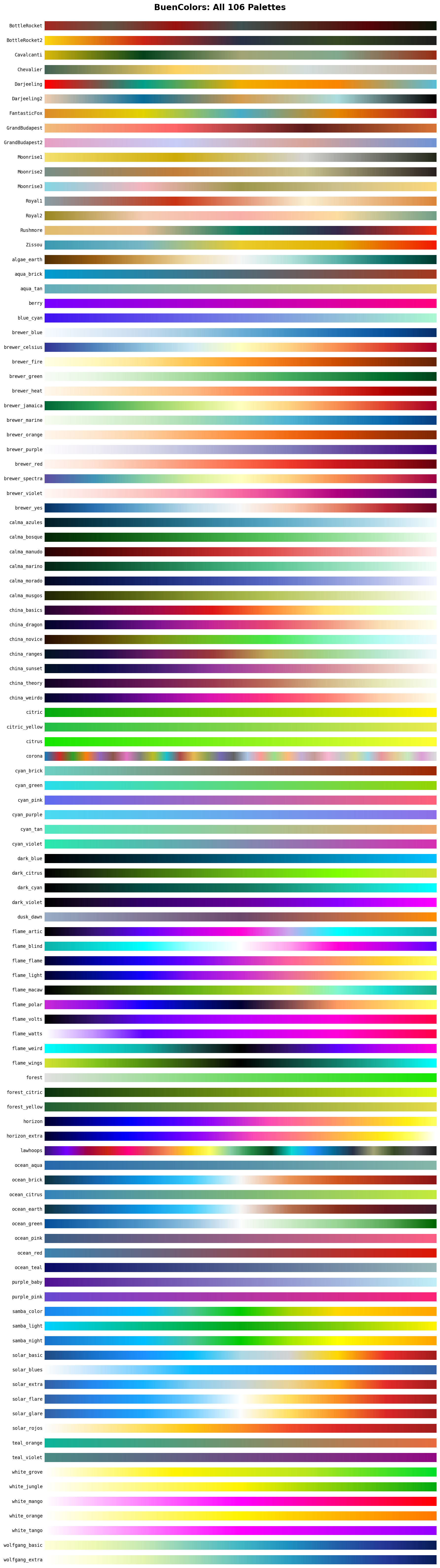
BuenColors automatically registers all palettes as matplotlib colormaps:
import buencolors as bc
import matplotlib.pyplot as plt
import numpy as np

# List available palettes
bc.list_palettes()

# Palettes are available directly as colormaps
plt.style.use('pretty-plot')
data = np.random.randn(100, 100)
plt.imshow(data, cmap='Zissou')
plt.colorbar()
plt.show()

# Or use get_palette() to extract individual colors
colors = bc.get_palette('Zissou')
for i, color in enumerate(colors):
    plt.plot([0, 1], [i, i], color=color, linewidth=10)
plt.show()
Features
Helper Functions
BuenColors provides several utility functions to make your plots publication-ready:
Eject Legend
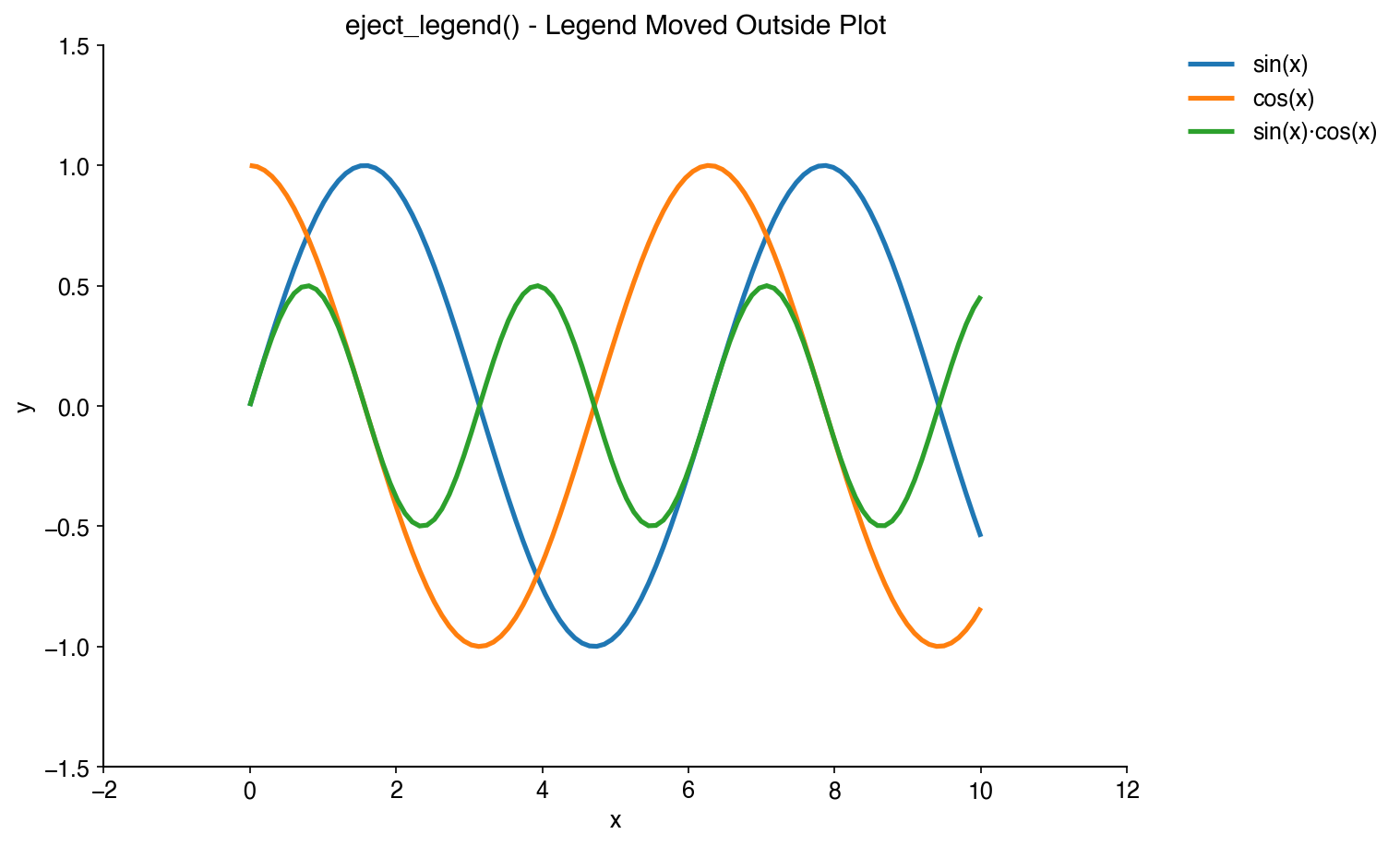
Move legends outside the plot area to avoid obscuring data:
import matplotlib as plt
import buencolors as bc

# Your plot code here
plt.plot(x, y1, label='Dataset 1')
plt.plot(x, y2, label='Dataset 2')

# Eject the legend to the right
bc.eject_legend()
Rotate X-Tick Labels
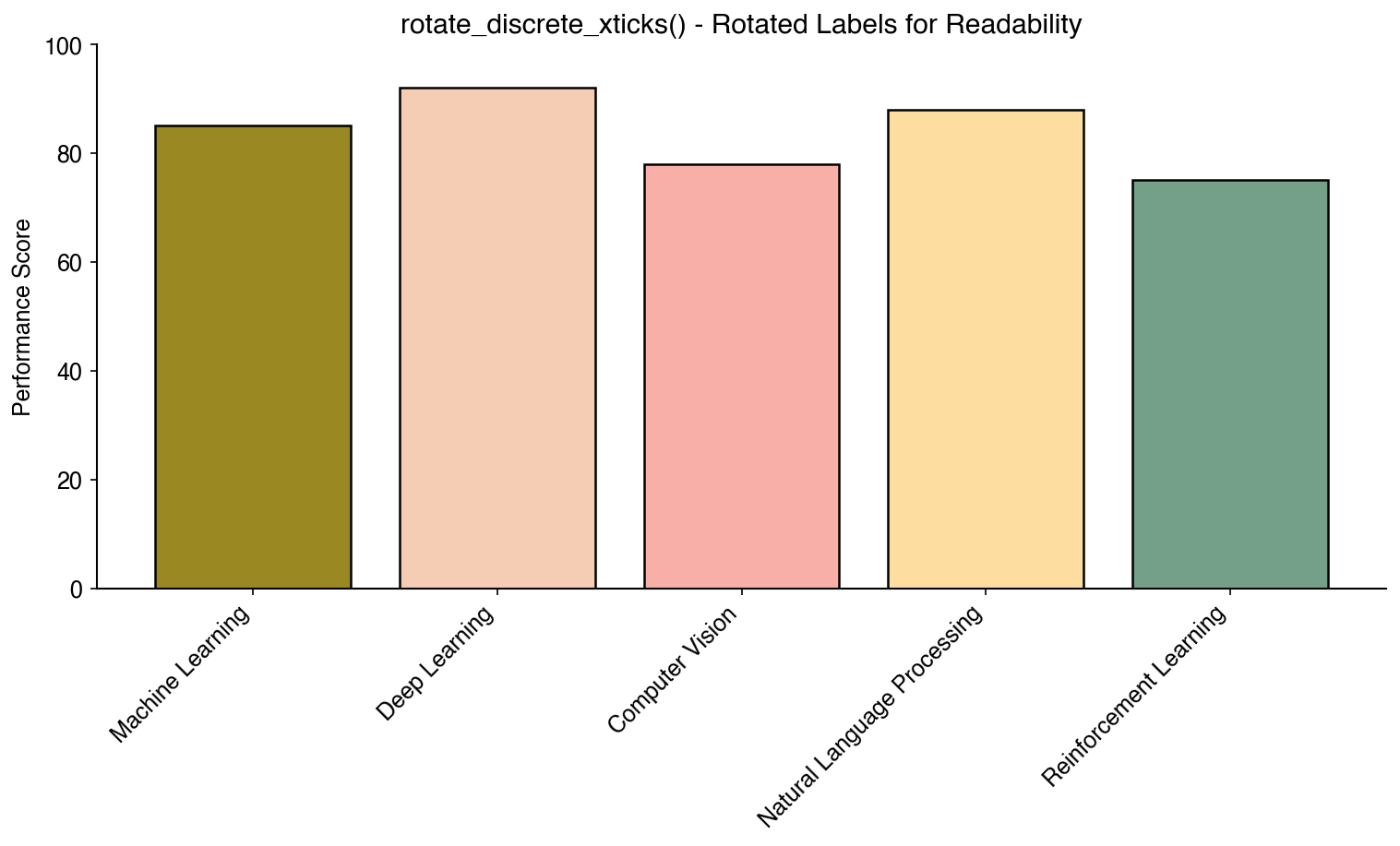
Automatically rotate discrete x-tick labels for better readability:
bc.rotate_discrete_xticks()
Grab Legend
Extract a legend to a separate figure for independent saving or publication:
# Create a plot with legend
plt.plot(x, y1, label='Dataset 1')
plt.plot(x, y2, label='Dataset 2')
plt.legend()

# Extract legend to separate figure (removes from original by default)
legend_fig = bc.grab_legend()
legend_fig.savefig('legend.pdf', bbox_inches='tight')
plt.savefig('plot.pdf')  # Plot saved without legend

# Or keep legend on original plot
legend_fig = bc.grab_legend(remove=False)
legend_fig.savefig('legend_copy.pdf', bbox_inches='tight')
plt.show()  # Original plot still has legend
Color by Density
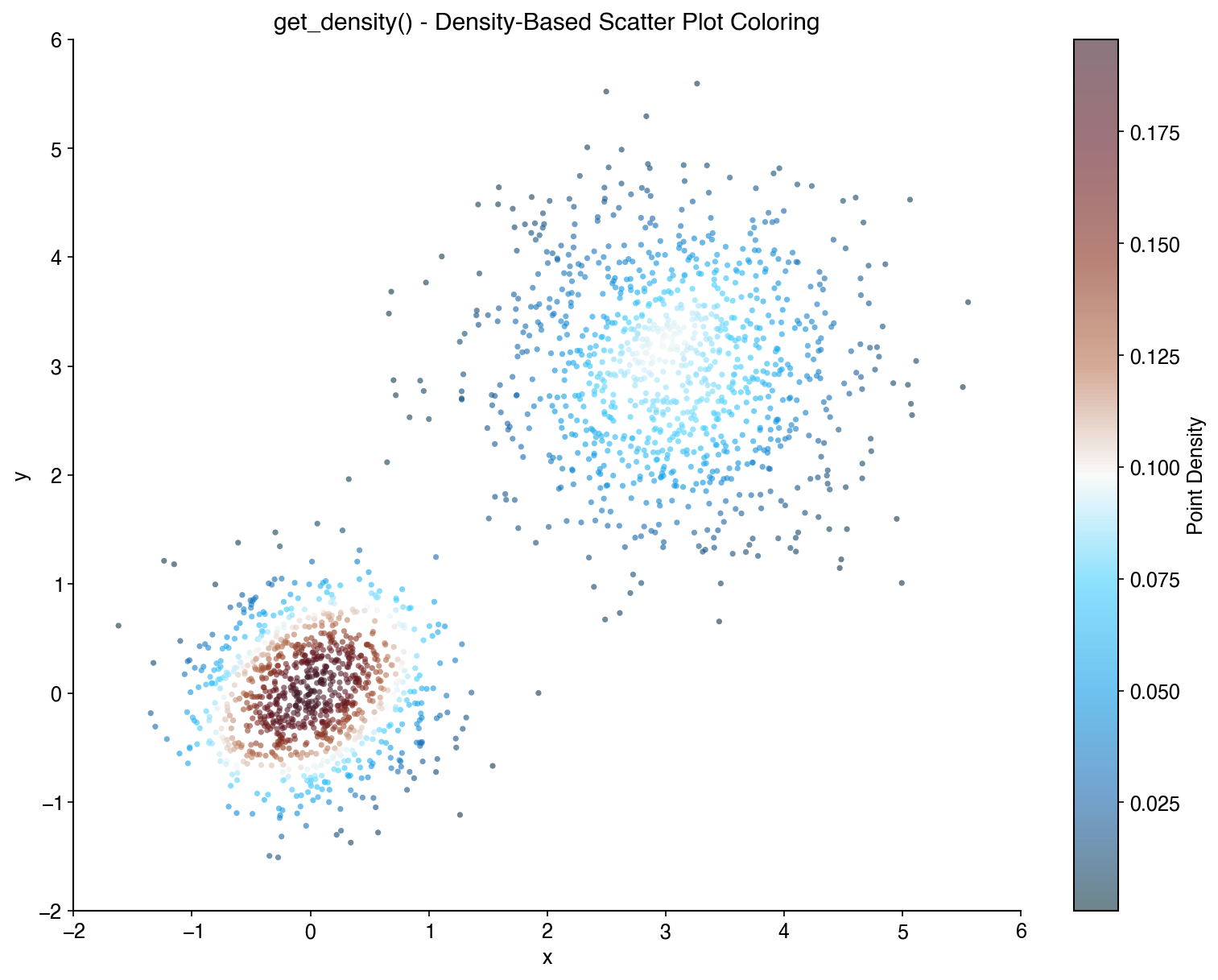
Color scatter plot points by their density:
x = np.random.randn(1000)
y = np.random.randn(1000)
density = bc.get_density(x, y)

plt.scatter(x, y, c=density, cmap='viridis', s=5)
plt.colorbar(label='Density')
Shuffle Plot Order
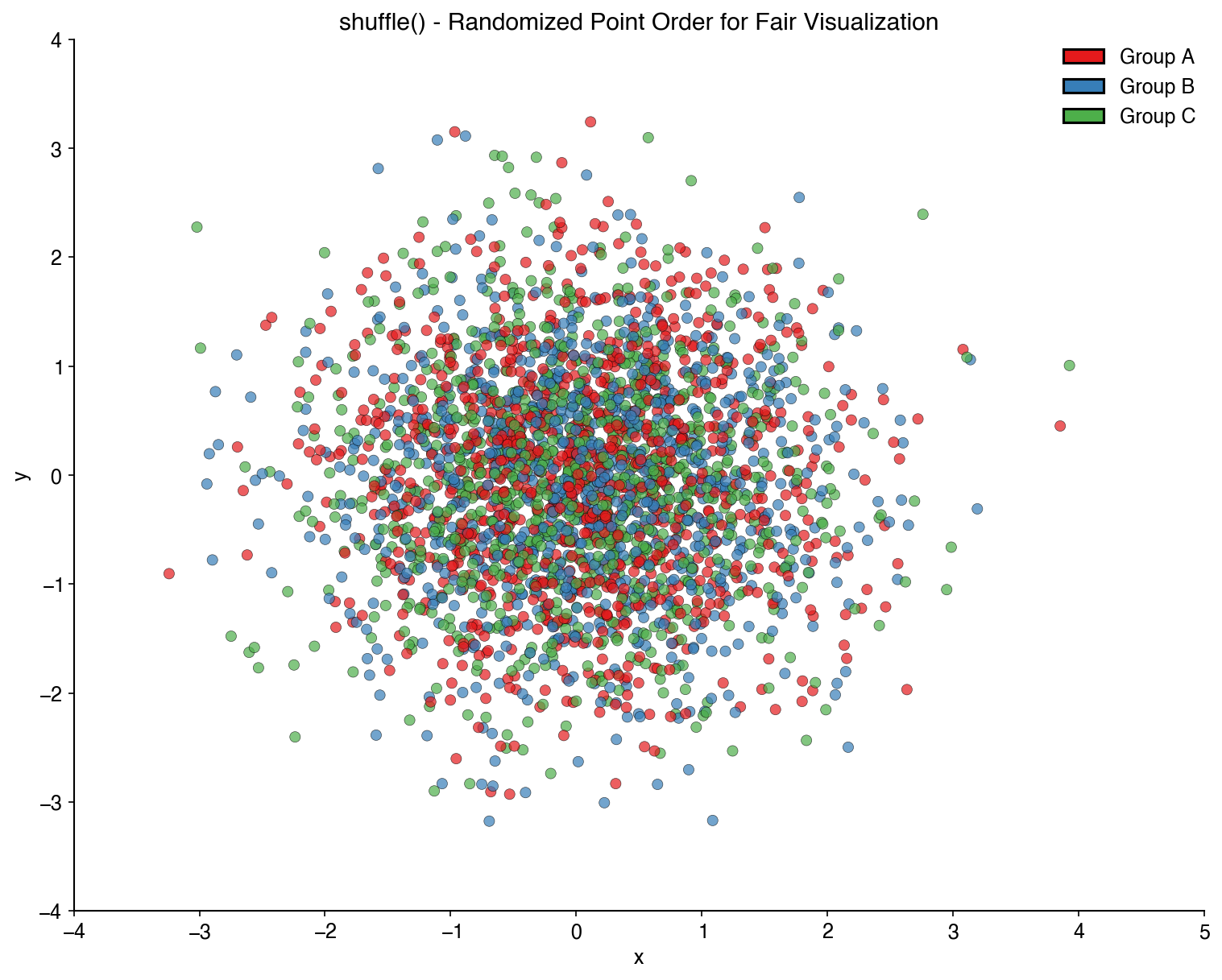
Randomize the order of plot elements to avoid overplotting bias:
x_shuffled, y_shuffled, colors_shuffled = bc.shuffle(x, y, colors)
plt.scatter(x_shuffled, y_shuffled, c=colors_shuffled)
Number to Color
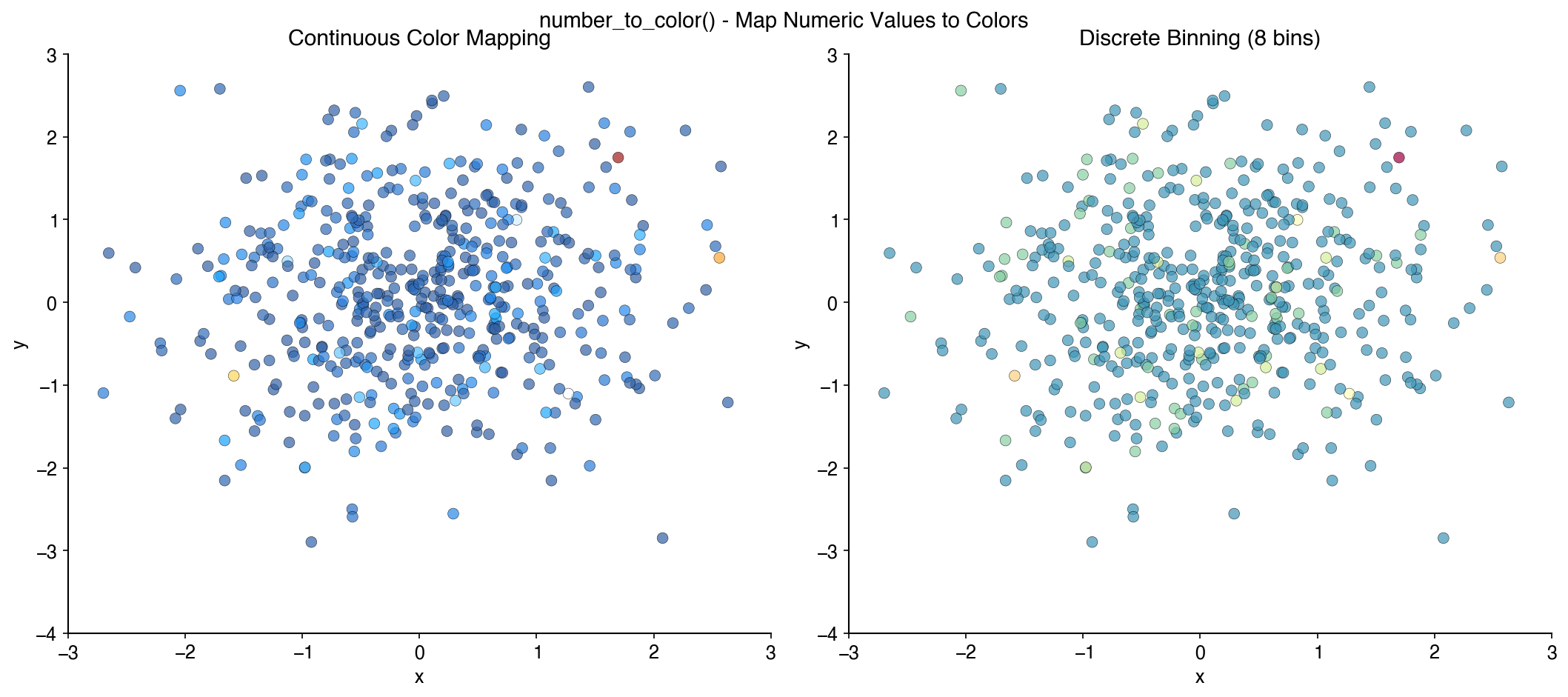
Map numerical values to colors from a palette:
values = [1, 2, 3, 4, 5]
colors = bc.number_to_color(values, palette='Zissou')
Single-Cell Analysis
BuenColors provides specialized functions for single-cell analysis visualization, designed to work seamlessly with Scanpy and AnnData objects.
Installation for Single-Cell Features
To use the single-cell features, install with scanpy and anndata:
pip install buencolors scanpy anndata
Clean UMAP Visualization
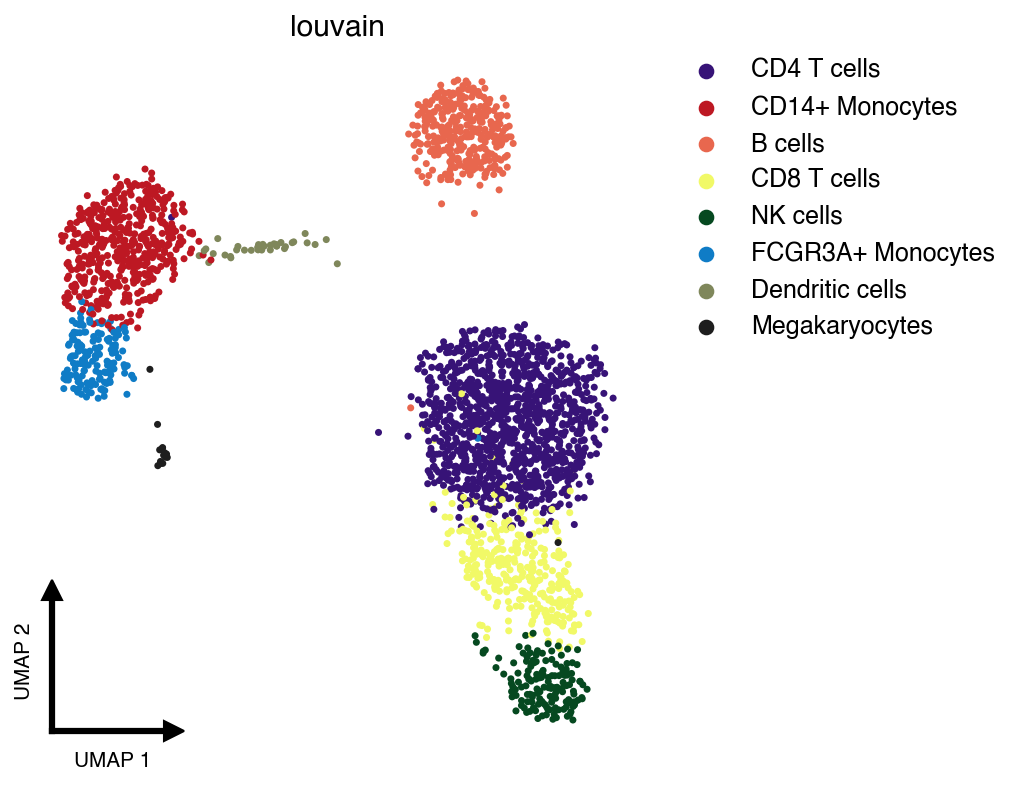
The clean_umap() function creates publication-ready UMAP plots with minimal decorations:
import scanpy as sc
import buencolors as bc
import matplotlib.pyplot as plt

# Load example dataset
adata = sc.datasets.pbmc3k_processed()

# Create a clean UMAP colored by cell type
with plt.style.context('pretty-plot'):
    bc.clean_umap(adata, color='louvain', palette='lawhoops')
Features of clean_umap():
- Minimal decorations: No borders, ticks, or frame
- Custom L-shaped axis indicators: Small arrows showing UMAP dimensions
- Auto-ejected legend: Automatically positioned to the right to avoid obscuring data
- Shuffled cells: Randomizes plotting order to avoid non-random ordering artifacts
- scVelo-style outlines: Concentric black/white rings around points
scVelo-Style Outlines
Add concentric outline rings to UMAP points via the outline_style parameter:
# Outline every cell
bc.clean_umap(adata, color='louvain', outline_style=True)

# Highlight one group — all other cells are dimmed
bc.clean_umap(adata, color='louvain', outline_style='CD4 T cells')

# Highlight multiple groups
bc.clean_umap(adata, color='louvain', outline_style=['NK cells', 'CD8 T cells'])

# Adjust ring widths: (black_bg_fraction, white_gap_fraction)
bc.clean_umap(adata, color='louvain', outline_style=True, outline_width=(0.5, 0.1))
outline_style accepts:
| Value | Effect |
|---|---|
False (default) |
No outlines |
True |
Outline every cell |
"Group name" |
Dim all cells, outline the named group |
["G1", "G2"] |
Dim all cells, outline the listed groups |
Examples
For detailed examples and interactive notebooks, see the documentation or the docs/examples directory.
Available Palettes
License
This project is licensed under the MIT License.
Credits
- Original BuenColors R package
- Wes Anderson palettes inspired by wesanderson
1 maintainer

Metadata
1 maintainer
Release files for buencolors 1.0.1
For a detailed explanation of source distributions (sdists) and built distributions (wheels), please see the package formats documentation.
Source distribution (sdist)
| File | Size | Uploaded | |
|---|---|---|---|
| buencolors-1.0.1.tar.gz | 7.6 MB | Details |
Built distribution (wheel)
| File | Interpreter | ABI | Platform | Reset |
|---|---|---|---|---|
| buencolors-1.0.1-py3-none-any.whl | Python 3 | none | any | Details |
Total release size: 7.6 MB
Release files / buencolors-1.0.1.tar.gz
| Download URL | buencolors-1.0.1.tar.gz |
|---|---|
| Size | 7.6 MB |
| Tags | Source |
|
SHA-256 checksum How to use checksums |
2d2580bd4673c1e896f7c591274bb94acc02a9a45f02dd368adb2a20ece61ed9
|
|
BLAKE2b-256 checksum How to use checksums |
0b5ca1bfdad82bc957bfbaee299a395025f48ed714c77aa9a17bf87ee9841f61
|
| Upload date | |
|
Uploaded using Trusted Publishing? What is trusted publishing? |
Yes |
| Uploaded via |
uv/0.10.11 {"installer":{"name":"uv","version":"0.10.11","subcommand":["publish"]},"python":null,"implementation":{"name":null,"version":null},"distro":{"name":"Ubuntu","version":"24.04","id":"noble","libc":null},"system":{"name":null,"release":null},"cpu":null,"openssl_version":null,"setuptools_version":null,"rustc_version":null,"ci":true}
|
Release files / buencolors-1.0.1-py3-none-any.whl
| Download URL | buencolors-1.0.1-py3-none-any.whl |
|---|---|
| Size | 25.1 kB |
| Tags | Python 3 |
|
SHA-256 checksum How to use checksums |
4d24983c1e8fee5756af6223058d12128c43bee11960a3304eb1007dc3edadbe
|
|
BLAKE2b-256 checksum How to use checksums |
794af4da43075ed5c2ff3e94e02443f4049493a183e721f9e7247663c257909a
|
| Upload date | |
|
Uploaded using Trusted Publishing? What is trusted publishing? |
Yes |
| Uploaded via |
uv/0.10.11 {"installer":{"name":"uv","version":"0.10.11","subcommand":["publish"]},"python":null,"implementation":{"name":null,"version":null},"distro":{"name":"Ubuntu","version":"24.04","id":"noble","libc":null},"system":{"name":null,"release":null},"cpu":null,"openssl_version":null,"setuptools_version":null,"rustc_version":null,"ci":true}
|














