
A pythonic port of the BuenColors R library for handy color palettes.
Verified details
These details have been verified by PyPIProject links
GitHub Statistics
Maintainers

Project description
PyBuenColors


A pythonic port of the BuenColors R package for convenient scientific color palettes and matplotlib styles.
Color palettes are a direct port from the R package, with many based on the wesanderson R package.
Installation
pip install buencolors
Quick Start
Using the Pretty Plot Style
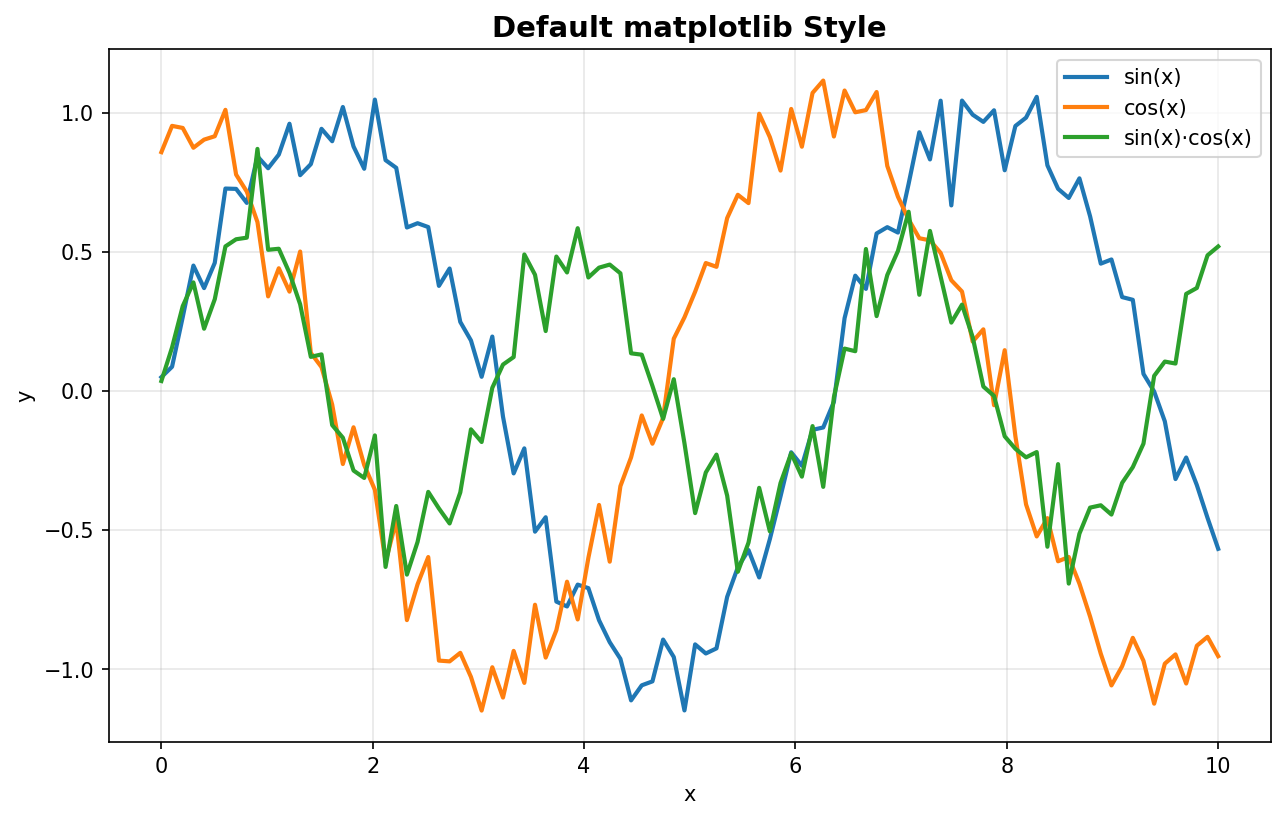
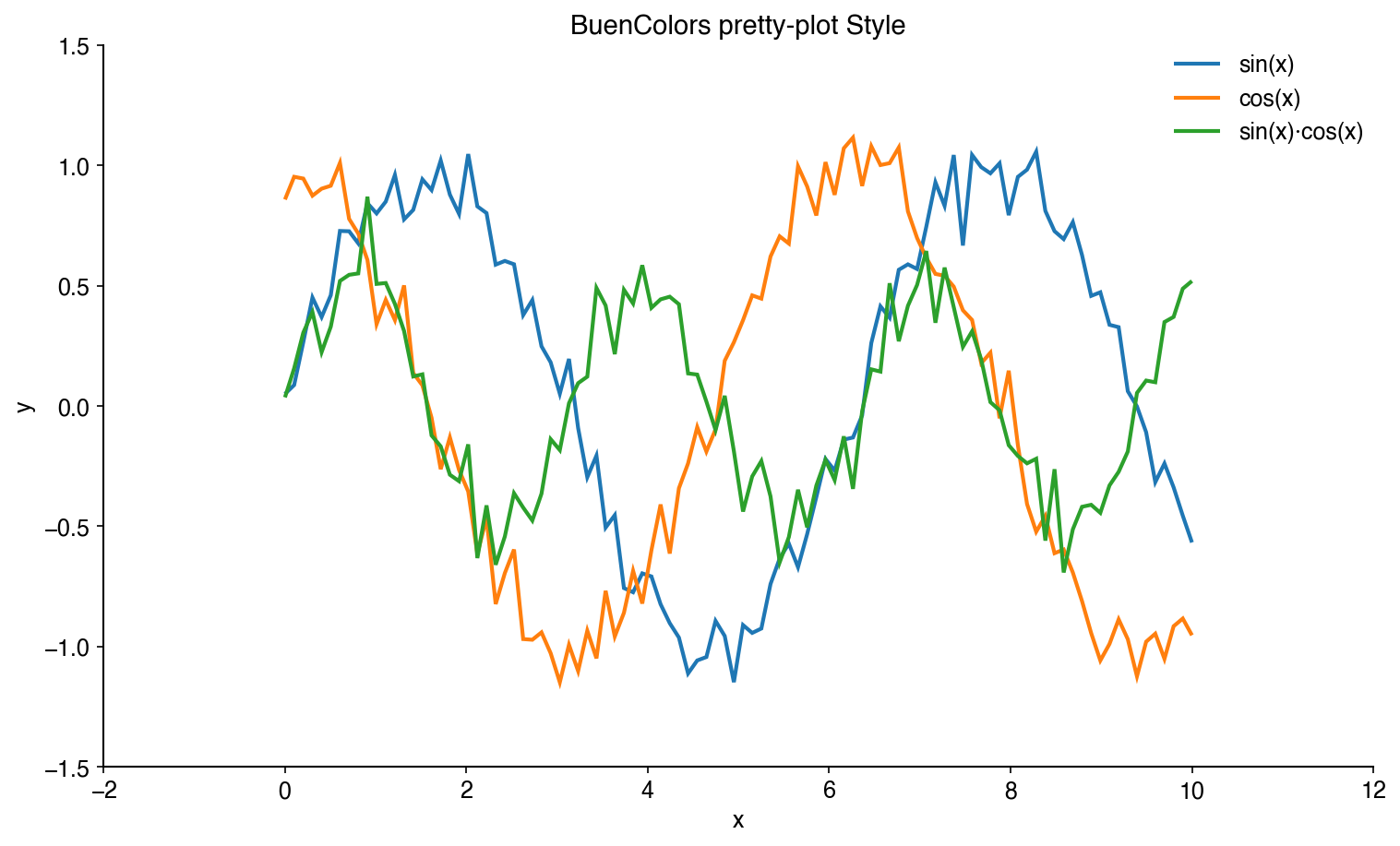
The easiest way to improve your matplotlib plots is to use the included pretty-plot style:
import matplotlib.pyplot as plt
import numpy as np

# Apply the pretty-plot style
plt.style.use('pretty-plot')

# Create a beautiful plot
x = np.linspace(0, 10, 100)
plt.plot(x, np.sin(x), label='sin(x)')
plt.plot(x, np.cos(x), label='cos(x)')
plt.xlabel('x')
plt.ylabel('y')
plt.legend()
plt.show()
Before (default):
After (pretty-plot):
Using Color Palettes
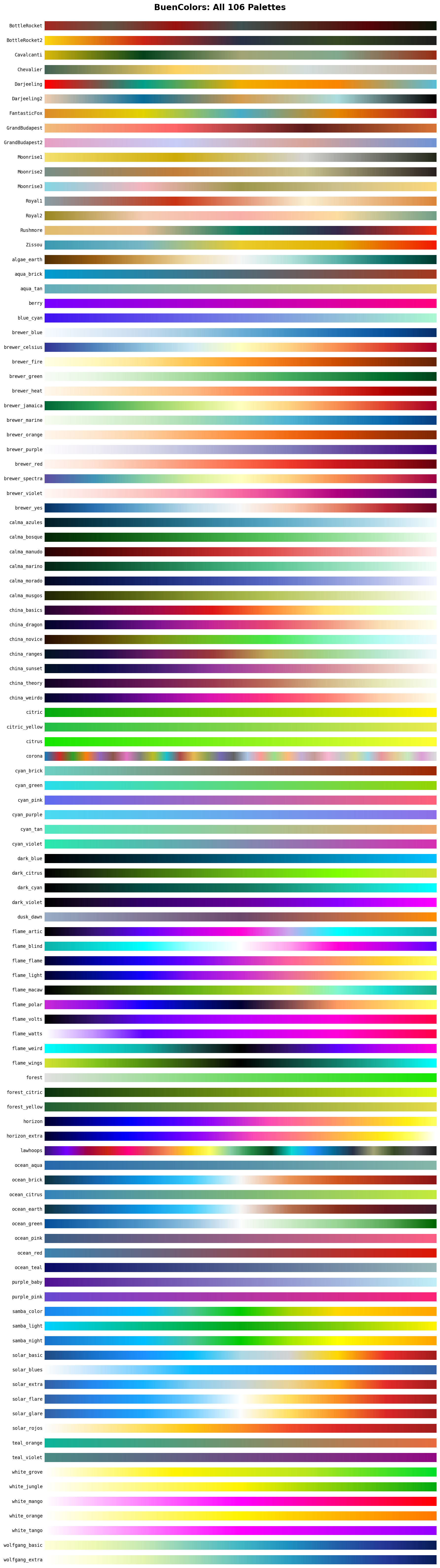
BuenColors automatically registers all palettes as matplotlib colormaps:
import buencolors as bc
import matplotlib.pyplot as plt
import numpy as np

# List available palettes
bc.list_palettes()

# Palettes are available directly as colormaps
plt.style.use('pretty-plot')
data = np.random.randn(100, 100)
plt.imshow(data, cmap='Zissou')
plt.colorbar()
plt.show()

# Or use get_palette() to extract individual colors
colors = bc.get_palette('Zissou')
for i, color in enumerate(colors):
    plt.plot([0, 1], [i, i], color=color, linewidth=10)
plt.show()
Features
Helper Functions
BuenColors provides several utility functions to make your plots publication-ready:
Eject Legend
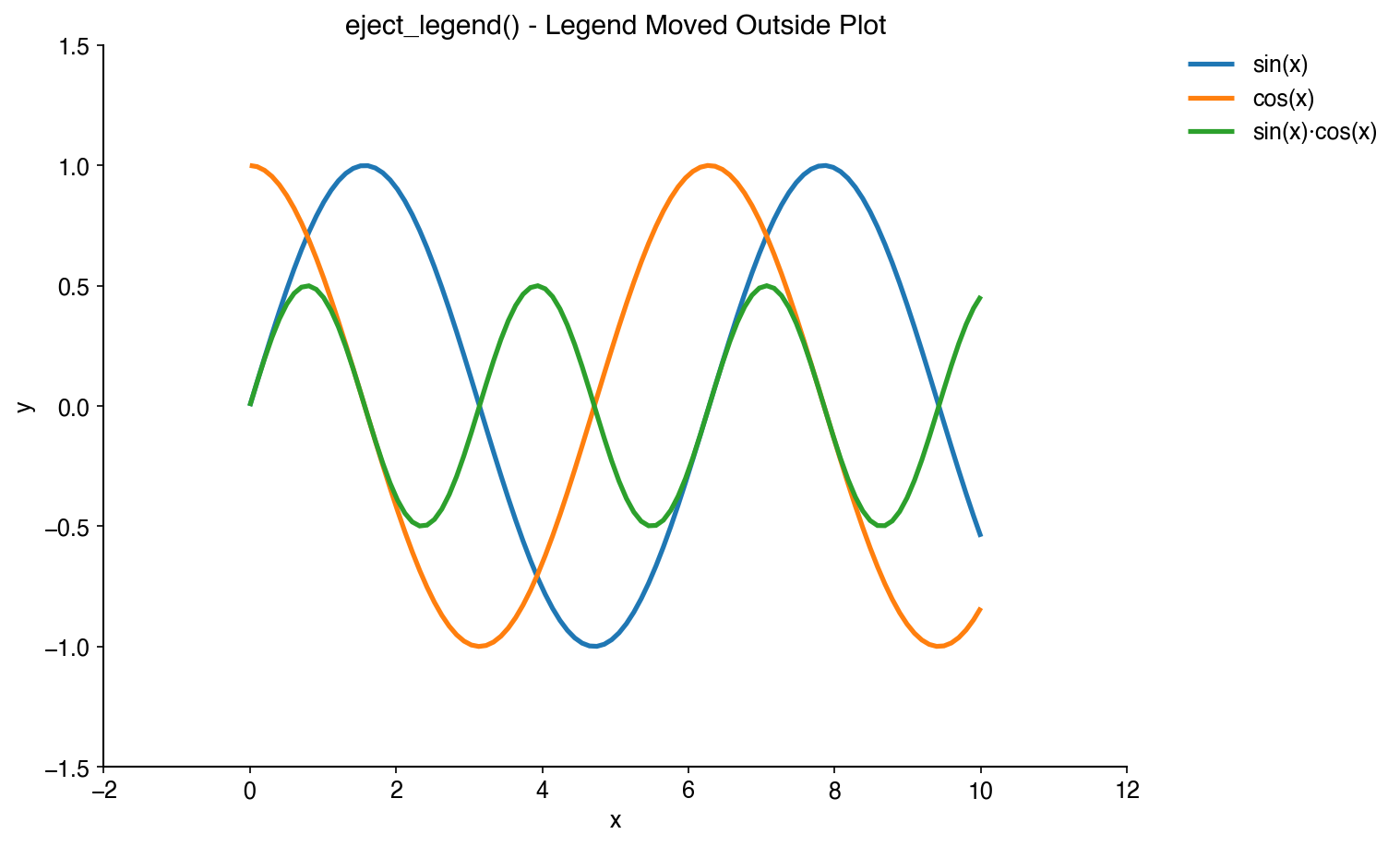
Move legends outside the plot area to avoid obscuring data:
import matplotlib as plt
import buencolors as bc

# Your plot code here
plt.plot(x, y1, label='Dataset 1')
plt.plot(x, y2, label='Dataset 2')

# Eject the legend to the right
bc.eject_legend()
Rotate X-Tick Labels
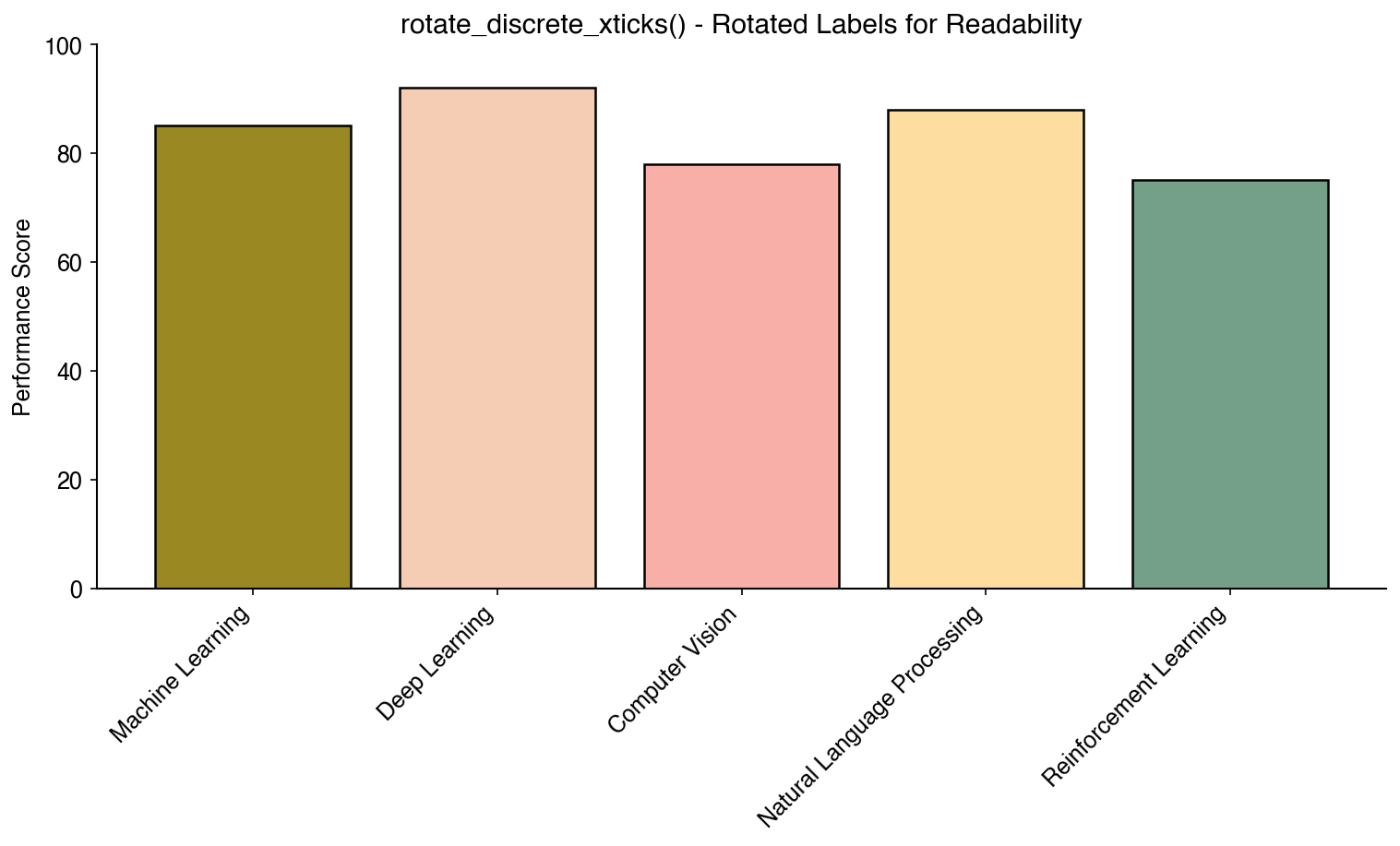
Automatically rotate discrete x-tick labels for better readability:
bc.rotate_discrete_xticks()
Grab Legend
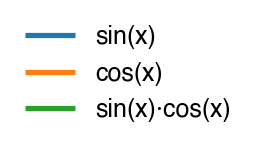
Extract a legend to a separate figure for independent saving or publication:
# Create a plot with legend
plt.plot(x, y1, label='Dataset 1')
plt.plot(x, y2, label='Dataset 2')
plt.legend()

# Extract legend to separate figure (removes from original by default)
legend_fig = bc.grab_legend()
legend_fig.savefig('legend.pdf', bbox_inches='tight')
plt.savefig('plot.pdf')  # Plot saved without legend

# Or keep legend on original plot
legend_fig = bc.grab_legend(remove=False)
legend_fig.savefig('legend_copy.pdf', bbox_inches='tight')
plt.show()  # Original plot still has legend
Color by Density
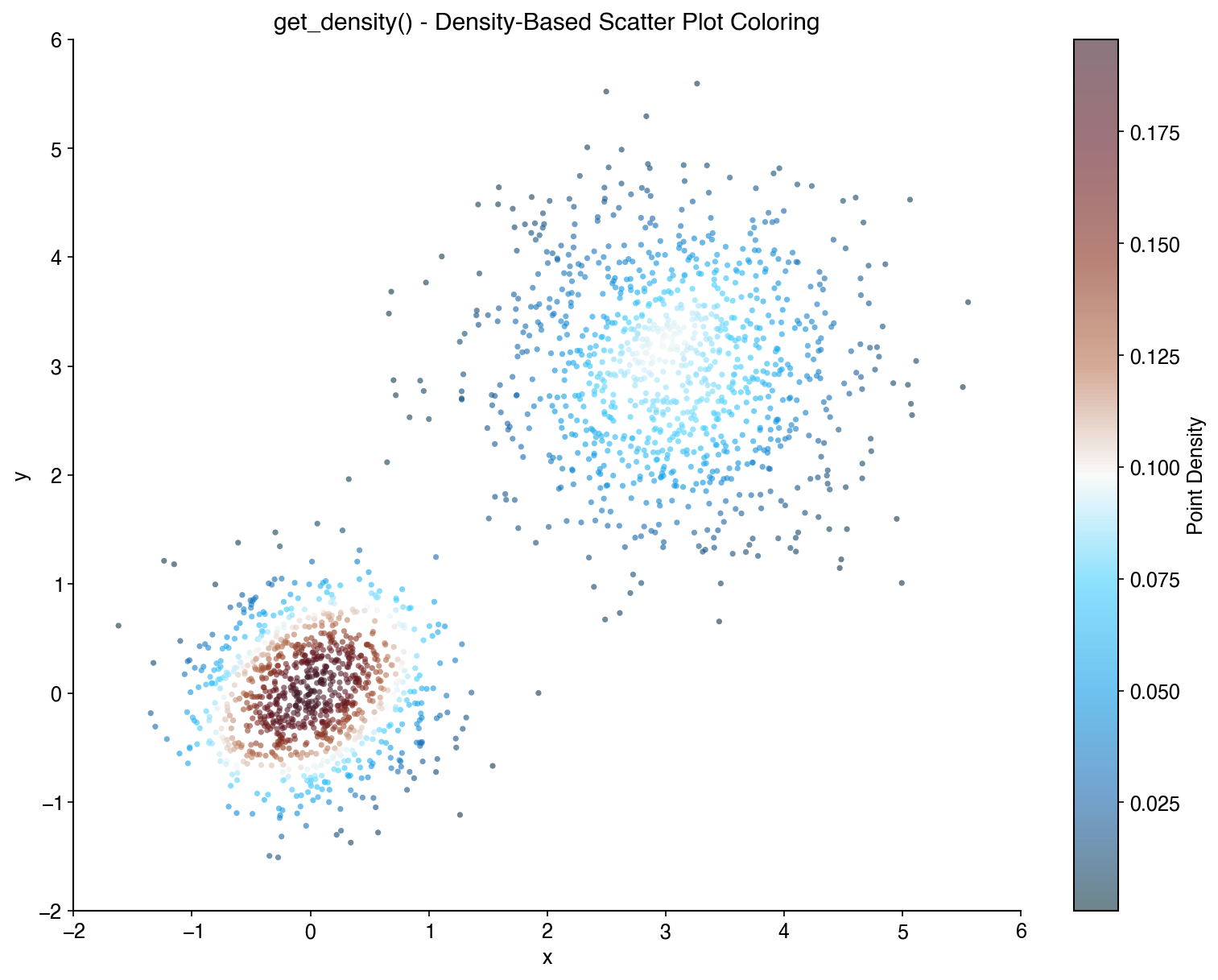
Color scatter plot points by their density:
x = np.random.randn(1000)
y = np.random.randn(1000)
density = bc.get_density(x, y)

plt.scatter(x, y, c=density, cmap='viridis', s=5)
plt.colorbar(label='Density')
Shuffle Plot Order
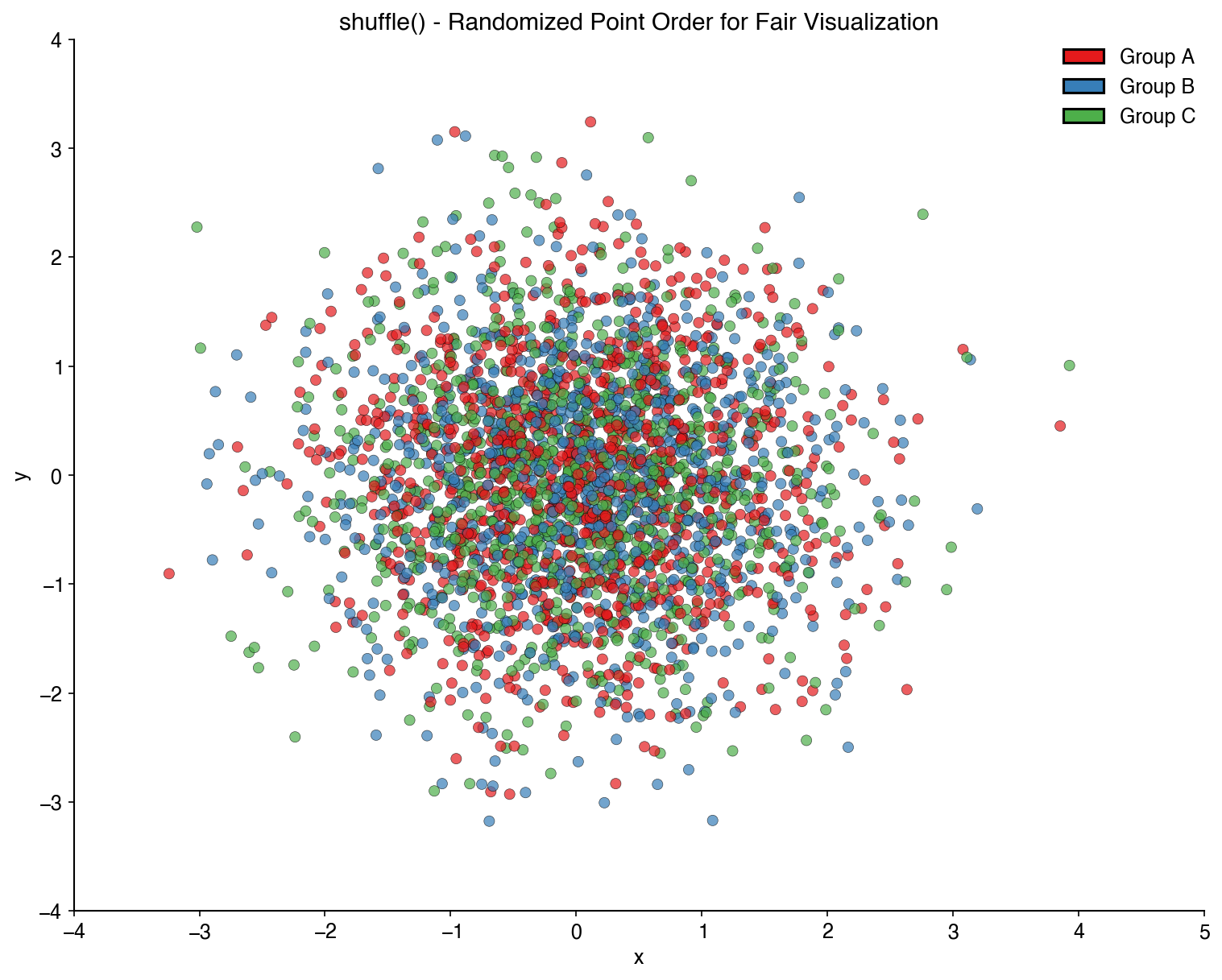
Randomize the order of plot elements to avoid overplotting bias:
x_shuffled, y_shuffled, colors_shuffled = bc.shuffle(x, y, colors)
plt.scatter(x_shuffled, y_shuffled, c=colors_shuffled)
Number to Color
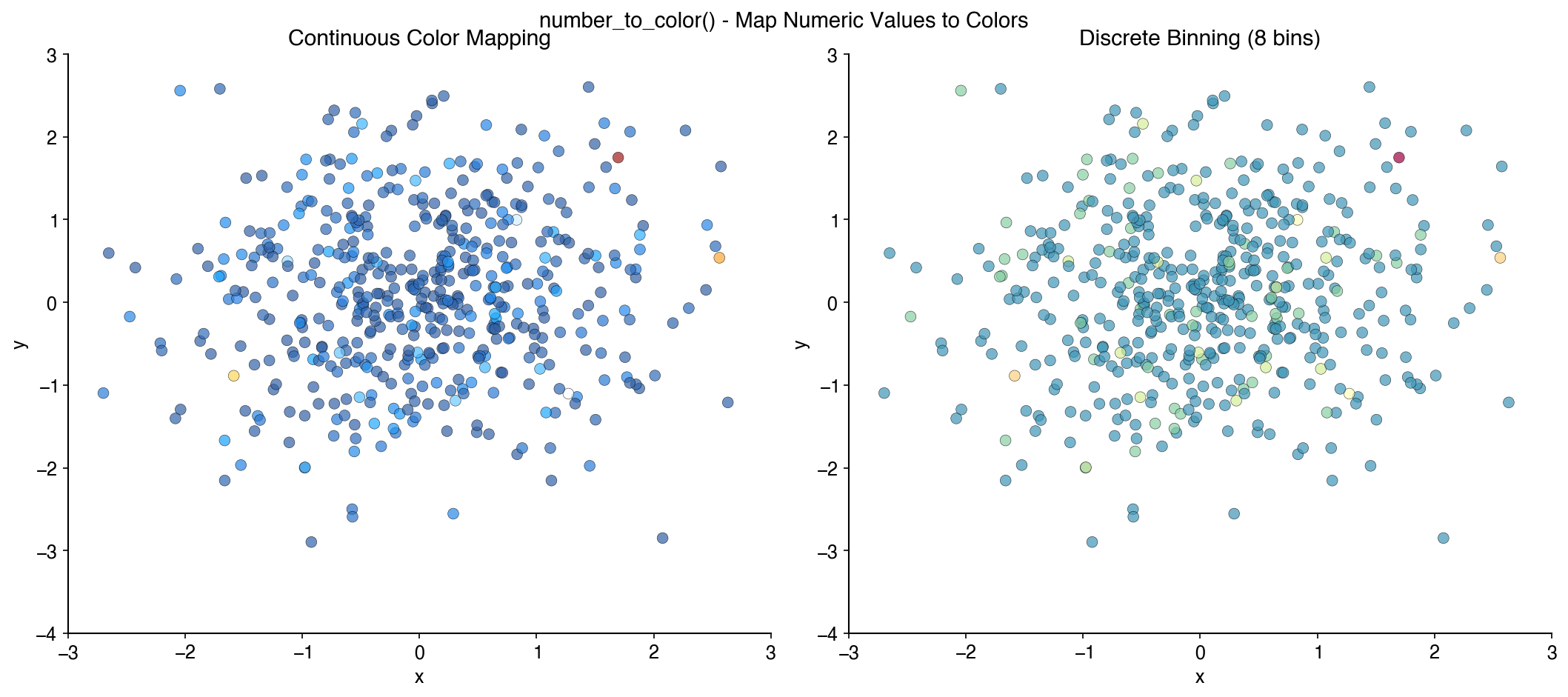
Map numerical values to colors from a palette:
values = [1, 2, 3, 4, 5]
colors = bc.number_to_color(values, palette='Zissou')
Single-Cell Analysis
BuenColors provides specialized functions for single-cell analysis visualization, designed to work seamlessly with Scanpy and AnnData objects.
Installation for Single-Cell Features
To use the single-cell features, install with scanpy and anndata:
pip install buencolors scanpy anndata
Clean UMAP Visualization
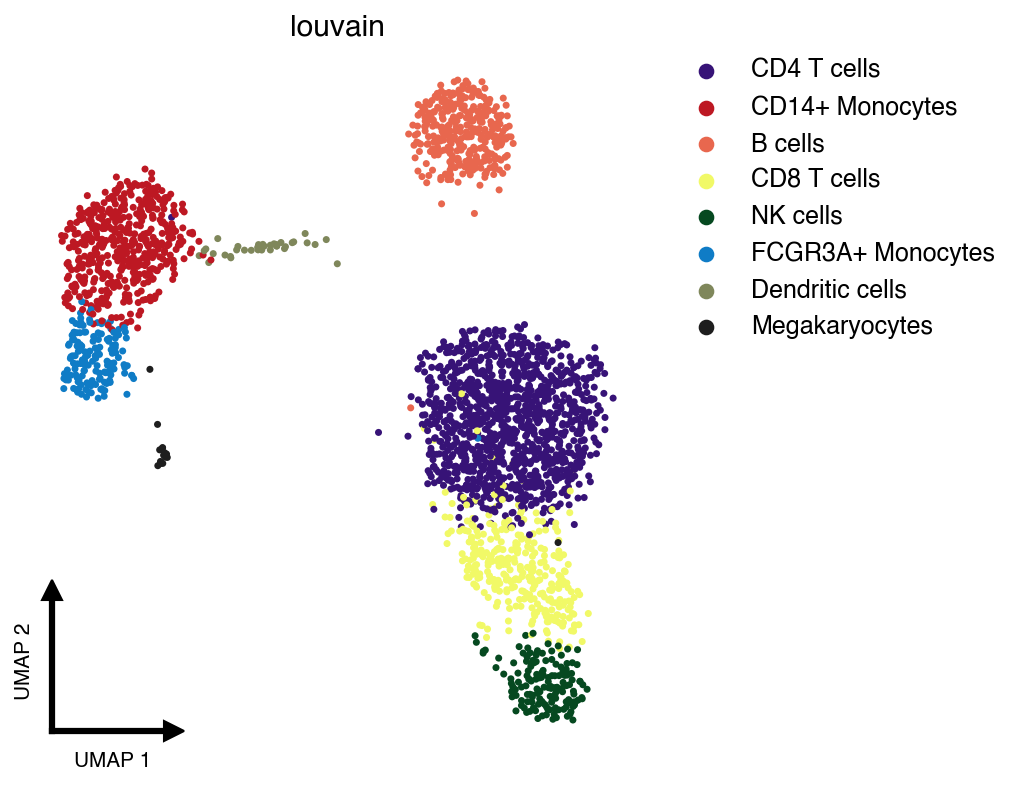
The clean_umap() function creates publication-ready UMAP plots with minimal decorations:
import scanpy as sc
import buencolors as bc
import matplotlib.pyplot as plt

# Load example dataset
adata = sc.datasets.pbmc3k_processed()

# Create a clean UMAP colored by cell type
with plt.style.context('pretty-plot'):
    bc.clean_umap(adata, color='louvain', palette='lawhoops')
Features of clean_umap():
- Minimal decorations: No borders, ticks, or frame
- Custom L-shaped axis indicators: Small arrows showing UMAP dimensions
- Auto-ejected legend: Automatically positioned to the right to avoid obscuring data
- Shuffled cells: Randomizes plotting order to avoid non-random ordering artifacts
Examples
For detailed examples and interactive notebooks, see the documentation or the docs/examples directory.
Available Palettes
License
This project is licensed under the MIT License.
Credits
- Original BuenColors R package
- Wes Anderson palettes inspired by wesanderson
Project details
Verified details
These details have been verified by PyPIProject links
GitHub Statistics
Maintainers
Release history Release notifications | RSS feed


Download files
Download the file for your platform. If you're not sure which to choose, learn more about installing packages.
Source Distribution
Built Distribution
Filter files by name, interpreter, ABI, and platform.
If you're not sure about the file name format, learn more about wheel file names.
Copy a direct link to the current filters
File details
Details for the file buencolors-0.1.0.tar.gz.
File metadata
- Download URL: buencolors-0.1.0.tar.gz
- Upload date:
- Size: 6.0 MB
- Tags: Source
- Uploaded using Trusted Publishing? Yes
- Uploaded via: uv/0.9.16 {"installer":{"name":"uv","version":"0.9.16","subcommand":["publish"]},"python":null,"implementation":{"name":null,"version":null},"distro":{"name":"Ubuntu","version":"24.04","id":"noble","libc":null},"system":{"name":null,"release":null},"cpu":null,"openssl_version":null,"setuptools_version":null,"rustc_version":null,"ci":true}
File hashes
| Algorithm | Hash digest | |
|---|---|---|
| SHA256 |
8af090a68e9abf755566b2029e1858c60b2e31ce646d0b2dd2c484cbaef7a139
|
|
| MD5 |
4ff72b9e2b30012a62726e2ef32d785c
|
|
| BLAKE2b-256 |
71ada018d4b2388a15ef6dccc9f07e3e7644d8ffc13bcc8d871b3d703addc8d1
|
File details
Details for the file buencolors-0.1.0-py3-none-any.whl.
File metadata
- Download URL: buencolors-0.1.0-py3-none-any.whl
- Upload date:
- Size: 23.5 kB
- Tags: Python 3
- Uploaded using Trusted Publishing? Yes
- Uploaded via: uv/0.9.16 {"installer":{"name":"uv","version":"0.9.16","subcommand":["publish"]},"python":null,"implementation":{"name":null,"version":null},"distro":{"name":"Ubuntu","version":"24.04","id":"noble","libc":null},"system":{"name":null,"release":null},"cpu":null,"openssl_version":null,"setuptools_version":null,"rustc_version":null,"ci":true}
File hashes
| Algorithm | Hash digest | |
|---|---|---|
| SHA256 |
0a0a16f9ebe53e17ecaeb1a24c127be6dd5ad5fbf062a22d2d317414b6db7966
|
|
| MD5 |
ebfe5665e40f35a659a620fff5f26e35
|
|
| BLAKE2b-256 |
793d2eef9c676cdbfaa183ee02e38464c8c423dac733e5088b49b3a8408c9cd5
|






