
Cadenza Lab - The SDK to build in physical AI

Project description

Run and deploy complex robot actions with a simple Python SDK.
Features • Quickstart • Projects • CLI • Deploy
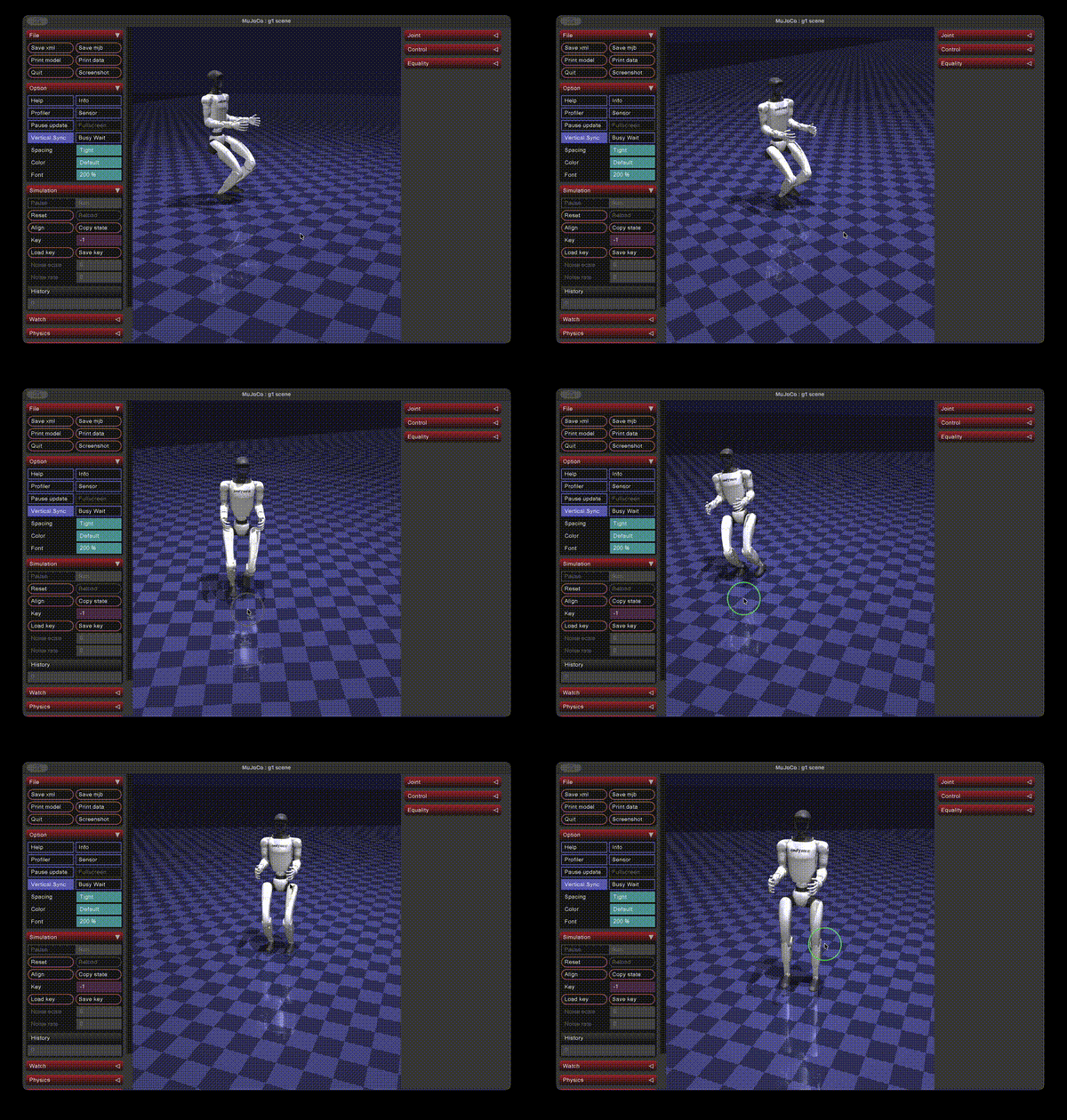
Cadenza lets you simply write complex motion-targeted code and deploy on MuJoCo or hardware for Unitree Go1 (quadruped) and G1 (humanoid) robots.
Website: www.cadenzalabs.xyz • pip package: cadenza-lab
Want to integrate your own hardware? Cadenza targets the Go1 and G1 today. If you'd like support for drones, robot arms, or any other robot, reach out — acparekh@stanford.edu.
⭐ Features
Action Library
- 41 motor-level primitives across Go1 (21 actions) and G1 (20 actions) — joint targets, PD gains, and torque limits sourced directly from URDF
- Phase-based actions: stand, sit, lie down, stand up, jump, rear up, shake hand
- Gait-based actions: walk, trot, crawl, pace, bound, climb, turn, sidestep
- Composable: run actions sequentially or concurrently in a single call
- Parameterized: every action accepts
speed,extension,distance_m, andrepeat
Simulation
- MuJoCo simulator built in — test any action sequence before touching hardware
- Natural language commands:
cadenza sim go1 "walk forward then jump"just works - World-model loop: attach a VLA model + perception modalities with
setup(), hand the robot agoal, and Cadenza closes the sense → think → act loop - Bring your own models: concrete VLA / depth / RGB models live in the
ai_models/package — swap in your own without touching the framework
Deploy
- SSH deploy: upload and run a script on the robot's onboard computer
- DDS direct: send motor commands from your laptop over DDS (same network)
- Bridge mode: run heavy compute on your laptop, lightweight actions on the robot
⚡ Quickstart
pip install cadenza-lab
Scripted actions
Compose primitives into a sequence and run it in MuJoCo — the Go1 stands, walks 2m, arcs through a turn, jumps, and sits. Nest actions in a list to run them concurrently.
import cadenza

go1 = cadenza.go1()
go1.run([
    go1.stand(),
    go1.walk_forward(speed=1.5, distance_m=2.0),
    [go1.turn_left(), go1.walk_forward()],   # concurrent: walking arc
    go1.jump(speed=2.0, extension=1.2),
    go1.sit(),
])
World-model driven
Attach a VLA model and perception modalities with setup(), then hand the robot a natural-language goal. Cadenza closes the loop: sense → think → act.
import cadenza
from ai_models.go1 import VLA, Depth, RGB

go1 = cadenza.go1()
go1.setup(
    model=VLA(),
    sense=[Depth(), RGB()],
)
go1.run(
    goal="reach the green beacon at the top of the stairs and sit",
    scene="stairs",
    target=(-5.5, 0.0),
)
Cadenza ships the framework — base adapters, perception modalities, and the runtime. The concrete models live in the ai_models/ package alongside your project, so you can swap in your own VLA or perception stack. The repo's example.py runs this demo end-to-end: mjpython example.py.
G1 Humanoid
import cadenza

g1 = cadenza.g1()
g1.run([
    g1.stand(),
    g1.walk_forward(distance_m=1.0),
    g1.crouch(),
    g1.hold(duration=1.0),
    g1.stand(),
])
🤖 Free Projects
Community projects built with Cadenza. Add yours via a pull request.
| Project | Robot | Description | Link |
|---|---|---|---|
| Go1 Obstacle Course | Go1 | VLA-guided navigation through a MuJoCo obstacle course | coming soon |
| G1 Gesture Control | G1 | Map hand gestures to G1 arm actions via webcam | coming soon |
| Multi-robot Sync | Go1 + G1 | Synchronized action sequences across two robots | coming soon |
🖥️ CLI
cadenza list go1                                      # list all Go1 actions
cadenza list g1                                       # list all G1 actions
cadenza sim go1 "walk forward then jump"              # simulate in MuJoCo
cadenza sim g1 "stand then walk forward"              # simulate G1
cadenza sim go1 "walk forward" --vla --obstacles      # VLA obstacle avoidance
cadenza deploy go1 --ip 192.168.123.15 -c "..."       # deploy via SSH
cadenza deploy go1 --ip ... --mode direct             # deploy via DDS
cadenza deploy go1 --ip ... --mode bridge             # bridge mode
📦 Action Library Reference
Go1 — 21 actions
| Action | Type | Description |
|---|---|---|
stand() |
phase | Stand at default height |
stand_up() |
phase | Stand up from lying down |
sit() |
phase | Sit down |
lie_down() |
phase | Lie flat |
jump() |
phase | Jump in place |
rear_up() |
phase | Rear up on hind legs |
shake_hand() |
phase | Extend front paw |
rear_kick() |
phase | Kick with rear legs |
walk_forward() |
gait | Walk forward |
walk_backward() |
gait | Walk backward |
trot_forward() |
gait | Trot (diagonal gait) |
crawl_forward() |
gait | Crawl (low, stable) |
pace_forward() |
gait | Pace (lateral gait) |
bound_forward() |
gait | Bound (synchronous front-back) |
turn_left() |
gait | Turn left in place |
turn_right() |
gait | Turn right in place |
climb_step() |
gait | Climb a step |
side_step_left() |
gait | Lateral step left |
side_step_right() |
gait | Lateral step right |
All actions accept speed and extension multipliers. Gait actions also accept distance_m and repeat.
G1 — 20 actions
Access via cadenza.g1(). Full action list: cadenza list g1.
from cadenza.actions import get_library, list_actions

list_actions("go1")               # print all actions

lib = get_library("go1")
spec = lib.get("walk_forward")
print(spec.gait)                  # GaitAction with velocity commands
🐾 Go1 Quadruped
The Go1 is a quadruped robot with 12 joints across four legs. Cadenza provides 21 actions for it.
mjpython example.py                                  # run the Go1 demo
cadenza sim go1 "walk forward then jump"             # simulate via CLI
cadenza list go1                                     # list all Go1 actions
cadenza deploy go1 --ip 192.168.123.15 -c "..."      # deploy to hardware
import cadenza

go1 = cadenza.go1()
go1.run([
    go1.stand(),
    go1.walk_forward(speed=1.5, distance_m=2.0),
    go1.jump(),
    go1.sit(),
])
🤖 G1 Humanoid
The G1 is a full-size humanoid robot. Cadenza provides 20 actions for bipedal locomotion and arm control.
cadenza sim g1 "stand then walk forward"             # simulate via CLI
cadenza list g1                                      # list all G1 actions
python examples/unitree_g1/deploy_g1.py sim          # run the G1 example
import cadenza

g1 = cadenza.g1()
g1.run([
    g1.stand(),
    g1.walk_forward(distance_m=1.0),
    g1.crouch(),
    g1.hold(duration=1.0),
    g1.stand(),
])
Or hand it a goal with a world model:
import cadenza
from ai_models.g1 import VLA, Depth, RGB

g1 = cadenza.g1()
g1.setup(model=VLA(), sense=[Depth(), RGB()])
g1.run(goal="walk to the chair and sit", target=(2.0, 0.0))
🚀 Deploy
Run the same actions on real hardware. Three modes:
| Mode | What it does | Command |
|---|---|---|
| SSH | Upload and run a script on the robot's onboard computer | cadenza deploy go1 --ip 192.168.123.15 -c "walk forward then sit" |
| DDS direct | Send motor commands from your laptop over DDS (same network) | cadenza deploy go1 --ip 192.168.123.15 --mode direct -c "..." |
| Bridge | Heavy compute on your laptop, lightweight actions on the robot | see below |
Bridge mode keeps a live control handle for model-in-the-loop control:
go1 = cadenza.go1()
bridge = go1.deploy_ssh_bridge(host="192.168.123.15", key="~/.ssh/go1_rsa")

while True:
    action = my_model(bridge.telemetry)
    bridge.send_action(action, speed=0.5)

bridge.estop()
💚 Community
| Links | |
|---|---|
| GitHub | aparekh02/cadenza |
| Issues | Report a bug or request a feature |
| License | Apache 2.0 |
Release history Release notifications | RSS feed


Download files
Download the file for your platform. If you're not sure which to choose, learn more about installing packages.
Source Distribution
Built Distribution
Filter files by name, interpreter, ABI, and platform.
If you're not sure about the file name format, learn more about wheel file names.
Copy a direct link to the current filters
File details
Details for the file cadenza_lab-1.6.0.tar.gz.
File metadata
- Download URL: cadenza_lab-1.6.0.tar.gz
- Upload date:
- Size: 173.0 kB
- Tags: Source
- Uploaded using Trusted Publishing? No
- Uploaded via: twine/6.2.0 CPython/3.12.13
File hashes
| Algorithm | Hash digest | |
|---|---|---|
| SHA256 |
8be2366bfc4983e2045509408eae7784f247f72b6143565d7dcbbeb9471b5f9c
|
|
| MD5 |
49dd6acdc47640f351a5b88c6dc704a3
|
|
| BLAKE2b-256 |
41eee2eee5100eff1de53ff29396266f36b18404a8573188abc4404115459135
|
File details
Details for the file cadenza_lab-1.6.0-py3-none-any.whl.
File metadata
- Download URL: cadenza_lab-1.6.0-py3-none-any.whl
- Upload date:
- Size: 196.9 kB
- Tags: Python 3
- Uploaded using Trusted Publishing? No
- Uploaded via: twine/6.2.0 CPython/3.12.13
File hashes
| Algorithm | Hash digest | |
|---|---|---|
| SHA256 |
4c50f0b5eaaecf4f84a42bec9653d90907f1fd819ece502cc0e060a3167b6418
|
|
| MD5 |
52354506b34a3d49c22aa7655a697652
|
|
| BLAKE2b-256 |
4297bc9ca22eaf0a2ddafaa3ec21bdf3b1778b8143ac24cd07d4d63b0b948d6f
|






