
Web app for browsing, reading and downloading eBooks stored in a Calibre database.

Project description
Calibre-Web
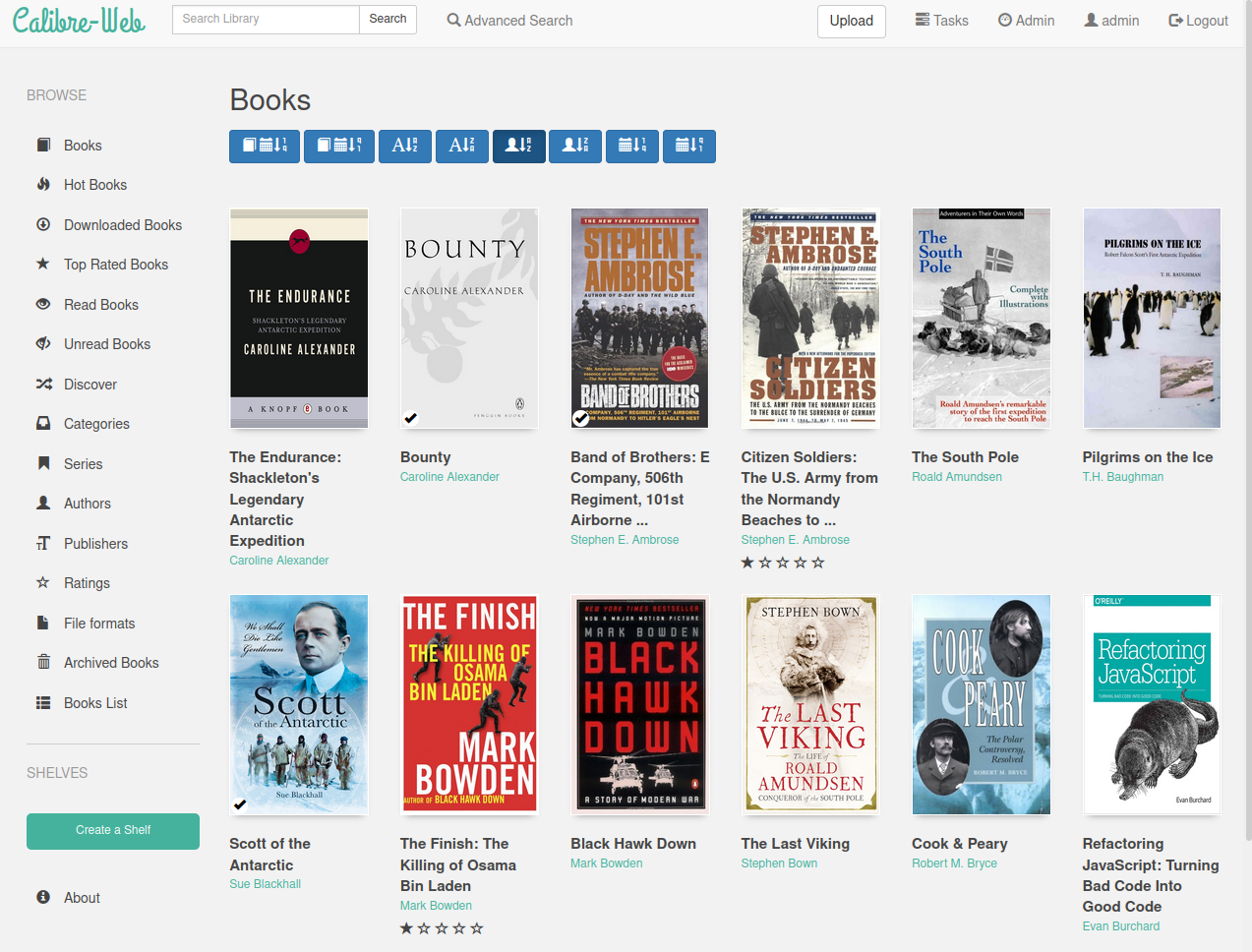
Calibre-Web is a web app that offers a clean and intuitive interface for browsing, reading, and downloading eBooks using a valid Calibre database.






Table of Contents (click to expand)
This software is a fork of library and licensed under the GPL v3 License.
Features
- Modern and responsive Bootstrap 3 HTML5 interface
- Full graphical setup
- Comprehensive user management with fine-grained per-user permissions
- Admin interface
- Multilingual user interface supporting 20+ languages (supported languages)
- OPDS feed for eBook reader apps
- Advanced search and filtering options
- Custom book collection (shelves) creation
- eBook metadata editing and deletion support
- Metadata download from various sources (extensible via plugins)
- eBook conversion through Calibre binaries
- eBook download restriction to logged-in users
- Public user registration support
- Send eBooks to E-Readers with a single click
- Sync Kobo devices with your Calibre library
- In-browser eBook reading support for multiple formats
- Upload new books in various formats, including audio formats
- Calibre Custom Columns support
- Content hiding based on categories and Custom Column content per user
- Self-update capability
- "Magic Link" login for easy access on eReaders
- LDAP, Google/GitHub OAuth, and proxy authentication support
Installation
Installation via pip (recommended)
- Create a virtual environment: It’s essential to isolate your Calibre-Web installation to avoid dependency conflicts. You can create a virtual environment by running:
python3 -m venv calibre-web-env - Activate the virtual environment:
source calibre-web-env/bin/activate - Install Calibre-Web: Use pip to install the application:
pip install calibreweb - Install optional features: For additional functionality, you may need to install optional features. Refer to this page for details on what can be installed.
- Start Calibre-Web: After installation, you can start the application with:
cps
Note: Users of Raspberry Pi OS may encounter installation issues. If you do, try upgrading pip and/or installing cargo as follows:
./venv/bin/python3 -m pip install --upgrade pip
sudo apt install cargo
Important Links
- For additional installation examples, check the following:
Quick Start
- Access Calibre-Web: Open your browser and navigate to:
or for the OPDS catalog:http://localhost:8083http://localhost:8083/opds - Log in: Use the default admin credentials:
- Username: admin
- Password: admin123
- Database Setup: If you do not have a Calibre database, download a sample from:
Move it out of the Calibre-Web folder to avoid overwriting during updates.https://github.com/janeczku/calibre-web/raw/master/library/metadata.db - Configure Calibre Database: In the admin interface, set the
Location of Calibre databaseto the path of the folder containing your Calibre library (wheremetadata.dbis located) and click "Save". - Google Drive Integration: For hosting your Calibre library on Google Drive, refer to the Google Drive integration guide.
- Admin Configuration: Configure your instance via the admin page, referring to the Basic Configuration and UI Configuration guides.
Requirements
- Python Version: Ensure you have Python 3.7 or newer.
- Imagemagick: Required for cover extraction from EPUBs. Windows users may also need to install Ghostscript for PDF cover extraction.
- Optional Tools:
- Calibre desktop program: Recommended for on-the-fly conversion and metadata editing. Set the path to Calibre’s converter tool on the setup page.
- Kepubify tool: Needed for Kobo device support. Download the tool and place the binary in
/opt/kepubifyon Linux orC:\Program Files\kepubifyon Windows.
Docker Images
Pre-built Docker images are available:
LinuxServer - x64, aarch64
- Docker Hub: linuxserver/calibre-web
- GitHub: linuxserver/docker-calibre-web
- Optional Calibre layer: linuxserver/docker-mods
To include the Calibre ebook-convert binary (x64 only), add the environment variable:
DOCKER_MODS=linuxserver/mods:universal-calibre
in your Docker run/compose file. Omit this variable for a lightweight image.
- Paths Configuration:
- Set Path to Calibre Binaries to
/usr/bin. - Set Path to Unrar to
/usr/bin/unrar.
- Set Path to Calibre Binaries to
Troubleshooting
-
Common Issues:
- If you experience issues starting the application, check the log files located in the
logsdirectory for error messages. - If eBooks fail to load, verify that the
Location of Calibre databaseis correctly set and that the database file is accessible. - You need to enable uploads under
Basic settingsfor this option to appear
- If you experience issues starting the application, check the log files located in the
-
Configuration Errors: Ensure that your Calibre database is compatible and properly formatted. Refer to the Calibre documentation for guidance on maintaining the database.
-
Performance Problems:
- If the application is slow, consider increasing the allocated resources (CPU/RAM) to your server or optimizing the Calibre database by removing duplicates and unnecessary entries.
- Regularly clear the cache in your web browser to improve loading times.
-
User Management Issues: If users are unable to log in or register, check the user permission settings in the admin interface. Ensure that registration is enabled and that users are being assigned appropriate roles.
-
Support Resources: For additional help, consider visiting the FAQ section of the wiki or posting your questions in the Discord community.
Contributor Recognition
We would like to thank all the contributors and maintainers of Calibre-Web for their valuable input and dedication to the project. Your contributions are greatly appreciated.
Contact
Join us on Discord
For more information, How To's, and FAQs, please visit the Wiki
Contributing to Calibre-Web
To contribute, please check our Contributing Guidelines. We welcome issues, feature requests, and pull requests from the community.
Reporting Bugs
If you encounter bugs or issues, please report them in the issues section of the repository. Be sure to include detailed information about your setup and the problem encountered.
Feature Requests
We welcome suggestions for new features. Please create a new issue in the repository to discuss your ideas.
Additional Resources
- Documentation: Comprehensive documentation is available on the Calibre-Web wiki.
- Community Contributions: Explore the community contributions to see ongoing work and how you can get involved.
Thank you for using Calibre-Web! We hope you enjoy managing your eBook library with our tool.
Release history Release notifications | RSS feed


Download files
Download the file for your platform. If you're not sure which to choose, learn more about installing packages.
Source Distribution
Built Distribution
Filter files by name, interpreter, ABI, and platform.
If you're not sure about the file name format, learn more about wheel file names.
Copy a direct link to the current filters
File details
Details for the file calibreweb-0.6.26.tar.gz.
File metadata
- Download URL: calibreweb-0.6.26.tar.gz
- Upload date:
- Size: 7.3 MB
- Tags: Source
- Uploaded using Trusted Publishing? No
- Uploaded via: twine/6.2.0 CPython/3.12.3
File hashes
| Algorithm | Hash digest | |
|---|---|---|
| SHA256 |
4d0cdb10df10872817d26f9cbf43097674e35bbb16d16c6c4ff5a24c002a2358
|
|
| MD5 |
bd1215f3ca5b27d1481f7d472ad5e307
|
|
| BLAKE2b-256 |
4c81580a63d32d1607543a77163f69d8678e12c7b08496680b81ffa0f9a2e268
|
File details
Details for the file calibreweb-0.6.26-py3-none-any.whl.
File metadata
- Download URL: calibreweb-0.6.26-py3-none-any.whl
- Upload date:
- Size: 8.1 MB
- Tags: Python 3
- Uploaded using Trusted Publishing? No
- Uploaded via: twine/6.2.0 CPython/3.12.3
File hashes
| Algorithm | Hash digest | |
|---|---|---|
| SHA256 |
393c1a00d47a1ae4c67192afc2d9b8dfa9cfae44ddb750599c7a9f1228055b97
|
|
| MD5 |
ff9a2eda8fe874afdf5f1db52cfc9d1b
|
|
| BLAKE2b-256 |
0c03e9081bfd3f3f5036b8441e84c3aed0e7088df19684009bd137fe5c70b500
|






