
Charted is a zero dependency SVG chart generator that aims to provide a simple interface for generating beautiful and customisable graphs. This project is inspired by chart libraries like mermaid.js.

Project description



Charted is a zero-dependency SVG chart library for Python. Drop in a list of numbers, get back a clean SVG string — no numpy, no pandas, no heavy dependencies. 11 chart types, multi-series support, theming, and a CLI so you can generate charts without writing code.
Core principle: charted itself has zero runtime dependencies. PNG export and MCP server support are opt-in extras that pull in their own dependencies — the base library stays pure Python.
pip install charted
from charted import BarChart

chart = BarChart(
    title="Sales by Quarter",
    data=[120, 180, 210, 150],
    labels=["Q1", "Q2", "Q3", "Q4"],
)
chart.save("chart.svg")
chart.save("chart.png")  # PNG export (requires cairosvg)
Why Charted?
- Zero runtime dependencies — pure Python, no numpy/pandas required
- 11 chart types — Bar, Column, Line, Scatter, Pie, Radar, Area, Box Plot, Histogram, Heatmap, Gantt
- Multi-series support — stacked, side-by-side, grouped layouts
- Negative values handled — proper zero baseline calculations
- SVG and PNG output — SVG natively, PNG via optional
cairosvg(pip install charted[png]) - Theme system — 3 built-in presets + custom theme composition
- Per-series styling — granular control with SeriesStyle builders
- Data loading — CSV/JSON parsers built-in
- Markdown export — generate embed-ready markdown snippets
- CLI included — create charts without writing Python code
- Jupyter ready — charts render inline automatically
- Base Chart class — unified API for dynamic chart type selection
Quick Tour
Every chart type shares the same simple interface — pass data, labels, dimensions, and a title:
from charted.charts import BarChart, LineChart, PieChart

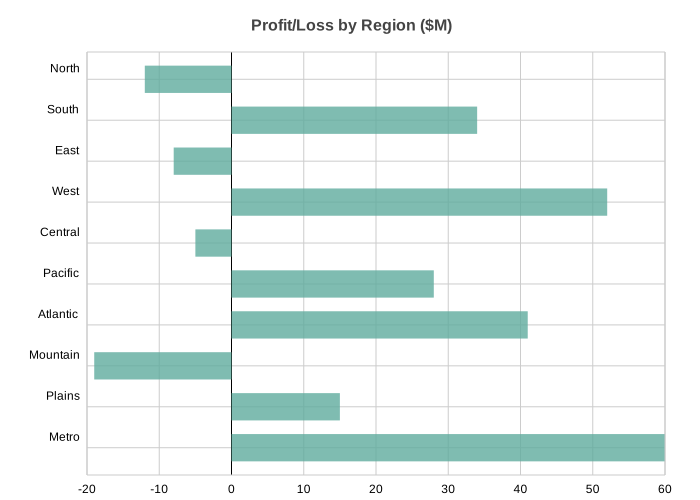
# Bar — single series with negatives
BarChart(
    title="Profit/Loss by Region ($M)",
    data=[-12, 34, -8, 52, -5, 28, 41, -19, 15, 60],
    labels=["North", "South", "East", "West", "Central", "Pacific", "Atlantic", "Mountain", "Plains", "Metro"],
    width=700, height=500,
).save("bar.svg")
# Bar — multi-series side-by-side
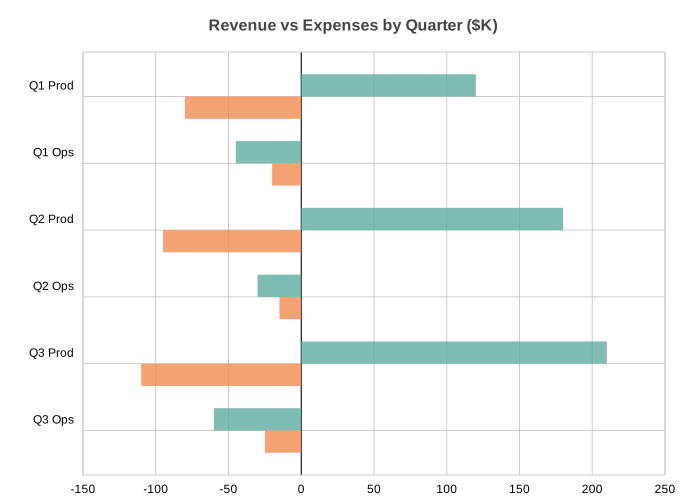
BarChart(
    title="Revenue vs Expenses by Quarter ($K)",
    data=[[120, -45, 180, -30, 210, -60], [-80, -20, -95, -15, -110, -25]],
    labels=["Q1 Prod", "Q1 Ops", "Q2 Prod", "Q2 Ops", "Q3 Prod", "Q3 Ops"],
    width=700, height=500,
).save("bar_multi.svg")
# Bar — stacked
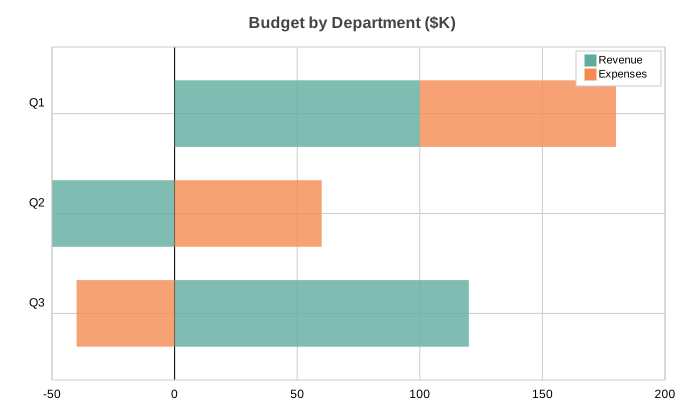
BarChart(
    title="Budget by Department ($K)",
    data=[[100, -50, 120], [80, 60, -40]],
    labels=["Q1", "Q2", "Q3"],
    series_names=["Revenue", "Expenses"],
    x_stacked=True, width=700, height=400,
).save("bar_stacked.svg")
# Bar — side-by-side with negatives
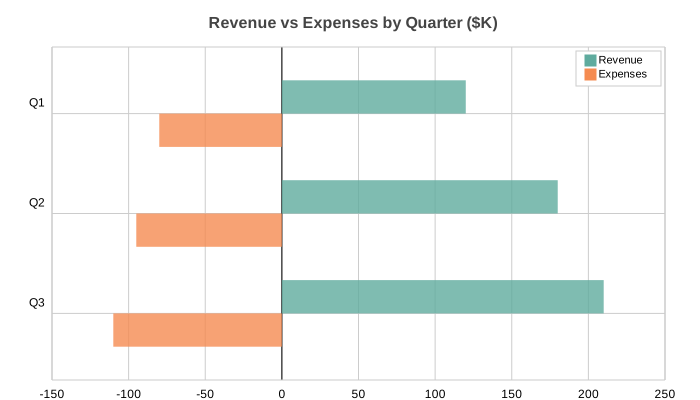
BarChart(
    title="Revenue vs Expenses by Quarter ($K)",
    data=[[120, 180, 210], [-80, -95, -110]],
    labels=["Q1", "Q2", "Q3"],
    series_names=["Revenue", "Expenses"],
    width=700, height=400,
).save("bar_sidebyside.svg")
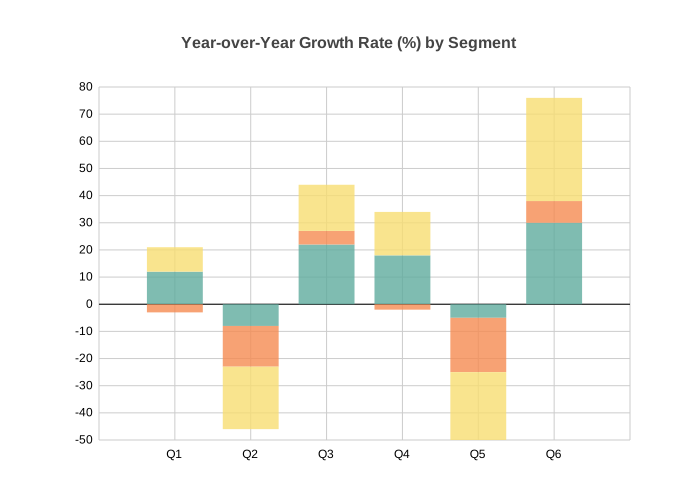
# Column — multi-series with negatives
from charted.charts import ColumnChart

ColumnChart(
    title="Year-over-Year Growth Rate (%) by Segment",
    data=[[12, -8, 22, 18, -5, 30], [-3, -15, 5, -2, -20, 8], [9, -23, 17, 16, -25, 38]],
    labels=["Q1", "Q2", "Q3", "Q4", "Q5", "Q6"],
    width=700, height=500,
    theme={"v_padding": 0.12, "h_padding": 0.10},
).save("column.svg")
# Column — stacked (default for multi-series)
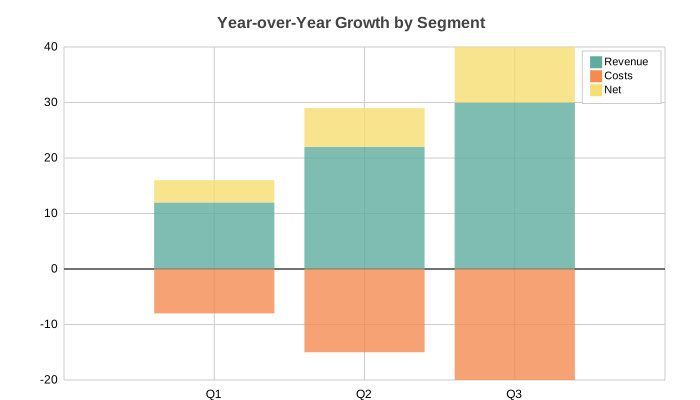
ColumnChart(
    title="Year-over-Year Growth by Segment",
    data=[[12, 22, 30], [-8, -15, -20], [4, 7, 10]],
    labels=["Q1", "Q2", "Q3"],
    series_names=["Revenue", "Costs", "Net"],
    width=700, height=400,
).save("column_stacked.svg")
# Column — side-by-side
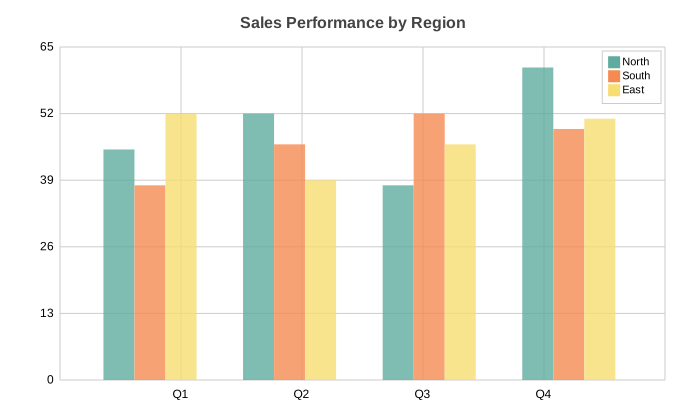
ColumnChart(
    title="Sales Performance by Region",
    data=[[45, 52, 38, 61], [38, 46, 52, 49], [52, 39, 46, 51]],
    labels=["Q1", "Q2", "Q3", "Q4"],
    series_names=["North", "South", "East"],
    width=700, height=400, y_stacked=False,
).save("column_sidebyside.svg")
# Line — multi-series signal data
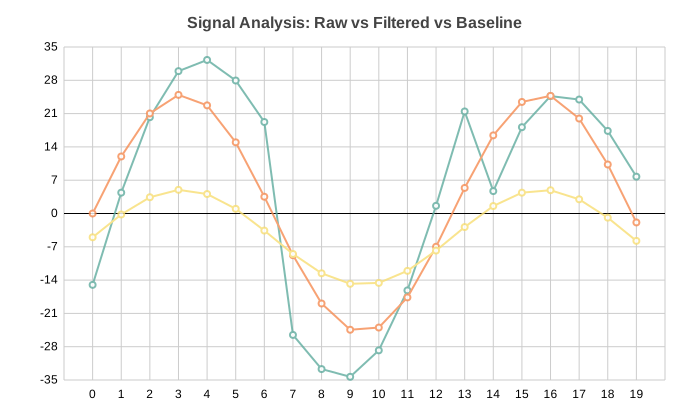
import math
from charted.charts import LineChart

n = 20
LineChart(
    title="Signal Analysis: Raw vs Filtered vs Baseline",
    data=[
        [math.sin(i * 0.5) * 30 + (i % 7 - 3) * 5 for i in range(n)],
        [math.sin(i * 0.5) * 25 for i in range(n)],
        [math.sin(i * 0.5) * 10 - 5 for i in range(n)],
    ],
    labels=[str(i) for i in range(n)],
    width=700, height=400,
).save("line.svg")
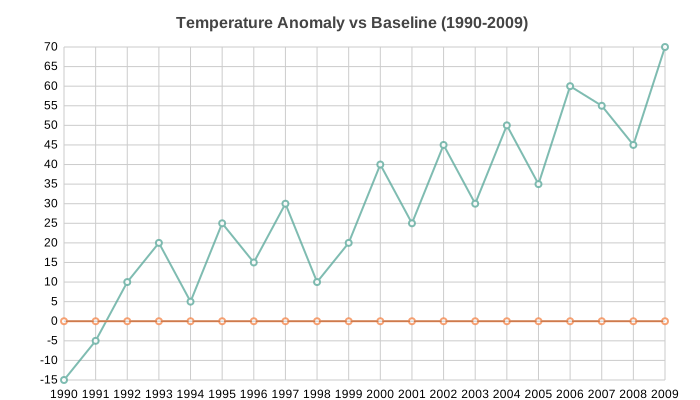
# Line — XY mode with temperature anomaly data
years = list(range(1990, 2010))
anomalies = [-15, -5, 10, 20, 5, 25, 15, 30, 10, 20, 40, 25, 45, 30, 50, 35, 60, 55, 45, 70]
baseline = [round(5 + 2 * math.sin(i * 0.4) + i * 0.5, 1) for i in range(len(years))]

LineChart(
    title="Temperature Anomaly vs 5-Year Rolling Baseline (1990-2009)",
    data=[anomalies, baseline],
    x_data=years,
    labels=[str(y) for y in years],
    width=700, height=400,
).save("xy_line.svg")
# Line — single series
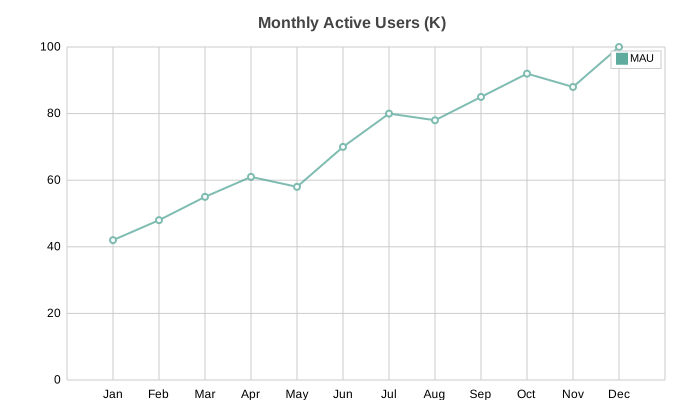
LineChart(
    title="Monthly Active Users (K)",
    data=[[42, 48, 55, 61, 58, 70, 80, 78, 85, 92, 88, 100]],
    labels=["Jan", "Feb", "Mar", "Apr", "May", "Jun", "Jul", "Aug", "Sep", "Oct", "Nov", "Dec"],
    series_names=["MAU"], width=700, height=400,
).save("line_single.svg")
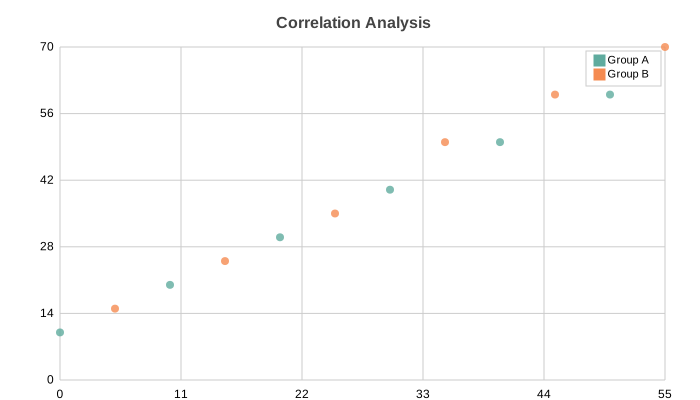
# Scatter — multi-series cluster analysis
import random
from charted.charts import ScatterChart

random.seed(42)
ca_x = [30 + random.gauss(0, 8) for _ in range(20)]
ca_y = [40 + random.gauss(0, 8) for _ in range(20)]
cb_x = [70 + random.gauss(0, 10) for _ in range(20)]
cb_y = [20 + random.gauss(0, 10) for _ in range(20)]

ScatterChart(
    title="Cluster Analysis — Two Distinct Populations",
    x_data=[ca_x, cb_x], y_data=[ca_y, cb_y],
    series_names=["Cluster A", "Cluster B"],
    width=700, height=400,
).save("scatter.svg")
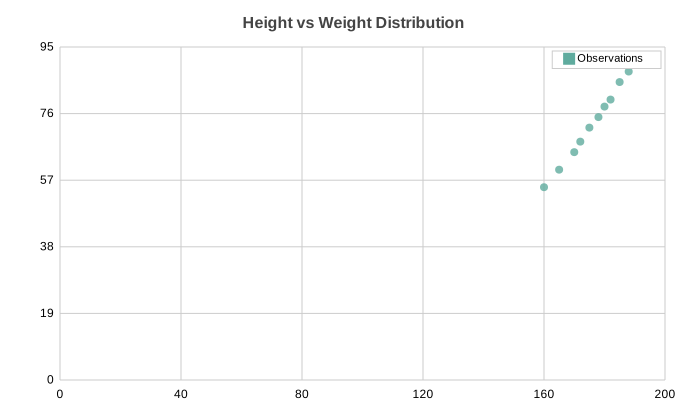
# Scatter — single series with quadratic curve
random.seed(1)
x_vals = [i for i in range(5, 95, 5)]
y_vals = [round(10 + (v - 50) ** 2 / 50 + random.gauss(0, 4), 1) for v in x_vals]

ScatterChart(
    title="U-Shaped Response Curve — Signal vs Input",
    x_data=x_vals, y_data=y_vals,
    series_names=["Observations"],
    width=700, height=400,
).save("scatter_single.svg")
# Pie — basic
from charted.charts import PieChart

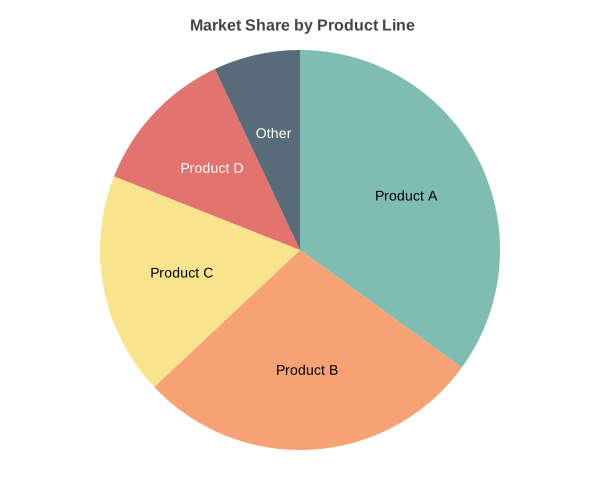
PieChart(
    title="Market Share by Product Line",
    data=[35, 28, 18, 12, 7],
    labels=["Product A", "Product B", "Product C", "Product D", "Other"],
    width=600, height=500,
).save("pie.svg")
# Pie — doughnut mode
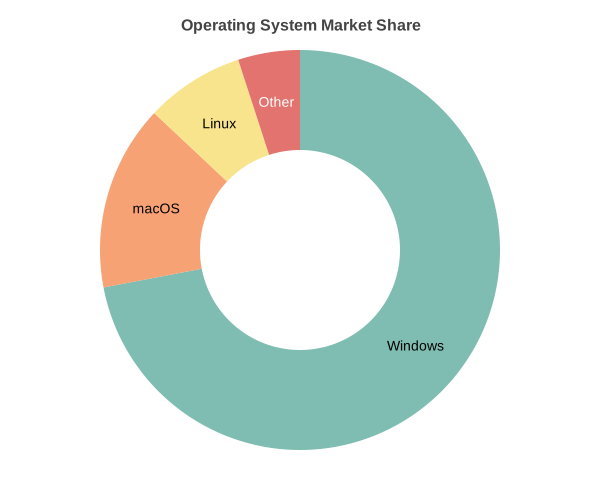
PieChart(
    title="Operating System Market Share",
    data=[72, 15, 8, 5],
    labels=["Windows", "macOS", "Linux", "Other"],
    inner_radius=0.5, width=600, height=500,
).save("pie_doughnut.svg")
# Radar — multi-series
from charted.charts import RadarChart

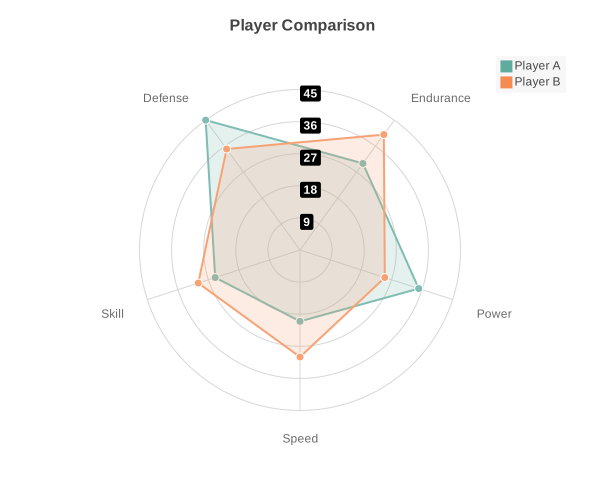
RadarChart(
    title="Player Skill Comparison",
    data=[[85, 90, 75, 88, 92], [70, 85, 90, 75, 80]],
    labels=["Speed", "Strength", "Defense", "Technique", "Stamina"],
    width=600, height=500,
).save("radar.svg")
# Radar — single series
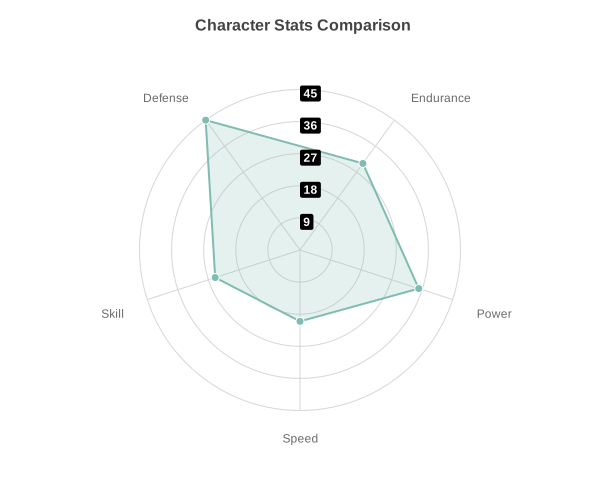
RadarChart(
    title="Character Stats",
    data=[20, 35, 30, 45, 25],
    labels=["Speed", "Power", "Endurance", "Defense", "Skill"],
    width=600, height=500,
).save("radar_multi.svg")
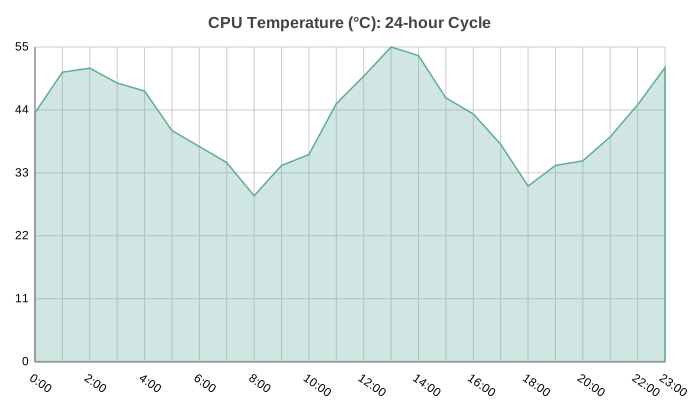
# Area — CPU temperature over 24 hours
from charted.charts import AreaChart

temps = [42 + 10 * math.sin(i * 0.6) + (hash(str(i)) % 5 - 2) * 1.5 for i in range(24)]

AreaChart(
    title="CPU Temperature (°C) — 24-hour Cycle",
    data=[round(t, 1) for t in temps],
    labels=[f"{h}:00" for h in range(24)],
    width=700, height=400,
).save("area.svg")
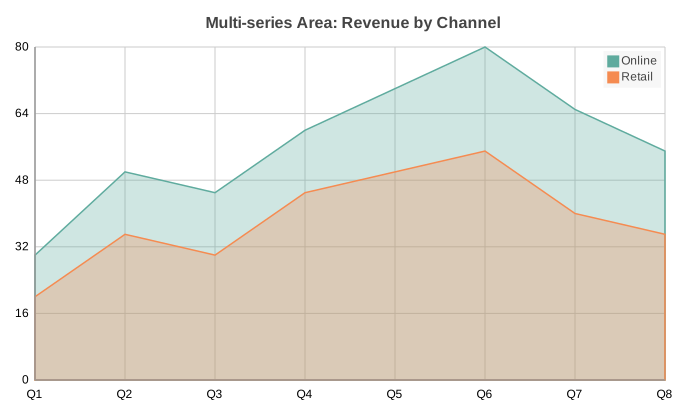
# Area — multi-series revenue by channel
AreaChart(
    title="Multi-series Area — Revenue by Channel",
    data=[[30, 50, 45, 60, 70, 80, 65, 55], [20, 35, 30, 45, 50, 55, 40, 35]],
    labels=["Q1", "Q2", "Q3", "Q4", "Q5", "Q6", "Q7", "Q8"],
    series_names=["Online", "Retail"],
    width=700, height=400,
).save("area_multi.svg")
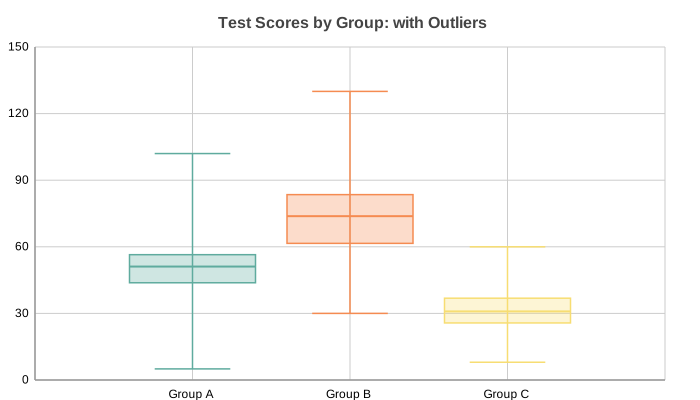
# Box Plot — distribution quartiles with outliers
import random
from charted.charts import BoxPlot

random.seed(42)
box_a = [round(random.gauss(50, 10), 1) for _ in range(50)] + [95, 5, 102]
box_b = [round(random.gauss(70, 15), 1) for _ in range(50)] + [120, 30, 130]
box_c = [round(random.gauss(30, 8), 1) for _ in range(50)] + [55, 8, 60]

BoxPlot(
    title="Test Scores by Group — with Outliers",
    data=[box_a, box_b, box_c],
    labels=["Group A", "Group B", "Group C"],
    width=700, height=400,
).save("boxplot.svg")
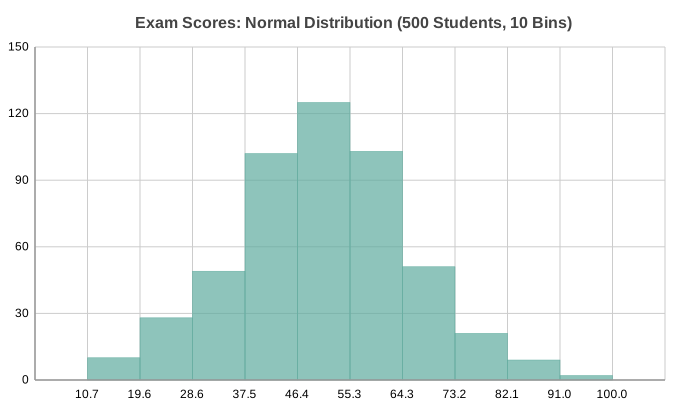
# Histogram — normal distribution (bell curve)
import random
from charted.charts import Histogram

random.seed(42)
scores = [random.gauss(50, 15) for _ in range(500)]

Histogram(
    title="Exam Scores — Normal Distribution (500 Students, 10 Bins)",
    data=scores,
    bins=10, width=700, height=400,
).save("histogram.svg")
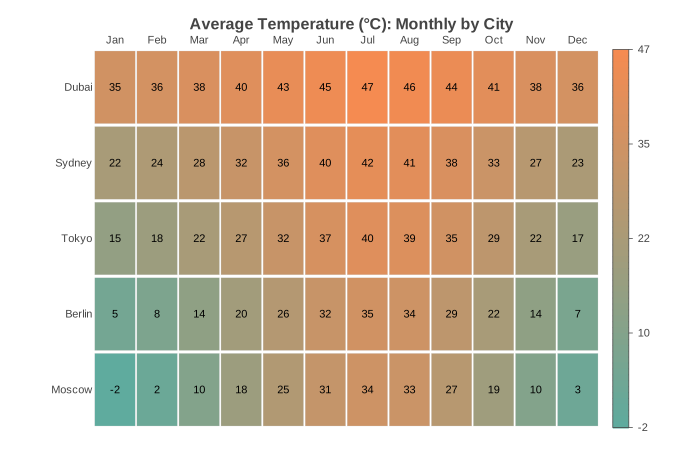
# Heatmap — monthly temperature matrix
from charted.charts import HeatmapChart

HeatmapChart(
    title="Average Temperature (°C) — Monthly by City",
    data=[
        [35, 36, 38, 40, 43, 45, 47, 46, 44, 41, 38, 36],
        [22, 24, 28, 32, 36, 40, 42, 41, 38, 33, 27, 23],
        [15, 18, 22, 27, 32, 37, 40, 39, 35, 29, 22, 17],
        [5, 8, 14, 20, 26, 32, 35, 34, 29, 22, 14, 7],
        [-2, 2, 10, 18, 25, 31, 34, 33, 27, 19, 10, 3],
    ],
    x_labels=["Jan", "Feb", "Mar", "Apr", "May", "Jun", "Jul", "Aug", "Sep", "Oct", "Nov", "Dec"],
    y_labels=["Dubai", "Sydney", "Tokyo", "Berlin", "Moscow"],
    width=700, height=450,
    low_color="#21639e", high_color="#f97316",
    show_values=True, value_format=".0f",
).save("heatmap.svg")
# Gantt — software project timeline
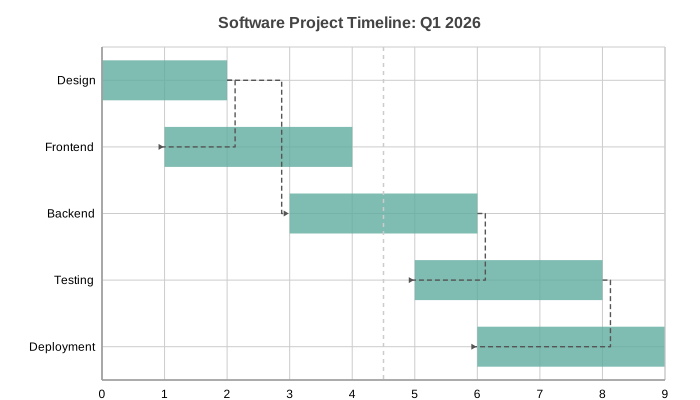
from charted.charts import GanttChart

GanttChart(
    title="Software Project Timeline — Q1 2026",
    data=[(0, 2), (1, 4), (3, 6), (5, 8), (6, 9)],
    labels=["Design", "Frontend", "Backend", "Testing", "Deployment"],
    width=700, height=400,
    dependencies=[(0, 1), (0, 2), (2, 3), (3, 4)],
    show_today_line=True,
    x_position=4.5,
).save("gantt.svg")
Theming
Three built-in presets — light, dark, high-contrast — plus custom theme composition:
from charted import BarChart

# Built-in themes
chart = BarChart(data=[120, 180, 210], labels=["Q1", "Q2", "Q3"], theme="light")
chart = BarChart(data=[120, 180, 210], labels=["Q1", "Q2", "Q3"], theme="dark")
chart = BarChart(data=[120, 180, 210], labels=["Q1", "Q2", "Q3"], theme="high-contrast")
| Theme | Preview |
|---|---|
| Light | 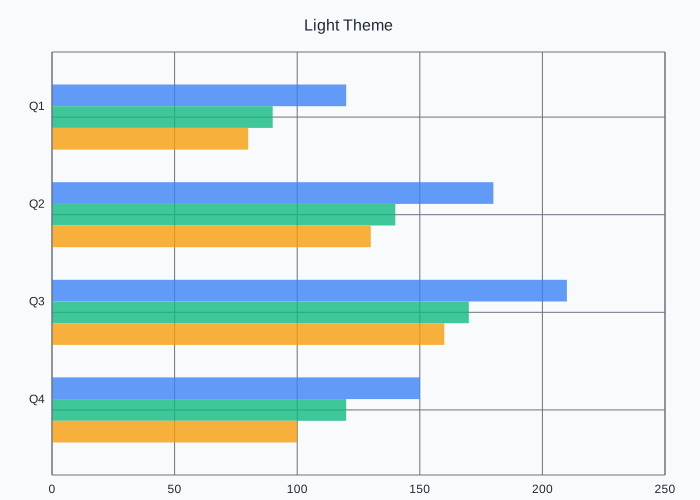 |
| Dark | 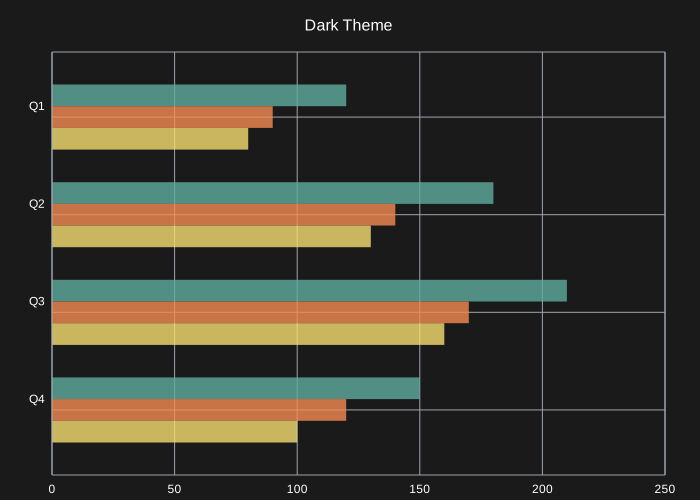 |
| High Contrast | 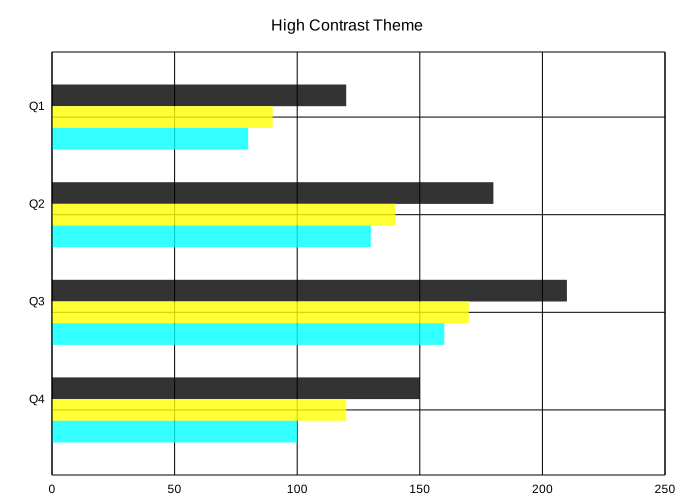 |
See the Theming docs for custom palettes, font overrides, and per-series styling.
CLI Usage
Generate charts without writing Python:
# From CSV
python -m charted create bar output.svg --data sales.csv

# From JSON
python -m charted create column chart.svg -d data.json

# Batch from directory
python -m charted batch input_data/ output_svg/
CSV format:
Quarter,Revenue,Expenses
Q1,120,80
Q2,180,95
Q3,210,110
JSON format:
{
  "labels": ["Q1", "Q2", "Q3"],
  "data": [[120, 180, 210], [80, 95, 110]],
  "series_names": ["Revenue", "Expenses"]
}
Full CLI docs: python -m charted --help
Data Loading
Load CSV/JSON without pandas:
from charted import load_csv, load_json, BarChart

# From CSV
x, y, labels = load_csv("sales.csv", x_col="Quarter", y_col="Revenue")
chart = BarChart(data=y, labels=x, title=labels[0])
chart.save("sales.svg")

# From JSON
x, y, labels = load_json("data.json")
chart = ColumnChart(data=y, labels=x)
Jupyter Notebook
Charts render inline automatically — no extra setup needed:
from charted.charts import BarChart

chart = BarChart(
    title="Sales by Quarter",
    data=[120, 180, 210, 150],
    labels=["Q1", "Q2", "Q3", "Q4"],
)
# Renders inline in the notebook cell
Markdown Export
from charted import BarChart
chart = BarChart(data=[120, 180, 210], labels=["Q1", "Q2", "Q3"], title="Sales")
# With file path
chart.save("docs/sales.svg")
md = chart.to_markdown(path="docs/sales.svg") # 
# As inline data URL
md = chart.to_markdown() # Data URL embedded in markdown
Base Chart Class
Dynamically select chart type at runtime:
from charted import Chart

chart = Chart(
    data=[120, 180, 210],
    labels=["Q1", "Q2", "Q3"],
    title="Sales",
    chart_type="bar",  # or column, line, scatter, pie, area, boxplot, histogram, heatmap, gantt
)
chart.save("chart.svg")

# Access all chart methods
svg = chart.to_svg()
md = chart.to_markdown()
Installation
pip install charted
Optional extras (these add dependencies — the core library stays zero-dep):
pip install 'charted[png]'     # PNG export via cairosvg
pip install 'charted[mcp]'     # MCP server for AI agent integration
pip install 'charted[duckdb]'  # generate charts from SQL queries
pip install 'charted[dev]'     # dev tools including PNG visual testing
PNG Export
Save charts directly as PNG by using the .png extension:
chart = BarChart(data=[10, 20, 30], labels=["A", "B", "C"])
chart.save("chart.svg")          # SVG (no extra dependencies)
chart.save("chart.png")          # PNG (requires cairosvg)
chart.save("chart.png", scale=3) # PNG at 3x resolution
PNG export requires cairosvg. If it's not installed, save() raises a helpful ImportError with install instructions.
MCP Server (AI Agent Integration)
Charted includes an MCP server so AI agents (Claude Code, Cursor, etc.) can generate charts without writing Python:
# Register with Claude Code
claude mcp add charted -- charted-mcp

# Or run standalone
charted-mcp
Exposes tools: create_chart, list_chart_types, list_themes, chart_from_csv. Requires pip install charted[mcp].
Links
Font System
Charted avoids tkinter by using pre-defined font metrics in fonts/definitions/. Generate new font definitions:
uv run python charted/commands/create_font_definition.py Helvetica
Release history Release notifications | RSS feed


Download files
Download the file for your platform. If you're not sure which to choose, learn more about installing packages.
Source Distribution
Built Distribution
Filter files by name, interpreter, ABI, and platform.
If you're not sure about the file name format, learn more about wheel file names.
Copy a direct link to the current filters
File details
Details for the file charted-1.0.3.tar.gz.
File metadata
- Download URL: charted-1.0.3.tar.gz
- Upload date:
- Size: 781.7 kB
- Tags: Source
- Uploaded using Trusted Publishing? No
- Uploaded via: uv/0.5.20
File hashes
| Algorithm | Hash digest | |
|---|---|---|
| SHA256 |
ee7334b91d4fb62cb9fe08e0fedf182fe54567bf582320950b6faf3b5b3935b5
|
|
| MD5 |
09ccc657f63a67fd2ed6881a907574b5
|
|
| BLAKE2b-256 |
c711ece5ed69f3f67ecbd061099cb67de31bc67470e0ebe6af0c92fe7a8ab5aa
|
File details
Details for the file charted-1.0.3-py3-none-any.whl.
File metadata
- Download URL: charted-1.0.3-py3-none-any.whl
- Upload date:
- Size: 170.7 kB
- Tags: Python 3
- Uploaded using Trusted Publishing? No
- Uploaded via: uv/0.5.20
File hashes
| Algorithm | Hash digest | |
|---|---|---|
| SHA256 |
e1f0194eef09ba65f3489baea753c4e78d6ad74160c4f22ac1fce59c0cafa568
|
|
| MD5 |
35ae6c1d9b9b996415739482cf71986f
|
|
| BLAKE2b-256 |
0f7d4a2f4a8c5cd271e265adbd2a0662e1f1a035ed82dbea4dd44550be70d8d8
|






