
A simple Discord chat exporter for Python Discord bots.


Project description



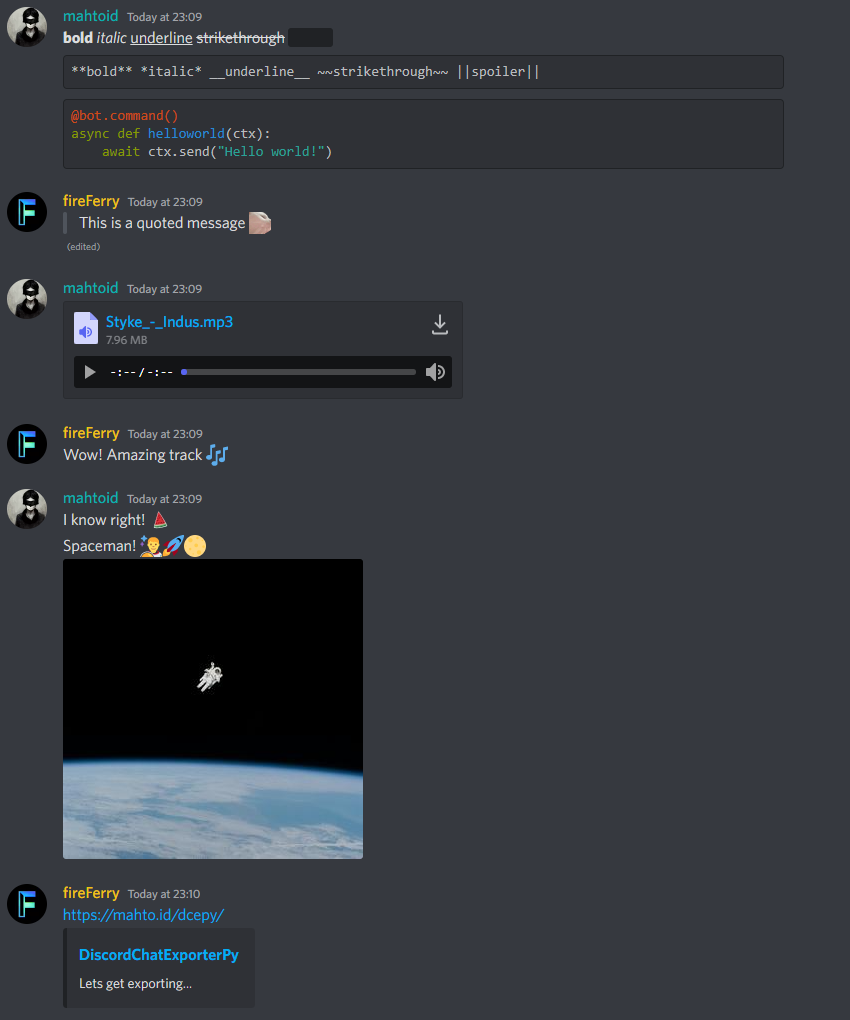
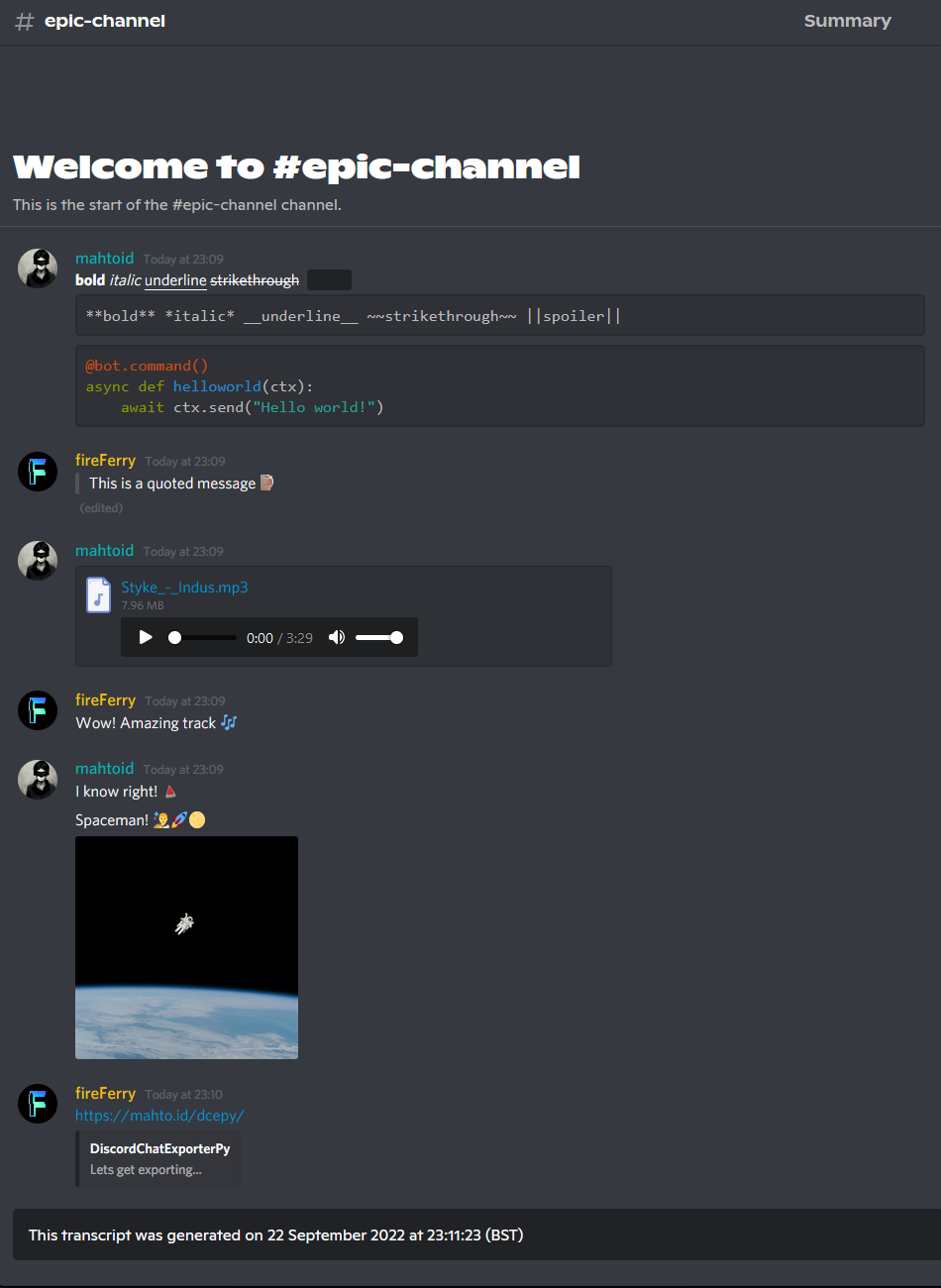
DiscordChatExporterPy is a Python lib for your discord.py (or forks) bot, allowing you to export Discord channel history in to a HTML file.
Installing
To install the library to your bot, run the command:
pip install chat-exporterTo install the repository, run the command:
git clone https://github.com/mahtoid/DiscordChatExporterPyNOTE: If you are using discord.py 1.7.3, please use chat-exporter v1.7.3
Usage
Basic Usage
import discord
import chat_exporter
from discord.ext import commands

intents = discord.Intents.default()
intents.members = True

bot = commands.Bot(command_prefix="!", intents=intents)


@bot.event
async def on_ready():
    print("Live: " + bot.user.name)


@bot.command()
async def save(ctx: commands.Context):
    await chat_exporter.quick_export(ctx.channel)

if __name__ == "__main__":
    bot.run("BOT_TOKEN_HERE")
Customisable Usage
import io

...

@bot.command()
async def save(ctx: commands.Context, limit: int, tz_info):
    transcript = await chat_exporter.export(
        ctx.channel,
        limit=limit,
        tz_info=tz_info,
    )

    if transcript is None:
        return

    transcript_file = discord.File(
        io.BytesIO(transcript.encode()),
        filename=f"transcript-{ctx.channel.name}.html",
    )

    await ctx.send(file=transcript_file)
Optional: limit and tz_info are both optional.
‘limit’ is to set the amount of messages to acquire from the history.
‘tz_info’ is to set your own custom timezone.
Raw Usage
import io

...

@bot.command()
async def purge(ctx: commands.Context, tz_info):
    deleted_messages = await ctx.channel.purge()

    transcript = await chat_exporter.raw_export(
        ctx.channel,
        messages=deleted_messages,
        tz_info=tz_info,
    )

    if transcript is None:
        return

    transcript_file = discord.File(
        io.BytesIO(transcript.encode()),
        filename=f"transcript-{ctx.channel.name}.html",
    )

    await ctx.send(file=transcript_file)
Optional: tz_info is optional.
‘tz_info’ is to set your own custom timezone.
Screenshots
Links
Attributions
This project borrows CSS and HTML code from Tyrrrz’s C# DiscordChatExporter repository.
Release history Release notifications | RSS feed


Download files
Download the file for your platform. If you're not sure which to choose, learn more about installing packages.
Source Distribution
chat_exporter-2.0.tar.gz
(35.8 kB
view details)
File details
Details for the file chat_exporter-2.0.tar.gz.
File metadata
- Download URL: chat_exporter-2.0.tar.gz
- Upload date:
- Size: 35.8 kB
- Tags: Source
- Uploaded using Trusted Publishing? No
- Uploaded via: twine/3.8.0 pkginfo/1.8.2 readme-renderer/32.0 requests/2.26.0 requests-toolbelt/0.9.1 urllib3/1.26.7 tqdm/4.62.3 importlib-metadata/4.10.1 keyring/23.5.0 rfc3986/2.0.0 colorama/0.4.4 CPython/3.9.9
File hashes
| Algorithm | Hash digest | |
|---|---|---|
| SHA256 |
0c4721ed8fd97f45ba936d99a6e66fa5d2c4da243bf93b60a5660076bb0e9685
|
|
| MD5 |
a0d2c90fa56c2ede1a5ada2d729ad5d7
|
|
| BLAKE2b-256 |
c0e2f2fe9e0e202423fa66349af9f19239cd3032bb8fa34b0ccf599fcae534c8
|






