



dstack is an open-source container orchestration engine designed for AI workloads across any cloud or data center.
The supported cloud providers include AWS, GCP, Azure, Lambda, TensorDock, Vast.ai, CUDO, and RunPod.
You can also use dstack ro run workloads on on-prem servers.
Latest news ✨
- [2024/05] dstack 0.18.2: On-prem clusters, private subnets, and more (Release)
- [2024/04] dstack 0.18.1: On-prem servers, and new example (Release)
- [2024/04] dstack 0.18.0: RunPod, mult-node tasks, and more (Release)
- [2024/03] dstack 0.17.0: Auto-scaling, and other improvements (Release)
- [2024/02] dstack 0.16.0: Pools (Release)
Installation
Before using dstack through CLI or API, set up a dstack server.
Install the server
The easiest way to install the server, is via pip:
pip install "dstack[all]" -U
Configure backends
If you have default AWS, GCP, or Azure credentials on your machine, the dstack server will pick them up automatically.
Otherwise, you need to manually specify the cloud credentials in ~/.dstack/server/config.yml.
See the server/config.yml reference for details on how to configure backends for all supported cloud providers.
Start the server
To start the server, use the dstack server command:
$ dstack server

Applying ~/.dstack/server/config.yml...

The admin token is "bbae0f28-d3dd-4820-bf61-8f4bb40815da"
The server is running at http://127.0.0.1:3000/
Note It's also possible to run the server via Docker.
CLI & API
Once the server is up, you can use either dstack's CLI or API to run workloads.
Below is a live demo of how it works with the CLI.
Dev environments
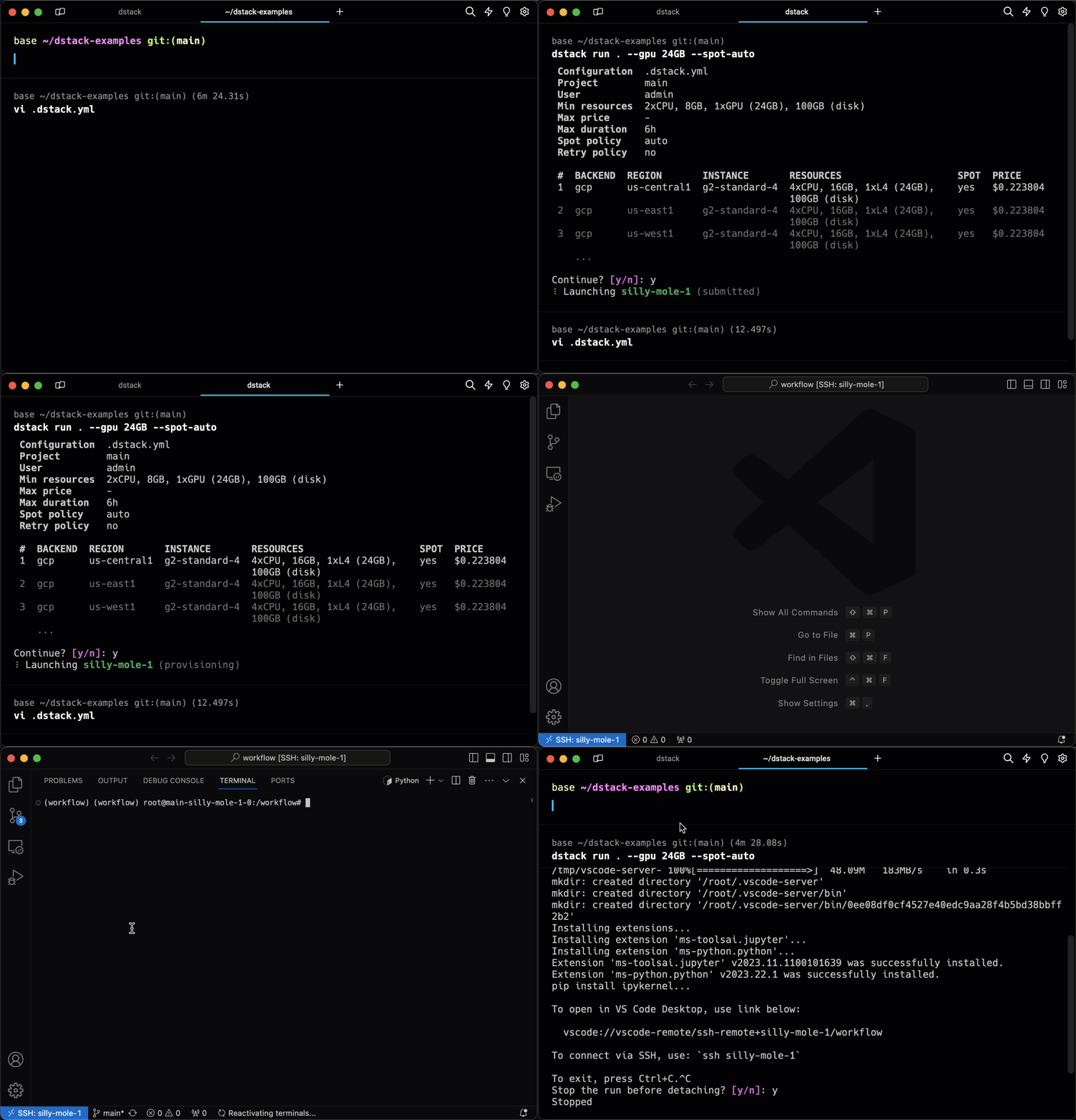
You specify the required environment and resources, then run it. dstack provisions the dev environment in the cloud and enables access via your desktop IDE.
Tasks
Tasks allow for convenient scheduling of any kind of batch jobs, such as training, fine-tuning, or data processing, as well as running web applications.
Specify the environment and resources, then run it. dstack executes the task in the cloud, enabling port forwarding to your local machine for convenient access.

Services
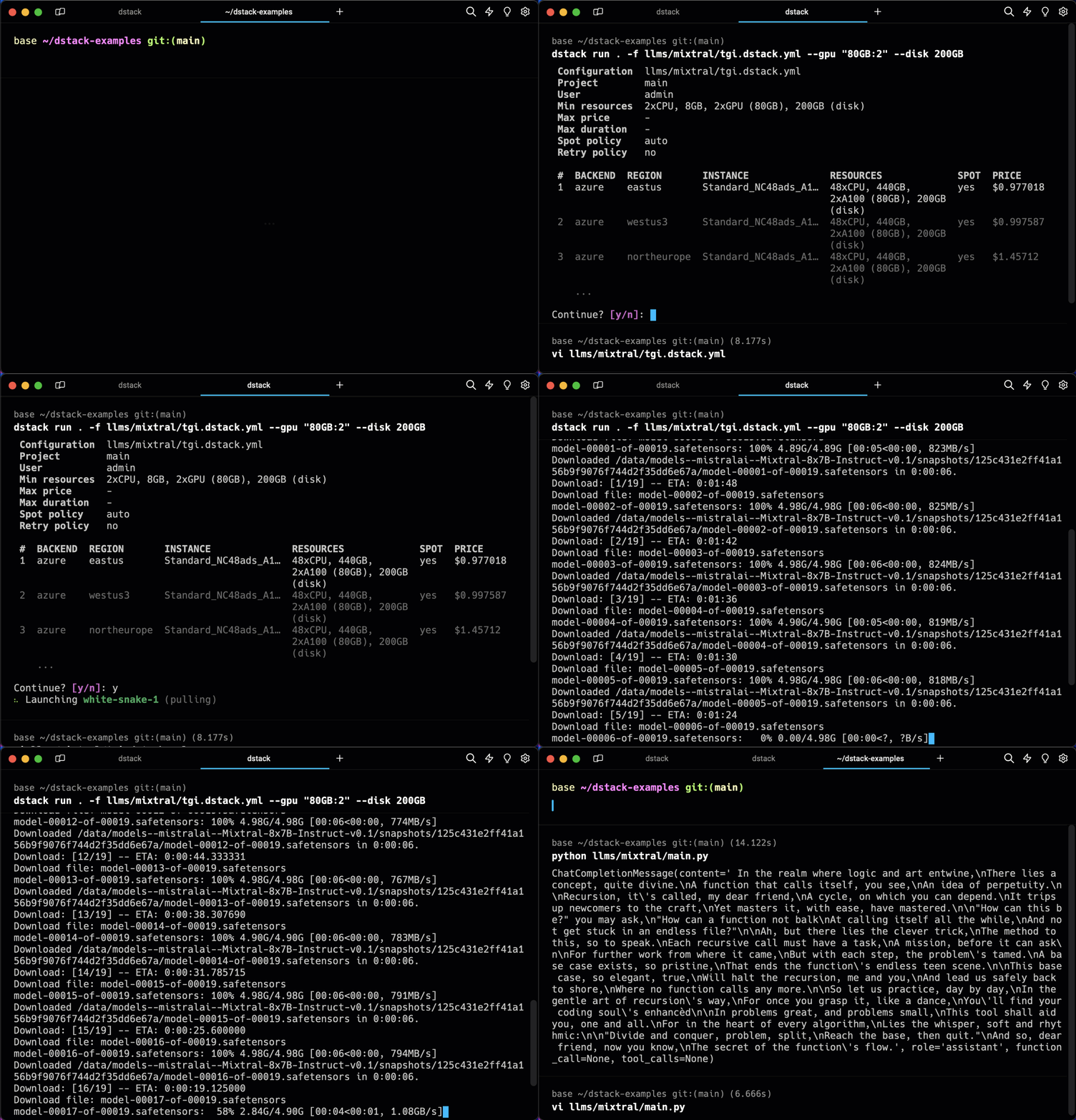
Services make it very easy to deploy any kind of model or web application as public endpoints.
Use any serving frameworks and specify required resources. dstack deploys it in the configured backend, handles authorization, and provides an OpenAI-compatible interface if needed.
Pools
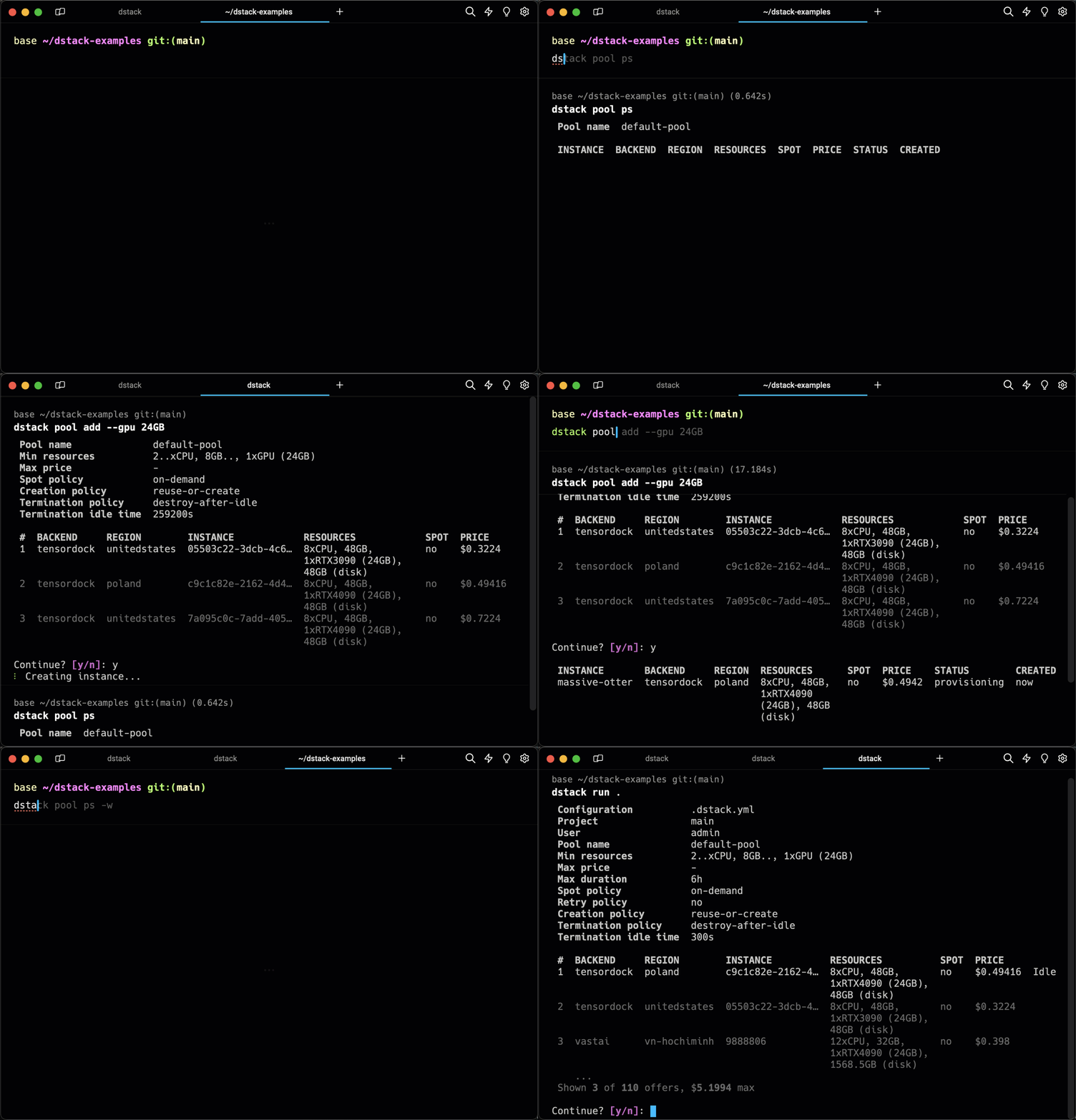
Pools simplify managing the lifecycle of cloud instances and enable their efficient reuse across runs.
You can have instances provisioned in the cloud automatically, or add them manually, configuring the required resources, idle duration, etc.
Examples
Here are some featured examples:
Browse examples for more examples.
More information
For additional information and examples, see the following links:
Licence
1 maintainer

Metadata
1 maintainer
Release files for chip-wallet-dstack 1.5
For a detailed explanation of source distributions (sdists) and built distributions (wheels), please see the package formats documentation.
Source distribution (sdist)
| File | Size | Uploaded | Provenance | Actions |
|---|---|---|---|---|
| chip_wallet_dstack-1.5.tar.gz | 273.5 kB | Without provenance | Details for chip_wallet_dstack-1.5.tar.gz |
Built distribution (wheel)
| File | Interpreter | ABI | Platform | Actions Reset |
|---|---|---|---|---|
| chip_wallet_dstack-1.5-py3-none-any.whl | Python 3 | none | any | Details for chip_wallet_dstack-1.5-py3-none-any.whl |
Total release size: 700.5 kB
Release files / chip_wallet_dstack-1.5.tar.gz
| Download URL | chip_wallet_dstack-1.5.tar.gz |
|---|---|
| Size | 273.5 kB |
| Tags | Source |
|
SHA-256 checksum How to use checksums |
7cf98d1be7dcbc8fd95a19f55061892984451f14804b2099bc44997e958f3351
|
|
BLAKE2b-256 checksum How to use checksums |
cbbd9af42739b17863306b8905799404279baf16dc61a3934acbcfa1c2f2fe16
|
| Upload date | |
|
Uploaded using Trusted Publishing? What is trusted publishing? |
No |
| Uploaded via |
twine/5.1.1 CPython/3.12.3
|
Release files / chip_wallet_dstack-1.5-py3-none-any.whl
| Download URL | chip_wallet_dstack-1.5-py3-none-any.whl |
|---|---|
| Size | 427.0 kB |
| Tags | Python 3 |
|
SHA-256 checksum How to use checksums |
b38d91e9322f1ee14f12acc3426d6ef0382bf013393b6e2156d31bc5b714a215
|
|
BLAKE2b-256 checksum How to use checksums |
97db1fbe009ba9e91e8cd6726717b54edf2b33ac16c8ddfb113a7cead3d0e25c
|
| Upload date | |
|
Uploaded using Trusted Publishing? What is trusted publishing? |
No |
| Uploaded via |
twine/5.1.1 CPython/3.12.3
|
Security for chip-wallet-dstack 1.5
Provenance
Provenance describes where a file came from. On PyPI, provenance is shared via attestations, which provide a verifiable record of the build or publishing details. View details, limitations and caveats.
No provenance found
None of the files in this release were uploaded with provenance metadata.
A note on package security
PyPI is a repository for distributing packages, not a service for auditing them. While third-party security researchers and our staff do their best to detect and remove malicious packages, PyPI cannot guarantee the quality, security or suitability of any given package.
To learn more about protecting yourself from malicious actors, visit our package security documentation.














