
A sleek CLI for timezone conversions with ASCII art and rich tables.

Project description
ChronoNav
A sleek and powerful CLI for navigating timezones with ease, right from your terminal.
ChronoNav is a command-line tool that makes dealing with timezones simple and intuitive. Whether you need a quick glance at world clocks, want to know the current time for a colleague overseas, or need to schedule a meeting across multiple timezones, ChronoNav has you covered.
Key Features
- Live World Clocks: Run
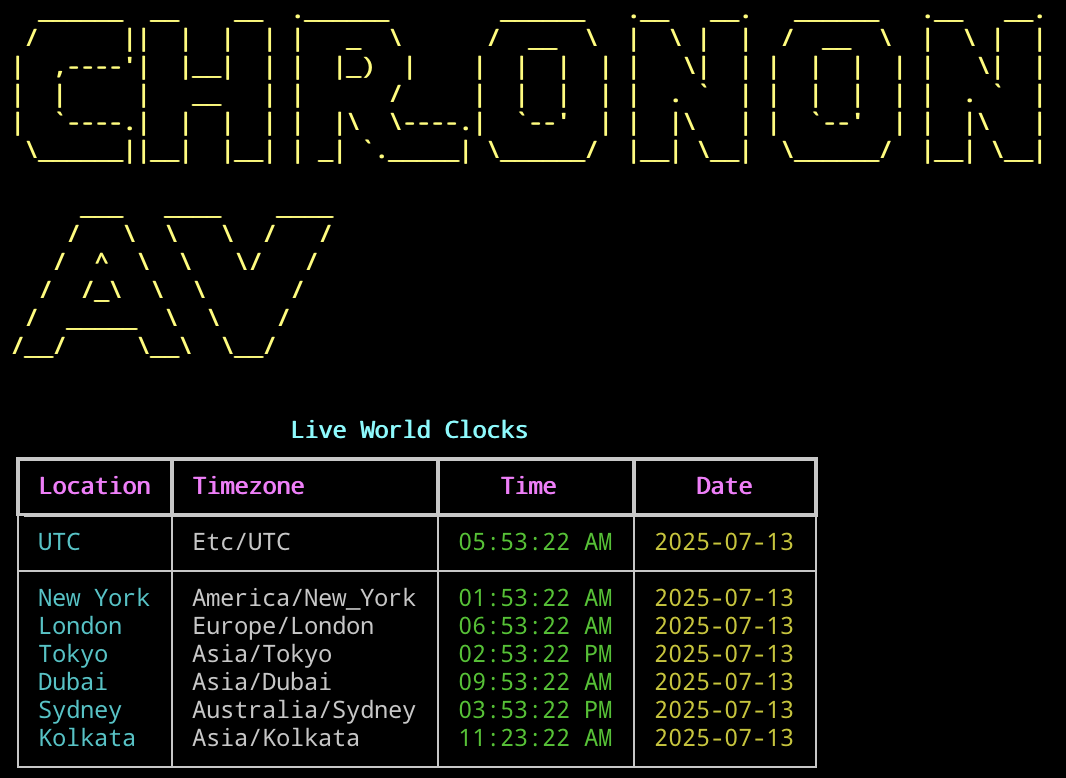
chrononavwith no arguments for a beautiful dashboard of current times in major world cities. - Specific Time Conversion: Convert any time from a source timezone to multiple destination timezones.
- "Now" Command: Instantly check the current time in any list of cities or timezones.
- 12/24 Hour Format: Use the
--am-pmflag to toggle between 12-hour and 24-hour clock formats. - Smart Aliases: Use common city names and aliases (like
nyc,la,kolkata) instead of formal timezone identifiers. - Polished Interface: Features ASCII art and rich, colorful tables for excellent readability.
Installation
The recommended way to install ChronoNav is using pipx, which installs Python CLI tools in isolated environments, preventing dependency conflicts.
Recommended Method: pipx
-
First, install pipx (you only need to do this once):
python3 -m pip install --user pipx
python3 -m pipx ensurepath
(You may need to restart your terminal after this step for the
PATHchange to take effect.) -
Install ChronoNav:
pipx install chrononav
Alternative Method: pip
If you prefer, you can install with pip. The --user flag is crucial to avoid modifying system packages.
-
Install ChronoNav for your user:
python3 -m pip install --user chrononav
-
Verify your PATH (Important!): This method may install the
chrononavcommand to a directory not in your shell'sPATH. If you get a "command not found" error, you must add it. Open your~/.bashrc,~/.zshrc, or equivalent shell configuration file and add one of the following lines:# For Linux: export PATH="$HOME/.local/bin:$PATH" # For macOS (path may vary depending on Python version): export PATH="$HOME/Library/Python/3.9/bin:$PATH"
Restart your terminal for the change to take effect.
Usage Examples
1. Default View (Live World Clocks)
Simply run the command by itself. Use --am-pm for 12-hour format.
chrononav --am-pm
Release history Release notifications | RSS feed


Download files
Download the file for your platform. If you're not sure which to choose, learn more about installing packages.
Source Distribution
Built Distribution
Filter files by name, interpreter, ABI, and platform.
If you're not sure about the file name format, learn more about wheel file names.
Copy a direct link to the current filters






