
A Python library for browser-based manual image classification

Project description
Classto
Classto is a Python library for building lightweight, browser-based tools to manually classify images into custom categories - ideal for preparing datasets or sorting visual content.
With just a few lines of Python, Classto spins up a local web interface built on Flask and styled with Tailwind CSS to let you quickly review, label, and organize images - right from your browser.
Interface Previews
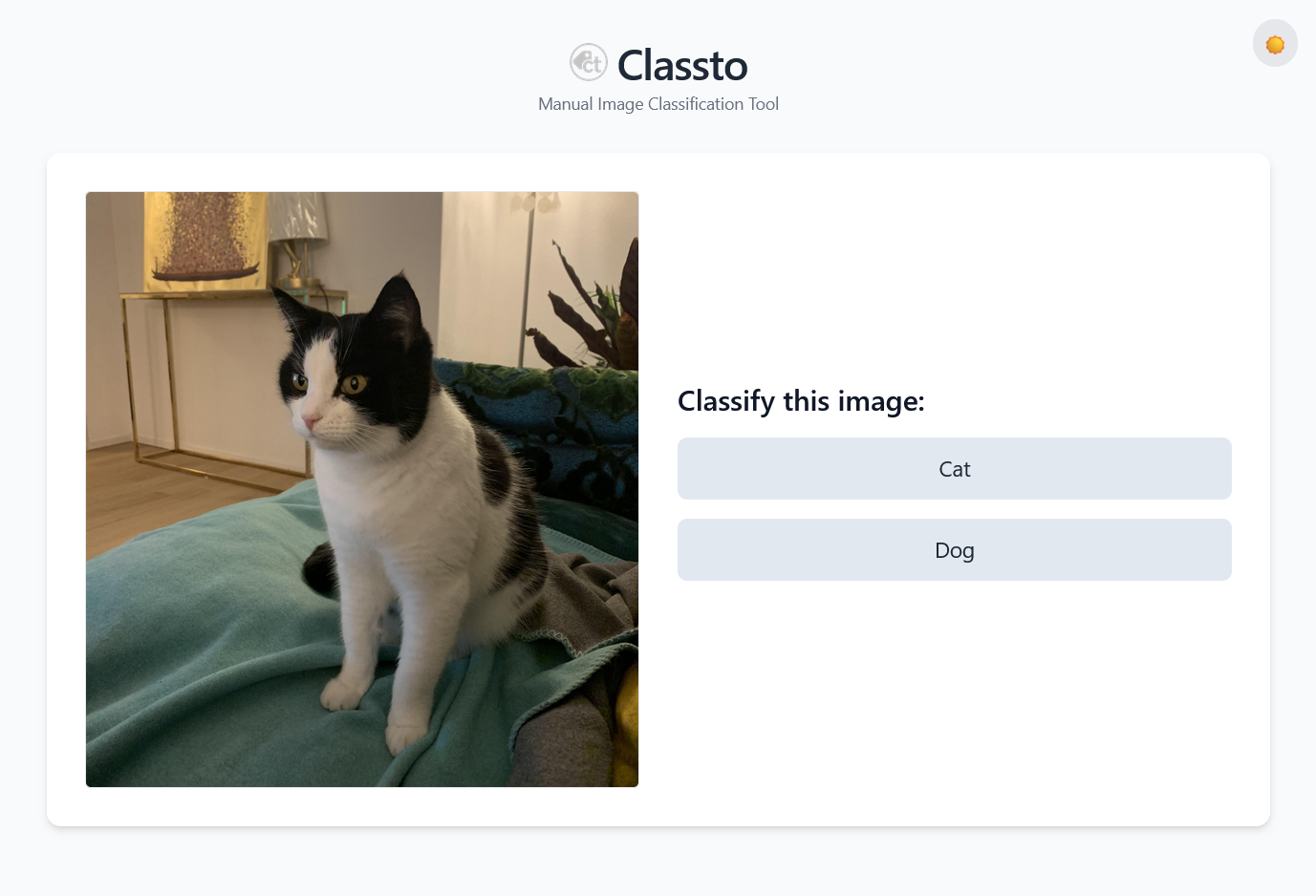
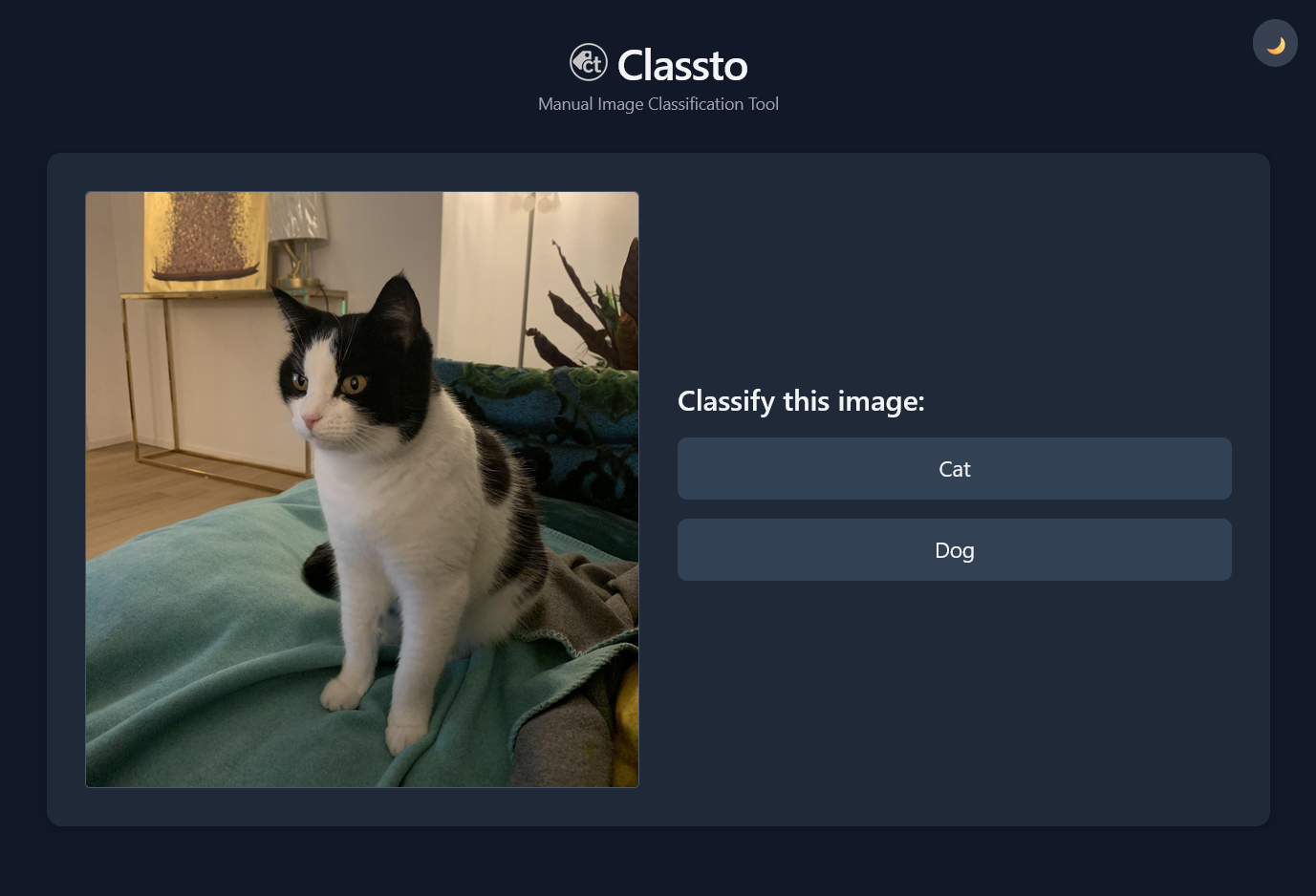
Classto in Light and Dark Mode
Features
- Classify images with one click
- Supports custom category lists
- Images are moved into subfolders per label
- Optionally add unique filename suffixes
- CSV logging for ML dataset tracking
- Delete unwanted images during classification
- Dark mode toggle built in
Installation
You can install Classto via pip:
pip install classto
Quickstart
import classto as ct

app = ct.ImageLabeler(
    classes=["Model", "Product Only"],
    image_folder="images",          # Path to your images
    delete_button=True,             # Optional delete button
    suffix=True,                    # Add unique suffix to avoid conflicts
    log_to_csv=True                 # Save results to labels.csv
)

app.launch()
Then open your browser at http://127.0.0.1:5000.
Example Folder Structure
Place your images in a folder (e.g. images/) relative to your script:
project/
├── images/
│   ├── cat1.jpg
│   ├── cat2.jpg
│   ├── dog1.jpg
│   └── dog2.jpg
├── app.py
After classification, images are moved to:
project/
├── classified/
│   ├── Cat/
│   │   ├── cat1__K8dLs.jpg
│   │   └── cat2__a7JkL.jpg
│   ├── Dog/
│   │   ├── dog1__Xy4Tz.jpg
│   │   └── dog2__Zx9Pm.jpg
│   └── labels.csv
Parameters
classes(List[str]): A list of categories for classification (e.g.["Dog", "Cat"]).image_folder(str): Path to the folder containing the images to classify. Defaults to"images".delete_button(bool): IfTrue, shows a delete button to remove images. Defaults toFalse.suffix(bool): IfTrue, appends a random suffix to filenames to avoid overwriting. Defaults toFalse.log_to_csv(bool): IfTrue, logs each classification into a CSV file. Defaults toFalse.shuffle(bool): IfTrue, images are shown in random order. Defaults toFalse.
How it works
- Classto loads images from your specified folder (e.g.
images/) - Each classification moves the image to
classified/<category>/ - Optionally appends a suffix to the filename
- If enabled, logs the action to a
labels.csvfile inclassified/
CSV Logging Format
If log_to_csv=True is enabled, each classification is logged to a labels.csv file inside the classified/ directory. The file contains the following columns:
| original_filename | new_filename | label | timestamp |
|---|---|---|---|
| img01.jpg | img01__4Fg7T.jpg | Product Only | 2025-05-05T15:58:00+00:00 |
original_filename: The name of the image before classification.new_filename: The new name after suffixing (if enabled).label: The category selected during classification.timestamp: When the classification occurred, in ISO 8601 format (UTC).
Release history Release notifications | RSS feed


Download files
Download the file for your platform. If you're not sure which to choose, learn more about installing packages.
Source Distribution
Built Distribution
Filter files by name, interpreter, ABI, and platform.
If you're not sure about the file name format, learn more about wheel file names.
Copy a direct link to the current filters
File details
Details for the file classto-1.0.0.tar.gz.
File metadata
- Download URL: classto-1.0.0.tar.gz
- Upload date:
- Size: 435.6 kB
- Tags: Source
- Uploaded using Trusted Publishing? No
- Uploaded via: twine/6.1.0 CPython/3.12.9
File hashes
| Algorithm | Hash digest | |
|---|---|---|
| SHA256 |
1b07f39d179f39ff8a8757f07beaee938127728cc621ef16954d51d81e8012c7
|
|
| MD5 |
1b25d5484b0e2b5ce74be3a4d841472c
|
|
| BLAKE2b-256 |
4774520df974a97a65545c095ff13f456150778177fffb3bf81e3ef3b6f4e2c8
|
File details
Details for the file classto-1.0.0-py3-none-any.whl.
File metadata
- Download URL: classto-1.0.0-py3-none-any.whl
- Upload date:
- Size: 431.6 kB
- Tags: Python 3
- Uploaded using Trusted Publishing? No
- Uploaded via: twine/6.1.0 CPython/3.12.9
File hashes
| Algorithm | Hash digest | |
|---|---|---|
| SHA256 |
7b0ff0cea2efb6de4da53f96655b049a40758380e9285f795402ecc00f8ed664
|
|
| MD5 |
7d6892acf2e9ed27670fdf3af89d5891
|
|
| BLAKE2b-256 |
6ba984eef1406f98128c1660db70630747769ef61bef51d0c73a5747d9ca7256
|






