
Local web app to explore Claude Code API cost and token usage by day, session, and turn
Verified details
These details have been verified by PyPIProject links
GitHub Statistics
Maintainers

Project description
Claude Code Cost Explorer
A local Flask web app for exploring Claude Code usage by day, session, and turn. It reads Claude Code JSONL logs from your machine, summarizes token usage, and estimates API cost without sending data anywhere.
No API key is needed. No database is used. No frontend build step is required.
What It Shows
Drill down: Day → Session → Turn
- 💬 Conversation turns → full messages + collapsible thinking
- 🛠️ Tool calls →
[tool: Bash],[3 tools: Read, Write, Glob]→ inputs + raw output
At each level it shows cost and token summaries. Turn detail pages can show the full user message, assistant content blocks, collapsible thinking blocks when present in the source log, and tool call inputs/results.
| Home | Sessions | Detail |
|---|---|---|
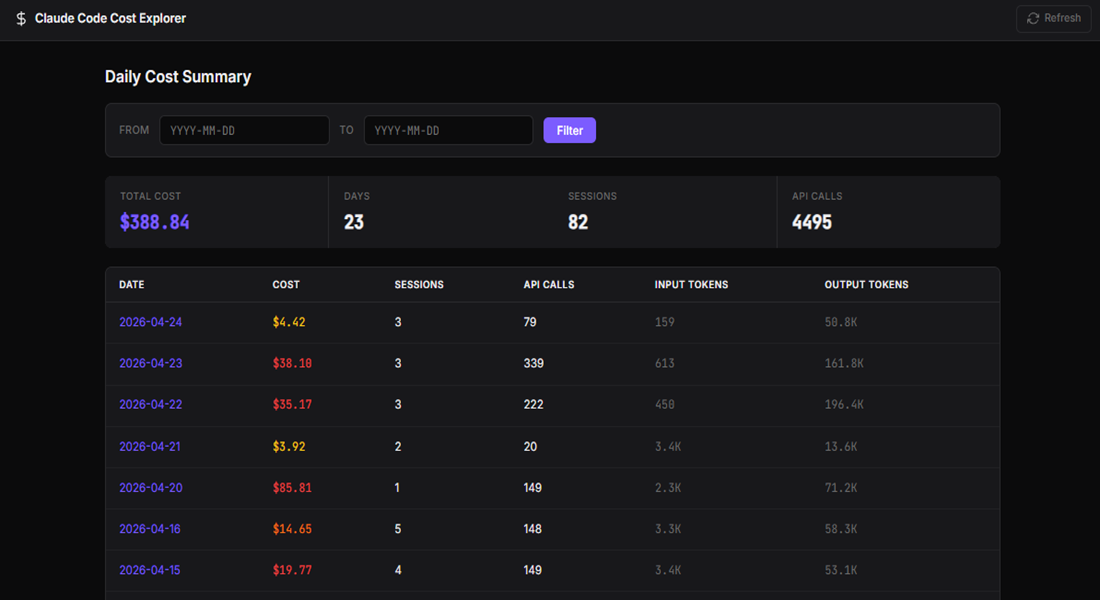 |
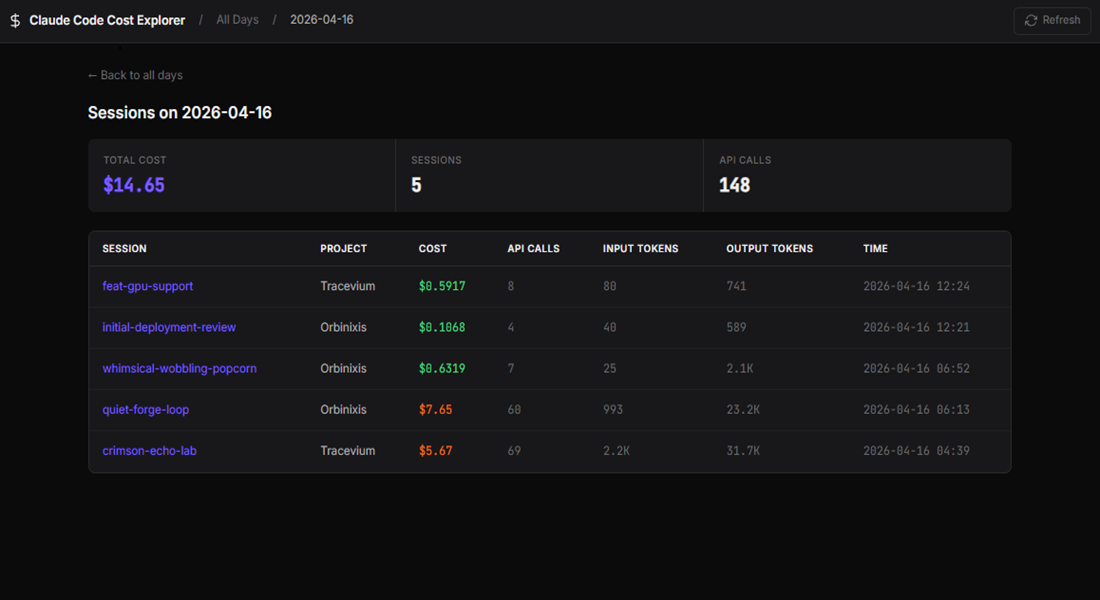 |
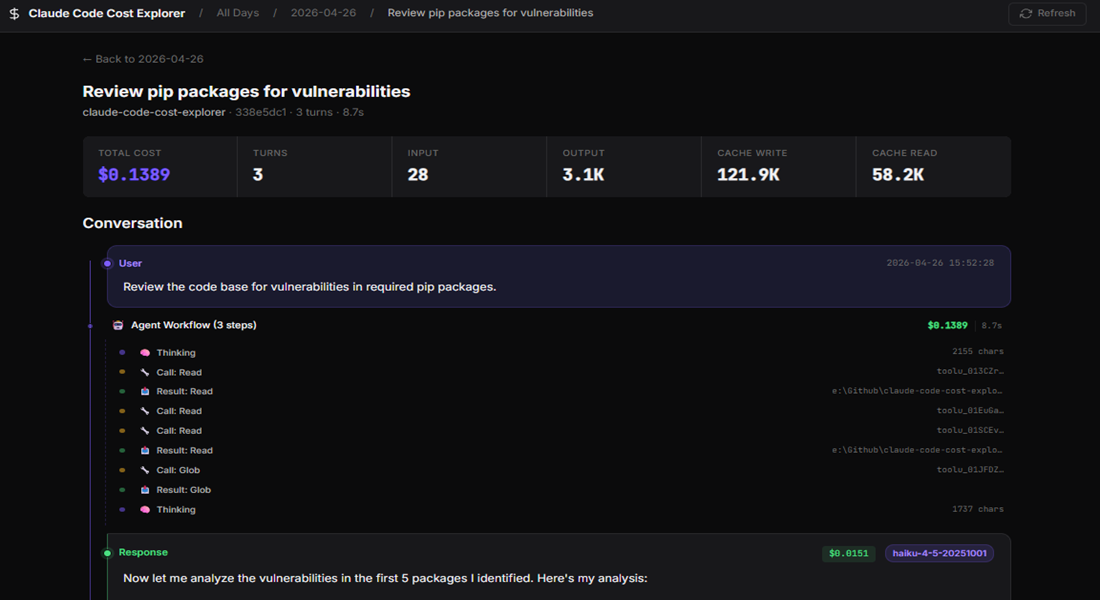 |
Install
pip install claude-code-cost-explorer
Run
ccx
Then open:
http://localhost:5050
You can also choose a port:
ccx --port 5051
To point at a custom projects directory instead of ~/.claude/projects/:
CLAUDE_PROJECTS_DIR=/path/to/projects ccx
Requirements
- Python 3.10 or newer
- Claude Code installed and used at least once
- A local
~/.claude/projects/directory containing Claude Code session JSONL files
How It Works
Claude Code Cost Explorer scans:
~/.claude/projects/*/*.jsonl
For each valid session file, it parses assistant records with token usage, associates them with the preceding user prompt or tool result, estimates cost from the model pricing table, and renders the result through local Flask/Jinja pages.
Session Naming Tips
Session titles come from Claude Code session metadata. Deliberate names make the session list much easier to scan when comparing costs across similar work.
| How | When |
|---|---|
claude -n "my-feature" |
At startup |
/rename my-feature |
During a conversation |
Press R in the /resume picker |
After the fact |
If you do not name a session, Claude assigns a random slug.
Development
uv run pytest -q
uv run ruff check .
uv run ruff format .
The project intentionally stays small: Flask, standard Python modules, Jinja templates, and tests.
License
MIT
Project details
Verified details
These details have been verified by PyPIProject links
GitHub Statistics
Maintainers


Download files
Download the file for your platform. If you're not sure which to choose, learn more about installing packages.
Source Distribution
Built Distribution
Filter files by name, interpreter, ABI, and platform.
If you're not sure about the file name format, learn more about wheel file names.
Copy a direct link to the current filters
File details
Details for the file claude_code_cost_explorer-0.1.5.tar.gz.
File metadata
- Download URL: claude_code_cost_explorer-0.1.5.tar.gz
- Upload date:
- Size: 503.6 kB
- Tags: Source
- Uploaded using Trusted Publishing? Yes
- Uploaded via: twine/6.1.0 CPython/3.13.12
File hashes
| Algorithm | Hash digest | |
|---|---|---|
| SHA256 |
ba0edd385f8012adca250b1af2229a1c4435b4fb3721b595b6d495b2c1d5ac19
|
|
| MD5 |
da9fd102294e43b30ce5bf38ef2b92b5
|
|
| BLAKE2b-256 |
e3e97c2bbc88e88c404de0d390a6d89d0a63033859ef2c0d9a28855992379f80
|
Provenance
The following attestation bundles were made for claude_code_cost_explorer-0.1.5.tar.gz:
Publisher:
publish.yml on ranajoy-dutta/claude-code-cost-explorer
-
Statement:
-
Statement type:
https://in-toto.io/Statement/v1 -
Predicate type:
https://docs.pypi.org/attestations/publish/v1 -
Subject name:
claude_code_cost_explorer-0.1.5.tar.gz -
Subject digest:
ba0edd385f8012adca250b1af2229a1c4435b4fb3721b595b6d495b2c1d5ac19 - Sigstore transparency entry: 1546343633
- Sigstore integration time:
-
Permalink:
ranajoy-dutta/claude-code-cost-explorer@438a7e369029bf45c363067efafd274448a2f8b8 -
Branch / Tag:
refs/tags/v0.1.5 - Owner: https://github.com/ranajoy-dutta
-
Access:
public
-
Token Issuer:
https://token.actions.githubusercontent.com -
Runner Environment:
github-hosted -
Publication workflow:
publish.yml@438a7e369029bf45c363067efafd274448a2f8b8 -
Trigger Event:
release
-
Statement type:
File details
Details for the file claude_code_cost_explorer-0.1.5-py3-none-any.whl.
File metadata
- Download URL: claude_code_cost_explorer-0.1.5-py3-none-any.whl
- Upload date:
- Size: 36.8 kB
- Tags: Python 3
- Uploaded using Trusted Publishing? Yes
- Uploaded via: twine/6.1.0 CPython/3.13.12
File hashes
| Algorithm | Hash digest | |
|---|---|---|
| SHA256 |
8613f1bba7a074185fca9bb2075441cce9bd6e0a60adb8222906842555d16c2f
|
|
| MD5 |
97a14202544dce41b41726bee8c8b646
|
|
| BLAKE2b-256 |
24841d1e515fa6ed7cbe4016ae45eec2be9617b77e7f53dd08fbcd68461f553f
|
Provenance
The following attestation bundles were made for claude_code_cost_explorer-0.1.5-py3-none-any.whl:
Publisher:
publish.yml on ranajoy-dutta/claude-code-cost-explorer
-
Statement:
-
Statement type:
https://in-toto.io/Statement/v1 -
Predicate type:
https://docs.pypi.org/attestations/publish/v1 -
Subject name:
claude_code_cost_explorer-0.1.5-py3-none-any.whl -
Subject digest:
8613f1bba7a074185fca9bb2075441cce9bd6e0a60adb8222906842555d16c2f - Sigstore transparency entry: 1546343641
- Sigstore integration time:
-
Permalink:
ranajoy-dutta/claude-code-cost-explorer@438a7e369029bf45c363067efafd274448a2f8b8 -
Branch / Tag:
refs/tags/v0.1.5 - Owner: https://github.com/ranajoy-dutta
-
Access:
public
-
Token Issuer:
https://token.actions.githubusercontent.com -
Runner Environment:
github-hosted -
Publication workflow:
publish.yml@438a7e369029bf45c363067efafd274448a2f8b8 -
Trigger Event:
release
-
Statement type:






