
Personal AI project management hub — North Star milestone tracking, live Claude sessions, CTX context alignment.

Project description
claude-ns-hub




The personal AI project hub that runs while you work. North Star milestone tracking · live Claude exec sessions · entity corpus browser · mobile-ready terminal.
One command. Your whole AI workflow, visible from any device.
Why you need this
While Claude Code runs your tasks autonomously, you're flying blind — no idea what it just did, which session is live, or whether it's stuck. claude-ns-hub fixes that:
- See everything live: exec sessions, session IDs, idle/busy state — on your phone while you're away
- Queue work without interrupting Claude: tap a stone, queue it, it runs on next idle
- Resume any session: ↻ button resumes exact conversation context, never lose work
- One install, zero config: auto-discovers projects, spawns entity corpus, exposes to Tailscale
The engineers shipping the most with Claude Code are the ones who can monitor, queue, and intervene — without context-switching.
Prerequisites
- Python 3.10+
- Claude Code CLI installed and authenticated (
claude --version) tmuxinstalled (brew install tmux/apt install tmux)- Tailscale (optional, for remote access)
Install
pip install claude-ns-hub
Quick start
# 1. Start the hub
claude-ns-hub
# Hub starts at http://<your-ip>:9001
# North Star · CTX · Corpus · Market — all tabs, live

# 2. Inject the NS Hub protocol into your global Claude config (run once)
hub install-global
# Writes the stone lifecycle protocol to ~/.claude/CLAUDE.md
# Without this, exec sessions won't know how to update stone status

# 3. Add your first project
# In the hub UI: North Star tab → "+ node" button
# Set the project name and repo_path to your local project directory

# 4. Queue a stone and dispatch
# Click a project card → "+ milestone" → type your task
# Click "live" to start an exec session — Claude Code picks up the stone automatically
Exec session setup
The hub launches Claude Code in a tmux session named claude-exec-<PROJECT>.
For this to work on a new machine:
# Verify Claude Code is authenticated
claude --version

# Install hub hooks into Claude Code's global settings (run once per machine)
hub install-global

# The hub will auto-create tmux sessions when you dispatch work
# Monitor live progress in the "session" pane of any project card
What you get
| Feature | What it does |
|---|---|
| North Star swimlane | Visualize all projects + milestones on one screen |
| Live exec sessions | See claude-exec-MOAT running, its session ID, busy/idle state |
| Mobile terminal | ⌨_ button attaches browser terminal to the running Claude session — type from your phone |
| Session resume | ↻ rows resume exact prior conversation; ✦ starts fresh — your choice per stone |
| Entity corpus browser | Browse all local skills/agents/corpora; inline search |
| Drag-and-drop comments | Drop files into stone comments; upload auto-appended as links |
| PyPI installable | pip install claude-ns-hub && claude-ns-hub — done |
Metrics endpoint
curl http://localhost:9000/api/metrics?proj_id=MOAT
# → stones_completed, stones_queued, total_tokens per day
Configuration
# Disable entity corpus auto-spawn
ENTITY_CORPUS_DISABLED=1 claude-ns-hub

# Custom entity corpus path
ENTITY_CORPUS_SERVER=~/my-corpus/server.py claude-ns-hub
Screenshots
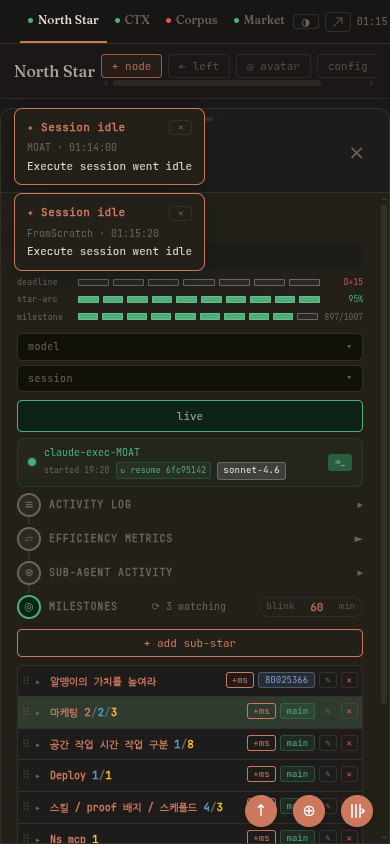
Mobile dark theme — full UI on iOS/Android. Tap a card to see exec session, queue stones, resume Claude:
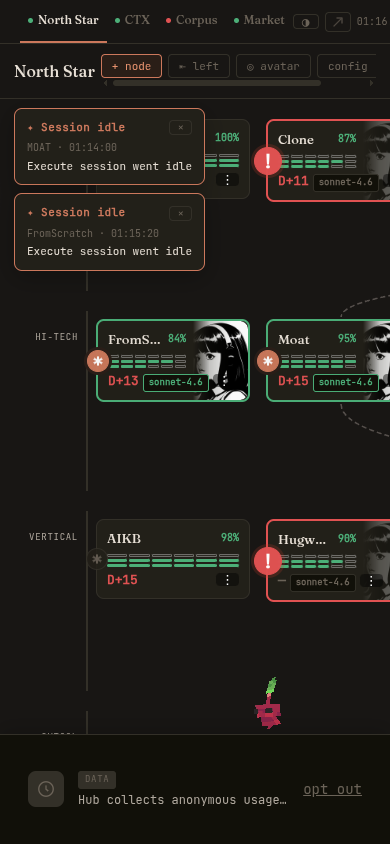
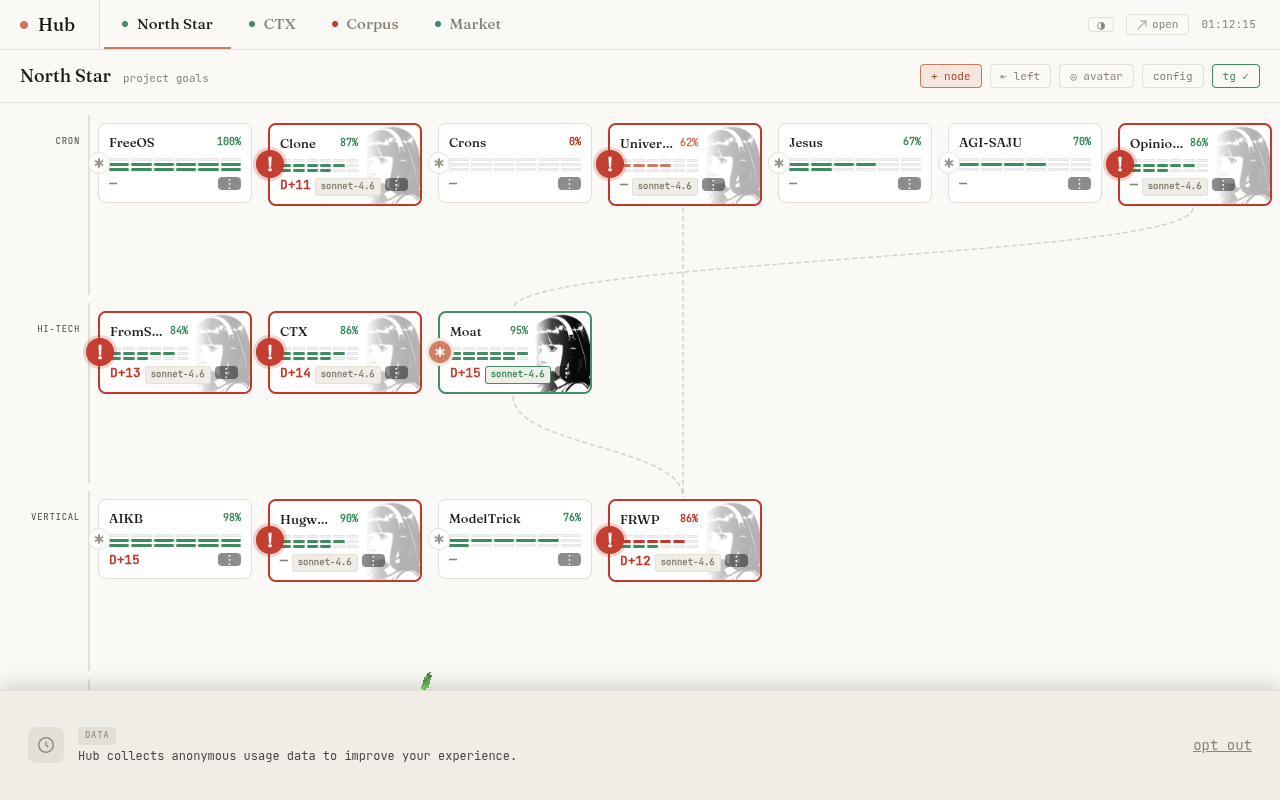
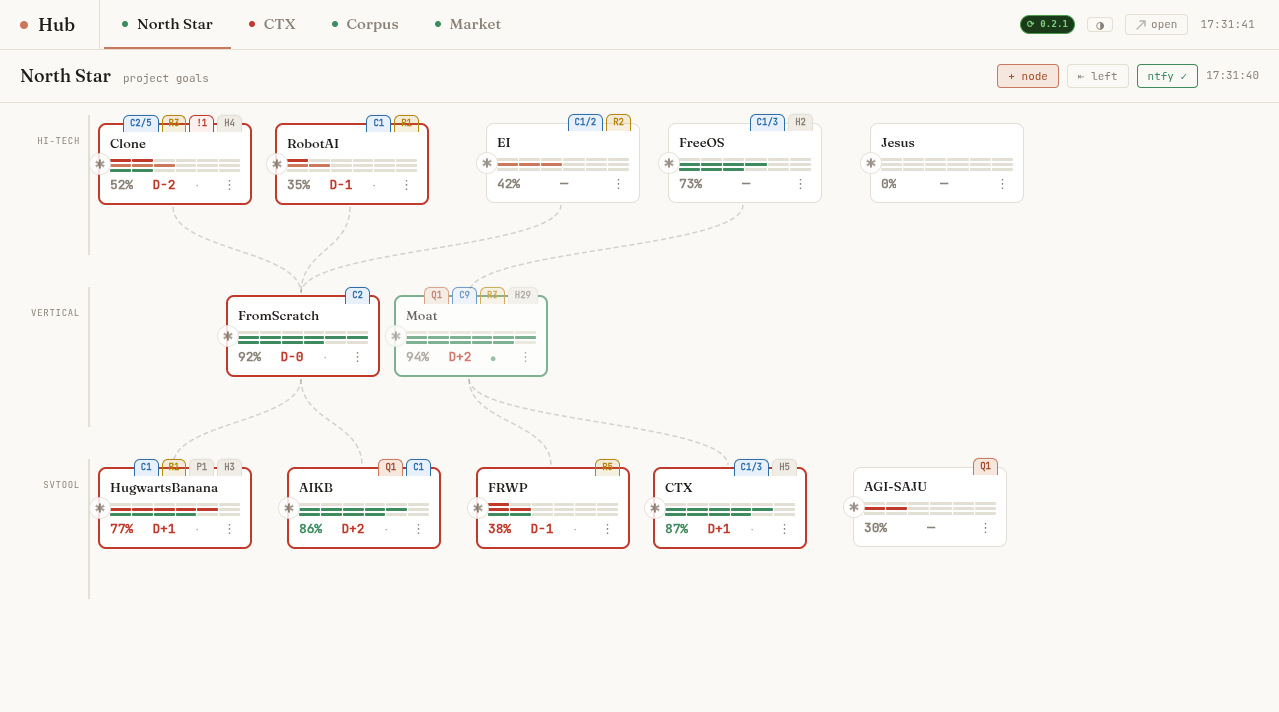
North Star swimlane — all projects across lanes (Cron / HI-TECH / Vertical / SVTool), badge counts, live exec indicator, parent-child links:
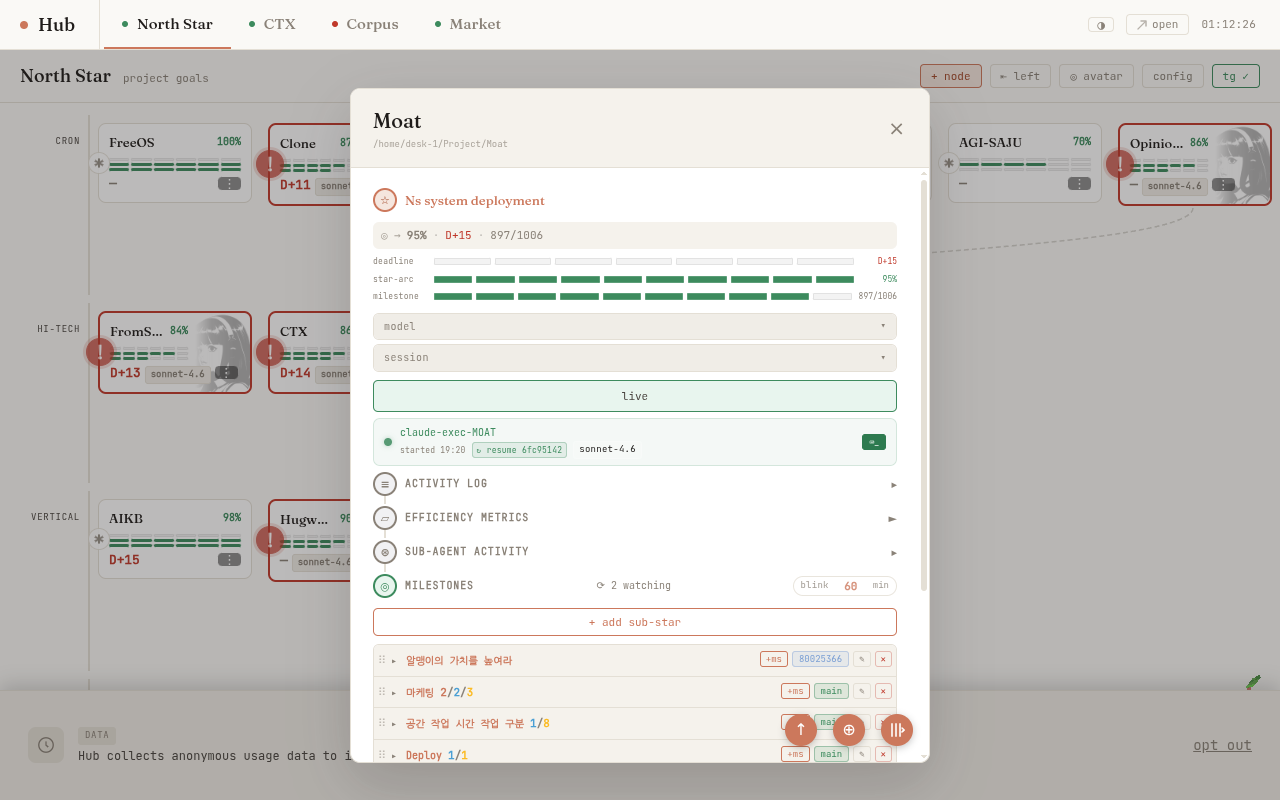
Project detail card — North Star goal, progress bars, model/session selector, live exec session row with resume ID, milestone sub-star list:
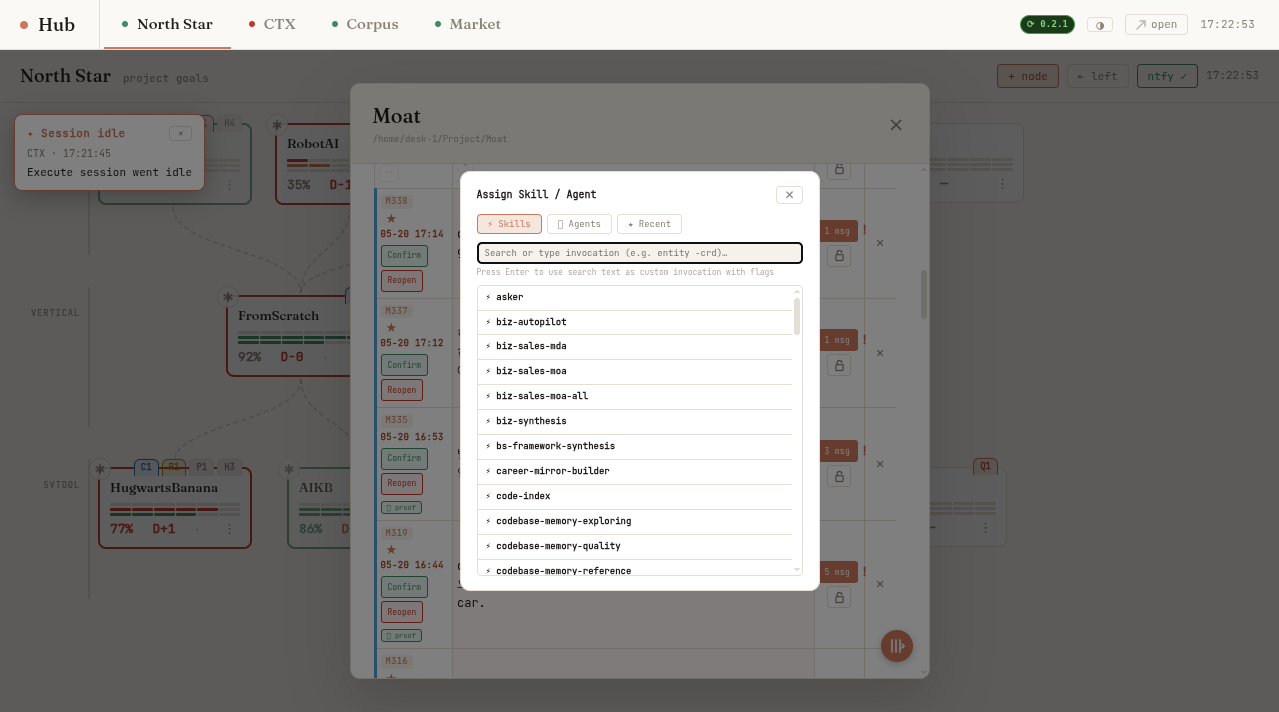
Skill / Agent badge picker — assign /expert-research or any agent to a stone directly from the milestone row:
North Star swimlane (previous) — earlier view showing project card layout:
pip install claude-ns-hub — because you should know what Claude is doing right now.
Release history Release notifications | RSS feed


Download files
Download the file for your platform. If you're not sure which to choose, learn more about installing packages.
Source Distribution
Built Distribution
Filter files by name, interpreter, ABI, and platform.
If you're not sure about the file name format, learn more about wheel file names.
Copy a direct link to the current filters
File details
Details for the file claude_ns_hub-0.2.22.tar.gz.
File metadata
- Download URL: claude_ns_hub-0.2.22.tar.gz
- Upload date:
- Size: 956.2 kB
- Tags: Source
- Uploaded using Trusted Publishing? No
- Uploaded via: twine/6.2.0 CPython/3.10.12
File hashes
| Algorithm | Hash digest | |
|---|---|---|
| SHA256 |
33f7d822e97d8e6c848b38349df33a6cc9edca6d12b39be31e9e0a0e7ba7eaad
|
|
| MD5 |
868b38ffe0b15c158d8a0851e8df8160
|
|
| BLAKE2b-256 |
d825001855d649e2c75828856a03a0585d8fc85affbdcfb8e93f4c1b833ac3cd
|
File details
Details for the file claude_ns_hub-0.2.22-py3-none-any.whl.
File metadata
- Download URL: claude_ns_hub-0.2.22-py3-none-any.whl
- Upload date:
- Size: 971.8 kB
- Tags: Python 3
- Uploaded using Trusted Publishing? No
- Uploaded via: twine/6.2.0 CPython/3.10.12
File hashes
| Algorithm | Hash digest | |
|---|---|---|
| SHA256 |
d24d55635462dc5aa3568a13c7d0fc896b8cbac9c8e381c0825c6d2391ab3112
|
|
| MD5 |
af8759ef06671f54e4158637378afb2d
|
|
| BLAKE2b-256 |
5569ce6e18da00a34ee17b695680890d1e49ad7606ad488f390bbb8bd1469ef6
|






