
Self-hosted web UI for spawning and managing Claude Code remote-control bridges on a remote host.
Verified details
These details have been verified by PyPIProject links
GitHub Statistics
Maintainers

Project description
Clauster
A self-hosted web dashboard for spawning and managing Claude Code remote-control
bridges into any project directory on a remote host — then attach to them from
claude.ai/code or the Claude mobile app. No SSH session required.












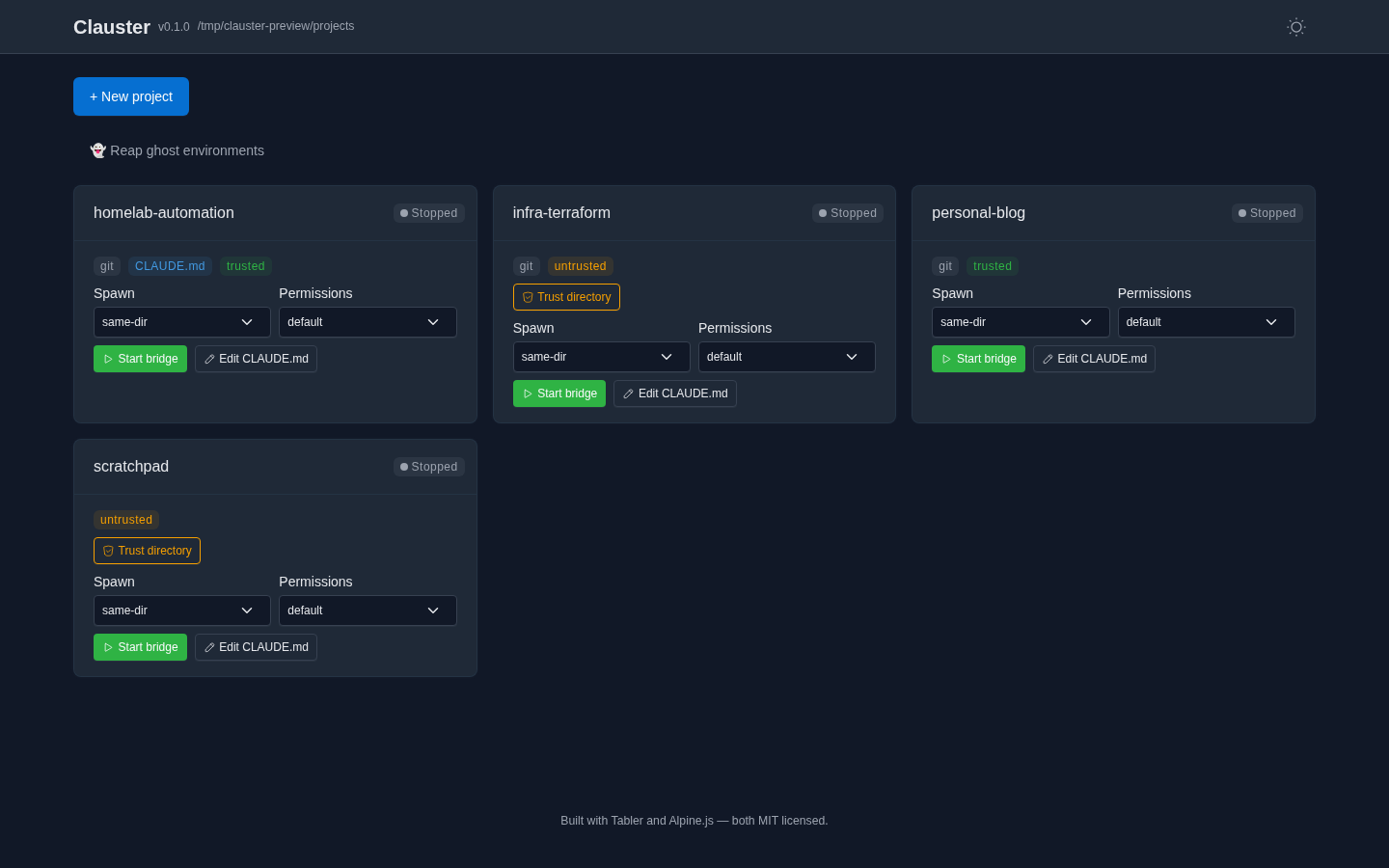
Anthropic's first-party tooling assumes terminal access on the host to spawn a
bridge in a given project directory. Clauster fills that gap: a browser-based dispatcher of
claude remote-control instances on a remote machine (NAS, homelab box). You pick
a project, start a bridge, and attach to it from claude.ai/code or the mobile app
— no SSH session required.
Status: pre-1.0, in active development. Loopback-only by default; password and reverse-proxy auth are available for networked deployments (see Auth & networking). No telemetry, ever — see Privacy & data at rest for what Clauster keeps locally.
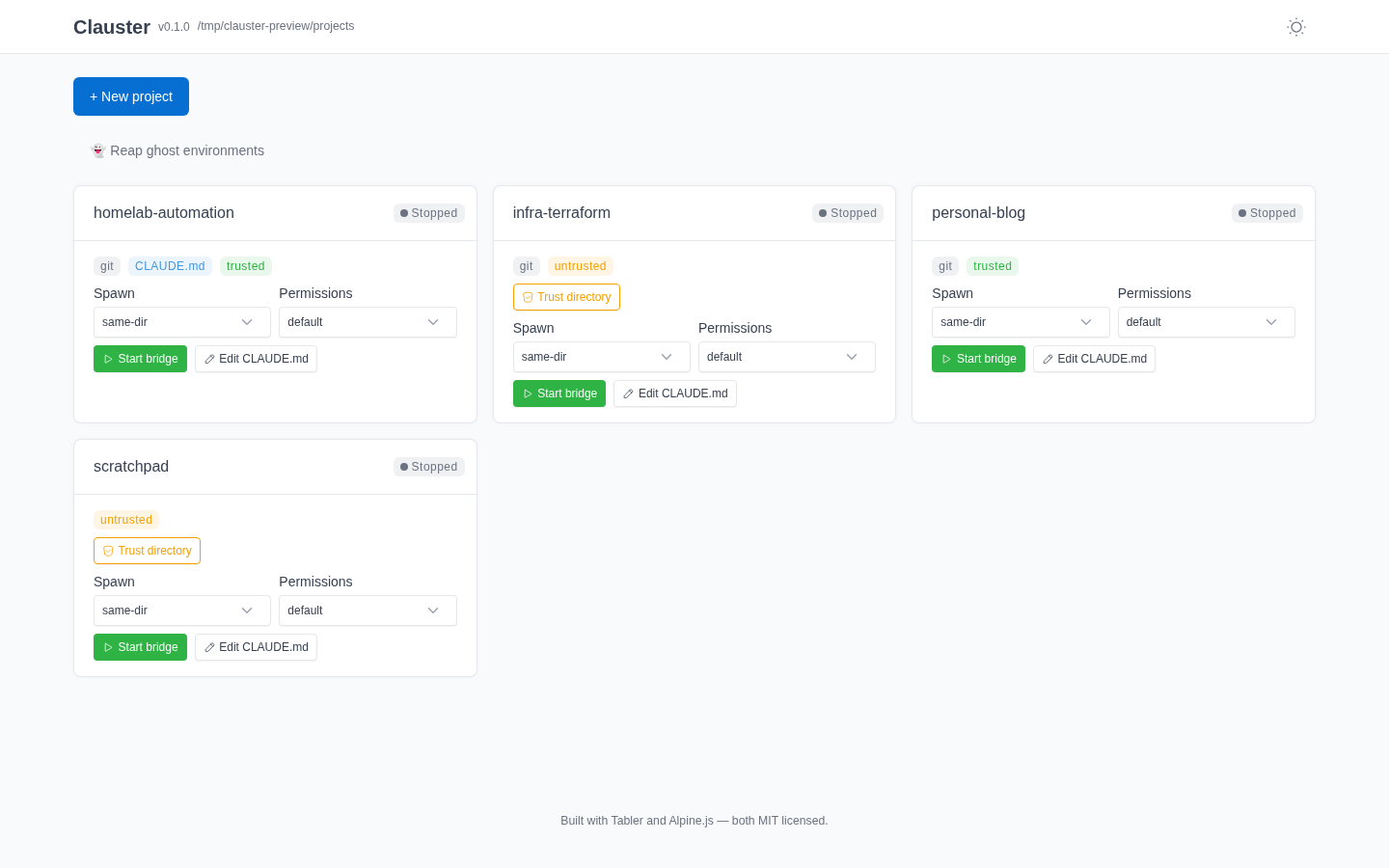 Dark / light — theme toggle persists across reloads |
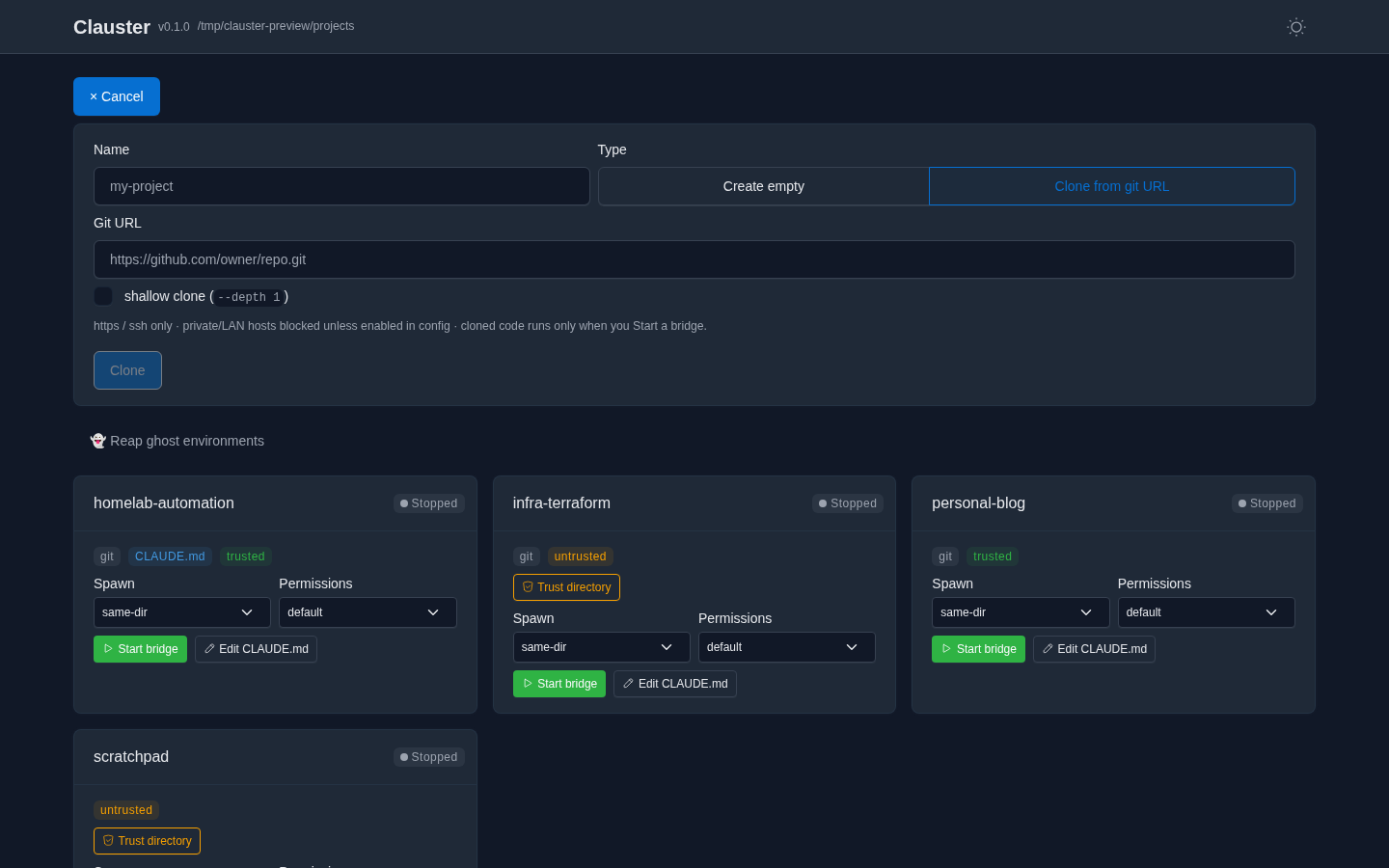 Create or clone — SSRF-guarded, cloned code runs only on Start |
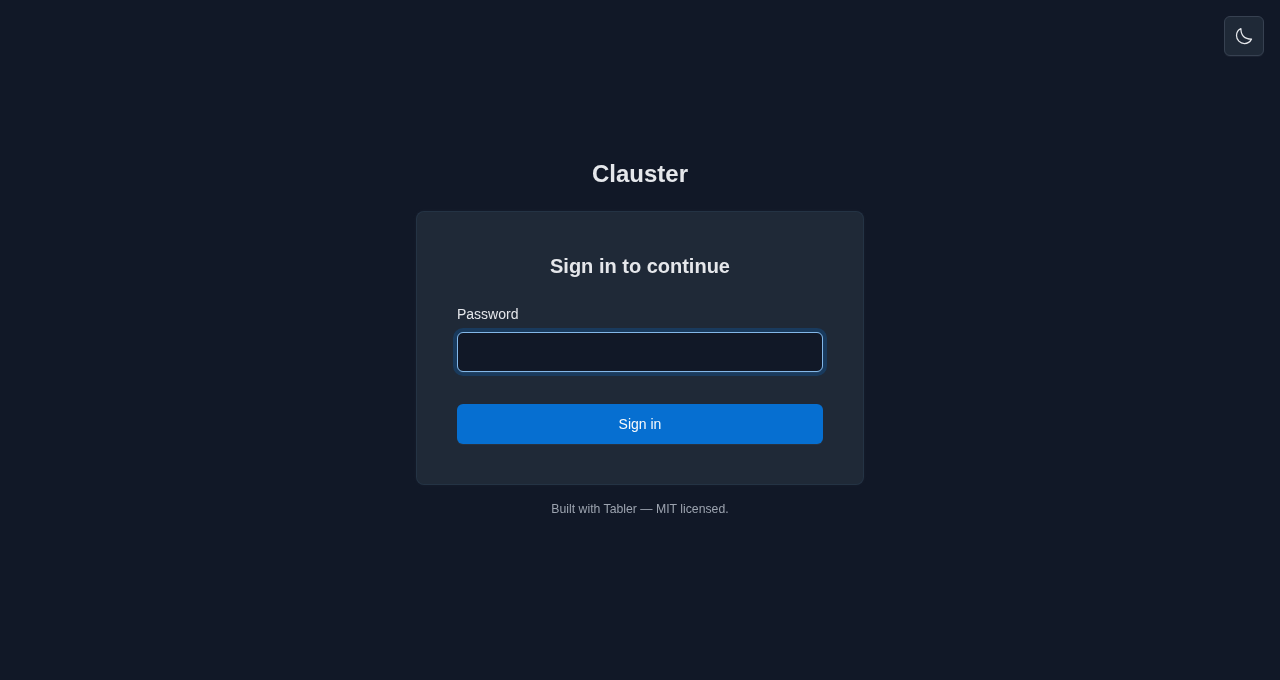 Password login — for non-loopback / networked deploys |
Every action is reactive — cards insert, badges flip, and clone progress streams without a full-page reload. Self-hosted assets; no CDN, no trackers. |
Features
Everything below is implemented and shipping. Items marked (opt-in) are gated
behind a config flag and off by default — the flag is named inline so you can find
it in clauster.yml.example.
Projects & bridges
- Project discovery — one card per directory under
projects_root, with git /CLAUDE.md/ trust badges. - Bridge lifecycle — start / stop / resume bridges; live status
(Starting / Running / Stopped / Crashed / Error). A bridge that launches but
never registers an environment is reported honestly as
Errorafter a grace window, not a phantomRunning. - Spawn controls — pick the spawn mode (same-dir / worktree / session),
permission mode, and resume mode (standard / pty true-resume, POSIX) per launch;
claude.resume_modeis the pre-selected default.bypassPermissionsis double-gated: a per-project config ceiling (projects.<name>.allow_bypass_permissions) and a type-the-project-name confirm in the UI. - Open session in Claude — a deep link to the primary session plus a scannable QR code that opens it in the Claude app (claude.ai/code or mobile), attached to the running bridge. Bridges are cloud-visible; the experimental hosted live-view channel is local-only — it streams in the dashboard but is never attachable from the Claude app.
- External session surfacing — sessions you started from a terminal or Desktop (not via Clauster) are discovered and shown with a distinct indicator.
- Create / clone projects — make a new project or clone a git URL, with SSRF guards, transport lockdown, a size cap, and a "code runs on start" warning for cloned repos. Clones stream live progress over a WebSocket and never auto-spawn (they land discovered-but-stopped).
Visibility & editing
- Live log tail — the bridge debug log streamed over a WebSocket, ANSI-stripped
and ID-redacted (
env_/session_/cse_IDs, bare UUIDs, and secret-shaped tokens — API keys, bearer headers). Redaction is hybrid by default (verbatim on disk, redacted over the wire);logs.redact_session_urlredacts on disk too. - CLAUDE.md editor — view/edit a project's
CLAUDE.mdfrom the dashboard (size-capped, lost-update-guarded, trust-gated, audit-logged). - Config editor — edit an allowlist of operational
clauster.ymlsettings from the dashboard (GET/PUT /api/config). Only a Tier-A allowlist is exposed — auth, bind, secret, and structural fields are never editable or even read back to the browser. Writes are lost-update-guarded (a content hash from the read must still match on write), backed up, and applied atomically with your comments preserved; the running process keeps its startup config until restarted. See docs/configuration.md. - Per-project cost badge — approximate USD + token totals rolled up from a
project's session transcripts. Token counts are exact (read from the transcript
usage); the dollar figure is a ballpark — a hand-maintained USD price table (usage.py, as of 2026-05) that drifts as pricing changes, with unpriced models counting as 0.usage.modeselects what the badge shows —cost,tokens, oroff(hide it for privacy / screen-share);usage.show_cost: falseis a deprecated alias foroff.
Safety
- Workspace trust — starting a bridge in an untrusted directory prompts a just-in-time "trust the files in this folder?" confirm (an explicit checkbox) that writes the Claude workspace-trust flag and then spawns; trusted directories show a green shield by the project name and start with no prompt.
- Auto-enable remote control — before the first spawn, Clauster marks remote
control as acknowledged in the runtime user's
~/.claude.jsonso a detached-stdin bridge isn't stuck on the one-time interactive "Enable Remote Control?" prompt. On by default (claude.auto_enable_remote_control); set false to manage it yourself.
Opt-in extras
- Conversation recap on restart (opt-in) —
claude remote-controlrestarts into a fresh, empty context, so a restarted bridge "forgets" the prior conversation. Withclaude.resume_recapenabled, Clauster installs aSessionStarthook in the runtime user's Claude settings that recaps the most recent prior transcript for that directory back into the new session. - Native true-resume / "PTY mode" (opt-in, POSIX) —
claude.resume_mode: ptyruns theclaude --remote-controlflag form under a PTY keeper sidecar, which genuinely restores prior conversation context on Resume (--continue) rather than recapping it. The keeper outlives a Clauster restart and is stopped by signal. Single-session (vs. the default multi-session server). The dashboard surfaces the resume mode per bridge and rediscovers a running pty bridge after a Clauster restart. - Ghost-environment reaper — find and archive/delete the server-side bridge
environments that outlive their bridge and clutter the claude.ai/code "New session"
selector. The CLI (
clauster reap-environments) is always available; the dashboard UI is opt-in (reaper.ui_enabled) because it exposes a destructive first-party API in the browser. Archive is reversible; force-delete requires typingDELETE. - Background agents (experimental) — a dashboard panel that lists, dispatches,
and stops Claude Code background sessions (
claude --bg), backed byGET/POST/DELETE /api/agents. It rides Claude Code's agent-view research preview, so it's experimental and may change with the upstream CLI. - Outbound notifications & webhooks — get told when a bridge changes state.
notificationspush a human message (Slack/Discord/Telegram/email via Apprise, thenotifyextra) on a crash;webhooksdeliver a JSONPOSTto your own endpoint on everyspawn/ready/stop/crashtransition (no extra dependency,http(s)only). Both are off by default, and a failing endpoint is always logged-and-swallowed so it never affects a bridge's lifecycle. See Operations → Crash alerts and Lifecycle webhooks. - Prometheus
/metrics— opt into a read-only text-format scrape endpoint (observability.prometheus_enabled) exposing build info, bridge counts by status, a crash counter, and per-bridge CPU/RSS. It stays behind the auth guard unless you setobservability.metrics_tokenfor token-based scraping. See Operations → Metrics. - Hosted live-view channel (opt-in, experimental) — an alternate substrate to
the remote-control bridge. With
claustrum.enabled: true, Clauster connect-or-spawns a singleclaustrumdaemon per deployment and runsclaudeheadless over its stream-json channel, streaming the session live in the browser (with permission prompts surfaced in the UI) instead of being driven from Claude Desktop / claude.ai. Off by default and fail-closed — an unreachable daemon surfaces in/healthzand never affects the bridge lifecycle. Requires the separateclaustrumdaemon binary, which is not yet publicly distributed — there is currently no public install or build recipe, so leaveclaustrum.enabled: falseunless you already have the binary on yourPATH.
Install
No Python needed — the install script grabs the signed standalone binary for your
OS, verifies its checksum, and installs it to ~/.local/bin (Linux & macOS),
printing a PATH hint if that directory isn't already on your PATH:
curl -fsSL https://raw.githubusercontent.com/schubydoo/clauster/main/install.sh | bash
On Windows, the PowerShell equivalent installs clauster.exe the same way:
irm https://raw.githubusercontent.com/schubydoo/clauster/main/install.ps1 | iex
Or pick another path — uv tool install clauster (recommended for a Python host),
pip/pipx, Scoop on Windows (scoop bucket add clauster https://github.com/schubydoo/clauster && scoop install clauster), or
Docker. Full recipes — including supply-chain verification — are in the
Installation guide. To hack
on Clauster itself, use the dev quick-start below.
Quick start (dev)
Just running Clauster, not hacking on it? Follow the canonical Quickstart guide — it takes you from nothing to your first attachable bridge in a few minutes. The steps below are the from-source path for working on Clauster itself.
uv sync --extra dev
cp clauster.yml.example clauster.yml    # edit projects_root
uv run clauster
Then open http://127.0.0.1:7621. claude must be on your PATH (Clauster spawns
it; it isn't vendored).
First bridge in 60 seconds
With the server running (above) and an authenticated claude on your PATH,
spawning your first bridge is a handful of clicks — no terminal needed once it's
started. Clauster spawns claude — it doesn't vendor it — and a spawned bridge
inherits the host user's claude authentication, so claude must be logged in
(interactive claude login or ANTHROPIC_API_KEY in the environment — either
satisfies the check) before any bridge can connect. clauster doctor (step 2)
confirms it; see the Quickstart prerequisites for the full
list.
- Point Clauster at your code. Set
projects_rootinclauster.ymlto a directory whose subfolders are projects (e.g.~/code); each child directory becomes a card. - Sanity-check the host (optional).
clauster doctorconfirmsclaudeis found, new enough, and logged in (the bridge inherits this login), and thatprojects_root/ the state dir are usable — fix any ✗ before spawning. - Open the dashboard at http://127.0.0.1:7621. You'll see one card per project.
- Start a bridge. On a project's card, click Start. Clauster launches
claude remote-controlin that directory and the card flips to Running with a live status badge. (Pick a spawn / permission mode first if you like — the defaults are safe.) - Attach from anywhere. Use the card's Open session in Claude link — or scan its
QR code — to pick the bridge up in
claude.ai/codeor the Claude mobile app. No SSH session. - Stop or resume. Stop signals the bridge; Resume relaunches it (with
claude.resume_recaporresume_mode: ptyit can carry the prior conversation forward — see Opt-in extras). A resumable bridge also offers Start new session for a deliberate fresh start.
Exposing this beyond loopback (e.g. on your LAN)? Read Auth & networking first — a non-loopback bind requires authentication.
Docker
Multi-arch images (linux/amd64, linux/arm64) are published to GHCR on each release.
The image binds 0.0.0.0, so it requires enforced auth to start. First generate a
password hash — this runs clauster inside the image, so you don't need it on the host:
docker run --rm -it ghcr.io/schubydoo/clauster:latest clauster hash-password
Copy the printed $argon2id$… hash, then start the server with auth enabled:
docker run -d --name clauster \
  -p 7621:7621 \
  -e PUID=1000 -e PGID=1000 \
  -e CLAUSTER_AUTH_ENABLED=true \
  -e CLAUSTER_AUTH_PASSWORD_REQUIRED=true \
  -e 'CLAUSTER_AUTH_PASSWORD_HASH=$argon2id$v=19$...' \
  -v /path/to/config:/config \
  -v /path/to/projects:/projects \
  ghcr.io/schubydoo/clauster:latest
- The image binds
0.0.0.0, so it won't start without enforced auth — setCLAUSTER_AUTH_ENABLED=trueandCLAUSTER_AUTH_PASSWORD_REQUIRED=trueand aCLAUSTER_AUTH_PASSWORD_HASH(or configure reverse-proxy trust in/config/clauster.yml), or the container exits on start. Single-quote the hash env value — the argon2 hash contains$that your shell would otherwise expand. /configholdsclauster.yml+ state;/projectsis yourprojects_root.PUID/PGIDremap the runtime user to own bind-mounts.claudeis not baked in — tell Clauster where it is one of two ways: mount the binary somewhere on the containerPATH(the defaultclaude.binary: claudeis resolved viaPATH), or setCLAUSTER_CLAUDE_BINARY=/abs/path/to/claude(a.k.a.claude.binary) to an absolute path you've mounted anywhere. Either way, also mount the runtime user's~/.claudecredentials — or build a derived image that installsclaude.- Logs are human text by default; set
CLAUSTER_LOG_FORMAT=jsonfor structured JSON (both redact session URLs / bearer ids). Health is at/healthz. Images are cosign-signed with build provenance + SBOM attestations.
Docker Compose
A ready-to-edit compose.yaml is included:
# 1. generate a password hash (runs inside the image)
docker compose run --rm clauster clauster hash-password
# 2. export it single-quoted, then edit the projects/claude volumes in compose.yaml
export CLAUSTER_AUTH_PASSWORD_HASH='$argon2id$v=19$...'
# 3. start (the image's HEALTHCHECK is inherited)
docker compose up -d
Auth & networking
Loopback (127.0.0.1) needs no auth. Binding to a non-loopback address is refused
unless authentication is actually enforced — set auth.enabled: true (the master
switch) together with either password login (auth.password_required + a hash from
clauster hash-password) or reverse-proxy trust (peer-IP allowlist + HMAC header) —
or, to opt out on a trusted LAN, auth.allow_unauthenticated_network. Sessions
are signed cookies with server-side revocation ("log out everywhere"); WebSocket
connections are authenticated before accept and origin-checked.
Configuration
All settings live in clauster.yml — see
clauster.yml.example for the full, commented schema. Any
scalar key is overridable by an environment variable of the form
CLAUSTER_<UPPER_SNAKE_PATH>. The schema is additive-only — old configs always
validate against newer versions.
| Common flag | Default | What it does |
|---|---|---|
host / port |
127.0.0.1 / 7621 |
bind address (non-loopback needs auth) |
projects_root |
— | directory whose children become project cards |
auth.enabled |
false |
master auth switch — must be on for password / proxy auth to apply |
auth.password_required |
false |
require login (clauster hash-password for the hash) |
claude.resume_recap |
false |
recap the prior transcript into a restarted bridge |
claude.resume_mode |
standard |
pty = native true-resume on Resume (POSIX); default for new bridges only — a bridge keeps the mode it launched with |
reaper.ui_enabled |
false |
expose the ghost-environment reaper in the dashboard |
claustrum.enabled |
false |
enable the hosted live-view channel (connect-or-spawn the claustrum daemon) |
usage.mode |
cost |
per-project badge contents: cost (≈USD + tokens) · tokens (count only) · off (hide + skip the usage fetch). usage.show_cost: false is a deprecated alias for off |
logs.redact_session_url |
false |
redact the session URL on disk too, not just over WS |
CLI
clauster run                  # start the server (default)
clauster hash-password        # generate an argon2id hash for auth.password_hash
clauster hash-token           # mint an API token + hash for auth.api_token_hash
clauster doctor               # diagnose config / environment
clauster backup | restore | migrate
clauster install-service {systemd|launchd|windows}
clauster reap-environments    # reap ghost bridge environments (dry-run by default)
clauster keepers              # list or stop orphaned pty keepers
clauster usage <transcript>   # token + approximate cost for a session transcript
Roadmap
Planned work, roughly in priority order — the public-facing companion to the in-repo
scratch/TODO.md.
- Public API — promote the existing
/api/*routes to a documented, versioned OpenAPI contract so third parties can build their own dashboards (Bearer API tokens, distinct from the session cookie, already ship — seeclauster hash-token). - Session naming — predictable/branded session display names instead of the random adjective-noun defaults; list active/resumable sessions in the UI.
- v0.3 — multi-user — per-user accounts (OIDC via Authentik / Pocket-ID /
Keycloak / Zitadel) and GDPR controller tooling (
clauster user export/delete), on top of the SQLAlchemy + Alembic persistence layer that already ships. - v0.3 — operability — i18n string extraction (the homepage-dashboard widget
endpoint, crash notifications, and the
/metricsPrometheus endpoint already shipped).
Shipped: the in-repo docs/ pages (setup, networking, config
reference, security model) are published as a live docs site at
schubydoo.github.io/clauster.
Stack
Python 3.11+ · FastAPI · Alpine.js + Jinja2 + Tabler · uv · pydantic. Developed
and CI-gated on Linux; macOS / Windows are in the test matrix. Apache-2.0 licensed.
License
Project details
Verified details
These details have been verified by PyPIProject links
GitHub Statistics
Maintainers
Release history Release notifications | RSS feed


Download files
Download the file for your platform. If you're not sure which to choose, learn more about installing packages.
Source Distribution
Built Distribution
Filter files by name, interpreter, ABI, and platform.
If you're not sure about the file name format, learn more about wheel file names.
Copy a direct link to the current filters
File details
Details for the file clauster-0.12.1.tar.gz.
File metadata
- Download URL: clauster-0.12.1.tar.gz
- Upload date:
- Size: 1.3 MB
- Tags: Source
- Uploaded using Trusted Publishing? Yes
- Uploaded via: twine/6.1.0 CPython/3.13.13
File hashes
| Algorithm | Hash digest | |
|---|---|---|
| SHA256 |
29d4c66a512cb1ffe19989f63a58d36a7fe39323fe6e6e44c159b1ee5ac54542
|
|
| MD5 |
d63f72c06ff1afd86ce7ed8dfbd2e278
|
|
| BLAKE2b-256 |
fd9653c83052c876a9f0fe888c2b7aef98bf717dbc7ce64a6f72e2b1f9c2e86e
|
Provenance
The following attestation bundles were made for clauster-0.12.1.tar.gz:
Publisher:
release.yml on schubydoo/clauster
-
Statement:
-
Statement type:
https://in-toto.io/Statement/v1 -
Predicate type:
https://docs.pypi.org/attestations/publish/v1 -
Subject name:
clauster-0.12.1.tar.gz -
Subject digest:
29d4c66a512cb1ffe19989f63a58d36a7fe39323fe6e6e44c159b1ee5ac54542 - Sigstore transparency entry: 1879213786
- Sigstore integration time:
-
Permalink:
schubydoo/clauster@b23efd0428b2a124e6632983fea29a37deb129b8 -
Branch / Tag:
refs/tags/v0.12.1 - Owner: https://github.com/schubydoo
-
Access:
public
-
Token Issuer:
https://token.actions.githubusercontent.com -
Runner Environment:
github-hosted -
Publication workflow:
release.yml@b23efd0428b2a124e6632983fea29a37deb129b8 -
Trigger Event:
push
-
Statement type:
File details
Details for the file clauster-0.12.1-py3-none-any.whl.
File metadata
- Download URL: clauster-0.12.1-py3-none-any.whl
- Upload date:
- Size: 411.1 kB
- Tags: Python 3
- Uploaded using Trusted Publishing? Yes
- Uploaded via: twine/6.1.0 CPython/3.13.13
File hashes
| Algorithm | Hash digest | |
|---|---|---|
| SHA256 |
55b60cf744a59634822f7ca406abcdddff42cb7abc3dec7fc694acb592340c8f
|
|
| MD5 |
e2e24f07ba74501f0cc4589c98eba8b3
|
|
| BLAKE2b-256 |
2805661a82c1dbd1150106c806ab35240e5c01c710c25811156859f1be7993cd
|
Provenance
The following attestation bundles were made for clauster-0.12.1-py3-none-any.whl:
Publisher:
release.yml on schubydoo/clauster
-
Statement:
-
Statement type:
https://in-toto.io/Statement/v1 -
Predicate type:
https://docs.pypi.org/attestations/publish/v1 -
Subject name:
clauster-0.12.1-py3-none-any.whl -
Subject digest:
55b60cf744a59634822f7ca406abcdddff42cb7abc3dec7fc694acb592340c8f - Sigstore transparency entry: 1879213804
- Sigstore integration time:
-
Permalink:
schubydoo/clauster@b23efd0428b2a124e6632983fea29a37deb129b8 -
Branch / Tag:
refs/tags/v0.12.1 - Owner: https://github.com/schubydoo
-
Access:
public
-
Token Issuer:
https://token.actions.githubusercontent.com -
Runner Environment:
github-hosted -
Publication workflow:
release.yml@b23efd0428b2a124e6632983fea29a37deb129b8 -
Trigger Event:
push
-
Statement type:






