
Build elegant Python desktop GUI applications with minimal code and maximum clarity

Project description
Clera — GUI Development with Python 🐍





Clera is a Python GUI framework that lets you build desktop applications quickly and simply — with a low learning curve and minimal boilerplate.
NOTE: Clera is currently in developer beta. Core features are stable and undergoing broader testing before the full public release. To participate in testing or get help, reach out at eirasmx@pm.me
✦ THE BASICS
Installation
pip install clera
Requires Python 3.7+ and PySide6.
Your First Window
Every Clera application starts with a Window. This is the skeleton of any GUI built with Clera:
from clera import Window

window = Window()
# Add your widgets and layouts here
window.run()
Output:
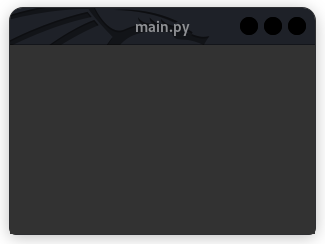
" Why Complicate Simplicity? "
Adding Widgets
Clera widgets are simple, readable Python objects. Here's a basic example with a label and a button:
from clera import Window, Label, Button, Box

def on_click():
    print("Hello from Clera!")

window = Window()
window.add(
    Box([
        Label("Welcome to Clera 👋"),
        Button("Click Me", func=on_click)
    ])
)
window.run()
Layouts
Use Box for vertical/horizontal stacking and Grid for grid-based arrangements:
from clera import Window, Box, Grid, Label

window = Window()
window.add(
    Grid([
        [Label("A"), Label("B")],
        [Label("C"), Label("D")]
    ])
)
window.run()
Styling
Clera uses a CSS-like styling system with its own tag aliases. You can apply styles inline or link an external .cx stylesheet:
window = Window(style="background: #1e1e1e;")
✦ TOOLS
Clera ships with two built-in command-line tools:
| Command | Description |
|---|---|
clera-editor |
Launch the Clera Style Editor — itself built with Clera |
clera-deploy |
Package your Clera app into a standalone executable |
Run either from your terminal or command prompt after installing Clera.
✦ PLATFORMS
Hardware
- Desktop and Laptops
OS
- 🪟 Windows
- 🍎 macOS
- 🐧 Linux
📖 Docs: Visit https://clera.readthedocs.io for full documentation and guides.
RELEASE NOTES
v0.3.1 (2026-04-21) - Developer Beta
- Splitter widget with live resize and collapsible panes (added)
- TreeView widget with drag-and-drop, branch editing, and sorting (added)
- SpinBox widget with integer and float modes, prefix and suffix support (added)
cursor()element with custom image and type support (added)- Context menu support to Image, List, Select, and Table widgets (added)
font()helper for loading external font files (added)
Box()andGrid()now acceptcss,size,fixed_size,min_size,max_size, andidparameters (added)Column()now acceptsmarginandspacingparameters (added)tab()now accepts anidparameter (added)Window.run()now acceptsinstanceandchildparameters for multi-window support (added)Window.fullscreen()method (added)Windownow acceptsalignment,radius, andhide_cursorparameters (added)- Rounded window mask with
radiusparameter and live resize support (added)
- Multi-window management via internal window registry (added)
ensure_window_root()utility for multi-window context resolution (added)- CSS scoping improvements and alias table pre-compilation for faster parsing (improved)
MenuBarclass renamed fromMenubarfor consistency (changed)
- Custom exception classes now carry docstrings (improved)
blobandnulldatabase types expanded with proper class bodies (improved)- Clera Editor layout stabilised; editor auto-runs on import (fixed)
Release history Release notifications | RSS feed


Download files
Download the file for your platform. If you're not sure which to choose, learn more about installing packages.
Source Distribution
File details
Details for the file clera-0.3.1.tar.gz.
File metadata
- Download URL: clera-0.3.1.tar.gz
- Upload date:
- Size: 313.6 kB
- Tags: Source
- Uploaded using Trusted Publishing? No
- Uploaded via: twine/5.1.1 CPython/3.11.4
File hashes
| Algorithm | Hash digest | |
|---|---|---|
| SHA256 |
87707d9cf63ce22af701be3ca1b6859b2a67a3595879edf04bf0d7d427ae5f91
|
|
| MD5 |
48a7ead4db14cef42bd9bb7b2b0cb4e3
|
|
| BLAKE2b-256 |
be5e0737e071168330f2c103c71095935c646b9e914bc8728184ea3224ca6ddc
|






