
Simple file-based migrations for clickhouse

Project description






Clickhouse Migrations
Python library for creating and applying migrations in ClickHouse database.
Development and Maintenance of large-scale db systems many times requires constant changes to the actual DB system. Holding off the scripts to migrate these will be painful.
Features:
- Supports multi statements - more than one query per migration file.
- Allow running migrations out-of-box
- Simple file migrations format: {VERSION}_{name}.sql
- Supports Cluster deployments, makes sure that migrations state is consistent on all cluster nodes
Known alternatives
This package originally forked from clickhouse-migrator.
| Package | Differences |
|---|---|
| clickhouse-migrator | Doesn't support multistatement in a single file , to heavy because of pandas, looks like abandoned |
| django-clickhouse | Need django |
| clickhouse-migrate | Doesn't support multistatement |
Installation
You can install from pypi using pip install clickhouse-migrations.
Migration files
Migration files follow the naming convention {VERSION}_{name}.sql, e.g. 001_init.sql, 002_add_users.sql.
Each file contains one or more SQL statements separated by semicolons:
-- migrations/001_init.sql
CREATE TABLE mydb.events (
    id     UInt32,
    name   String
) ENGINE = MergeTree()
ORDER BY id;

ALTER TABLE mydb.events ADD COLUMN created_at DateTime DEFAULT now();
Usage
In command line
clickhouse-migrations --db-host localhost \
    --db-port 9000 \
    --db-user default \
    --db-password secret \
    --db-name test \
    --migrations-dir ./migrations
Alternatively, connect via URL:
clickhouse-migrations --db-url clickhouse://default:secret@localhost:9000/test \
    --migrations-dir ./migrations
All options can also be set via environment variables:
| CLI flag | Environment variable | Default |
|---|---|---|
--db-host |
DB_HOST |
localhost |
--db-port |
DB_PORT |
9000 |
--db-user |
DB_USER |
default |
--db-password |
DB_PASSWORD |
(empty) |
--db-name |
DB_NAME |
— |
--db-url |
DB_URL |
— |
--migrations-dir |
MIGRATIONS_DIR |
./migrations |
--cluster-name |
CLUSTER_NAME |
— |
--multi-statement |
MULTI_STATEMENT |
true |
--create-db-if-not-exists |
CREATE_DB_IF_NOT_EXISTS |
true |
--dry-run |
DRY_RUN |
false |
--fake |
FAKE |
false |
--secure |
SECURE |
false |
--log-level |
LOG_LEVEL |
WARNING |
--migration-log-format |
MIGRATION_LOG_FORMAT |
full |
In code
from clickhouse_migrations.clickhouse_cluster import ClickhouseCluster

cluster = ClickhouseCluster(
    db_host="localhost",
    db_port=9000,
    db_user="default",
    db_password="secret",
)
cluster.migrate(
    db_name="test",
    migration_path="./migrations",
    cluster_name=None,
    create_db_if_no_exists=True,
    multi_statement=True,
    dryrun=False,
    fake=False,
    migration_log_format="full",
)
Alternatively, connect via URL:
cluster = ClickhouseCluster(db_url="clickhouse://default:secret@localhost:9000/test")
cluster.migrate(db_name="test", migration_path="./migrations")
| Parameter | Description | Default |
|---|---|---|
db_host |
ClickHouse database hostname | localhost |
db_port |
ClickHouse database port | 9000 |
db_user |
ClickHouse user | default |
db_password |
ClickHouse password | (empty) |
db_url |
ClickHouse connection URL (alternative to individual params) | — |
db_name |
ClickHouse database name | — |
migration_path |
Path to directory with migration files | ./migrations |
explicit_migrations |
Explicit list of migrations to apply | [] |
cluster_name |
Name of ClickHouse topology cluster from <remote_servers> |
— |
create_db_if_no_exists |
Create the database if it does not exist | True |
multi_statement |
Allow multiple statements per migration file | True |
dryrun |
Print migrations without executing them | False |
fake |
Mark migrations as applied without executing SQL | False |
secure |
Use secure (TLS) connection | False |
migration_log_format |
Migration log format full logs the full Migration object, compact logs only version and md5 |
full |
Notes
The ClickHouse driver does not natively support executing multiple statements in a single query.
To allow for multiple statements in a single migration, you can use the multi_statement param.
There are two important caveats:
- This mode splits the migration text into separately-executed statements by a semi-colon
;. Thus cannot be used when a statement in the migration contains a string with a semi-colon. - The queries are not executed in any sort of transaction/batch, meaning you are responsible for fixing partial migrations.
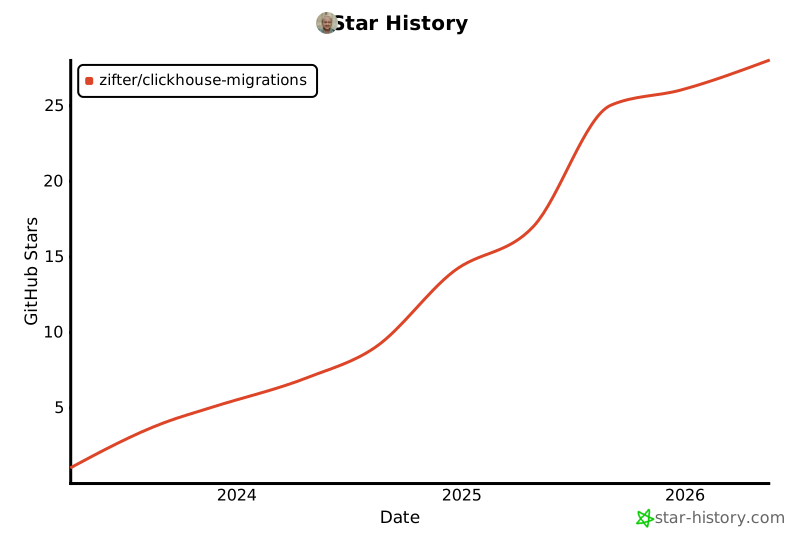
Star History
Release history Release notifications | RSS feed


Download files
Download the file for your platform. If you're not sure which to choose, learn more about installing packages.
Source Distribution
Built Distribution
Filter files by name, interpreter, ABI, and platform.
If you're not sure about the file name format, learn more about wheel file names.
Copy a direct link to the current filters
File details
Details for the file clickhouse_migrations-0.11.0.tar.gz.
File metadata
- Download URL: clickhouse_migrations-0.11.0.tar.gz
- Upload date:
- Size: 9.7 kB
- Tags: Source
- Uploaded using Trusted Publishing? No
- Uploaded via: twine/6.2.0 CPython/3.10.20
File hashes
| Algorithm | Hash digest | |
|---|---|---|
| SHA256 |
478f4a7bcbe12debaedff21c6034951c41913afe747a9d060242818d2fe38292
|
|
| MD5 |
89e383c18385300d6c147250881ace0f
|
|
| BLAKE2b-256 |
8273af366daeae7d73e7469db56f1a1c00ef2553ff9d70f0de4fa9b2649f2af8
|
File details
Details for the file clickhouse_migrations-0.11.0-py2.py3-none-any.whl.
File metadata
- Download URL: clickhouse_migrations-0.11.0-py2.py3-none-any.whl
- Upload date:
- Size: 11.8 kB
- Tags: Python 2, Python 3
- Uploaded using Trusted Publishing? No
- Uploaded via: twine/6.2.0 CPython/3.10.20
File hashes
| Algorithm | Hash digest | |
|---|---|---|
| SHA256 |
175903398d75b5194b9229b68a0a2a3619f6fa8013efd05c1d07bfc5c7eae8a1
|
|
| MD5 |
5427c512c04849fda0de3bdc68a1fefc
|
|
| BLAKE2b-256 |
dafd319be0a3b64ce82fd59c90b4d7b219ecaf3e9f6309702a1dfb0e6052f700
|






