
Simple file-based migrations for clickhouse

Project description








ClickHouse Migrations
Simple, file-based schema migrations for ClickHouse — the most actively maintained ClickHouse migration tool for Python. Write plain .sql files, apply them from the CLI, your code, CI, or Docker. Cluster-aware, with support for both the native clickhouse-driver and the official clickhouse-connect driver.
Quick start
pip install clickhouse-migrations

# put versioned .sql files in ./migrations (e.g. 001_init.sql), then apply them:
clickhouse-migrations --db-host localhost --db-name mydb --migrations-dir ./migrations
📖 Background: Managing ClickHouse migrations in production — why this tool exists, cluster support, and multi-statement migration files.
Features
- Multi-statement migrations — more than one query per
.sqlfile - Cluster-aware — keeps migration state consistent across all cluster nodes
- Zero-config file format —
{VERSION}_{name}.sql, applied in order - Run anywhere — CLI, Python API, GitHub Action, or Docker image
- Two drivers — native
clickhouse-driver(TCP) or officialclickhouse-connect(HTTP) - Inspect before you apply —
statusand--dry-runshow applied vs pending migrations without touching data
Known alternatives
This package originally forked from clickhouse-migrator.
| Package | Differences |
|---|---|
| clickhouse-migrator | Doesn't support multistatement in a single file , to heavy because of pandas, looks like abandoned |
| django-clickhouse | Need django |
| clickhouse-migrate | Doesn't support multistatement |
Installation
You can install from pypi using pip install clickhouse-migrations.
By default it uses the native clickhouse-driver (TCP, port 9000). To use the official HTTP clickhouse-connect driver instead, install the extra and pass --driver clickhouse-connect:
pip install 'clickhouse-migrations[connect]'
With clickhouse-connect the default port is 8123 (HTTP). Connecting via --db-url is only supported with the default clickhouse-driver; use --db-host/--db-port for clickhouse-connect.
Migration files
Migration files follow the naming convention {VERSION}_{name}.sql, e.g. 001_init.sql, 002_add_users.sql.
Each file contains one or more SQL statements separated by semicolons:
-- migrations/001_init.sql
CREATE TABLE mydb.events (
    id     UInt32,
    name   String
) ENGINE = MergeTree()
ORDER BY id;

ALTER TABLE mydb.events ADD COLUMN created_at DateTime DEFAULT now();
Usage
In command line
clickhouse-migrations --db-host localhost \
    --db-port 9000 \
    --db-user default \
    --db-password secret \
    --db-name test \
    --migrations-dir ./migrations
Alternatively, connect via URL:
clickhouse-migrations --db-url clickhouse://default:secret@localhost:9000/test \
    --migrations-dir ./migrations
All options can also be set via environment variables:
| CLI flag | Environment variable | Default |
|---|---|---|
--db-host |
DB_HOST |
localhost |
--db-port |
DB_PORT |
9000 |
--db-user |
DB_USER |
default |
--db-password |
DB_PASSWORD |
(empty) |
--db-name |
DB_NAME |
— |
--db-url |
DB_URL |
— |
--migrations-dir |
MIGRATIONS_DIR |
./migrations |
--cluster-name |
CLUSTER_NAME |
— |
--multi-statement |
MULTI_STATEMENT |
true |
--create-db-if-not-exists |
CREATE_DB_IF_NOT_EXISTS |
true |
--dry-run |
DRY_RUN |
false |
--fake |
FAKE |
false |
--secure |
SECURE |
false |
--log-level |
LOG_LEVEL |
WARNING |
--migration-log-format |
MIGRATION_LOG_FORMAT |
full |
--driver |
DRIVER |
clickhouse-driver |
Migration status
Show which migrations are applied vs pending, without applying anything, using the status subcommand:
clickhouse-migrations status --db-name test --migrations-dir ./migrations
VERSION  STATUS   MD5                               APPLIED AT
1        applied  6172991b15b0852bc895e09b3e91ade4  2024-01-01 12:00:00
2        pending  1a79a4d60de6718e8e5b326e338ae533
States: applied, pending, md5-mismatch (a file changed after being applied), and unknown (applied but no longer present locally). It is read-only and never creates the database.
In code
from clickhouse_migrations.clickhouse_cluster import ClickhouseCluster

cluster = ClickhouseCluster(
    db_host="localhost",
    db_port=9000,
    db_user="default",
    db_password="secret",
)
cluster.migrate(
    db_name="test",
    migration_path="./migrations",
    cluster_name=None,
    create_db_if_no_exists=True,
    multi_statement=True,
    dryrun=False,
    fake=False,
    migration_log_format="full",
)
Alternatively, connect via URL:
cluster = ClickhouseCluster(db_url="clickhouse://default:secret@localhost:9000/test")
cluster.migrate(db_name="test", migration_path="./migrations")
| Parameter | Description | Default |
|---|---|---|
db_host |
ClickHouse database hostname | localhost |
db_port |
ClickHouse database port | 9000 |
db_user |
ClickHouse user | default |
db_password |
ClickHouse password | (empty) |
db_url |
ClickHouse connection URL (alternative to individual params) | — |
db_name |
ClickHouse database name | — |
migration_path |
Path to directory with migration files | ./migrations |
explicit_migrations |
Explicit list of migrations to apply | [] |
cluster_name |
Name of ClickHouse topology cluster from <remote_servers> |
— |
create_db_if_no_exists |
Create the database if it does not exist | True |
multi_statement |
Allow multiple statements per migration file | True |
dryrun |
Print migrations without executing them | False |
fake |
Mark migrations as applied without executing SQL | False |
secure |
Use secure (TLS) connection | False |
migration_log_format |
Migration log format full logs the full Migration object, compact logs only version and md5 |
full |
In CI (GitHub Action)
Apply migrations from a GitHub workflow with the composite action:
- uses: zifter/clickhouse-migrations@v1
  with:
    migrations-dir: ./migrations
    db-host: localhost
    db-user: default
    db-password: ${{ secrets.CLICKHOUSE_PASSWORD }}
    db-name: mydb
    # driver: clickhouse-connect   # optional; official HTTP driver (both are bundled). Defaults to native clickhouse-driver.
    # db-port: "9000"              # optional; defaults to 9000 (clickhouse-driver) / 8123 (clickhouse-connect)
    # or connect via a single URL instead of the db-* inputs (clickhouse-driver only):
    # db-url: ${{ secrets.CLICKHOUSE_URL }}
    # any extra raw CLI flags:
    # extra-args: --secure --create-db-if-not-exists
Both drivers are bundled, so driver: clickhouse-connect works without extra setup. Inputs: migrations-dir, db-url, db-host, db-port, db-user, db-password, db-name, cluster-name, driver, extra-args, version (pin the package version), python-version. You can also pin an exact release, e.g. zifter/clickhouse-migrations@v0.12.0.
With Docker
An image is published to the GitHub Container Registry. Mount your migrations directory at /migrations:
docker run --rm \
    -v "$PWD/migrations:/migrations" \
    ghcr.io/zifter/clickhouse-migrations:latest \
    --db-url clickhouse://default:secret@clickhouse:9000/mydb
The image bundles both drivers. It uses the native clickhouse-driver by default; to use the official HTTP clickhouse-connect driver, pass --driver clickhouse-connect (default port 8123, and note --db-url is clickhouse-driver only):
docker run --rm \
    -v "$PWD/migrations:/migrations" \
    ghcr.io/zifter/clickhouse-migrations:latest \
    --driver clickhouse-connect --db-host clickhouse --db-name mydb
Run migrations as a Kubernetes Job, e.g. before rolling out a deployment:
apiVersion: batch/v1
kind: Job
metadata:
  name: clickhouse-migrations
spec:
  backoffLimit: 3
  template:
    spec:
      restartPolicy: Never
      containers:
        - name: migrations
          image: ghcr.io/zifter/clickhouse-migrations:latest
          args: ["--create-db-if-not-exists"]
          env:
            - name: DB_URL
              valueFrom:
                secretKeyRef:
                  name: clickhouse
                  key: url
          volumeMounts:
            - name: migrations
              mountPath: /migrations
      volumes:
        - name: migrations
          configMap:
            name: clickhouse-migrations
Migrations are provided here via a ConfigMap; alternatively bake them into your own image with FROM ghcr.io/zifter/clickhouse-migrations.
Notes
The ClickHouse driver does not natively support executing multiple statements in a single query.
To allow for multiple statements in a single migration, you can use the multi_statement param.
This mode splits the migration text into separately-executed statements on the semicolon ;. Semicolons inside string literals ('...'), quoted identifiers (`...` and "...") and SQL comments (-- ... and /* ... */) are recognised and do not split a statement.
One important caveat:
- The queries are not executed in any sort of transaction/batch, meaning you are responsible for fixing partial migrations.
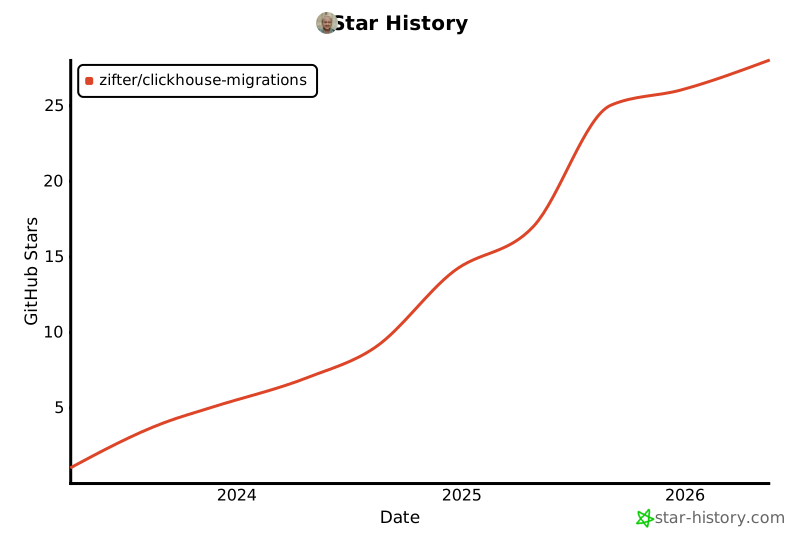
Star History
Release history Release notifications | RSS feed


Download files
Download the file for your platform. If you're not sure which to choose, learn more about installing packages.
Source Distribution
Built Distribution
Filter files by name, interpreter, ABI, and platform.
If you're not sure about the file name format, learn more about wheel file names.
Copy a direct link to the current filters
File details
Details for the file clickhouse_migrations-0.12.0.tar.gz.
File metadata
- Download URL: clickhouse_migrations-0.12.0.tar.gz
- Upload date:
- Size: 278.3 kB
- Tags: Source
- Uploaded using Trusted Publishing? No
- Uploaded via: twine/6.2.0 CPython/3.13.14
File hashes
| Algorithm | Hash digest | |
|---|---|---|
| SHA256 |
183e058da174dd15806903a05389a756e35b999ced19ad81042897d3d20c43ed
|
|
| MD5 |
4219488c8ec2aa5e710dbd6f430314c7
|
|
| BLAKE2b-256 |
58bfb1cf7b0cb0a26c4e1b45748be97e445376a573c74462b7bede104c8f248f
|
File details
Details for the file clickhouse_migrations-0.12.0-py3-none-any.whl.
File metadata
- Download URL: clickhouse_migrations-0.12.0-py3-none-any.whl
- Upload date:
- Size: 19.5 kB
- Tags: Python 3
- Uploaded using Trusted Publishing? No
- Uploaded via: twine/6.2.0 CPython/3.13.14
File hashes
| Algorithm | Hash digest | |
|---|---|---|
| SHA256 |
c0b5014e8b558b698602e3dd0059758de4b5ea3309fdc79a394624bdac337174
|
|
| MD5 |
bf6d70f6fd97b05fc28d89febdfcba66
|
|
| BLAKE2b-256 |
bfc8225e655b386e2c1bdbaf6a9719e92d459f3575b3084beed70a50a22d6ab5
|






