
CMakeHub
Unified CMake Module Manager





A centralized repository for discovering, selecting, and integrating third-party CMake modules.
What is CMakeHub?
CMakeHub is a unified CMake module manager that provides a "central warehouse" for CMake modules. It solves the problem of scattered CMake modules across different GitHub repositories, making it easy to discover, select, and integrate them into your projects.
Important: CMakeHub is not a package manager like vcpkg or Conan. It's a module manager that helps you find and use CMake modules more easily.
Features
Core Features
- 🔍 Unified Discovery: Browse and search for CMake modules in one place
- 🚀 Simple Integration: Load modules with a single command
- 🔄 Automatic Dependencies: Modules automatically declare and load their dependencies
- ⚠️ Conflict Detection: Prevents loading incompatible modules
- ✅ Version Checking: Ensures compatibility with your CMake and C++ versions
- 💾 Smart Caching: Download once, use everywhere (shared across projects)
- 📄 License Management: Automatically track module licenses for compliance
Advanced Features
- ⚙️ Config Penetration: Pass parameters directly to modules
- 🏷️ Version Selection: Specify exact module versions
- 🔎 Module Search: Search modules by name, description, or tags
- 📊 Dependency Visualization: Generate dependency graphs
- 🧹 Cache Management: View and clean module cache
- 🌍 Cross-Platform Filtering: Automatic platform compatibility warnings
- 🔄 Update Management: Easy module updates via cache clearing
- ✅ Compatibility Check: Verify module compatibility before loading
- 💻 Command Line Interface: CLI tool for quick module discovery and management
Quick Start
Installation
Option 1: Clone Repository
# Clone CMakeHub
git clone https://github.com/caomengxuan666/CMakeHub.git
cd CMakeHub

# Or add as a submodule
git submodule add https://github.com/caomengxuan666/CMakeHub.git cmake/cmakehub
Option 2: Install CLI Tool (Recommended)
# Install CLI tool from PyPI (requires Python 3.6+)
pip install cmakehub

# Or clone repository and install locally
git clone https://github.com/caomengxuan666/CMakeHub.git
cd CMakeHub
pip install -e .
After installation, you can use the CLI tool:
cmakehub --help
cmakehub list
cmakehub search sanitizers
Basic Usage
# In your CMakeLists.txt
cmake_minimum_required(VERSION 3.19)
project(MyProject CXX)

# Include CMakeHub
include(${CMAKE_CURRENT_SOURCE_DIR}/cmake/cmakehub/loader.cmake)

# Load modules
cmakehub_use(sanitizers)
cmakehub_use(coverage)

# Now use the modules' features
enable_testing()
add_executable(myapp main.cpp)
target_link_libraries(myapp PRIVATE mylib)
Configuration Options
# Set cache directory (optional)
set(CMH_CACHE_DIR "$ENV{HOME}/.cmakehub/cache")

# Enable verbose output (optional)
set(CMAKEHUB_VERBOSE ON)

# Set version check mode (STRICT, WARNING, SILENT)
set(CMAKEHUB_VERSION_CHECK_MODE "STRICT")
Advanced Usage
Pass Parameters to Modules (Config Penetration)
cmakehub_use(sanitizers
    ADDRESS_SANITIZER ON
    UNDEFINED_SANITIZER ON
)
Specify Module Version
cmakehub_use(cotire VERSION "master")
cmakehub_use(cpm VERSION "0.42.0")
Discover Modules
# List all available modules
cmakehub_list()

# Search for modules
cmakehub_search(sanitizer)
cmakehub_search(testing)
Check Compatibility
# Check if a module is compatible with your system
cmakehub_check_compatibility(sanitizers)

# List all compatible modules
cmakehub_list_compatible_modules()
Manage Cache
# View cache information
cmakehub_cache_info()

# Clear specific module cache
cmakehub_cache_clear(sanitizers)

# Clear all cache
cmakehub_cache_clear()
Update Modules
# Update specific module (clears cache)
cmakehub_update(sanitizers)

# Update all used modules
cmakehub_update()
Visualize Dependencies
# Generate dependency graph
cmakehub_dependency_graph(dependencies.dot)

# Convert to PNG (requires Graphviz)
# dot -Tpng dependencies.dot -o dependencies.png
Module Information
# Get detailed information about a module
cmakehub_info(sanitizers)

# Show licenses of all loaded modules
cmakehub_show_licenses()
Command Line Interface
CMakeHub includes a Python CLI tool for quick module discovery and management without needing to write CMake code.
Installation
# Install CLI tool
pip install -e .

# Or globally
python setup.py install
Commands
List Modules
# List all modules
cmakehub list

# List modules in a category
cmakehub list --category testing
cmakehub list -c code_quality

# Compact output
cmakehub list --compact
Search Modules
# Search by keyword
cmakehub search sanitizers
cmakehub search testing

# Case-insensitive search
cmakehub search Sanitizers
Get Module Info
# Display detailed module information
cmakehub info sanitizers
cmakehub info cotire
Check Compatibility
# Check if a module is compatible with your system
cmakehub check sanitizers
cmakehub check cotire
Cache Management
# Show cache statistics
cmakehub cache

# Clear all cache
cmakehub cache --clear

# Clear specific module cache
cmakehub cache --clear sanitizers
Update Modules
# Update specific module (clears cache)
cmakehub update sanitizers

# Update all modules
cmakehub update

# Update and download immediately
cmakehub update --download-now
cmakehub update sanitizers --download-now
Generate CMake Code
# Generate CMake code for a module
cmakehub use sanitizers

# Specify version
cmakehub use cotire --version master
cmakehub use cotire -v master

# Add options
cmakehub use sanitizers ADDRESS_SANITIZER ON UNDEFINED_SANITIZER ON

# Save to file
cmakehub use sanitizers --output my_project/CMakeLists.txt

# Append to existing file
cmakehub use cotire --append CMakeLists.txt

# Add test
cmakehub use doctest --test
Initialize Project
# Create a new CMakeHub project
cmakehub init my_project

cd my_project
This creates a complete project structure:
my_project/
├── CMakeLists.txt
├── cmake/
│   └── hub/
│       └── loader.cmake
├── src/
│   └── main.cpp
├── .gitignore
└── README.md
Use Cases
Quick Module Discovery
# Find modules for testing
cmakehub search testing
cmakehub list --category testing

# Check if a module is compatible
cmakehub check sanitizers
Project Initialization
# Create a new project with CMakeHub
cmakehub init my_app
cd my_app

# Add modules
cmakehub use sanitizers --append CMakeLists.txt
cmakehub use coverage --append CMakeLists.txt
Cache Management
# View cache size
cmakehub cache

# Clear outdated modules
cmakehub update --download-now
CLI vs CMake API
| Feature | CLI | CMake API |
|---|---|---|
| List modules | ✅ cmakehub list |
✅ cmakehub_list() |
| Search modules | ✅ cmakehub search |
✅ cmakehub_search() |
| Get module info | ✅ cmakehub info |
✅ cmakehub_info() |
| Check compatibility | ✅ cmakehub check |
✅ cmakehub_check_compatibility() |
| Cache management | ✅ cmakehub cache |
✅ cmakehub_cache_info() |
| Update modules | ✅ cmakehub update |
✅ cmakehub_update() |
| Load modules | ❌ (use cmakehub use) |
✅ cmakehub_use() |
| Dependency graph | ❌ | ✅ cmakehub_dependency_graph() |
| Generate CMake code | ✅ cmakehub use |
❌ |
| Initialize project | ✅ cmakehub init |
❌ |
Available Modules
CMakeHub includes 48 curated CMake modules organized by category:
Build Optimization (6)
- cotire: Precompiled headers and unity builds
- lto_optimization: Link Time Optimization (LTO/IPO)
- precompiled_header: Precompiled header setup
- cpp_standards: C++ standards configuration
- c_standards: C standards configuration
- compile_options: Compiler options management
Code Quality (10)
- sanitizers: ASan, UBSan, TSan, MSan integration
- coverage: Code coverage with gcov/lcov
- coverage_cg: Code coverage from cginternals
- clang_tidy_tools: Clang-Tidy integration
- clang_tidy_cg: Clang-Tidy from cginternals
- cppcheck_cg: Cppcheck integration
- compiler_warnings: Compiler warning helpers
- code_formatter: clang-format integration
- afl_fuzzing: AFL fuzzing instrumentation
- gcov: Gcov coverage tool
Debugging (2)
- launchers: Create launcher scripts for IDEs
- compiler_info: Get compiler information
Dependency Management (2)
- cpm: Lightweight CMake package manager
- conan: Conan package manager integration
Platform (5)
- android_toolchain: Android NDK toolchain
- ios_toolchain: iOS/macOS/watchOS/tvOS toolchain
- cuda: CUDA auxiliary functions
- use_folders: Enable IDE folders (MSVC)
- qt_helper: Qt integration helper
Testing (5)
- add_gtest: Google Test integration
- doctest: Doctest testing framework
- catch2_cmake: Catch2 testing framework
- find_or_build_gtest: Find or build GTest
- afl_fuzzing: AFL fuzzing
Documentation (2)
- doxygen_helper: Doxygen documentation helpers
- dependency_graph: Generate dependency graphs
Packaging (2)
- component_install: Component installation helpers
- runtime_dependencies: Runtime dependencies management
Utilities (14)
- git_version: Get git revision description
- export_header: Generate template export header
- find_assimp: Find ASSIMP 3D model library
- find_egl: Find EGL library
- find_ffmpeg: Find FFMPEG video library
- find_glesv2: Find OpenGL ES 2.0
- find_glew: Find GLEW OpenGL library
- find_gtk3: Find GTK3 GUI library
- find_gtk4: Find GTK4 GUI library
- find_hidapi: Find HIDAPI USB library
- find_nodejs: Find Node.js
- find_sdl2: Find SDL2 game library
- glsl_shaders: GLSL shader compilation support
- find_or_build_gtest: Find or build GTest
For detailed module documentation, see docs/modules/
API Reference
Core Functions
cmakehub_use(module_name [VERSION version] [ARGN...])
Load a CMake module with optional version and parameters.
cmakehub_use(sanitizers)
cmakehub_use(cotire VERSION "master")
cmakehub_use(sanitizers ADDRESS_SANITIZER ON)
cmakehub_use_category(category_name)
Load all modules in a category.
cmakehub_use_category(code_quality)
Discovery Functions
cmakehub_list()
List all available modules.
cmakehub_list()
cmakehub_search(keyword)
Search for modules by name, description, or tags.
cmakehub_search(sanitizer)
cmakehub_search(testing)
cmakehub_info(module_name)
Display detailed information about a module.
cmakehub_info(sanitizers)
Compatibility Functions
cmakehub_check_compatibility(module_name)
Check if a module is compatible with your system.
cmakehub_check_compatibility(sanitizers)
cmakehub_list_compatible_modules()
List all modules compatible with current CMake version.
cmakehub_list_compatible_modules()
Cache Management Functions
cmakehub_cache_info()
Display cache information.
cmakehub_cache_info()
cmakehub_cache_clear([module_name])
Clear cache for specific module or all modules.
cmakehub_cache_clear(sanitizers)
cmakehub_cache_clear()  # Clear all
Dependency Functions
cmakehub_dependency_graph(output_file)
Generate a DOT graph of module dependencies.
cmakehub_dependency_graph(dependencies.dot)
Update Functions
cmakehub_update([module_name])
Update specific module or all used modules (clears cache).
cmakehub_update(sanitizers)
cmakehub_update()  # Update all
License Functions
cmakehub_show_licenses()
Display licenses of all loaded modules.
cmakehub_show_licenses()
Examples
See the examples/ directory for complete examples:
examples/basic/: Basic usage with sanitizers and coverageexamples/advanced/: Advanced features demonstration
Run the examples:
cd examples/basic
mkdir build && cd build
cmake ..
cmake --build .
./myapp  # Linux/macOS
myapp.exe  # Windows
For advanced examples:
cd examples/advanced
mkdir build && cd build
cmake ..
cmake --build .
Testing
Run the test suite:
# Run all tests
python tests/run_tests.py

# Run specific test
python tests/run_single_test.py test_loader_basic
python tests/run_single_test.py test_cache
python tests/run_single_test.py test_version_check
python tests/run_single_test.py test_dependencies
python tests/run_single_test.py test_conflicts

# Validate all modules
cmake -P tests/verify_modules.cmake

# Test new features
cmake -P tests/test_new_features.cmake
Requirements
- CMake: 3.19 or higher
- Python: 3.6 or higher (for tests only)
- Internet connection: Required for downloading modules
Cache Mechanism
CMakeHub caches downloaded modules in ~/.cmakehub/cache/ (or %USERPROFILE%/.cmakehub/cache/ on Windows). Cache is shared across projects, so you only download each module once.
Cache structure:
~/.cmakehub/cache/
├── sanitizers/
│   └── master/
│       ├── cmake/
│       │   └── FindSanitizers.cmake
│       └── .cmh_meta.json
└── cotire/
    └── master/
        ├── CMake/
        │   └── cotire.cmake
        └── .cmh_meta.json
Version Checking
CMakeHub automatically checks module requirements:
- CMake version: Ensures your CMake version meets the module's minimum requirement
- C++ standard: Warns if the module requires a higher C++ standard
- Platform compatibility: Warns if module is not compatible with current platform
Version check modes:
- STRICT (default): Fails on version mismatch
- WARNING: Shows a warning but continues
- SILENT: Disables version checking
Dependency Management
Modules can declare dependencies:
{
  "name": "module_a",
  "dependencies": ["module_b", "module_c"]
}
When you load module_a, CMakeHub automatically loads module_b and module_c first.
Conflict Detection
Modules can declare conflicts:
{
  "name": "cpm",
  "conflicts": ["conan", "vcpkg"]
}
If you try to load cpm and conan together, CMakeHub will show an error.
License
This project is licensed under the Apache License 2.0 - see the LICENSE file for details.
Note: Each module has its own license. See THIRD_PARTY_LICENSES.md for complete license information or use cmakehub_show_licenses() to view all licenses and ensure compliance.
Contributing
We welcome contributions! See CONTRIBUTING.md for guidelines.
Roadmap
- v0.1: Initial release with 48 modules
- v0.2: Add more modules, improve documentation
- v1.0: Stable API, web interface
- v1.1: IDE plugins, advanced features
Acknowledgments
CMakeHub is built on the work of many talented CMake module authors:
- arsenm/sanitizers-cmake
- bilke/cmake-modules
- sakra/cotire
- rpavlik/cmake-modules
- cpm-cmake/CPM.cmake
- conan-io/cmake-conan
- StableCoder/cmake-scripts
- cginternals/cmake-init
- taka-no-me/android-cmake
- leetal/ios-cmake
- larsch/cmake-precompiled-header
- catchorg/Catch2
- doctest/doctest
- And many others!
For complete list, see THIRD_PARTY_LICENSES.md
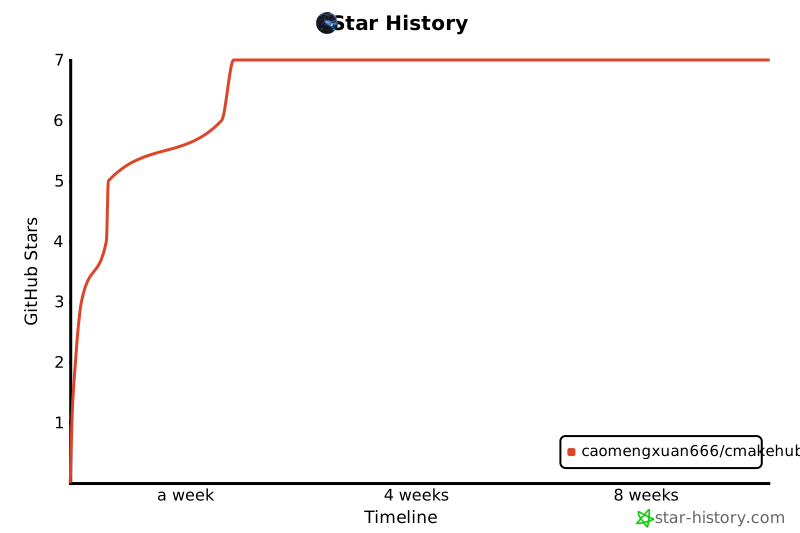
Star History
Made with ❤️ by the CMakeHub community
1 maintainer

Metadata
1 maintainer
Release files for cmakehub 0.1.6
For a detailed explanation of source distributions (sdists) and built distributions (wheels), please see the package formats documentation.
Source distribution (sdist)
| File | Size | Uploaded | |
|---|---|---|---|
| cmakehub-0.1.6.tar.gz | 35.0 kB | Details |
Built distribution (wheel)
| File | Interpreter | ABI | Platform | Reset |
|---|---|---|---|---|
| cmakehub-0.1.6-py3-none-any.whl | Python 3 | none | any | Details |
Total release size: 69.4 kB
Release files / cmakehub-0.1.6.tar.gz
| Download URL | cmakehub-0.1.6.tar.gz |
|---|---|
| Size | 35.0 kB |
| Tags | Source |
|
SHA-256 checksum How to use checksums |
25804bf19b05e90d1546fcc5a6a99a8efd8faf24d529cd3df35ff770ef0756d9
|
|
BLAKE2b-256 checksum How to use checksums |
9395aad8f0ddc4d5d376ccfeb95a0073349323f08c56c1f146aba7e4a21fb359
|
| Upload date | |
|
Uploaded using Trusted Publishing? What is trusted publishing? |
No |
| Uploaded via |
twine/6.2.0 CPython/3.12.3
|
Release files / cmakehub-0.1.6-py3-none-any.whl
| Download URL | cmakehub-0.1.6-py3-none-any.whl |
|---|---|
| Size | 34.4 kB |
| Tags | Python 3 |
|
SHA-256 checksum How to use checksums |
d4af32f223bace3aaf9535766ee94b4d316f7dd93000041008b0bb17bf675759
|
|
BLAKE2b-256 checksum How to use checksums |
928773b6050f7ee47ab75886ca9ee13bb1a616b0a7912a8752d3ecaff6cff212
|
| Upload date | |
|
Uploaded using Trusted Publishing? What is trusted publishing? |
No |
| Uploaded via |
twine/6.2.0 CPython/3.12.3
|














