
CMakeHub - Unified CMake Module Manager CLI

Project description
CMakeHub
Unified CMake Module Manager




A centralized repository for discovering, selecting, and integrating third-party CMake modules.
What is CMakeHub?
CMakeHub is a unified CMake module manager that provides a "central warehouse" for CMake modules. It solves the problem of scattered CMake modules across different GitHub repositories, making it easy to discover, select, and integrate them into your projects.
Important: CMakeHub is not a package manager like vcpkg or Conan. It's a module manager that helps you find and use CMake modules more easily.
Features
Core Features
- 🔍 Unified Discovery: Browse and search for CMake modules in one place
- 🚀 Simple Integration: Load modules with a single command
- 🔄 Automatic Dependencies: Modules automatically declare and load their dependencies
- ⚠️ Conflict Detection: Prevents loading incompatible modules
- ✅ Version Checking: Ensures compatibility with your CMake and C++ versions
- 💾 Smart Caching: Download once, use everywhere (shared across projects)
- 📄 License Management: Automatically track module licenses for compliance
Advanced Features
- ⚙️ Config Penetration: Pass parameters directly to modules
- 🏷️ Version Selection: Specify exact module versions
- 🔎 Module Search: Search modules by name, description, or tags
- 📊 Dependency Visualization: Generate dependency graphs
- 🧹 Cache Management: View and clean module cache
- 🌍 Cross-Platform Filtering: Automatic platform compatibility warnings
- 🔄 Update Management: Easy module updates via cache clearing
- ✅ Compatibility Check: Verify module compatibility before loading
- 💻 Command Line Interface: CLI tool for quick module discovery and management
Quick Start
Installation
Option 1: Clone Repository
# Clone CMakeHub
git clone https://github.com/caomengxuan666/CMakeHub.git
cd CMakeHub

# Or add as a submodule
git submodule add https://github.com/caomengxuan666/CMakeHub.git cmake/cmakehub
Option 2: Install CLI Tool (Optional)
# Clone CMakeHub
git clone https://github.com/caomengxuan666/CMakeHub.git
cd CMakeHub

# Install CLI tool (requires Python 3.6+)
pip install -e .

# Or install globally
python setup.py install
After installation, you can use the CLI tool:
cmakehub --help
cmakehub list
cmakehub search sanitizers
Basic Usage
# In your CMakeLists.txt
cmake_minimum_required(VERSION 3.19)
project(MyProject CXX)

# Include CMakeHub
include(${CMAKE_CURRENT_SOURCE_DIR}/cmake/cmakehub/loader.cmake)

# Load modules
cmakehub_use(sanitizers)
cmakehub_use(coverage)

# Now use the modules' features
enable_testing()
add_executable(myapp main.cpp)
target_link_libraries(myapp PRIVATE mylib)
Configuration Options
# Set cache directory (optional)
set(CMH_CACHE_DIR "$ENV{HOME}/.cmakehub/cache")

# Enable verbose output (optional)
set(CMAKEHUB_VERBOSE ON)

# Set version check mode (STRICT, WARNING, SILENT)
set(CMAKEHUB_VERSION_CHECK_MODE "STRICT")
Advanced Usage
Pass Parameters to Modules (Config Penetration)
cmakehub_use(sanitizers
    ADDRESS_SANITIZER ON
    UNDEFINED_SANITIZER ON
)
Specify Module Version
cmakehub_use(cotire VERSION "master")
cmakehub_use(cpm VERSION "0.42.0")
Discover Modules
# List all available modules
cmakehub_list()

# Search for modules
cmakehub_search(sanitizer)
cmakehub_search(testing)
Check Compatibility
# Check if a module is compatible with your system
cmakehub_check_compatibility(sanitizers)

# List all compatible modules
cmakehub_list_compatible_modules()
Manage Cache
# View cache information
cmakehub_cache_info()

# Clear specific module cache
cmakehub_cache_clear(sanitizers)

# Clear all cache
cmakehub_cache_clear()
Update Modules
# Update specific module (clears cache)
cmakehub_update(sanitizers)

# Update all used modules
cmakehub_update()
Visualize Dependencies
# Generate dependency graph
cmakehub_dependency_graph(dependencies.dot)

# Convert to PNG (requires Graphviz)
# dot -Tpng dependencies.dot -o dependencies.png
Module Information
# Get detailed information about a module
cmakehub_info(sanitizers)

# Show licenses of all loaded modules
cmakehub_show_licenses()
Command Line Interface
CMakeHub includes a Python CLI tool for quick module discovery and management without needing to write CMake code.
Installation
# Install CLI tool
pip install -e .

# Or globally
python setup.py install
Commands
List Modules
# List all modules
cmakehub list

# List modules in a category
cmakehub list --category testing
cmakehub list -c code_quality

# Compact output
cmakehub list --compact
Search Modules
# Search by keyword
cmakehub search sanitizers
cmakehub search testing

# Case-insensitive search
cmakehub search Sanitizers
Get Module Info
# Display detailed module information
cmakehub info sanitizers
cmakehub info cotire
Check Compatibility
# Check if a module is compatible with your system
cmakehub check sanitizers
cmakehub check cotire
Cache Management
# Show cache statistics
cmakehub cache

# Clear all cache
cmakehub cache --clear

# Clear specific module cache
cmakehub cache --clear sanitizers
Update Modules
# Update specific module (clears cache)
cmakehub update sanitizers

# Update all modules
cmakehub update

# Update and download immediately
cmakehub update --download-now
cmakehub update sanitizers --download-now
Generate CMake Code
# Generate CMake code for a module
cmakehub use sanitizers

# Specify version
cmakehub use cotire --version master
cmakehub use cotire -v master

# Add options
cmakehub use sanitizers ADDRESS_SANITIZER ON UNDEFINED_SANITIZER ON

# Save to file
cmakehub use sanitizers --output my_project/CMakeLists.txt

# Append to existing file
cmakehub use cotire --append CMakeLists.txt

# Add test
cmakehub use doctest --test
Initialize Project
# Create a new CMakeHub project
cmakehub init my_project

cd my_project
This creates a complete project structure:
my_project/
├── CMakeLists.txt
├── cmake/
│   └── hub/
│       └── loader.cmake
├── src/
│   └── main.cpp
├── .gitignore
└── README.md
Use Cases
Quick Module Discovery
# Find modules for testing
cmakehub search testing
cmakehub list --category testing

# Check if a module is compatible
cmakehub check sanitizers
Project Initialization
# Create a new project with CMakeHub
cmakehub init my_app
cd my_app

# Add modules
cmakehub use sanitizers --append CMakeLists.txt
cmakehub use coverage --append CMakeLists.txt
Cache Management
# View cache size
cmakehub cache

# Clear outdated modules
cmakehub update --download-now
CLI vs CMake API
| Feature | CLI | CMake API |
|---|---|---|
| List modules | ✅ cmakehub list |
✅ cmakehub_list() |
| Search modules | ✅ cmakehub search |
✅ cmakehub_search() |
| Get module info | ✅ cmakehub info |
✅ cmakehub_info() |
| Check compatibility | ✅ cmakehub check |
✅ cmakehub_check_compatibility() |
| Cache management | ✅ cmakehub cache |
✅ cmakehub_cache_info() |
| Update modules | ✅ cmakehub update |
✅ cmakehub_update() |
| Load modules | ❌ (use cmakehub use) |
✅ cmakehub_use() |
| Dependency graph | ❌ | ✅ cmakehub_dependency_graph() |
| Generate CMake code | ✅ cmakehub use |
❌ |
| Initialize project | ✅ cmakehub init |
❌ |
Available Modules
CMakeHub includes 48 curated CMake modules organized by category:
Build Optimization (6)
- cotire: Precompiled headers and unity builds
- lto_optimization: Link Time Optimization (LTO/IPO)
- precompiled_header: Precompiled header setup
- cpp_standards: C++ standards configuration
- c_standards: C standards configuration
- compile_options: Compiler options management
Code Quality (10)
- sanitizers: ASan, UBSan, TSan, MSan integration
- coverage: Code coverage with gcov/lcov
- coverage_cg: Code coverage from cginternals
- clang_tidy_tools: Clang-Tidy integration
- clang_tidy_cg: Clang-Tidy from cginternals
- cppcheck_cg: Cppcheck integration
- compiler_warnings: Compiler warning helpers
- code_formatter: clang-format integration
- afl_fuzzing: AFL fuzzing instrumentation
- gcov: Gcov coverage tool
Debugging (2)
- launchers: Create launcher scripts for IDEs
- compiler_info: Get compiler information
Dependency Management (2)
- cpm: Lightweight CMake package manager
- conan: Conan package manager integration
Platform (5)
- android_toolchain: Android NDK toolchain
- ios_toolchain: iOS/macOS/watchOS/tvOS toolchain
- cuda: CUDA auxiliary functions
- use_folders: Enable IDE folders (MSVC)
- qt_helper: Qt integration helper
Testing (5)
- add_gtest: Google Test integration
- doctest: Doctest testing framework
- catch2_cmake: Catch2 testing framework
- find_or_build_gtest: Find or build GTest
- afl_fuzzing: AFL fuzzing
Documentation (2)
- doxygen_helper: Doxygen documentation helpers
- dependency_graph: Generate dependency graphs
Packaging (2)
- component_install: Component installation helpers
- runtime_dependencies: Runtime dependencies management
Utilities (14)
- git_version: Get git revision description
- export_header: Generate template export header
- find_assimp: Find ASSIMP 3D model library
- find_egl: Find EGL library
- find_ffmpeg: Find FFMPEG video library
- find_glesv2: Find OpenGL ES 2.0
- find_glew: Find GLEW OpenGL library
- find_gtk3: Find GTK3 GUI library
- find_gtk4: Find GTK4 GUI library
- find_hidapi: Find HIDAPI USB library
- find_nodejs: Find Node.js
- find_sdl2: Find SDL2 game library
- glsl_shaders: GLSL shader compilation support
- find_or_build_gtest: Find or build GTest
For detailed module documentation, see docs/modules/
API Reference
Core Functions
cmakehub_use(module_name [VERSION version] [ARGN...])
Load a CMake module with optional version and parameters.
cmakehub_use(sanitizers)
cmakehub_use(cotire VERSION "master")
cmakehub_use(sanitizers ADDRESS_SANITIZER ON)
cmakehub_use_category(category_name)
Load all modules in a category.
cmakehub_use_category(code_quality)
Discovery Functions
cmakehub_list()
List all available modules.
cmakehub_list()
cmakehub_search(keyword)
Search for modules by name, description, or tags.
cmakehub_search(sanitizer)
cmakehub_search(testing)
cmakehub_info(module_name)
Display detailed information about a module.
cmakehub_info(sanitizers)
Compatibility Functions
cmakehub_check_compatibility(module_name)
Check if a module is compatible with your system.
cmakehub_check_compatibility(sanitizers)
cmakehub_list_compatible_modules()
List all modules compatible with current CMake version.
cmakehub_list_compatible_modules()
Cache Management Functions
cmakehub_cache_info()
Display cache information.
cmakehub_cache_info()
cmakehub_cache_clear([module_name])
Clear cache for specific module or all modules.
cmakehub_cache_clear(sanitizers)
cmakehub_cache_clear()  # Clear all
Dependency Functions
cmakehub_dependency_graph(output_file)
Generate a DOT graph of module dependencies.
cmakehub_dependency_graph(dependencies.dot)
Update Functions
cmakehub_update([module_name])
Update specific module or all used modules (clears cache).
cmakehub_update(sanitizers)
cmakehub_update()  # Update all
License Functions
cmakehub_show_licenses()
Display licenses of all loaded modules.
cmakehub_show_licenses()
Examples
See the examples/ directory for complete examples:
examples/basic/: Basic usage with sanitizers and coverageexamples/advanced/: Advanced features demonstration
Run the examples:
cd examples/basic
mkdir build && cd build
cmake ..
cmake --build .
./myapp  # Linux/macOS
myapp.exe  # Windows
For advanced examples:
cd examples/advanced
mkdir build && cd build
cmake ..
cmake --build .
Testing
Run the test suite:
# Run all tests
python tests/run_tests.py

# Run specific test
python tests/run_single_test.py test_loader_basic
python tests/run_single_test.py test_cache
python tests/run_single_test.py test_version_check
python tests/run_single_test.py test_dependencies
python tests/run_single_test.py test_conflicts

# Validate all modules
cmake -P tests/verify_modules.cmake

# Test new features
cmake -P tests/test_new_features.cmake
Requirements
- CMake: 3.19 or higher
- Python: 3.6 or higher (for tests only)
- Internet connection: Required for downloading modules
Cache Mechanism
CMakeHub caches downloaded modules in ~/.cmakehub/cache/ (or %USERPROFILE%/.cmakehub/cache/ on Windows). Cache is shared across projects, so you only download each module once.
Cache structure:
~/.cmakehub/cache/
├── sanitizers/
│   └── master/
│       ├── cmake/
│       │   └── FindSanitizers.cmake
│       └── .cmh_meta.json
└── cotire/
    └── master/
        ├── CMake/
        │   └── cotire.cmake
        └── .cmh_meta.json
Version Checking
CMakeHub automatically checks module requirements:
- CMake version: Ensures your CMake version meets the module's minimum requirement
- C++ standard: Warns if the module requires a higher C++ standard
- Platform compatibility: Warns if module is not compatible with current platform
Version check modes:
- STRICT (default): Fails on version mismatch
- WARNING: Shows a warning but continues
- SILENT: Disables version checking
Dependency Management
Modules can declare dependencies:
{
  "name": "module_a",
  "dependencies": ["module_b", "module_c"]
}
When you load module_a, CMakeHub automatically loads module_b and module_c first.
Conflict Detection
Modules can declare conflicts:
{
  "name": "cpm",
  "conflicts": ["conan", "vcpkg"]
}
If you try to load cpm and conan together, CMakeHub will show an error.
License
This project is licensed under the Apache License 2.0 - see the LICENSE file for details.
Note: Each module has its own license. See THIRD_PARTY_LICENSES.md for complete license information or use cmakehub_show_licenses() to view all licenses and ensure compliance.
Contributing
We welcome contributions! See CONTRIBUTING.md for guidelines.
Roadmap
- v0.1: Initial release with 48 modules
- v0.2: Add more modules, improve documentation
- v1.0: Stable API, web interface
- v1.1: IDE plugins, advanced features
Acknowledgments
CMakeHub is built on the work of many talented CMake module authors:
- arsenm/sanitizers-cmake
- bilke/cmake-modules
- sakra/cotire
- rpavlik/cmake-modules
- cpm-cmake/CPM.cmake
- conan-io/cmake-conan
- StableCoder/cmake-scripts
- cginternals/cmake-init
- taka-no-me/android-cmake
- leetal/ios-cmake
- larsch/cmake-precompiled-header
- catchorg/Catch2
- doctest/doctest
- And many others!
For complete list, see THIRD_PARTY_LICENSES.md
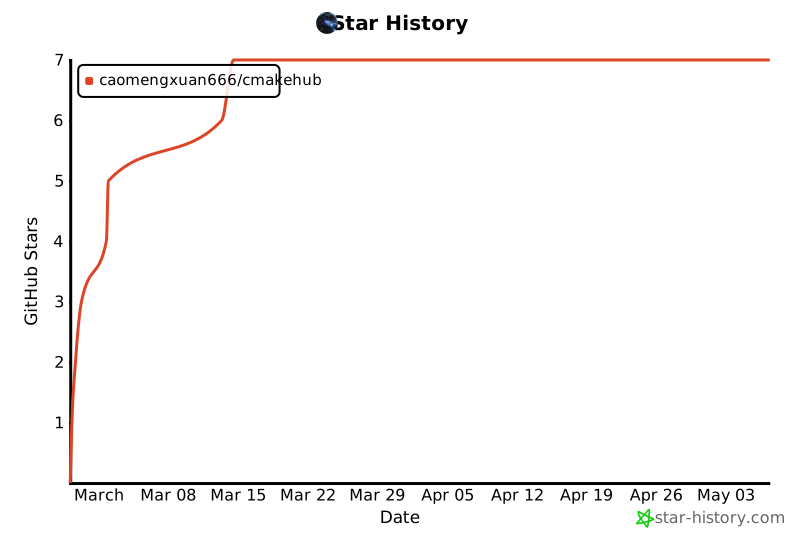
Star History
Made with ❤️ by the CMakeHub community


Download files
Download the file for your platform. If you're not sure which to choose, learn more about installing packages.
Source Distribution
Built Distribution
Filter files by name, interpreter, ABI, and platform.
If you're not sure about the file name format, learn more about wheel file names.
Copy a direct link to the current filters
File details
Details for the file cmakehub-0.1.0.tar.gz.
File metadata
- Download URL: cmakehub-0.1.0.tar.gz
- Upload date:
- Size: 32.5 kB
- Tags: Source
- Uploaded using Trusted Publishing? No
- Uploaded via: twine/6.2.0 CPython/3.12.3
File hashes
| Algorithm | Hash digest | |
|---|---|---|
| SHA256 |
4fe9051868980166498434d8ce98dd87bc59696be37eb1d970184fa54c8a9534
|
|
| MD5 |
a4796faff58ddbf19d08bb603cc76c32
|
|
| BLAKE2b-256 |
ceca87bacfb0d446bb0e5e1bdf17fcd33e3d54bb3aa386c89e4bc595f3f186ee
|
File details
Details for the file cmakehub-0.1.0-py3-none-any.whl.
File metadata
- Download URL: cmakehub-0.1.0-py3-none-any.whl
- Upload date:
- Size: 31.5 kB
- Tags: Python 3
- Uploaded using Trusted Publishing? No
- Uploaded via: twine/6.2.0 CPython/3.12.3
File hashes
| Algorithm | Hash digest | |
|---|---|---|
| SHA256 |
4eb1660e6e1b29e1c06c9eb88c81c7323525464497bd02553c61b8bf7ce43e29
|
|
| MD5 |
611590bc859012111e78292cfb6881f2
|
|
| BLAKE2b-256 |
e3542182cfe53c4bfcf01d512bee85aff1114cc3fcee687d39478158f42d90cf
|






