
Local code-intelligence layer for AI coding tools (Claude Code, Codex, Gemini, Copilot). Retrieve less, read less, edit safer.
Verified details
These details have been verified by PyPIProject links
GitHub Statistics
Maintainers

Project description
Code Context Control
The local code-intelligence layer for AI coding tools.
Stop burning tokens on whole-file reads, blind greps, and unbounded log dumps.
Works with Claude Code, Codex, Gemini CLI, Copilot, Cursor, and Antigravity.





The problem
LLM-driven coding tools have one expensive failure mode: they read too much. They cat whole files, regex the entire repo, dump 10k-line logs into context, edit-and-pray, and burn through budget before they touch a single line of code. On a half-day session you can spend $20+ on token waste that adds zero value.
What C3 does about it
A thin local layer that sits between your IDE and your repo. Every AI tool call gets routed through narrow, surgical operations instead of broad, wasteful ones:
| Without C3 | With C3 |
|---|---|
Read the whole 2,000-line file |
c3_compress returns a 70%-smaller structural map → c3_read(symbols=...) for the exact function |
Grep the whole repo blindly |
c3_search returns ranked candidates with TF-IDF + symbol awareness |
Dump full pytest output into the prompt |
c3_filter distills 500 lines → 30 actionable ones |
| Edit, hope it compiled | c3_edit writes via a ledger + c3_validate runs pyright/tsc automatically |
Bash test runs that hang on Windows |
c3_shell returns structured {exit_code, stdout, stderr, duration} with auto-filter |
Lose all context on /clear |
c3_session(snapshot) + c3_memory persist decisions across sessions |
| Re-explain the project every session | Auto-synced CLAUDE.md / AGENTS.md / GEMINI.md / copilot-instructions.md from a single source of truth |
Everything runs locally. No source code, prompts, or model output ever leaves your machine unless you explicitly opt into a third-party model API.
Install
Requires Python 3.10+.
pip install code-context-control
c3 init /path/to/your/project
The interactive setup walks you through:
- IDE selection (Claude Code CLI/App, Codex CLI, Gemini CLI, VS Code, Cursor, Antigravity, or Custom)
- Optional local
git init - MCP server registration (auto-wired into your IDE)
- (Claude Code only) Permission tier selection
Headless / scripted install:
c3 init /path/to/project --force --ide claude --mcp-mode direct --permissions standard
Or install from source:
git clone https://github.com/drknowhow/code-context-control.git
cd code-context-control
pip install .[tui]      # add the optional Textual TUI
A tour of the UI
C3 ships with two web UIs (no electron, no install — pure Flask + vanilla JS):
- The Hub (
c3-hub, port 3330) — manage all your C3 projects from one dashboard. - The per-project UI (
c3 ui, per-project port) — deep dive into one project's session, memory, edits, instructions, and settings.
1. Project Hub — multi-project mission control
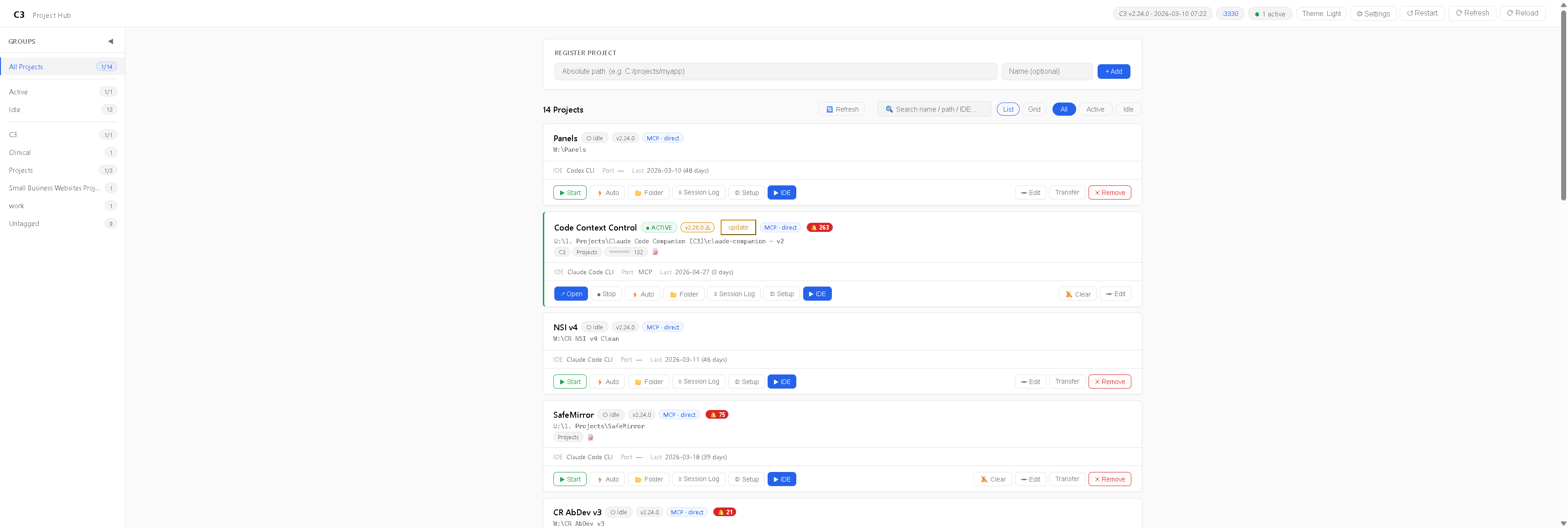
Every C3-initialized project on your machine appears here. Group them by tag, filter by active/idle, see which IDE each project uses, jump straight into your IDE with one click, and monitor session activity at a glance. Each project card shows live status, version, MCP wiring mode, port, and last activity.
Same data, grid layout:
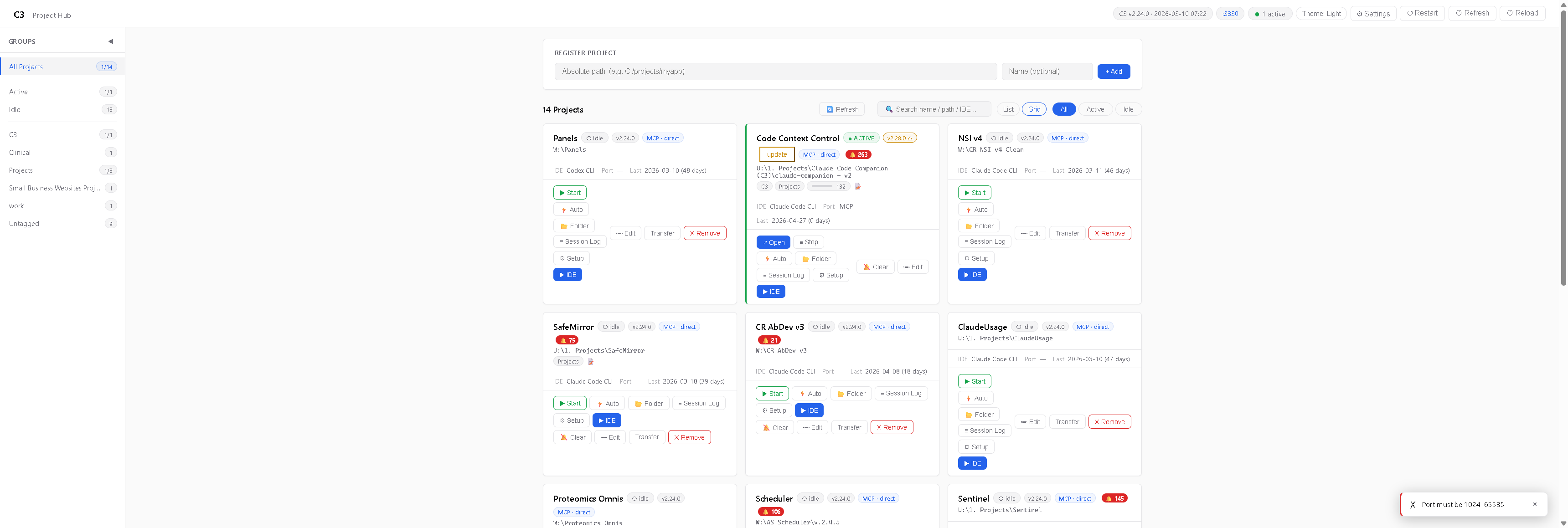
Open in your IDE of choice — C3 auto-detects which CLIs you have installed and gives you one-click launchers:

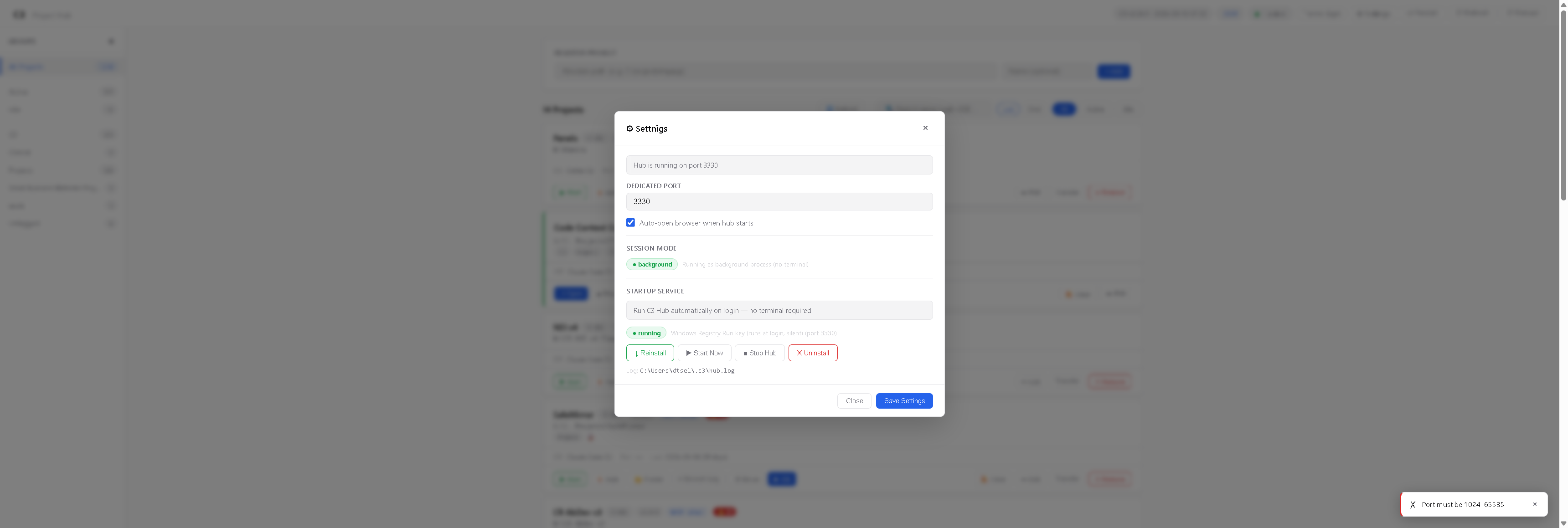
Hub runs as a background Windows service if you want it to (no terminal, auto-starts on login):
2. Per-project dashboard — at-a-glance health
c3 ui # opens http://127.0.0.1:3333
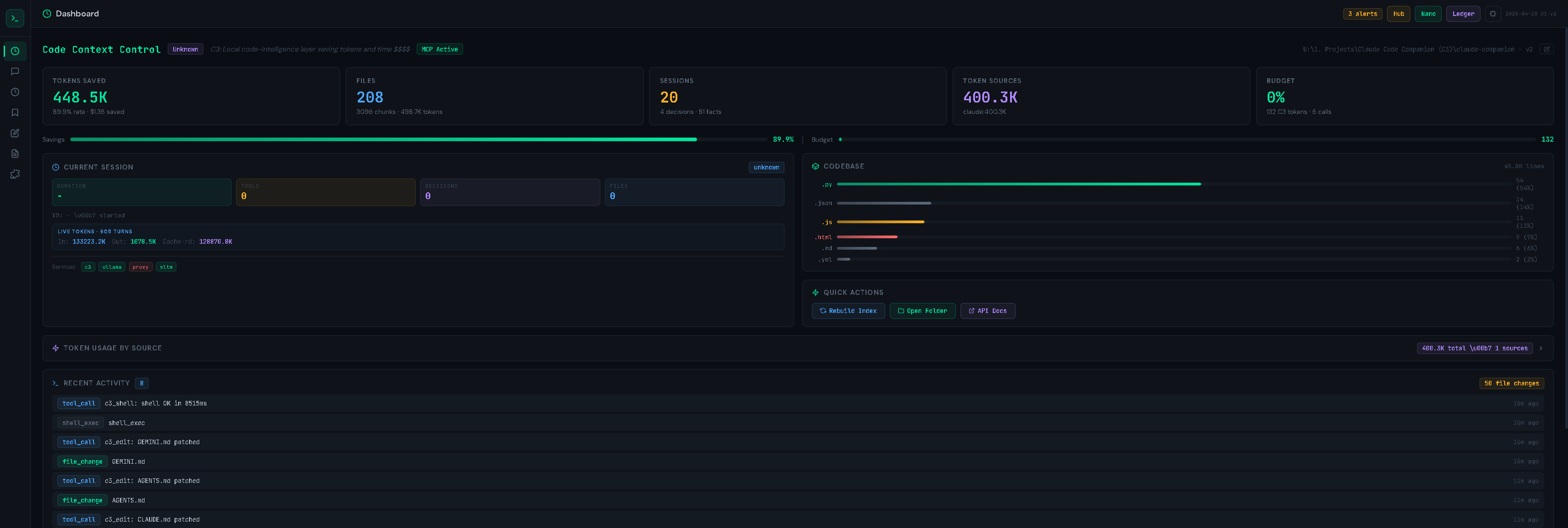
Real metrics from a real project: 448K tokens saved (89.9% rate), 208 files indexed, 20 sessions, codebase breakdown by language, current-session live counters (in/out tokens, cache reads, services online), and a stream of recent tool calls and file changes.
3. Edit Ledger — every AI-driven edit tracked
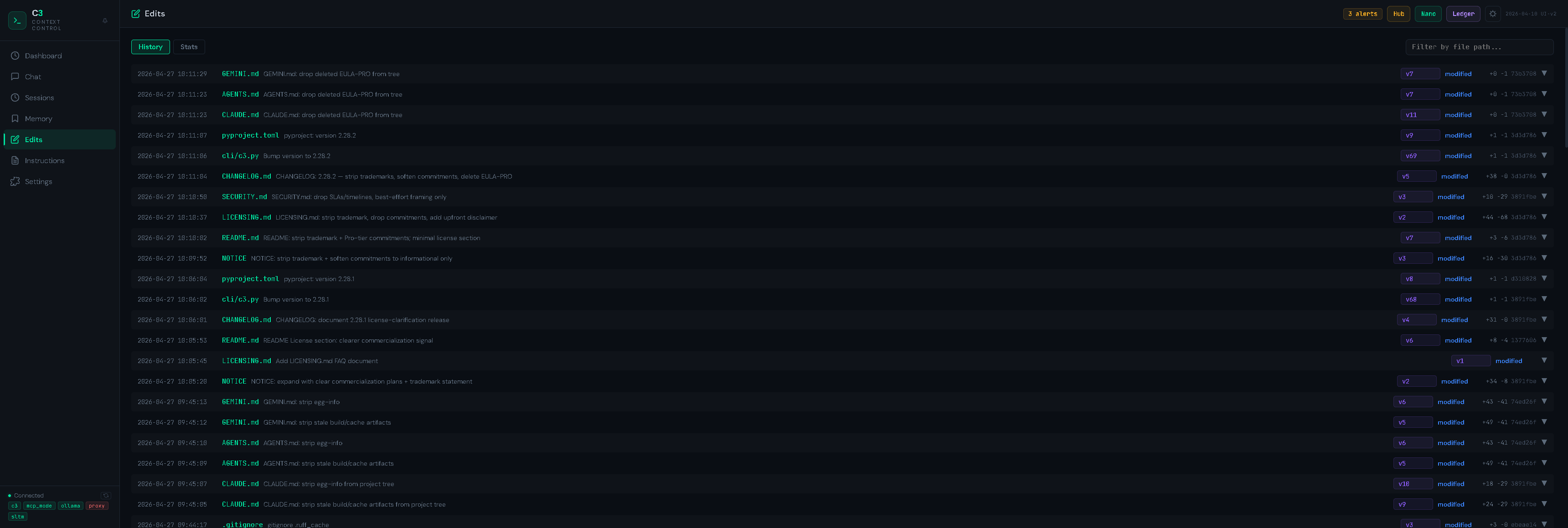
A complete audit trail of every file change made via c3_edit (or via Bash git commands intercepted by the C3 shell). Each entry shows timestamp, file, version number, change summary, and +/- line counts. Filter by file path, switch to Stats view for aggregate trends. Backed by a content-addressable store so any prior version is one click away.
4. Memory — durable knowledge across sessions
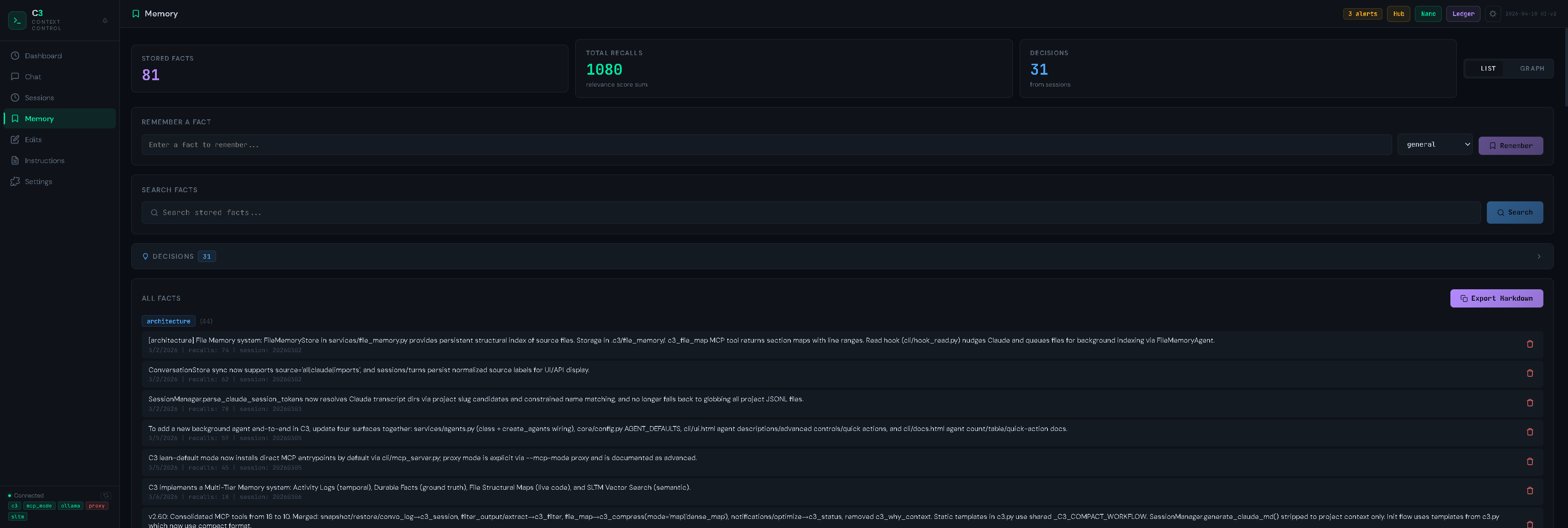
A categorized store of facts the AI has learned about your project (architecture decisions, conventions, gotchas, references). Categories, full-text + semantic search, decision tracking, list ↔ graph toggle, and one-click Markdown export. Backed by TF-IDF + optional Ollama embeddings + chromadb (when the [vector] extra is installed).
5. Sessions — history, decisions, costs
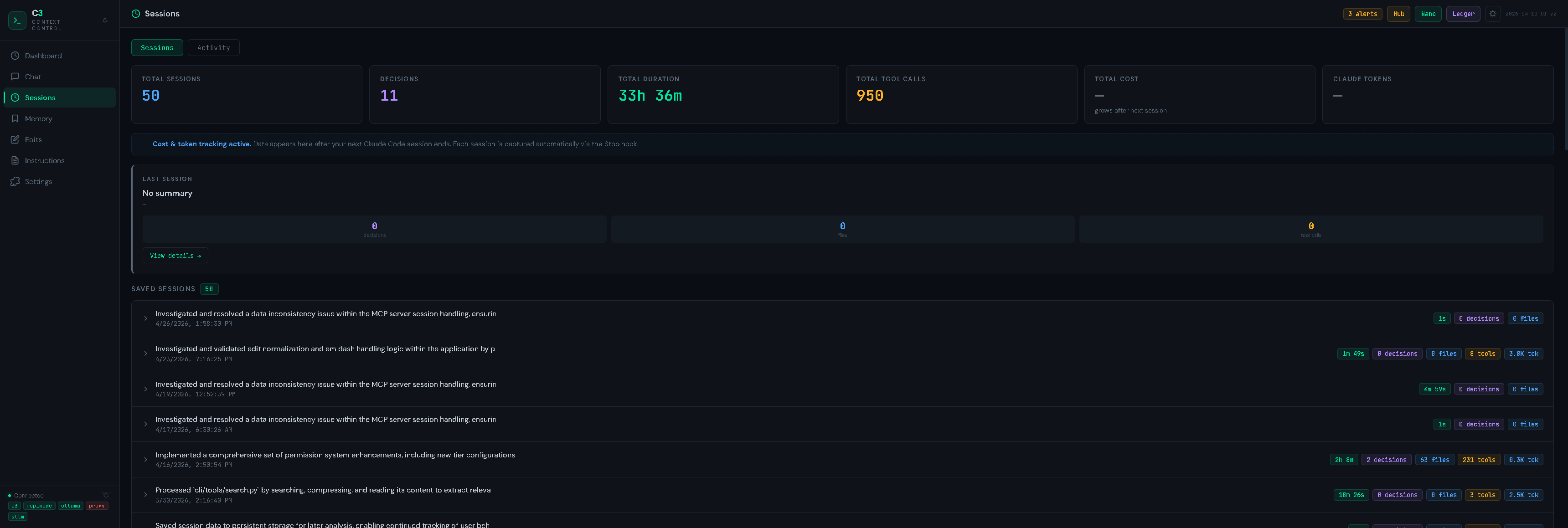
Every session you've ever run, with duration, decision count, file count, tool calls, token usage, and cost. Captured automatically via the IDE's Stop hook — nothing to remember to click. Click any row to see the full task list, decisions, and file diffs from that session.
6. Instructions — sync your project context across IDEs
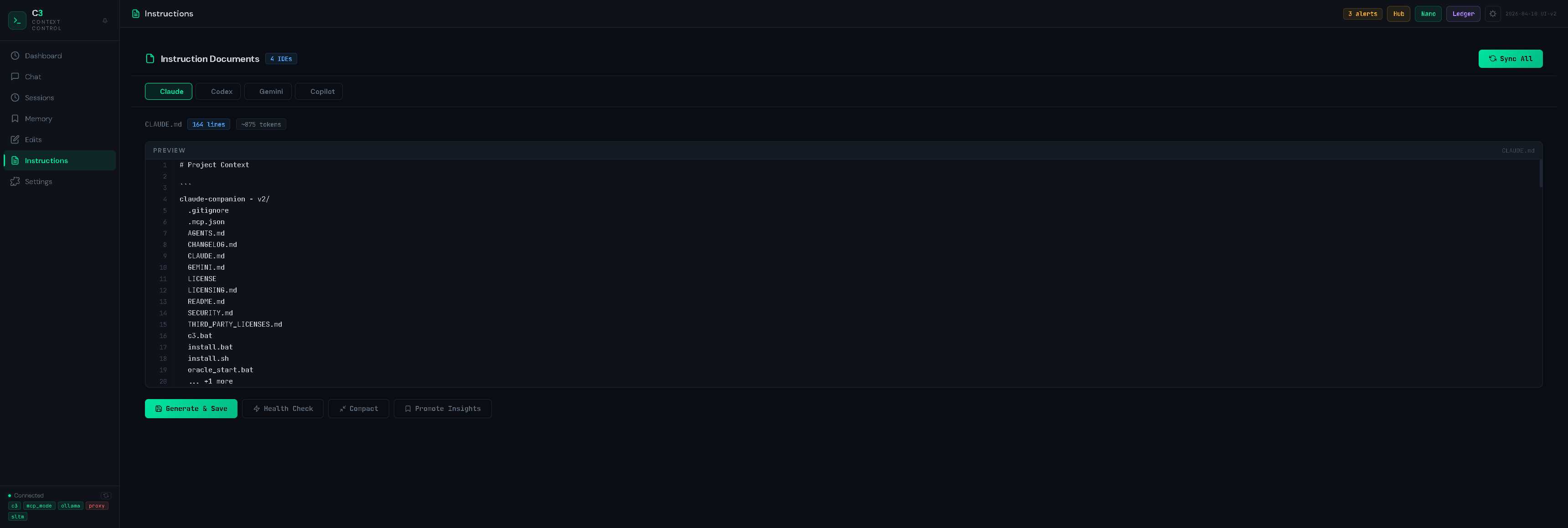
Manage CLAUDE.md, AGENTS.md (Codex), GEMINI.md, and .github/copilot-instructions.md from one editor. Generate from project state, run a Health Check (drift detection vs the actual codebase), Compact stale sections, or Promote insights captured during sessions. One source of truth instead of four out-of-sync files.
7. Chat — browse prior AI conversations
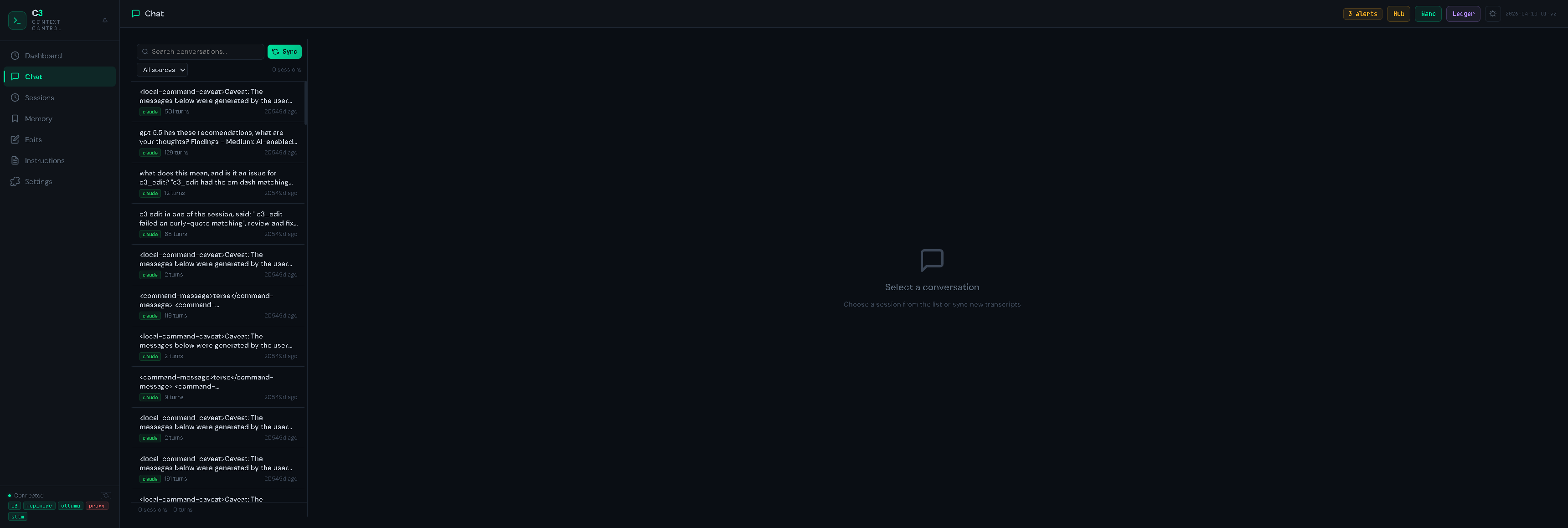
C3 syncs and indexes your IDE's chat transcripts (currently Claude Code; others coming). Filter by source, search, click a row to view the full conversation. Useful for "wait, what did we decide about X last week?".
8. Settings — feature flags + integrations
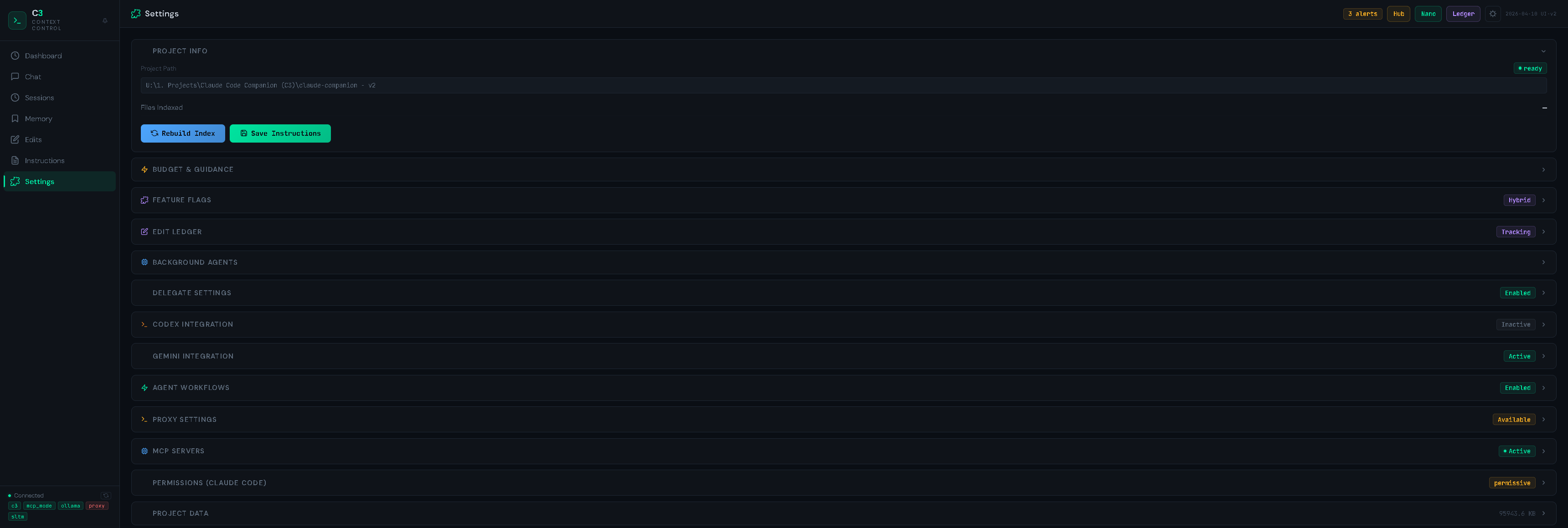
Per-project knobs for everything: budget thresholds, feature flag mode, edit ledger, background agents, delegate routing, Codex/Gemini integrations, agent workflows, proxy mode, MCP servers, Claude Code permission tier, and more.
The MCP tool suite
C3 exposes 14 tools as a native MCP server. Your IDE calls them directly:
| Tool | What it does |
|---|---|
c3_search |
TF-IDF / regex / semantic search ranked across the indexed repo |
c3_compress |
AST-based file map (modes: map, dense_map, smart, diff, bug_scan, ast) |
c3_read |
Surgical reads — by symbol name, regex, or line ranges |
c3_edit |
Atomic patch with automatic ledger logging + content-addressable history |
c3_validate |
Type / syntax check (pyright, tsc, ruff, etc. — auto-detected) |
c3_filter |
Distill long terminal/log output via pattern + LLM summarization |
c3_shell |
Run shell commands with structured returns + auto-filtered stdout |
c3_status |
Project health, token budget, notifications, ghost-file detection |
c3_memory |
Persistent fact store with categories, recall, and graph queries |
c3_session |
Snapshot, restore, log decisions, compact session history |
c3_impact |
Blast-radius analysis before edits to shared symbols |
c3_delegate |
Offload heavy work to local Ollama / Codex / Gemini / etc. |
c3_agent |
Multi-step agentic workflows (review, investigate, refactor) |
c3_edits |
Edit-ledger queries + version diffs + restore points |
Every tool is read-only safe in plan mode (except c3_edit and c3_shell).
Tiered local AI (optional)
C3 ships with optional Ollama integration so the primary model doesn't have to waste context on grunt work:
| Tier | Model class | Used for | Latency target |
|---|---|---|---|
| Nano | qwen2:0.5b |
Intent routing, classification | <100 ms |
| Micro | deepseek-r1:1.5b |
Last-turn Q&A, summarization | <1 s |
| Base | llama3.2:3b+ |
Code analysis, technical reasoning | <5 s |
c3_delegate(task="summarize this 4k-line stacktrace", backend="ollama")
c3_delegate(task="rate-limit refactor", backend="auto")    # picks the right tier
Ollama is fully optional. C3 works without it.
Permissions (Claude Code)
C3 manages .claude/settings.local.json for you, with three sensible tiers:
| Tier | What it allows |
|---|---|
read-only |
Exploration only — no file writes, no git writes, no installs |
standard |
Normal dev workflow — edit, build, test, local git (recommended) |
permissive |
Full trust — everything except destructive ops |
All tiers always allow C3 MCP tools and include a hard deny list (rm -rf, sudo, git push --force, etc.).
c3 permissions show
c3 permissions standard
Benchmarks
c3 benchmark /path/to/project
c3 bench aider                    # Aider Polyglot suite
c3 bench swe                      # SWE-bench Lite
Real-world A/B tests: same task, with and without C3 mounted. Reports include token deltas, cost deltas, win rates, tool-usage analysis, and per-task breakdowns. See the Benchmark Dashboard under Settings → Background Agents in the Hub.
Security & privacy
- Hub binds to
127.0.0.1by default. Settinghostto a non-loopback interface in~/.c3/hub_config.jsonis opt-in and warned at startup. Do not expose the Hub to a public network without auth/TLS in front of it. - No telemetry by default. The OSS package collects nothing. Opt-in Sentry crash reporting requires the
[telemetry]extra plus bothSENTRY_DSNandC3_TELEMETRY_OPT_IN=1. Even when enabled, request bodies, local variables, and prompts are stripped before sending. - API keys for third-party model providers are read from environment variables and never persisted by C3.
- See
SECURITY.mdfor the full hardening guide and disclosure policy.
License
- Current OSS license — Apache License 2.0 (
LICENSE). Free for any use, including commercial. Modify, fork, redistribute — all permitted under Apache-2.0 terms. - Third-party deps — see
THIRD_PARTY_LICENSES.md.
The author may introduce a paid offering or relicense future major versions; no commitment either way. Releases already published under Apache-2.0 (including all 2.x versions) keep their Apache-2.0 grant — that grant is irrevocable. Background and FAQ in LICENSING.md. No warranty or support obligation; see LICENSE Sections 7–8.
Links
- PyPI: https://pypi.org/project/code-context-control/
- Changelog:
CHANGELOG.md - Security policy:
SECURITY.md - Licensing FAQ:
LICENSING.md - Issues: https://github.com/drknowhow/code-context-control/issues
Project details
Verified details
These details have been verified by PyPIProject links
GitHub Statistics
Maintainers


Download files
Download the file for your platform. If you're not sure which to choose, learn more about installing packages.
Source Distribution
Built Distribution
Filter files by name, interpreter, ABI, and platform.
If you're not sure about the file name format, learn more about wheel file names.
Copy a direct link to the current filters
File details
Details for the file code_context_control-2.29.0.tar.gz.
File metadata
- Download URL: code_context_control-2.29.0.tar.gz
- Upload date:
- Size: 786.5 kB
- Tags: Source
- Uploaded using Trusted Publishing? Yes
- Uploaded via: twine/6.1.0 CPython/3.13.12
File hashes
| Algorithm | Hash digest | |
|---|---|---|
| SHA256 |
1fad525fab0fce5030024f571095ad44a1248bb5c4afc8e81c75f513d2af00f0
|
|
| MD5 |
ada141acf0a805a6fcb25da7f7661d1e
|
|
| BLAKE2b-256 |
7a8ce8580a8caf9bf1f0af0745604f20d5e82f1552aeb2c98cc3ae63534d7534
|
Provenance
The following attestation bundles were made for code_context_control-2.29.0.tar.gz:
Publisher:
release.yml on drknowhow/code-context-control
-
Statement:
-
Statement type:
https://in-toto.io/Statement/v1 -
Predicate type:
https://docs.pypi.org/attestations/publish/v1 -
Subject name:
code_context_control-2.29.0.tar.gz -
Subject digest:
1fad525fab0fce5030024f571095ad44a1248bb5c4afc8e81c75f513d2af00f0 - Sigstore transparency entry: 1394957011
- Sigstore integration time:
-
Permalink:
drknowhow/code-context-control@becbb5c5dc113d9a4d19f9edc95850706260614b -
Branch / Tag:
refs/tags/v2.29.0 - Owner: https://github.com/drknowhow
-
Access:
public
-
Token Issuer:
https://token.actions.githubusercontent.com -
Runner Environment:
github-hosted -
Publication workflow:
release.yml@becbb5c5dc113d9a4d19f9edc95850706260614b -
Trigger Event:
push
-
Statement type:
File details
Details for the file code_context_control-2.29.0-py3-none-any.whl.
File metadata
- Download URL: code_context_control-2.29.0-py3-none-any.whl
- Upload date:
- Size: 823.6 kB
- Tags: Python 3
- Uploaded using Trusted Publishing? Yes
- Uploaded via: twine/6.1.0 CPython/3.13.12
File hashes
| Algorithm | Hash digest | |
|---|---|---|
| SHA256 |
97dbc791d1f3347a3ff2c0a6236e7bb3dc55b91e1b969b0de52b3c6eebdaf00c
|
|
| MD5 |
e3e6e1e68f259df72000e62ec026314b
|
|
| BLAKE2b-256 |
1592f0c5a8ab7fa2c52476408b18acfc9e96bea6f1a297b5cf32caaff605f729
|
Provenance
The following attestation bundles were made for code_context_control-2.29.0-py3-none-any.whl:
Publisher:
release.yml on drknowhow/code-context-control
-
Statement:
-
Statement type:
https://in-toto.io/Statement/v1 -
Predicate type:
https://docs.pypi.org/attestations/publish/v1 -
Subject name:
code_context_control-2.29.0-py3-none-any.whl -
Subject digest:
97dbc791d1f3347a3ff2c0a6236e7bb3dc55b91e1b969b0de52b3c6eebdaf00c - Sigstore transparency entry: 1394957035
- Sigstore integration time:
-
Permalink:
drknowhow/code-context-control@becbb5c5dc113d9a4d19f9edc95850706260614b -
Branch / Tag:
refs/tags/v2.29.0 - Owner: https://github.com/drknowhow
-
Access:
public
-
Token Issuer:
https://token.actions.githubusercontent.com -
Runner Environment:
github-hosted -
Publication workflow:
release.yml@becbb5c5dc113d9a4d19f9edc95850706260614b -
Trigger Event:
push
-
Statement type:






