
See how any codebase is wired together.
Files, functions, API routes and database tables, mapped in your browser.




Quick start
pip install codebread
codebread --path ./my-project
A browser tab opens with the project already mapped. Everything runs on your machine: nothing is uploaded, and nothing in the scanned project is executed.
What you get
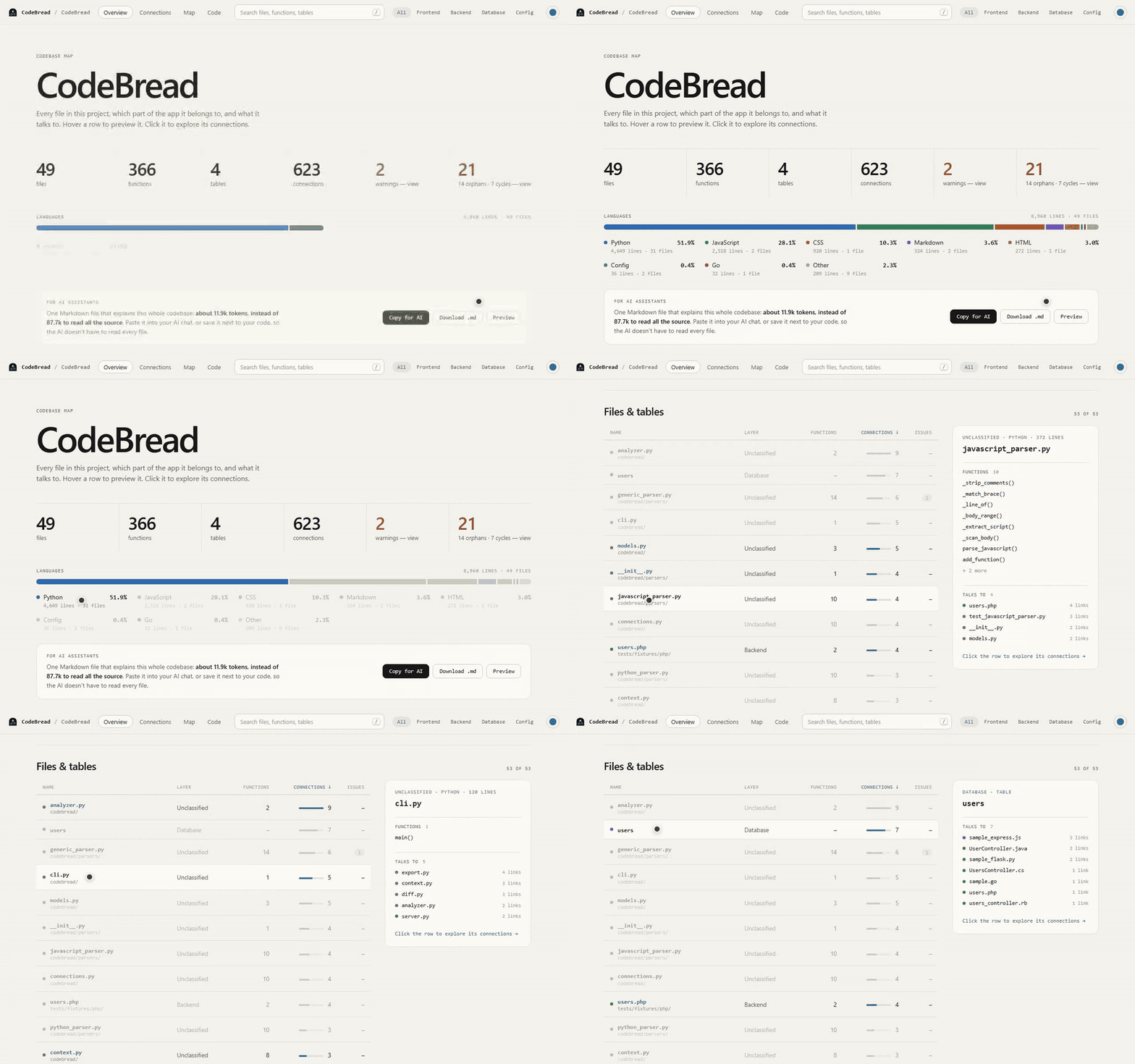
Overview
Totals, a breakdown of the project by language, and every file in one table. Hover a row to preview what the file contains and what it talks to.
Connections
Pick a file to see what uses it, what it uses, and which functions are linked. Click a neighbour to follow the trail; a breadcrumb takes you back. It only ever draws one file's neighbourhood, so it stays readable on a project with thousands of files.
Map
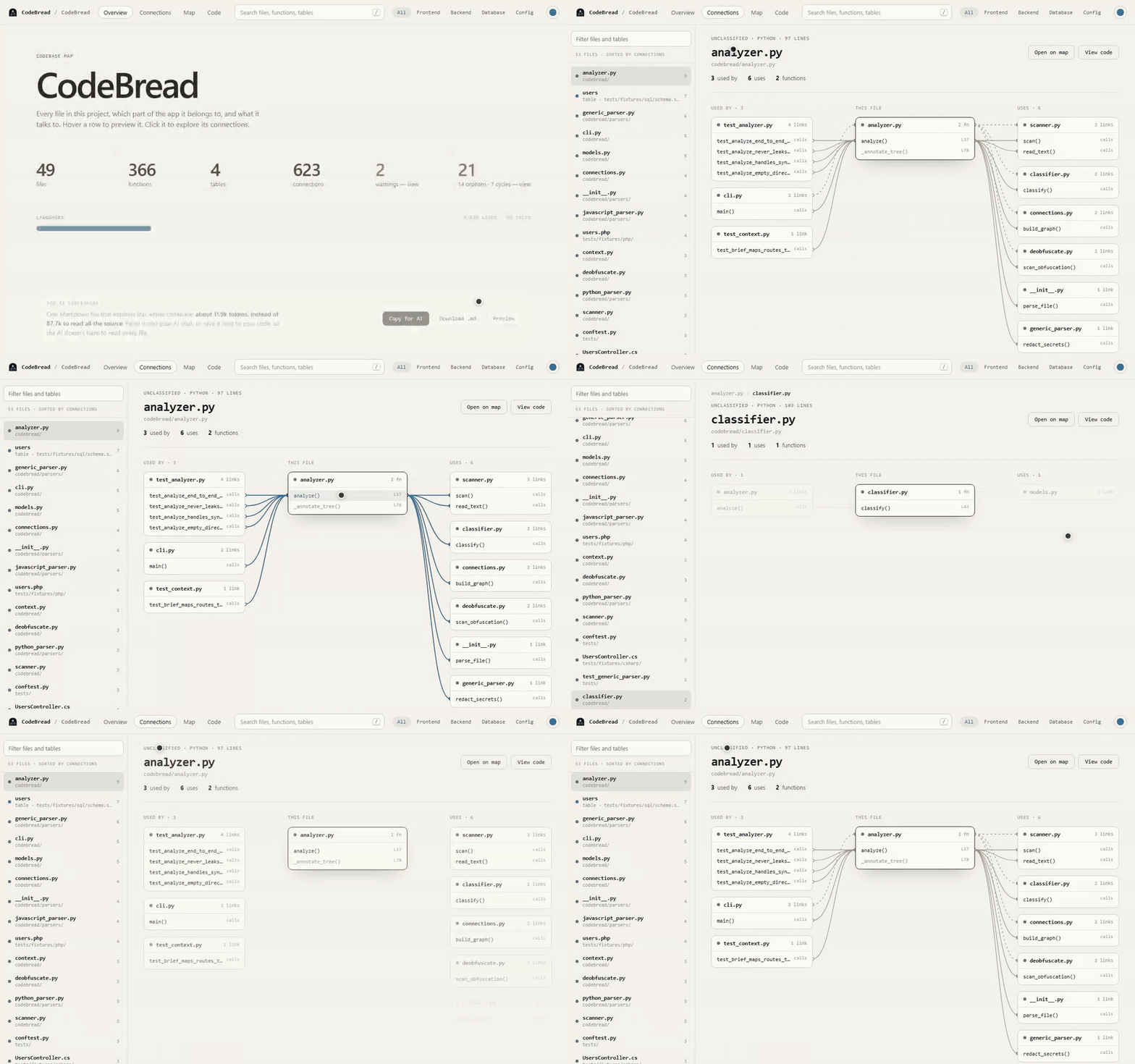
The whole project as a graph. Click a file to open it into its functions.
Click a function to light up everything it calls and everything that calls
it, all the way from a frontend fetch() to the database table.
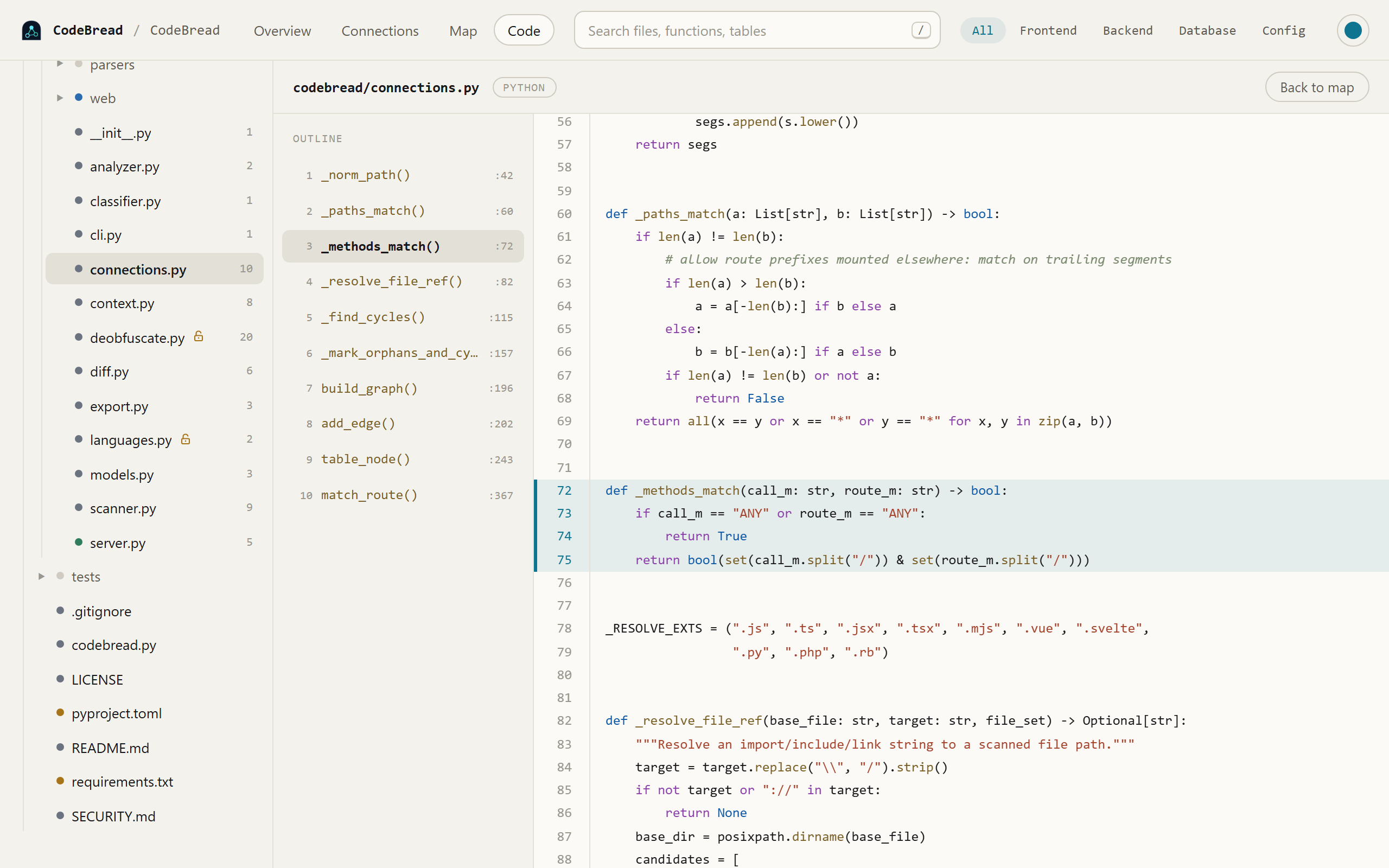
Code
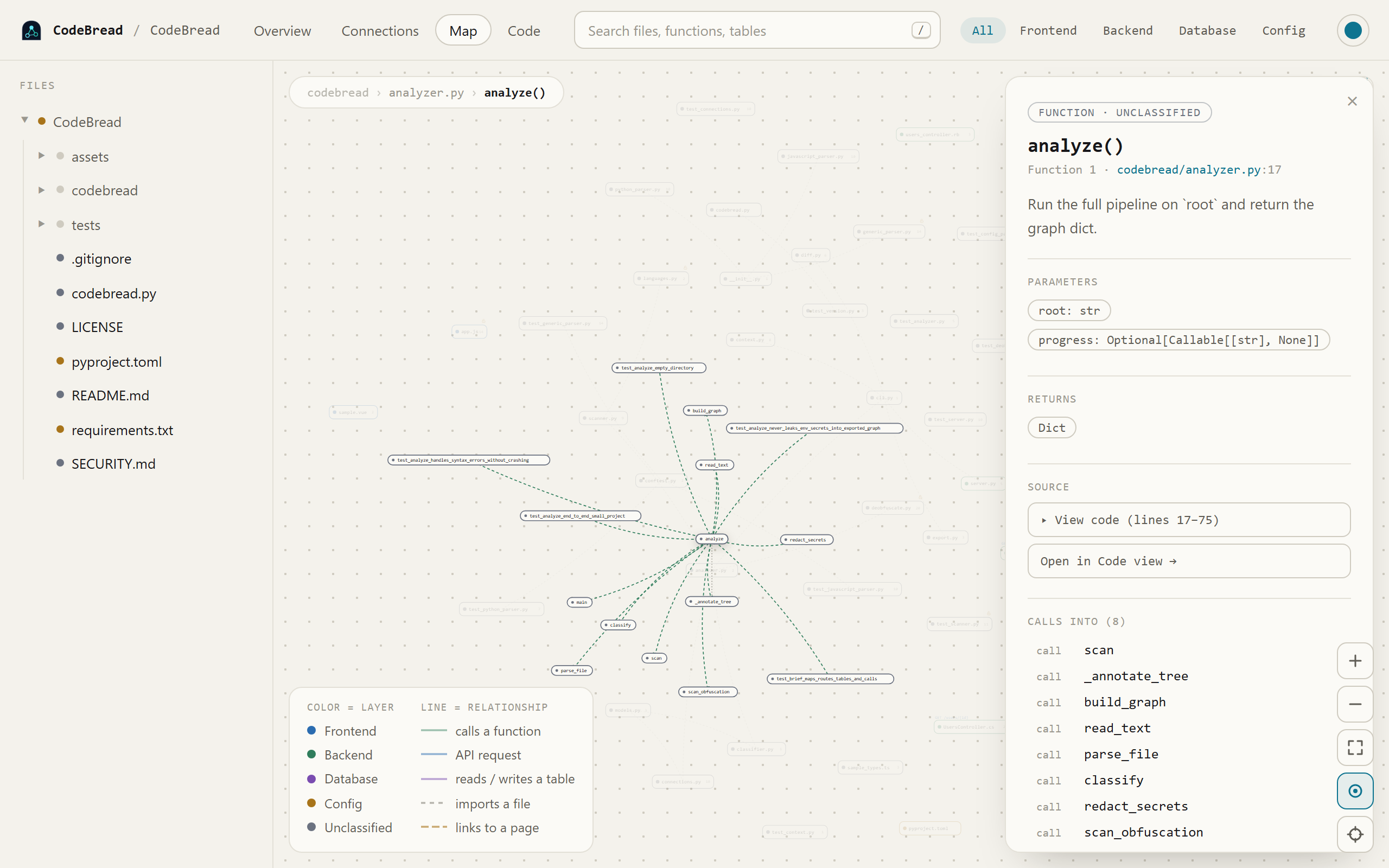
Read any file with an outline and syntax highlighting, without leaving the page.
Context for AI assistants
An AI assistant that reads every file to understand a project spends most of its tokens on code it never needed. CodeBread can write the map down instead:
codebread --path ./my-project --md
This creates CODEBREAD.md in the project: every route, table and function,
and who calls whom. On CodeBread's own repo it's about 13k tokens instead
of 83k for the full source. The report has the same file one click away:
Copy for AI or Download .md.
Commands
| Flag | What it does |
|---|---|
--path, -p PATH |
Folder to scan (asks if you leave it out) |
--md [FILE] |
Write the AI context file (default: CODEBREAD.md in the scanned folder) |
--html FILE |
Export the report as one self-contained HTML file you can share |
--json FILE |
Save the scan as JSON |
--load FILE |
Open a saved JSON scan without scanning again |
--diff OLD NEW |
Compare two saved scans and print what changed |
--port 8137 |
Port for the local server |
--no-open |
Don't open the browser |
--no-serve |
Scan and export only, no server |
--version |
Print the version |
Sharing a report with someone who doesn't have CodeBread:
codebread --path . --html report.html --no-serve
Languages
| Language | Functions | Routes | API calls | Database |
|---|---|---|---|---|
| Python | ✓ | Flask, FastAPI, Django | requests, httpx, aiohttp | SQLAlchemy, Django, peewee |
| JavaScript / TypeScript | ✓ | Express, Fastify, Koa, NestJS | fetch, axios | Prisma, Mongoose, Sequelize, Knex, TypeORM |
| Vue / Svelte | ✓ | same as JS | fetch, axios | same as JS |
| PHP | ✓ | Laravel | – | raw SQL |
| Java | ✓ | Spring | – | raw SQL |
| C# | ✓ | ASP.NET | – | raw SQL |
| Go | ✓ | Gin, net/http | – | raw SQL |
| Ruby | ✓ | Rails, Sinatra | – | raw SQL |
| SQL | – | – | – | CREATE TABLE schemas |
Files in other languages still appear in the file list, marked as unsupported.
Full parser details
Python is parsed with the standard-library ast module, so it also gets
parameter types, return types and docstrings. Every other language uses
structural regex with brace matching and gets parameter names only.
| Language | Parser | Functions | Classes | Routes | API calls | ORM models | Raw SQL | Call graph | Page links |
|---|---|---|---|---|---|---|---|---|---|
| Python | ast |
✓ | ✓ | ✓ | ✓ | ✓ | ✓ | ✓ | – |
| JS / TS / JSX / TSX | regex | ✓ | ✓ | ✓ | ✓ | ✓ | ✓ | ✓ | – |
| Vue / Svelte | regex, <script> only |
✓ | ✓ | ✓ | ✓ | ✓ | ✓ | ✓ | – |
| Java | regex | ✓ | ✓ | ✓ | – | – | ✓ | ✓ | – |
| C# | regex | ✓ | ✓ | ✓ | – | – | ✓ | ✓ | – |
| Go | regex | ✓ | structs | ✓ | – | – | ✓ | ✓ | – |
| PHP | regex | ✓ | ✓ | ✓ | – | – | ✓ | ✓ | ✓ |
| Ruby | regex | ✓ | ✓ | ✓ | – | – | ✓ | ✓ | ✓ |
| SQL | regex | – | – | – | – | tables + columns | ✓ | – | – |
Config (.env, json, yaml, toml, ini, xml) |
key scan | – | – | – | – | – | – | – | – |
Config files are only scanned for database connection settings, and
credentials are always masked. Vue and Svelte templates (@click, v-on)
aren't parsed, only the <script> block.
How it works
CodeBread reads your files and never runs them. It finds functions, routes
and tables, then matches them up: a fetch("/api/users") in the frontend is
linked to the handler that serves GET /api/users, and that handler to the
users table it queries.
Layers, unused code and call cycles
- Layers. Each file is scored as frontend, backend, database or config
from its imports (React, Flask, Prisma…), its folder (
/client,/server,/models…) and what it contains (routes, models). Files that don't clearly fit are left as Unclassified rather than guessed. - Unused functions. Functions nothing calls are flagged, except route
handlers and entry points like
mainand test functions. It's a starting point for finding dead code, not proof: calls the parser can't see are missed. - Call cycles. Functions that call each other in a loop are flagged on the map and listed with the warnings.
Decoding obfuscated code
Some code, often bought or "nulled" PHP scripts, hides its strings behind
hex escapes, chr() arithmetic, base64 or junk statements. CodeBread decodes
these without running anything: it only evaluates integer literals and
basic operators inside a known decode call (chr(...), base64_decode(...)),
and refuses anything else. Decoded values are underlined in the code view
(hover to see the original), and files with findings get a 🔓 badge.
| Language | Hex | Octal | Unicode | Char codes | Base64 | Junk code |
|---|---|---|---|---|---|---|
| Python | ✓ | ✓ | ✓ | chr() |
b64decode |
– |
| JS / TS / Vue / Svelte | ✓ | ✓ | ✓ | fromCharCode |
atob |
✓ |
| Java | – | ✓ | ✓ | (char) |
Base64 |
✓ |
| C# | ✓ | – | ✓ | (char) |
FromBase64String |
✓ |
| Go | ✓ | ✓ | ✓ | rune() |
base64 |
✓ |
| PHP | ✓ | ✓ | \u{} |
chr() |
base64_decode |
✓ |
| Ruby | ✓ | ✓ | ✓ | .chr |
decode64 |
– |
Decoded text goes through the same credential masking as config files.
Junk-code detection needs ;-terminated statements, so it's off for Python
and Ruby rather than guessing.
Safety
- Read-only. Nothing in the scanned project is ever executed.
- Secrets found in
.envand config files are masked before they reach the report, the JSON export or the AI context file. - Runs on
localhostonly. No network calls, no telemetry.
Found a security issue? Please follow SECURITY.md instead of opening a public issue.
Development
git clone https://github.com/honow48-tech/CodeBread.git
cd CodeBread
pip install -e ".[full,test]"
pytest -q
No build step: the analyzer is Python's standard library, and the UI is three
plain files in codebread/web/ (HTML, CSS and vanilla
JavaScript). pathspec in the full extra is optional and only improves
.gitignore matching.
Project layout
codebread.py             run without installing: python codebread.py --path .
codebread/
  cli.py                 command-line flags
  scanner.py             walks the folder, respects .gitignore
  languages.py           language detection
  parsers/               Python (ast), JS/TS/Vue, and everything else
  classifier.py          frontend / backend / database / config scoring
  connections.py         call graph, API-to-route and function-to-table links
  deobfuscate.py         static decoding of obfuscated literals
  analyzer.py            runs the pipeline
  context.py             the AI context Markdown
  diff.py                compares two saved scans
  export.py              JSON and single-file HTML export
  server.py              local web server
  web/                   the UI
tests/                   pytest suite with a small fixture project per language
Contributing
Issues and pull requests are welcome, especially parser improvements for more
frameworks. Two rules keep the project easy to run: the core stays on the
Python standard library, and the UI stays plain JavaScript with no build
step. Please run pytest -q and add a fixture under tests/ for new parser
behaviour.
License
1 maintainer

Metadata
1 maintainer
Release files for codebread 1.1.0
For a detailed explanation of source distributions (sdists) and built distributions (wheels), please see the package formats documentation.
Source distribution (sdist)
| File | Size | Uploaded | Provenance | Actions |
|---|---|---|---|---|
| codebread-1.1.0.tar.gz | 102.3 kB | With provenance | Details for codebread-1.1.0.tar.gz |
Built distribution (wheel)
| File | Interpreter | ABI | Platform | Actions Reset |
|---|---|---|---|---|
| codebread-1.1.0-py3-none-any.whl | Python 3 | none | any | Details for codebread-1.1.0-py3-none-any.whl |
Total release size: 198.5 kB
Release files / codebread-1.1.0.tar.gz
| Download URL | codebread-1.1.0.tar.gz |
|---|---|
| Size | 102.3 kB |
| Tags | Source |
|
SHA-256 checksum How to use checksums |
7a97d777cc4463ae91d30c7e3c10639b54674da8720b65b5f61ad349a8349120
|
|
BLAKE2b-256 checksum How to use checksums |
ab94d5b07c072fe311d9cec4d4e19d0ed3c4a05189255c281dc2700a8a1a160e
|
| Upload date | |
|
Uploaded using Trusted Publishing? What is trusted publishing? |
Yes |
| Uploaded via |
twine/7.0.0 CPython/3.13.14
|
Provenance
Provenance describes where a file came from. On PyPI, provenance is shared via attestations, which provide a verifiable record of the build or publishing details. View details, limitations and caveats.


PyPI Publish Attestation
PyPI verified that this artifact, at this checksum, originated from the publisher listed below.
Signed by GitHub Actions, verified by PyPI on Oct 16, 2026.
Transparency logRelease files / codebread-1.1.0-py3-none-any.whl
| Download URL | codebread-1.1.0-py3-none-any.whl |
|---|---|
| Size | 96.2 kB |
| Tags | Python 3 |
|
SHA-256 checksum How to use checksums |
85af5bfade5576e15fe7b4b322c5f3666d6cf7c54d4e9ceb43ed8a0d8f3dd243
|
|
BLAKE2b-256 checksum How to use checksums |
cb2b90efa901cdbd187af7297f07f3d9b80bf8fd69599cff258b745befa891b5
|
| Upload date | |
|
Uploaded using Trusted Publishing? What is trusted publishing? |
Yes |
| Uploaded via |
twine/7.0.0 CPython/3.13.14
|
Provenance
Provenance describes where a file came from. On PyPI, provenance is shared via attestations, which provide a verifiable record of the build or publishing details. View details, limitations and caveats.
PyPI Publish Attestation
PyPI verified that this artifact, at this checksum, originated from the publisher listed below.
Signed by GitHub Actions, verified by PyPI on Oct 16, 2026.
Transparency logSecurity for codebread 1.1.0
Provenance
Provenance describes where a file came from. On PyPI, provenance is shared via attestations, which provide a verifiable record of the build or publishing details. View details, limitations and caveats.
Full provenance
Both files in this release have been uploaded with provenance metadata.
Attestation for codebread-1.1.0.tar.gz
PyPI Publish Attestation
PyPI verified that this artifact, at this checksum, originated from the publisher listed below.
Signed by GitHub Actions, verified by PyPI on Oct 16, 2026.
Transparency logA note on package security
PyPI is a repository for distributing packages, not a service for auditing them. While third-party security researchers and our staff do their best to detect and remove malicious packages, PyPI cannot guarantee the quality, security or suitability of any given package.
To learn more about protecting yourself from malicious actors, visit our package security documentation.














