
CodeInterpreterAPI is an (unofficial) open source python interface for the ChatGPT CodeInterpreter.

Project description
Code Interpreter API
A LangChain implementation of the ChatGPT Code Interpreter. Using CodeBoxes as backend for sandboxed python code execution. CodeBox is the simplest cloud infrastructure for your LLM Apps. You can run everything local except the LLM using your own OpenAI API Key.
Features
- Dataset Analysis, Stock Charting, Image Manipulation, ....
- Internet access and auto Python package installation
- Input
text + files-> Receivetext + files - Conversation Memory: respond based on previous inputs
- Run everything local except the OpenAI API (OpenOrca or others maybe soon)
- Use CodeBox API for easy scaling in production (coming soon)
Installation
Get your OpenAI API Key here and install the package.
pip install "codeinterpreterapi[all]"
Everything for local experiments are installed with the all extra.
For deployments, you can use pip install codeinterpreterapi instead which does not install the additional dependencies.
Usage
To configure OpenAI and Azure OpenAI, ensure that you set the appropriate environment variables (or use a .env file):
For OpenAI, set the OPENAI_API_KEY environment variable:
export OPENAI_API_KEY=your_openai_api_key
For Azure OpenAI, set the following environment variables:
export OPENAI_API_TYPE=azure
export OPENAI_API_VERSION=your_api_version
export OPENAI_API_BASE=your_api_base
export OPENAI_API_KEY=your_azure_openai_api_key
export DEPLOYMENT_NAME=your_deployment_name
Remember to replace the placeholders with your actual API keys and other required information.
from codeinterpreterapi import CodeInterpreterSession


async def main():
    # create a session
    session = CodeInterpreterSession()
    await session.astart()

    # generate a response based on user input
    response = await session.generate_response(
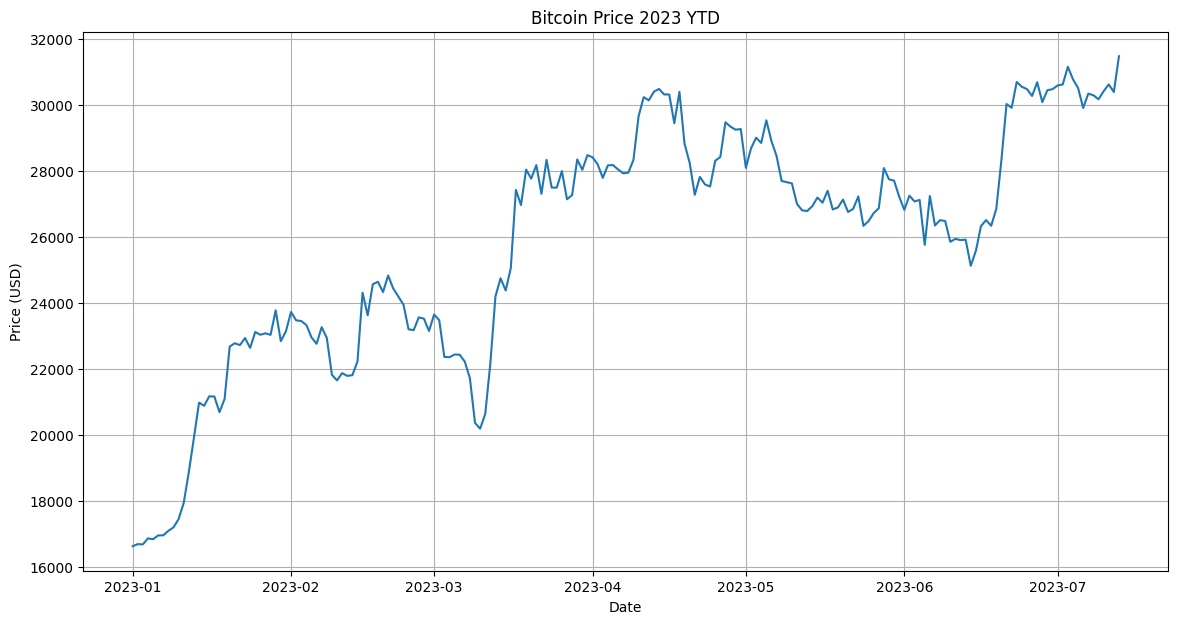
        "Plot the bitcoin chart of 2023 YTD"
    )

    # output the response (text + image)
    print("AI: ", response.content)
    for file in response.files:
        file.show_image()

    # terminate the session
    await session.astop()


if __name__ == "__main__":
    import asyncio
    # run the async function
    asyncio.run(main())
Dataset Analysis
from codeinterpreterapi import CodeInterpreterSession, File


async def main():
    # context manager for auto start/stop of the session
    async with CodeInterpreterSession() as session:
        # define the user request
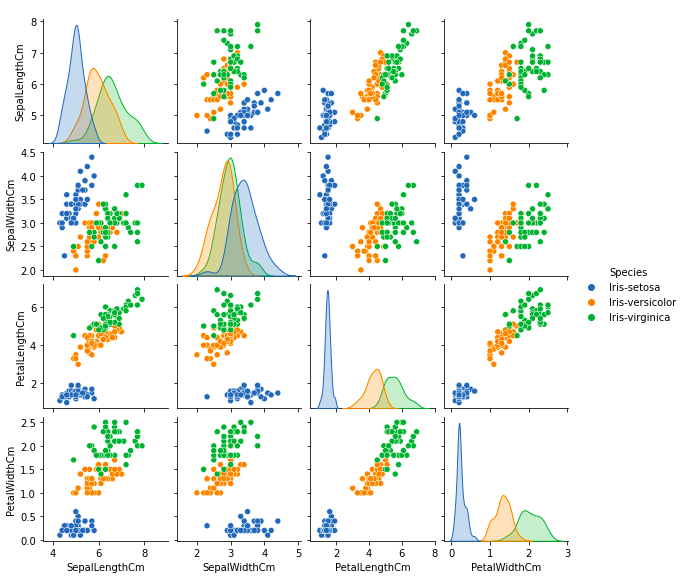
        user_request = "Analyze this dataset and plot something interesting about it."
        files = [
            File.from_path("examples/assets/iris.csv"),
        ]

        # generate the response
        response = await session.generate_response(
            user_request, files=files
        )

        # output to the user
        print("AI: ", response.content)
        for file in response.files:
            file.show_image()


if __name__ == "__main__":
    import asyncio

    asyncio.run(main())
Production
In case you want to deploy to production, you can utilize the CodeBox API for seamless scalability.
Please contact me if you are interested in this, as it is still in the early stages of development.
Contributing
There are some remaining TODOs in the code. So, if you want to contribute, feel free to do so. You can also suggest new features. Code refactoring is also welcome. Just open an issue or pull request and I will review it.
Please also submit any bugs you find as an issue with a minimal code example or screenshot. This helps me a lot in improving the code.
Thanks!
Streamlit WebApp
To start the web application created with streamlit:
streamlit run frontend/app.py
License
Contact
You can contact me at contact@shroominic.com. But I prefer to use Twitter or Discord DMs.
Support this project
If you would like to help this project with a donation, you can click here. Thanks, this helps a lot! ❤️
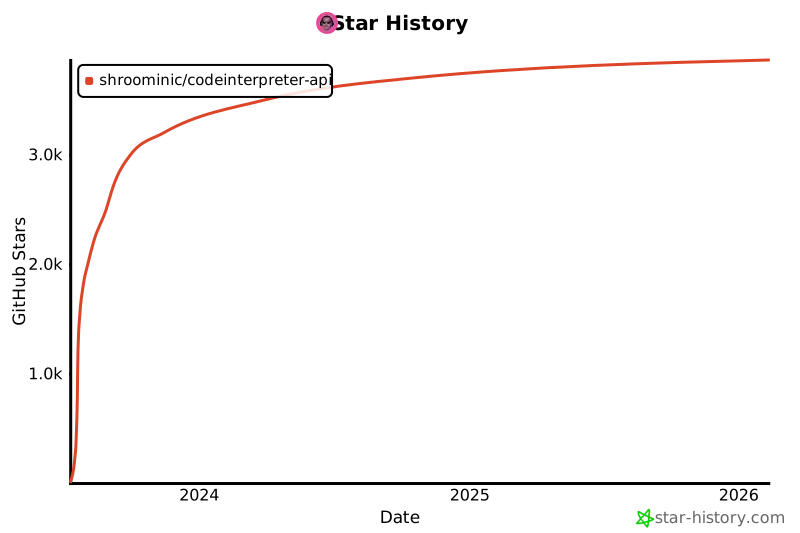
Star History
Release history Release notifications | RSS feed


Download files
Download the file for your platform. If you're not sure which to choose, learn more about installing packages.
Source Distribution
Built Distribution
Filter files by name, interpreter, ABI, and platform.
If you're not sure about the file name format, learn more about wheel file names.
Copy a direct link to the current filters
File details
Details for the file codeinterpreterapi-0.0.12.tar.gz.
File metadata
- Download URL: codeinterpreterapi-0.0.12.tar.gz
- Upload date:
- Size: 17.9 kB
- Tags: Source
- Uploaded using Trusted Publishing? No
- Uploaded via: twine/4.0.2 CPython/3.9.17
File hashes
| Algorithm | Hash digest | |
|---|---|---|
| SHA256 |
6893e769fdf4c52834daae2da1c4483e92f7eaeb4b908d497f15331c5738391c
|
|
| MD5 |
dfc09d48d71240540c7bbd0594b01894
|
|
| BLAKE2b-256 |
03c81509f1bc338c63379874ea2f5a9e069b39e56afa61defbb3e48451a868b7
|
File details
Details for the file codeinterpreterapi-0.0.12-py3-none-any.whl.
File metadata
- Download URL: codeinterpreterapi-0.0.12-py3-none-any.whl
- Upload date:
- Size: 22.5 kB
- Tags: Python 3
- Uploaded using Trusted Publishing? No
- Uploaded via: twine/4.0.2 CPython/3.9.17
File hashes
| Algorithm | Hash digest | |
|---|---|---|
| SHA256 |
9dff9c45d6ee0732f920740494e593b5381594d4fd0bb1dc7a51e144c0aedf08
|
|
| MD5 |
9a7b92e3c207be3e9d74839dfc1caf44
|
|
| BLAKE2b-256 |
7e6f44a49385f82f605cd42d765a43a833d1acc8ef08b6917f3be7b359353730
|






