
This release is a pre-release and may not be stable for production use.

Cognee - Build AI memory with a Knowledge Engine that learns
Demo . Docs . Learn More · Join Discord · Join r/AIMemory . Community Plugins & Add-ons


Use our knowledge engine to build personalized and dynamic memory for AI Agents.
🌐 Available Languages : Deutsch | Español | Français | 日本語 | 한국어 | Português | Русский | 中文
About Cognee
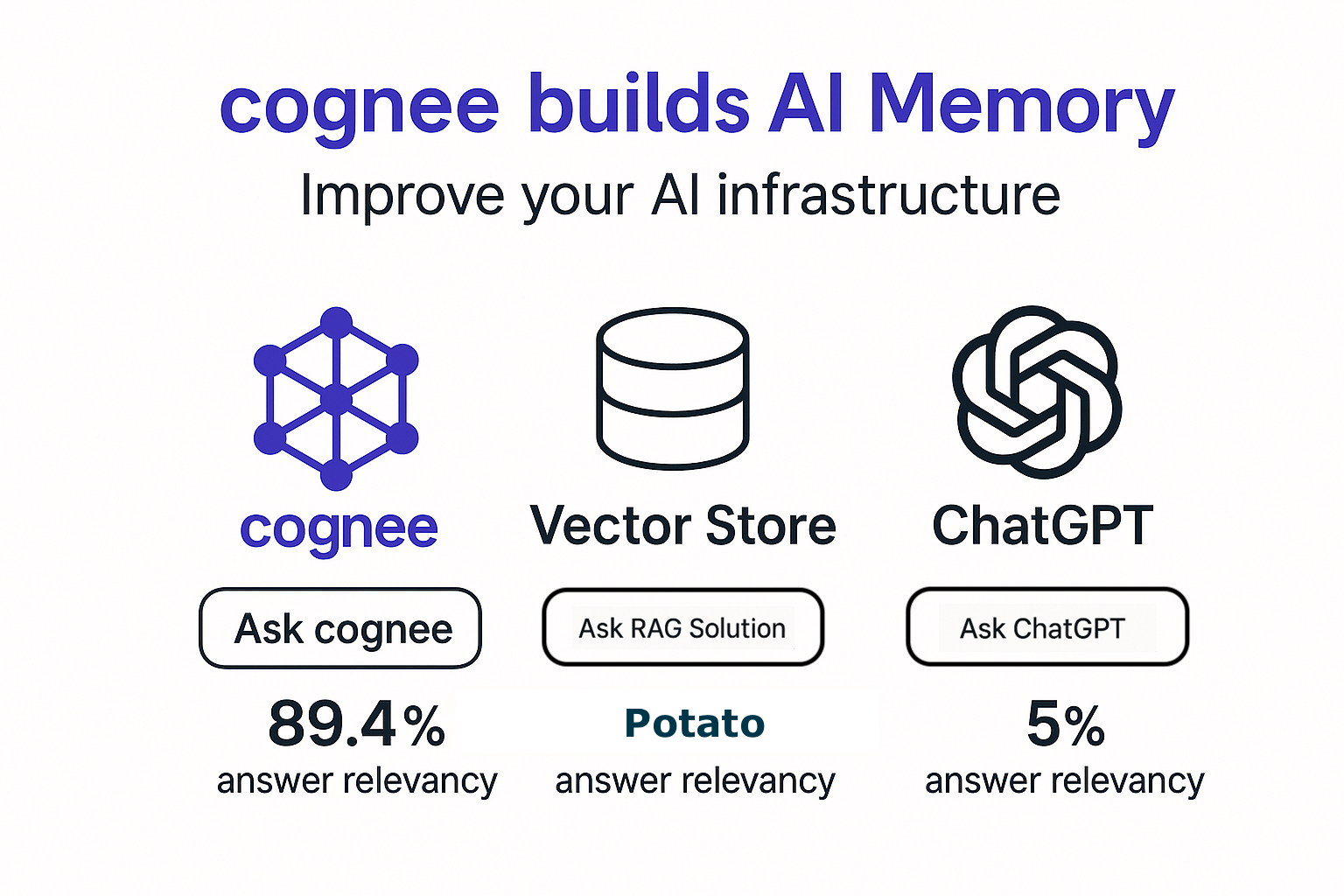
Cognee is an open-source knowledge engine that lets you ingest data in any format or structure and continuously learns to provide the right context for AI agents. It combines vector search, graph databases and cognitive science approaches to make your documents both searchable by meaning and connected by relationships as they change and evolve.
⭐ Help us reach more developers and grow the cognee community. Star this repo!
📚 Check our detailed documentation for setup and configuration.
🦀 Available as a plugin for your OpenClaw — cognee-openclaw
Why use Cognee:
- Knowledge infrastructure — unified ingestion, graph/vector search, runs locally, ontology grounding, multimodal
- Persistent and Learning Agents - learn from feedback, context management, cross-agent knowledge sharing
- Reliable and Trustworthy Agents - agentic user/tenant isolation, traceability, OTEL collector, audit traits
Product Features

Basic Usage & Feature Guide
To learn more, check out this short, end-to-end Colab walkthrough of Cognee's core features.

Quickstart
Let’s try Cognee in just a few lines of code.
Prerequisites
- Python 3.10 to 3.13
Step 1: Install Cognee
You can install Cognee with pip, poetry, uv, or your preferred Python package manager.
uv pip install cognee
Step 2: Configure the LLM
import os
os.environ["LLM_API_KEY"] = "YOUR OPENAI_API_KEY"
Alternatively, create a .env file using our template.
To integrate other LLM providers, see our LLM Provider Documentation.
Step 3: Run the Pipeline
Cognee will take your documents, load them into the knowledge angine and search combined vector/graph relationships.
Now, run a minimal pipeline:
import cognee
import asyncio
from pprint import pprint


async def main():
    # Add text to cognee
    await cognee.add("Cognee turns documents into AI memory.")

    # Add to knowledge engine
    await cognee.cognify()

    # Query the knowledge graph
    results = await cognee.search("What does Cognee do?")

    # Display the results
    for result in results:
        pprint(result)


if __name__ == '__main__':
    asyncio.run(main())
As you can see, the output is generated from the document we previously stored in Cognee:
Cognee turns documents into AI memory.
Use the Cognee CLI
As an alternative, you can get started with these essential commands:
cognee-cli add "Cognee turns documents into AI memory."

cognee-cli cognify

cognee-cli search "What does Cognee do?"
cognee-cli delete --all
To open the local UI, run:
cognee-cli -ui
Examples
Browse more examples in the examples/ folder — demos, guides, custom pipelines, and database configurations.
Use Case 1 — Customer Support Agent
Goal: Resolve customer issues using their personal data across finance, support, and product history.

User: "My invoice looks wrong and the issue is still not resolved."

Cognee tracks: past interactions, failed actions, resolved cases, product history

# Agent response:
Agent: "I found 2 similar billing cases resolved last month.
        The issue was caused by a sync delay between payment
        and invoice systems — a fix was applied on your account."

# What happens under the hood:
- Unifies data sources from various company channels
- Reconstructs the interaction timeline and tracks outcomes
- Retrieves similar resolved cases
- Maps to the best resolution strategy
- Updates memory after execution so the agent never repeats the same mistake
Use Case 2 — Expert Knowledge Distillation (SQL Copilot)
Goal: Help junior analysts solve tasks by reusing expert-level queries, patterns, and reasoning.

User: "How do I calculate customer retention for this dataset?"

Cognee tracks: expert SQL queries, workflow patterns, schema structures, successful implementations

# Agent response:
Agent: "Here's how senior analysts solved a similar retention query.
        Cognee matched your schema to a known structure and adapted
        the expert's logic to fit your dataset."

# What happens under the hood:
- Extracts and stores patterns from expert SQL queries and workflows
- Maps the current schema to previously seen structures
- Retrieves similar tasks and their successful implementations
- Adapts expert reasoning to the current context
- Updates memory with new successful patterns so junior analysts perform at near-expert level
Deploy Cognee
Use Cognee Cloud for a fully managed experience, or self-host with one of the 1-click deployment configurations below.
| Platform | Best For | Command |
|---|---|---|
| Cognee Cloud | Managed service, no infrastructure to maintain | Sign up |
| Modal | Serverless, auto-scaling, GPU workloads | bash distributed/deploy/modal-deploy.sh |
| Railway | Simplest PaaS, native Postgres | railway init && railway up |
| Fly.io | Edge deployment, persistent volumes | bash distributed/deploy/fly-deploy.sh |
| Render | Simple PaaS with managed Postgres | Deploy to Render button |
| Daytona | Cloud sandboxes (SDK or CLI) | See distributed/deploy/daytona_sandbox.py |
See the distributed/ folder for deploy scripts, worker configurations, and additional details.
Latest News

Community & Support
Contributing
We welcome contributions from the community! Your input helps make Cognee better for everyone. See CONTRIBUTING.md to get started.
Code of Conduct
We're committed to fostering an inclusive and respectful community. Read our Code of Conduct for guidelines.
Research & Citation
We recently published a research paper on optimizing knowledge graphs for LLM reasoning:
@misc{markovic2025optimizinginterfaceknowledgegraphs,
      title={Optimizing the Interface Between Knowledge Graphs and LLMs for Complex Reasoning},
      author={Vasilije Markovic and Lazar Obradovic and Laszlo Hajdu and Jovan Pavlovic},
      year={2025},
      eprint={2505.24478},
      archivePrefix={arXiv},
      primaryClass={cs.AI},
      url={https://arxiv.org/abs/2505.24478},
}
1 maintainer

Metadata
1 maintainer
Release files for cognee 0.5.6.dev20260406
For a detailed explanation of source distributions (sdists) and built distributions (wheels), please see the package formats documentation.
Source distribution (sdist)
| File | Size | Uploaded | Provenance | Actions |
|---|---|---|---|---|
| cognee-0.5.6.dev20260406.tar.gz | 18.3 MB | Without provenance | Details for cognee-0.5.6.dev20260406.tar.gz |
Built distribution (wheel)
| File | Interpreter | ABI | Platform | Actions Reset |
|---|---|---|---|---|
| cognee-0.5.6.dev20260406-py3-none-any.whl | Python 3 | none | any | Details for cognee-0.5.6.dev20260406-py3-none-any.whl |
Total release size: 20.1 MB
Release files / cognee-0.5.6.dev20260406.tar.gz
| Download URL | cognee-0.5.6.dev20260406.tar.gz |
|---|---|
| Size | 18.3 MB |
| Tags | Source |
|
SHA-256 checksum How to use checksums |
d6cf004ae3e26a69dc735cf0f8493f79ea9f004d1aef3562d53a0ba01bfd1745
|
|
BLAKE2b-256 checksum How to use checksums |
ba677a0038da735049c0b678a3eb97ee884564a4e31a70b453e2c3148caa6199
|
| Upload date | |
|
Uploaded using Trusted Publishing? What is trusted publishing? |
No |
| Uploaded via |
uv/0.11.3 {"installer":{"name":"uv","version":"0.11.3","subcommand":["publish"]},"python":null,"implementation":{"name":null,"version":null},"distro":{"name":"Ubuntu","version":"24.04","id":"noble","libc":null},"system":{"name":null,"release":null},"cpu":null,"openssl_version":null,"setuptools_version":null,"rustc_version":null,"ci":true}
|
Release files / cognee-0.5.6.dev20260406-py3-none-any.whl
| Download URL | cognee-0.5.6.dev20260406-py3-none-any.whl |
|---|---|
| Size | 1.8 MB |
| Tags | Python 3 |
|
SHA-256 checksum How to use checksums |
75f6d301158665ab4cf3843d50c5a4e92325d859992db1696e10e9405958b620
|
|
BLAKE2b-256 checksum How to use checksums |
b90d3b97316394bbdda0042c9eca431c412f282ec3b73b9333a1d1afa1aae19e
|
| Upload date | |
|
Uploaded using Trusted Publishing? What is trusted publishing? |
No |
| Uploaded via |
uv/0.11.3 {"installer":{"name":"uv","version":"0.11.3","subcommand":["publish"]},"python":null,"implementation":{"name":null,"version":null},"distro":{"name":"Ubuntu","version":"24.04","id":"noble","libc":null},"system":{"name":null,"release":null},"cpu":null,"openssl_version":null,"setuptools_version":null,"rustc_version":null,"ci":true}
|
Security for cognee 0.5.6.dev20260406
Provenance
Provenance describes where a file came from. On PyPI, provenance is shared via attestations, which provide a verifiable record of the build or publishing details. View details, limitations and caveats.
No provenance found
None of the files in this release were uploaded with provenance metadata.
A note on package security
PyPI is a repository for distributing packages, not a service for auditing them. While third-party security researchers and our staff do their best to detect and remove malicious packages, PyPI cannot guarantee the quality, security or suitability of any given package.
To learn more about protecting yourself from malicious actors, visit our package security documentation.














