
color-extract


A toolkit to extract dominant colors from images using various K-Means clustering approaches.
| Example |
|---|
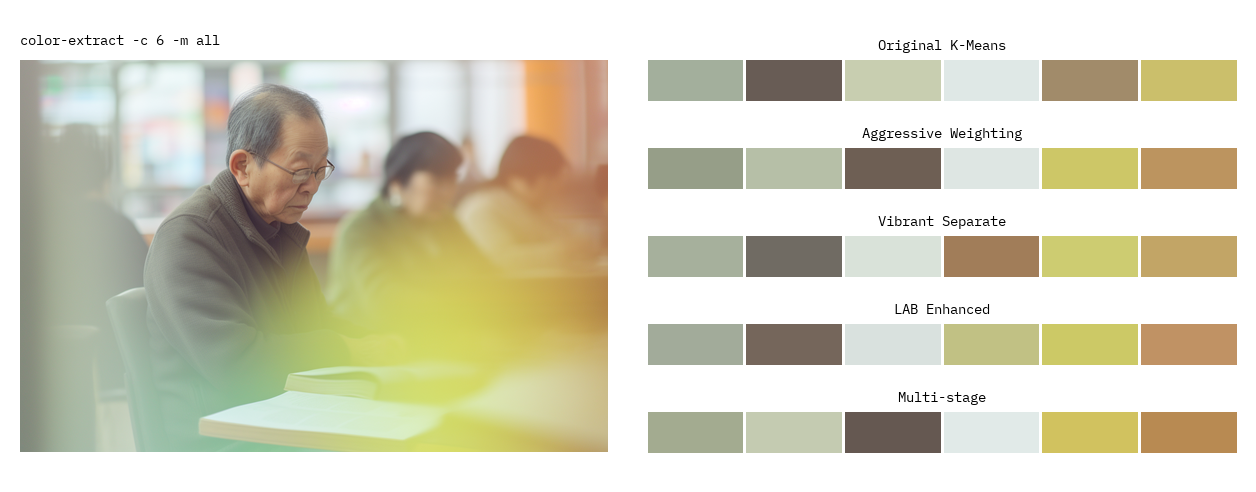 |
Features
Extraction Methods
- Original K-Means: Standard K-Means clustering approach
- Aggressive Weighting: K-Means with aggressive saturation weighting to emphasize vibrant colors
- Vibrant Separate: Separate clustering for vibrant minority colors and base colors
- LAB Enhanced: LAB color space with saturation-weighted sampling for perceptually uniform clustering
- Multi-stage: Multi-stage extraction: vibrant colors first, then distinct base colors
Sorting
- Spatial sorting (left-to-right or top-to-bottom)
- Frequency-based sorting
Installation
With pip:
pip install color-extract
Or with uv:
uv add color-extract
Command Line Usage
# Basic extraction with default settings
color-extract image.jpg

# Extract 8 colors using the vibrant method
color-extract image.jpg -c 8 -m vibrant

# Compare all methods and define output folder
color-extract image.jpg -m all -o ./myfolder
CLI Options
usage: color-extract [options] image

Arguments:
  image                Path to the input image

Options:
  -h, --help           Show help message
  --colors, -c         Number of colors to extract (default: 6)
  --method, -m         Extraction method (default: lab)
  --output, -o         Output file path (default: ./output)
  --sort, -s           Sorting method: (default: frequency)
  --weights, -w        Show color weights (default: False)
  --no-plot            Disable plot generation
  --max-dimension      Max dimension for downscaling (default: 64)
  --dpi                DPI for output plots (default: 150)
Output Examples
Console
┌─────────────────────────────────────┐
│ LAB Enhanced                        │
└─────────────────────────────────────┘
┌───────┬──────────┬──────────────────┐
│  ■■■  │ #277595  │ (39, 117, 149)   │
│  ■■■  │ #68b2c6  │ (104, 178, 198)  │
│  ■■■  │ #6c6963  │ (108, 105, 99)   │
│  ■■■  │ #394d4d  │ (57, 77, 77)     │
│  ■■■  │ #782722  │ (120, 39, 34)    │
│  ■■■  │ #102937  │ (16, 41, 55)     │
└───────┴──────────┴──────────────────┘
Result saved to output/colors_image_lab_6.png
Plotted Images
| Aggressive Weighting | LAB Enhanced |
|---|---|
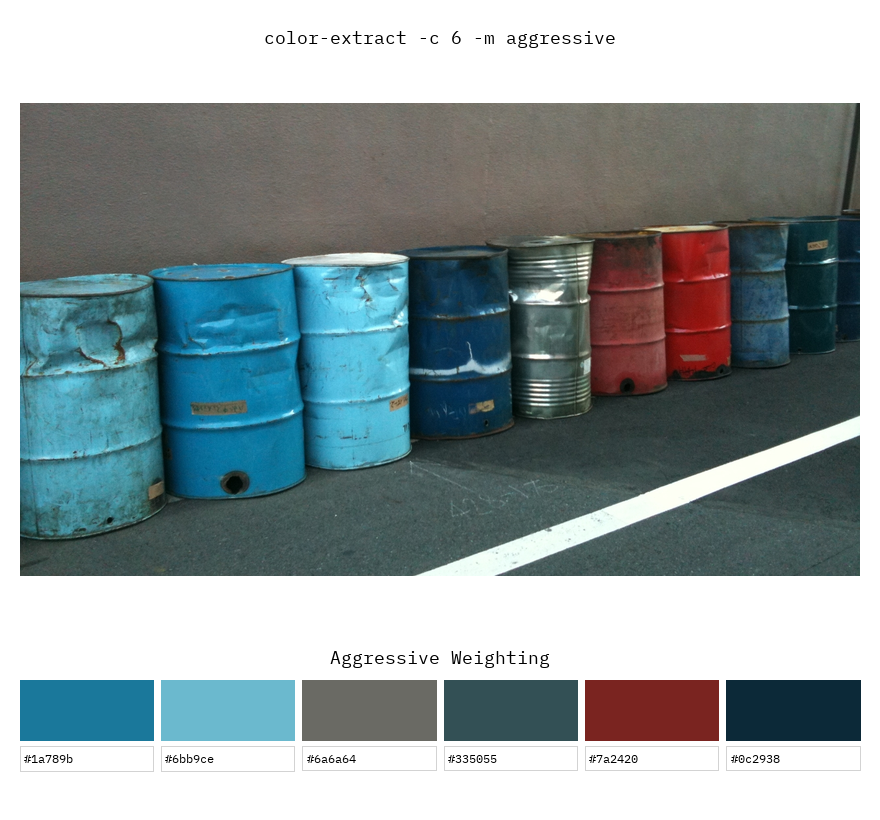 |
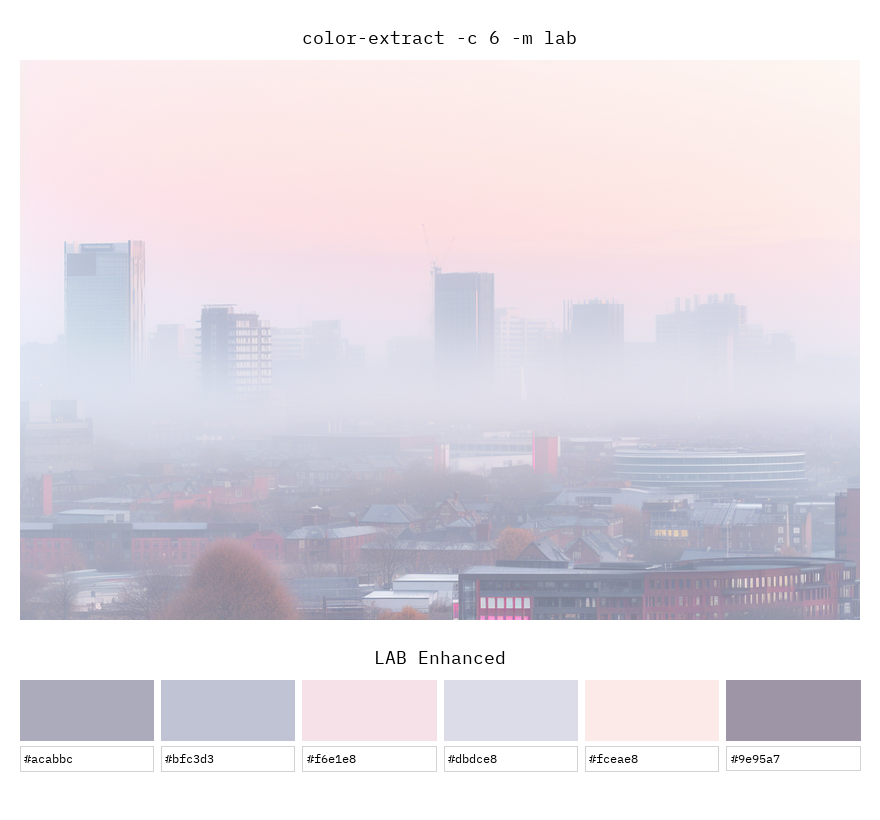 |
| Multi-stage | K-Means |
|---|---|
 |
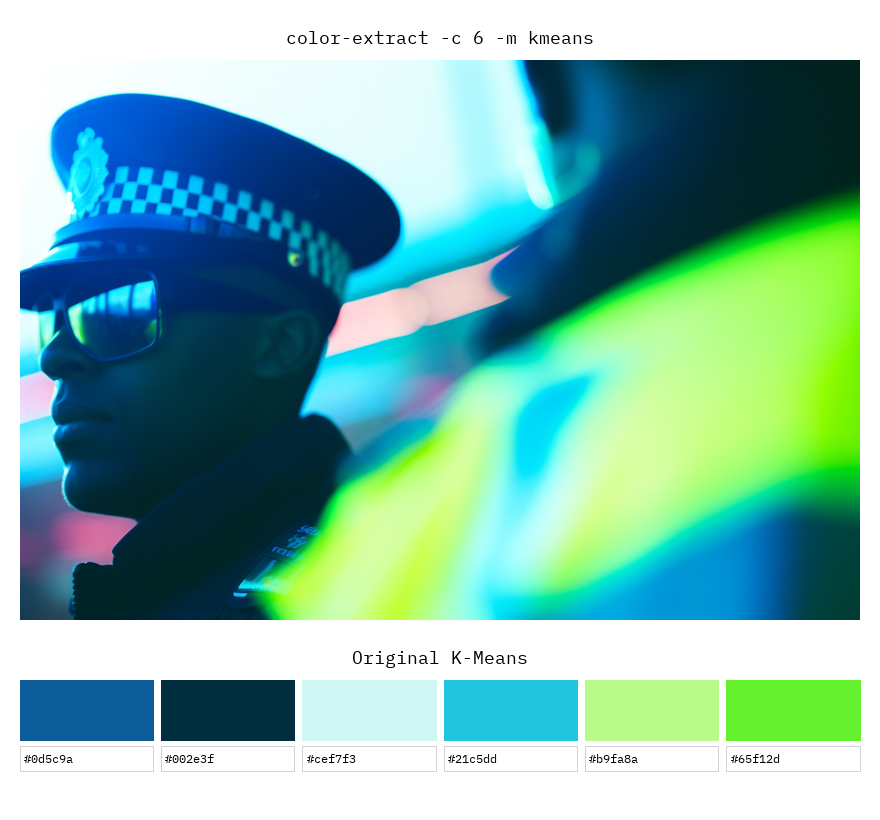 |
Python API Usage
import color_extract
import numpy as np
from PIL import Image

# Simple extraction from file
colors = color_extract.extract_colors('image.jpg', method='lab', n_colors=5)
for color in colors:
    print(color_extract.rgb_to_hex(color))

# Use with numpy array
img = Image.open('image.jpg')
img_array = np.array(img)
colors = color_extract.extract_colors(img_array, method='aggressive')

# Advanced usage with visualization
from color_extract import plot_single_result, load_and_prepare_image

img, img_array = load_and_prepare_image('image.jpg')
colors = color_extract.extract_colors_lab_enhanced(img_array, n_colors=6)
sorted_colors = color_extract.sort_colors_by_spatial_position(img_array, colors)

# Generate visualization
plot_single_result(img, img_array, sorted_colors, 'LAB Enhanced', 'output.png')
API Reference
Main Functions
Main convenience function for color extraction.
colors = extract_colors(image, method='lab', n_colors=6, sort_by='frequency', weights=False)

# Parameters:
# - image: File path (str) or numpy array (H, W, 3)
# - method: Extraction method name ('kmeans', 'aggressive', 'vibrant', 'lab', 'multstage')
# - n_colors: Number of colors to extract
# - sort_by: Sorting method ('x-axis', 'y-axis', 'frequency')
# - weights: If True, also return each color's weight (its share of the image)

# Returns:
# - List of RGB tuples (default)
# - If weights=True: list of dicts in the same order, with weights summing to ~1.0:
#   [{'rgb': (r, g, b), 'hex': '#rrggbb', 'lab': (L, a, b), 'weight': <float 0-1>}, ...]

# Get colors with their weights
result = extract_colors('image.jpg', weights=True)
for item in result:
    print(item['hex'], item['rgb'], item['lab'], item['weight'])
Individual Extraction Methods
Each method can be used directly for more control:
# Original K-Means
colors = extract_colors_kmeans_original(img_array, n_colors=6)

# LAB color space
colors = extract_colors_lab_enhanced(img_array, n_colors=6, saturation_boost=5.0)

# Aggressive saturation weighting
colors = extract_colors_weighted_aggressive(img_array, n_colors=6, saturation_boost=10.0)

# Separate vibrant colors
colors = extract_colors_vibrant_separate(img_array, n_colors=6, n_vibrant=3)

# Multi-stage extraction
colors = extract_colors_multistage(img_array, n_colors=6)
Further Reading
1 maintainer

Metadata
1 maintainer
Release files for color-extract 0.0.5
For a detailed explanation of source distributions (sdists) and built distributions (wheels), please see the package formats documentation.
Source distribution (sdist)
| File | Size | Uploaded | |
|---|---|---|---|
| color_extract-0.0.5.tar.gz | 16.5 kB | Details |
Built distribution (wheel)
| File | Interpreter | ABI | Platform | Reset |
|---|---|---|---|---|
| color_extract-0.0.5-py3-none-any.whl | Python 3 | none | any | Details |
Total release size: 32.7 kB
Release files / color_extract-0.0.5.tar.gz
| Download URL | color_extract-0.0.5.tar.gz |
|---|---|
| Size | 16.5 kB |
| Tags | Source |
|
SHA-256 checksum How to use checksums |
5b1bd25efc9217aa65c137af1a9fa81f3d89e8992e622dcb3284aa86e9cc74fe
|
|
BLAKE2b-256 checksum How to use checksums |
4386fc105a64790781ac00a6da89345b2f8e7b5d07f14625549d397ea0505ae7
|
| Upload date | |
|
Uploaded using Trusted Publishing? What is trusted publishing? |
Yes |
| Uploaded via |
twine/6.1.0 CPython/3.13.12
|
Provenance
Provenance describes where a file came from. On PyPI, provenance is shared via attestations, which provide a verifiable record of the build or publishing details. View details, limitations and caveats.


PyPI Publish Attestation
PyPI verified that this artifact, at this checksum, originated from the publisher listed below.
Signed by GitHub Actions, verified by PyPI on Jun 1, 2026.
Transparency logRelease files / color_extract-0.0.5-py3-none-any.whl
| Download URL | color_extract-0.0.5-py3-none-any.whl |
|---|---|
| Size | 16.2 kB |
| Tags | Python 3 |
|
SHA-256 checksum How to use checksums |
2a1e1886d4d017c5ee47e963c7c082040f827e2bf3088811e1d7b6f395f94513
|
|
BLAKE2b-256 checksum How to use checksums |
121aae73ad3e09a0f6b34e1b40ac8a9a239fe8c474fc3c31fee02183fc3dc0b3
|
| Upload date | |
|
Uploaded using Trusted Publishing? What is trusted publishing? |
Yes |
| Uploaded via |
twine/6.1.0 CPython/3.13.12
|
Provenance
Provenance describes where a file came from. On PyPI, provenance is shared via attestations, which provide a verifiable record of the build or publishing details. View details, limitations and caveats.
PyPI Publish Attestation
PyPI verified that this artifact, at this checksum, originated from the publisher listed below.
Signed by GitHub Actions, verified by PyPI on Jun 1, 2026.
Transparency log













